Softpedia
 

WINDOWS CATEGORIES:


GLOBAL PAGES >>
SOFTPEDIA REVIEWS >>
MEET THE EDITORS >>

WEEK'S BEST

  • DAEMON Tools Pro (...
  • FlashFXP [ DISCOUN...
  • PowerISO 4.9
  • WebcamMax [DISCOUN...
  • Zemana AntiLogger ...
  • System Mechanic Pr...
  • Glary Utilities Pr...
  • All My Movies [DIS...
  • Ad-Aware Internet ...
  • Atlantis Word Proc...
  • Home > Windows > Authoring tools > Digital Album
     Report malware

    DVD Album Creator 3.2.2 Build 7601

    download button

    Downloads: 4,650  Tell us about an update
    User Rating:
    Rated by:
    Good (3.1/5)
    24 user(s)
    Developer:

    License / Price:

    Size / OS:

    Last Updated:

    Category:

    Trial / USD 29.95 buy button
    12.1 MB / Windows 2K / XP / 2003 / Vista / 7 / 7 x64
    [view history]
    C: \ Authoring tools \ Digital Album

     Read user reviews (0)  Send to friend   Follow (0 users)

    DVD Album Creator description

    Create DVD photo slideshow album with subtitles, pan and zoom, and chapter menu

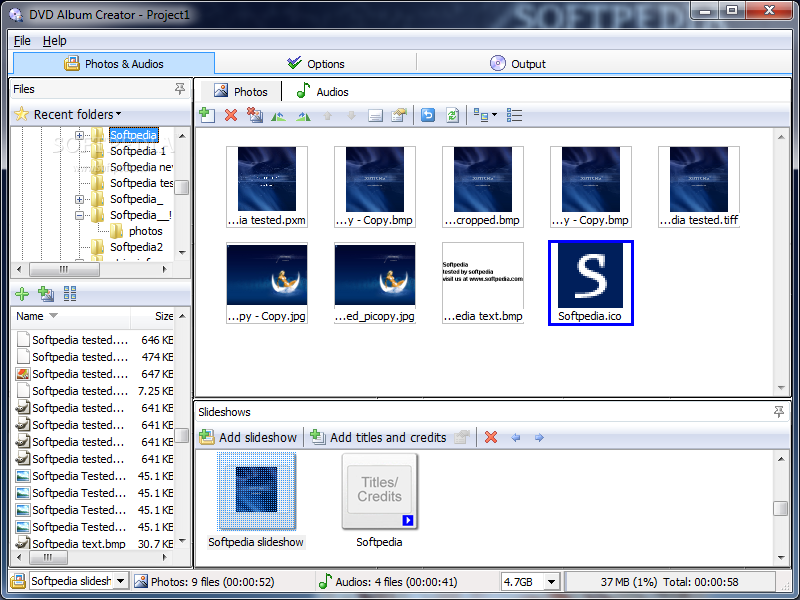
    DVD Album Creator provides you a handy tool to create professional slideshow DVDs with your digital photos. It is equipped with a built-in burner and the output DVDs can be watched on TV with your set-top DVD player.

    Apart from video, you may incorporate various transition effects and audio to enrich your DVDs. Photos in each slideshow are divided into chapters like scene selection menu in DVD movies, you can use remote control of your DVD player to navigate through photos manually.

    DVD Album Creator also supports up to 8 sets of subtitles, using EXIF data of your digital photos in subtitles is just a matter of a few clicks. No matter you are new to AV editing or an expert, DVD Album Creator is for sure your ideal partner.

    If you want to easily create a customized slideshow DVD with your personal photos, you can use DVD Album Creator.

    Here are some key features of "DVD Album Creator":

    DVD Authoring:
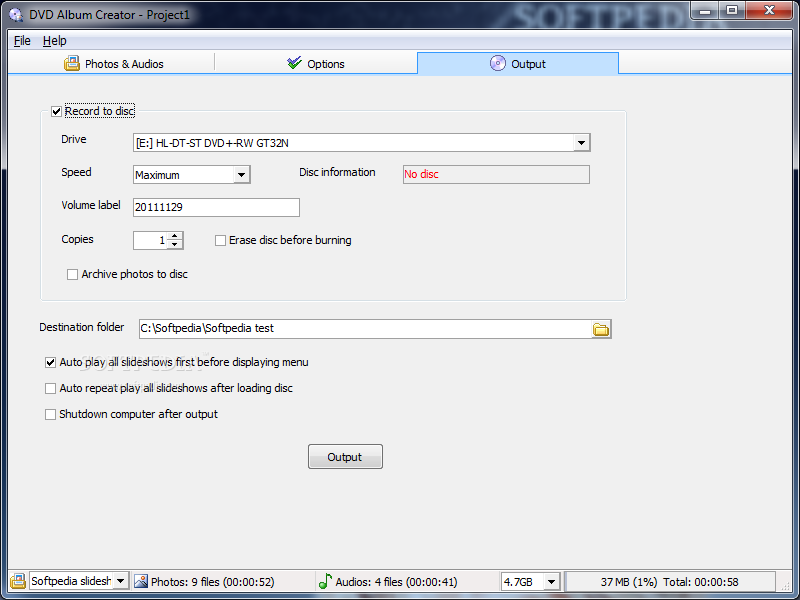
    · Directly burn photo slideshow to DVD without any other software

    DVD Menu with Chapters:
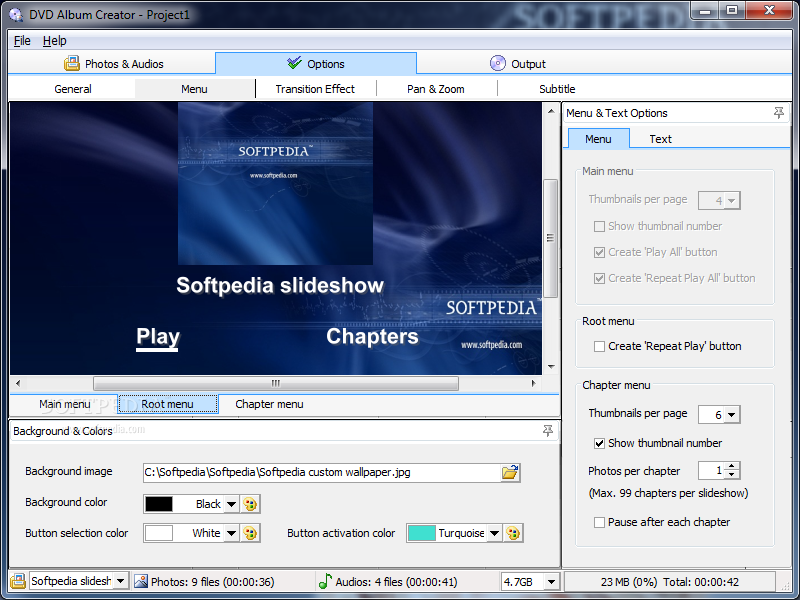
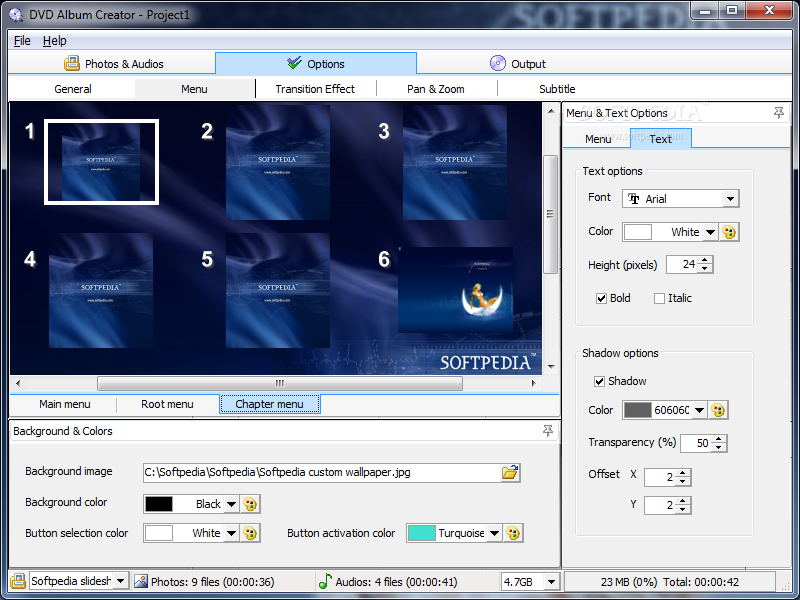
    · In addition to normal playback, photos in each slideshow are also divided into chapters. You can use remote control of your DVD player to navigate through photos manually.

    Transition Effects:
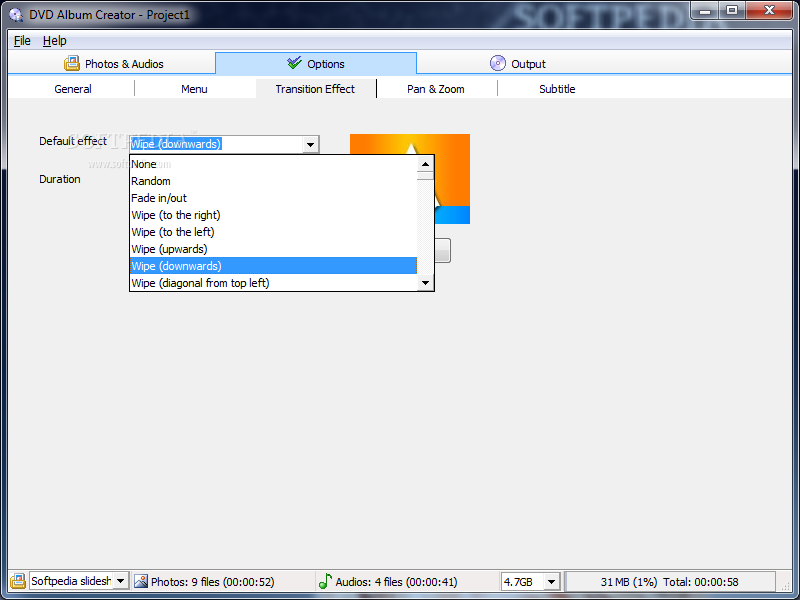
    · Over a hundred transition effects are included. Also support random effect or no transition effect.

    Individual Duration Settings:
    · Support different photo duration, transition effect and effect duration for each photo.

    Multiple audio files:
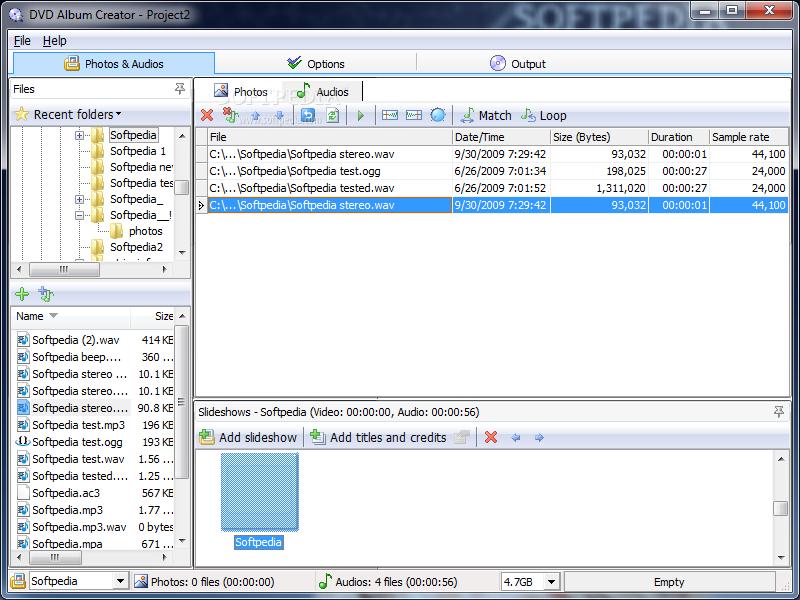
    · Add multiple audio files, rearrange the order with drag-and-drop ease.

    Match Audio/Video duration:
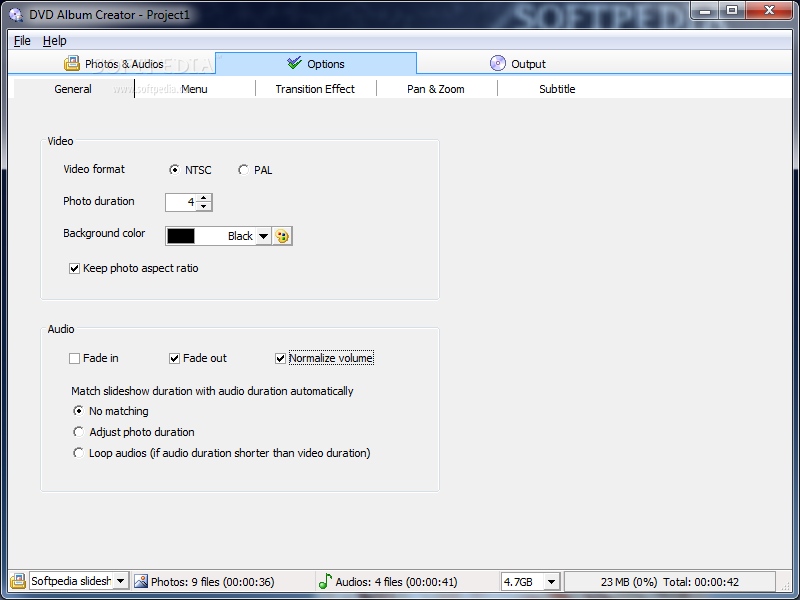
    · Automatically adjust photo duration for the audios or loop auidos so that they both end at the same time.

    Archive your original photos:
    · Optionally archive the photos onto the same DVD as your slideshow for safekeeping or to share with family and friends who want to print them.

    Batch Collect:
    · Pick entire folders of photos and adds them all to your DVD slideshows with drag-and-drop ease.

    Split Slideshow:
    · Easily separate large amounts of photos into more than one DVD slideshows.

    Adjustable thumbnail sizes:
    · Make it easy to view photos in your slideshow.

    Rearrange photos:
    · Order as you want with drag and drop ease in either story-board like thumbnail view or grid view.

    Dual-Layer DVD burning:
    · Dual-Layer DVD burning gives you twice the capacity (8.5GB) to fit multiple high-resolution and large photo DVD slideshows onto one disc.

    Subtitles with EXIF and IPTC Data Support:
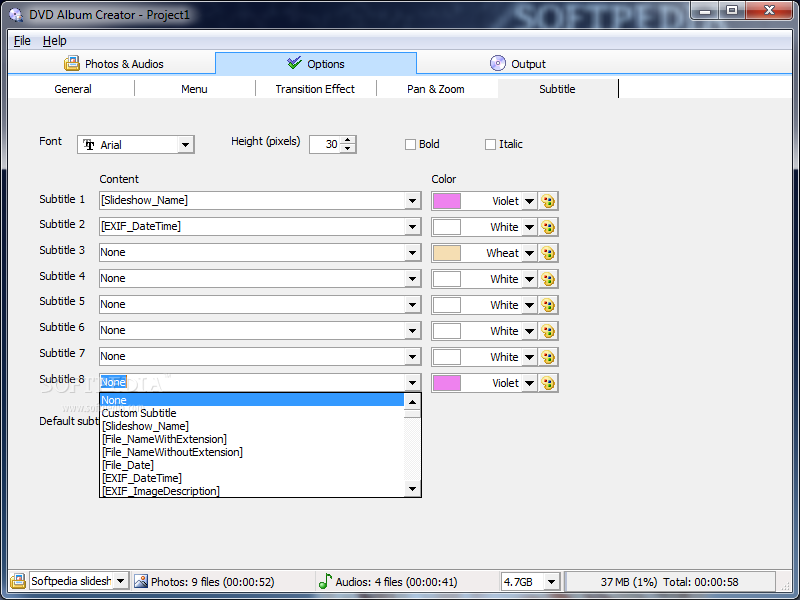
    · Support up to 8 sets of subtitle. You can make use of the EXIF or IPTC data of your digital photos, or you can enter your own custom subtitles.

    Auto Rotate:
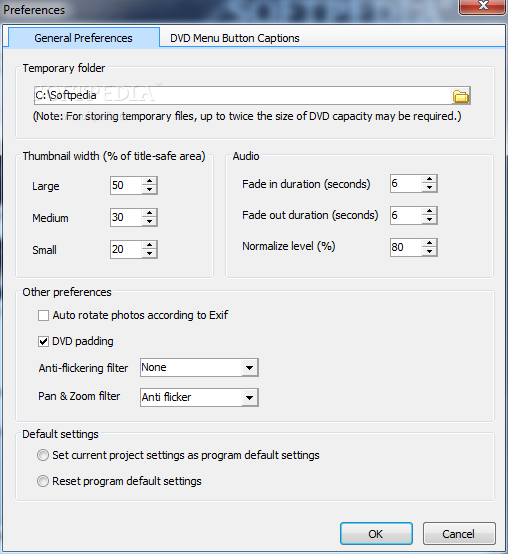
    · Auto Rotate your digital photos based on the Orientation information in the Exif data. This saves lots of your time to rotate the pictures one by one manually.

    Import Background Music from Audio CD:
    · Support importing background music directly from an audio CD.

    Different Playback Sequence for User to Choose:
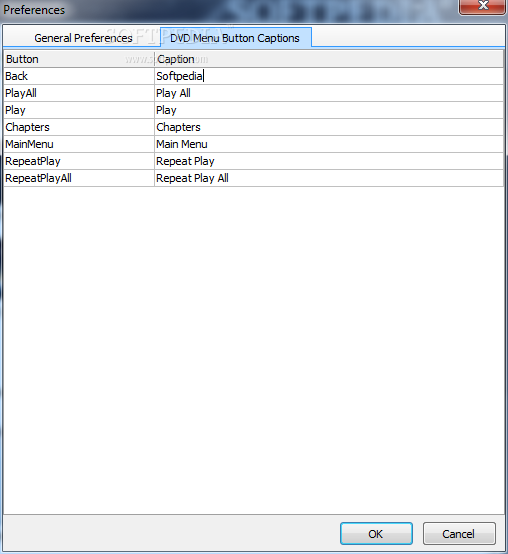
    · Provide different options for DVD playback including repeatedly playback of one or all slideshows. All of them are choices in the DVD menu instead of being pre-determined and fixed during disc compilation.

    Introductory Video:
    · Support generation of an introductory video. Similar to the Copyright statement or Warning in commercial DVD, this introductory video will be played automatically once the DVD is inserted into the player.

    Pan and Zoom:
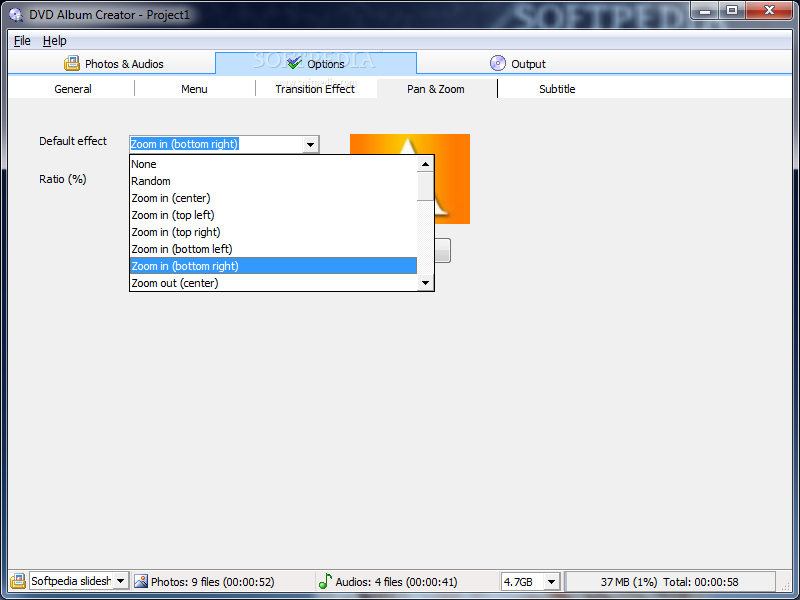
    · Provide more than 10 pre-defined pan and zoom effects (including zoom in/out, horizontal/vertical pan, zoom in/out with diagonal pan) to bring still image to life. Each image can have its own pan and zoom duration, and zoom factor. Also support random effect or no transition effect.

    Titles and Credits:
    · Just type in your desire title sequence and/or closing credits, and let the system add them to the slideshow. Each slideshow can have its own titles and credits using different fonts and appearances. Nine pre-defined display themes (including fading, scrolling, typewriter) are available.

    Pause after each Chapter:
    · Support pausing the playback once a chapter is played. This facilitates introducing each picture in the presentation, and advance to the next one only after a button like 'Play' or 'Next' on the remote control unit is pressed.

    Anti-Flickering Filter:
    · Anti-flickering filter is supported to remove the "flicker" sometimes found when the compilation is watched in some televisions.

    Choices in Pan and Zoom Filter:
    · In addition to existing pan and zoom filter, a new pan and zoom filter is introduced to improve the sharpness of the output picture.

    Requirements:

    · Intel Pentium III 600MHz CPU or higher
    · 128MB of RAM (256MB or higher recommended)
    · 40MB of available hard disk space for software installation
    · 4GB of available hard disk space for storing temporary files
    · Windows-compatible display with at least 800x600 pixels resolution
    · Windows-compatible mouse and sound card
    · DVD burner
    · Recordable or rewritable DVD which is supported by the DVD burner
    · DirectShow (Optional. Only required if WMA audio files are used.)

    Limitations:

    · 15 days trial
    · watermark on the output video

    What's New in This Release: [ read full changelog ]

    Support on Windows Vista:
    · Prior to version 3.2, DVD Album Creator in Windows Vista may encounter some display problems e.g. incorrect aspect ratio in photo properties panel, strange color in photo pane. These problems are now solved in version 3.2.

    New Pan and Zoom Filter:
    · Occasionally we receive request to improve the sharpness of pan and zoom pictures. In version 3.2, we incorporate another pan and zoom filter that will produce less blur picture (but may cause flickers in some TV) during pan and zoom. You may test and use the filter that produces the best effect in your settings.

     Softpedia guarantees that DVD Album Creator 3.2.2 Build 7601 is 100% CLEAN, which means it does not contain any form of malware, including spyware, viruses, trojans and backdoors. [read more >]


    TAGS:

    photo album | album generator | DVD Album | album | slideshow | ripper


    HTML code for linking to this page:


    Go to top

    WindowsGamesDriversMacLinuxScriptsMobileHandheldNews

    SUBMIT PROGRAM   |   ADVERTISE   |   GET HELP   |   SEND US FEEDBACK   |   RSS FEEDS   |   UPDATE YOUR SOFTWARE   |   ROMANIAN FORUM