Softpedia
 

WINDOWS CATEGORIES:


GLOBAL PAGES >>
SOFTPEDIA REVIEWS >>
MEET THE EDITORS >>

WEEK'S BEST

  • DAEMON Tools Pro (...
  • FlashFXP [ DISCOUN...
  • PowerISO 4.9
  • WebcamMax [DISCOUN...
  • Zemana AntiLogger ...
  • System Mechanic Pr...
  • Glary Utilities Pr...
  • All My Movies [DIS...
  • Ad-Aware Internet ...
  • Atlantis Word Proc...
  • Home > Windows > Authoring tools > Digital Album
     Report malware

    DVD slideshow GUI 0.9.4.9

    Softpedia Pick Award
    download button

    Part of the Slideshow Creator download hub (+1 other)
    Downloads: 33,162  View global page  Tell us about an update
    User Rating:
    Rated by:
    Very Good (4.2/5)
    86 user(s)
    Developer:

    License / Price:

    Size / OS:

    Last Updated:

    Category:

    Freeware / $0
    23.5 MB / Windows All
    [view history]
    C: \ Authoring tools \ Digital Album

     Read user reviews (3)  Send to friend   Follow (1 user)

    EDITOR'S RATING

    Softpedia Editor's Review for DVD slideshow GUI

    An unique software that allows cool slide show creation

    Written by Elena Opris on January 6th, 2012

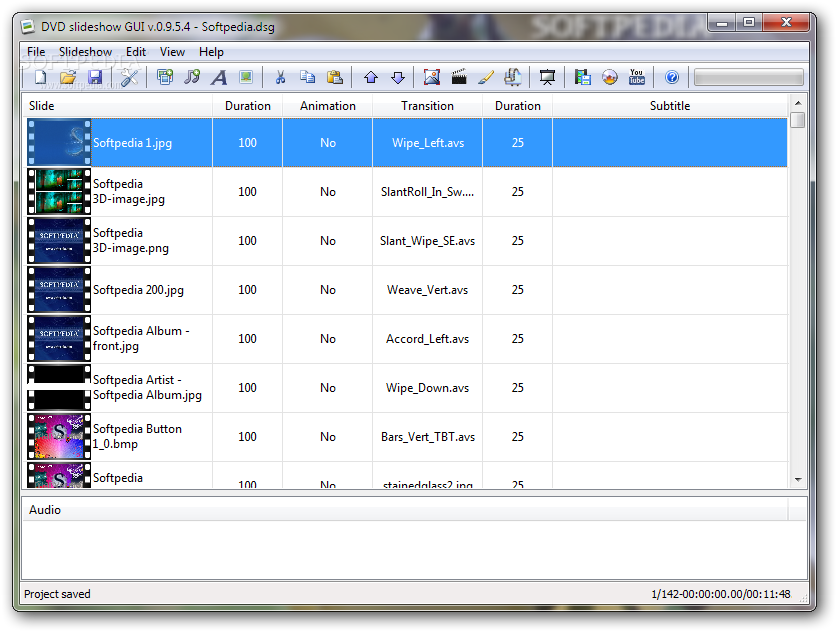
    DVD slideshow GUI is a tool that lets you create slideshows in a few easy steps.

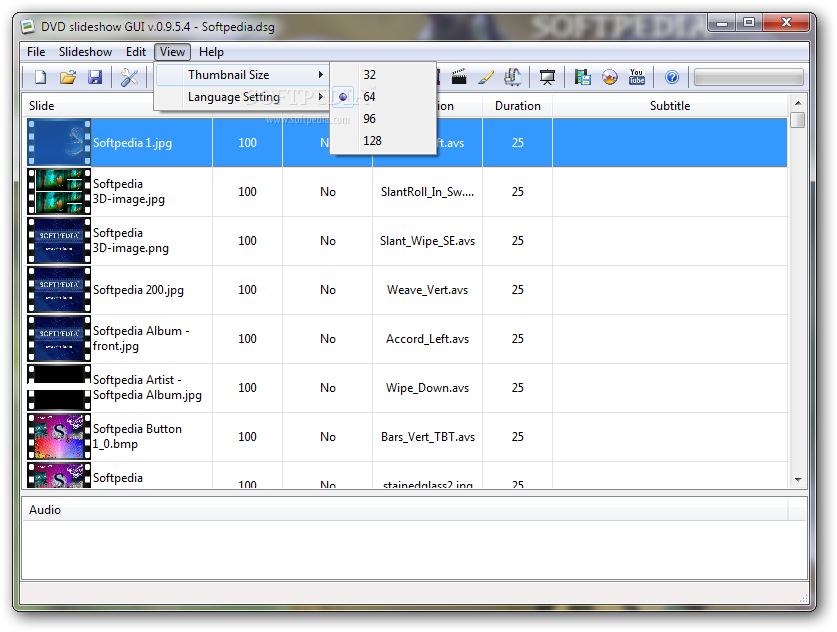
    The user interface of the program is plain and simple. You can add audio, video and image files to the list by using the file browser (the "drag and drop" method is not supported).

    So, you can view the duration of the animation and transition for each slide, along with the subtitle and path to the audio file.

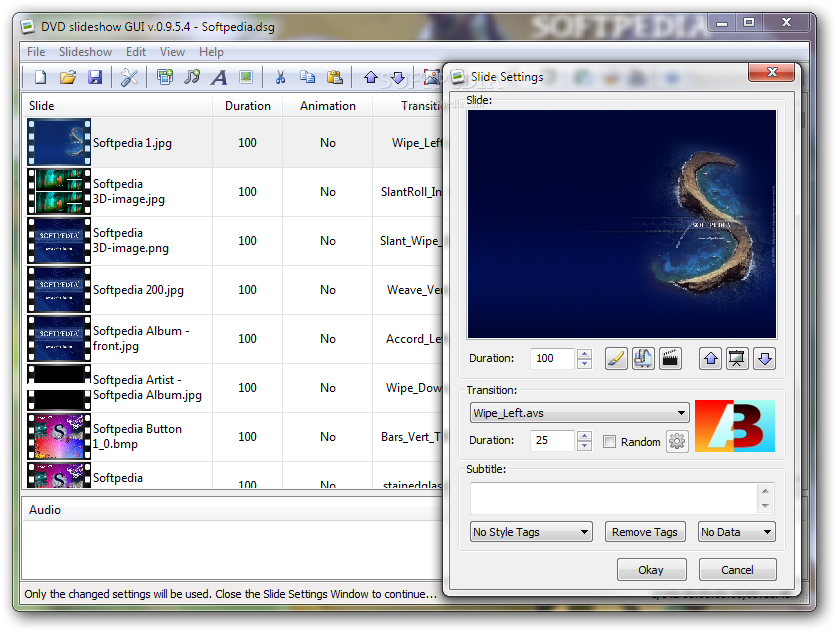
    You can double-click each file to input subtitle, select style tags, transitions and duration (for subtitles and transitions), use EXIF data from images as subtitles, animate all selected slides, convert a slide to AviSynth script for editing, and more.

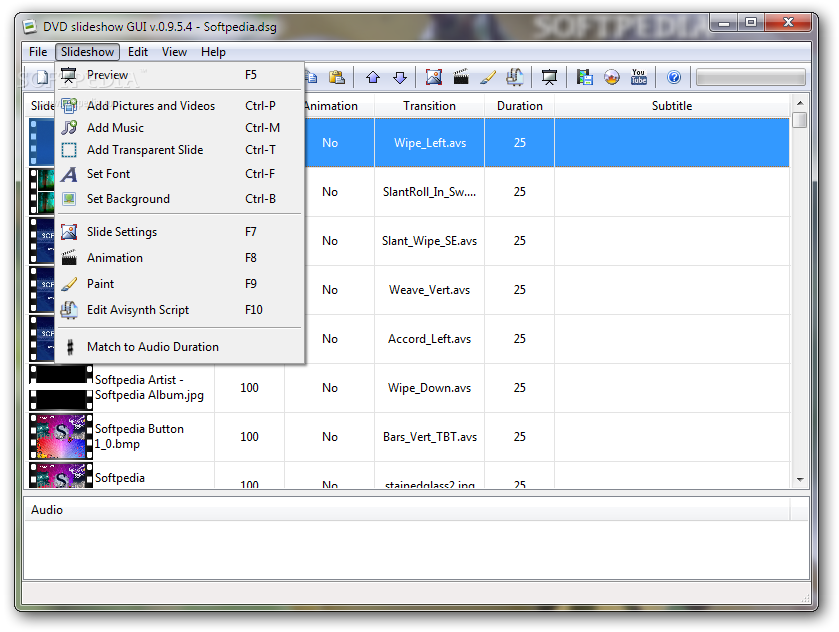
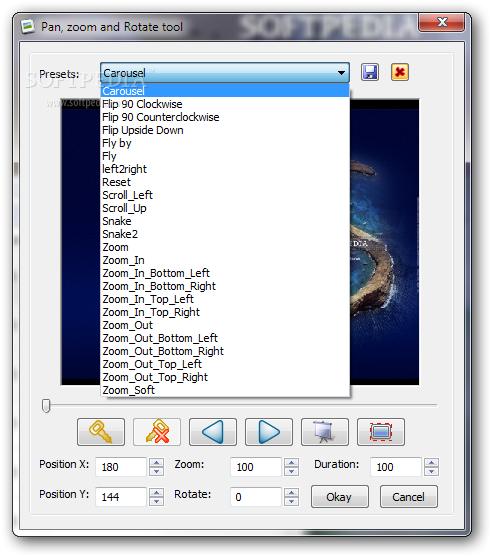
    Furthermore, DVD slideshow GUI lets you use a pan, zoom and rotate tool, edit files in Paint, match the whole slideshow to the length of the imported music and change the font used in all subtitles.

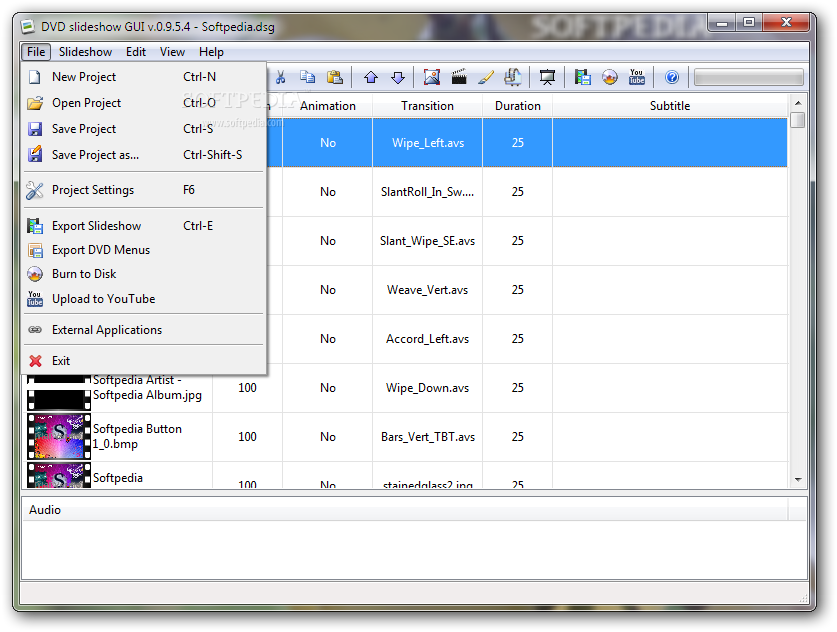
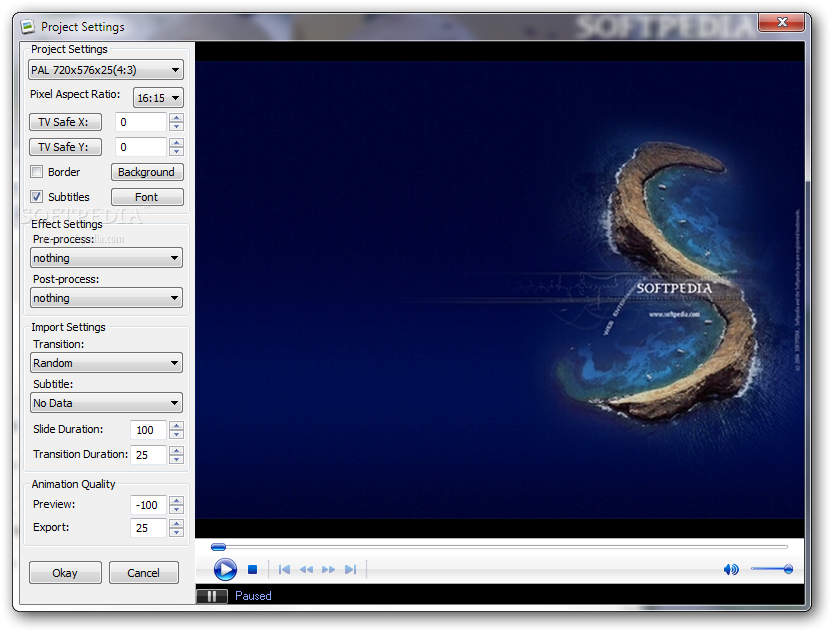
    But you can also change the viewing mode when it comes to the thumbnail size, select preferred language, save projects for further editing, configure project settings (e.g. pixel aspect ratio, effects, subtitles), render and upload to YouTube, export DVD menus and slideshows (e.g. MPG, AVI, FLV, BMP) and more.

    The tool uses a moderate-to-high amount of system resources, includes a comprehensive user documentation (snapshots, tutorials, libraries) and didn't freeze or crash during our tests. It can be used by both beginners and experienced individuals.

    However, the program requires third-party software (that can be automatically installed by DVD slideshow GUI ), in order to fully function.

    The bottom line is that DVD slideshow GUI is an excellent software that helps you easily build slideshows. We strongly recommend it to all users.


    Read an in-depth analysis in our professional review for DVD slideshow GUI

    DVD slideshow GUI description

    Here are some key features of "DVD slideshow GUI":

    Features:
    · Import jpg, png, bmp, avs and avi.
    · Import Exif data with photos.
    · Import Power Point (ppt) and Impress (obp).
    · Animate, Pan, Zoom, Rotate images.
    · Add animated background(jpg, png, bmp, avs and avi).
    · Add multiple mp3, wav, m3u(playlist) music.
    · Add subtitles with effects.
    · 237 Transitions.
    · Export to 17 formats.
    · Add visual effects to images.
    · Add visual animated effects to the slideshow.
    · Edit images in paint program.
    · Edit and convert to avs scripts in AvsP.
    · Gui in English, French, Dutch, German, Italian, Spanish, Galician, Czech and Danish.
    · Change image order move, copy, paste for one or more slides.
    · Resizing images/avi's within safearea.
    · Exposition time for each slide.
    · Transition time for each slide.
    · Code your own avisynth transitions.
    · Add your own avisynth, Free Frame, Photoshop CHA/AMP effects.
    · Add random transitions.
    · Add border to image.
    · Change subtitle fonts.
    · Sort after filenames or subtitles.
    · Match slideshow to audio length.

    Formats:
    · PAL 4:3
    · PAL 16:9
    · NTSC 4:3
    · NTSC 16:9
    · 720p
    · 1080p

    Export:
    · Iso DVD
    · DVD folders
    · Blu-Ray folders
    · Mpg (Video+audio)
    · Mp4 (Video+audio)
    · M2v (Video)
    · Mp2 (Audio)
    · Ac3 (Audio)
    · Avi (video)
    · Avs (Avisynth)
    · Gfd (Gui for Dvdauthor - DVD Menus)
    · Flv (Flashvideo)
    · Srt (Subtitles)
    · Ssa (Subtitles)
    · Storyboard(html)
    · Chapters as smpte(txt)
    · Chapters as frames numbers(txt)

    Burn:
    · DVD
    · Blu-Ray rom

    What's New in This Release: [ read full changelog ]

    · Polish translation
    · Slovak translation
    · Swedish translation

       Softpedia guarantees that DVD slideshow GUI 0.9.4.9 is 100% CLEAN, which means it does not contain any form of malware, including spyware, viruses, trojans and backdoors. [read more >]


    TAGS:

    slideshow builder | photo slideshow | picture slideshow | slideshow | slide | animation


    HTML code for linking to this page:


    Go to top

    WindowsGamesDriversMacLinuxScriptsMobileHandheldNews

    SUBMIT PROGRAM   |   ADVERTISE   |   GET HELP   |   SEND US FEEDBACK   |   RSS FEEDS   |   UPDATE YOUR SOFTWARE   |   ROMANIAN FORUM