
Generate screensavers using Flash clips, export them to SCR or EXE file format, add information about copyright and publisher, as well as password-protect the files. #Create Screensaver #SWF to SCR #Screensaver Creator #SWF2SCR #SWF2EXE #Screensaver

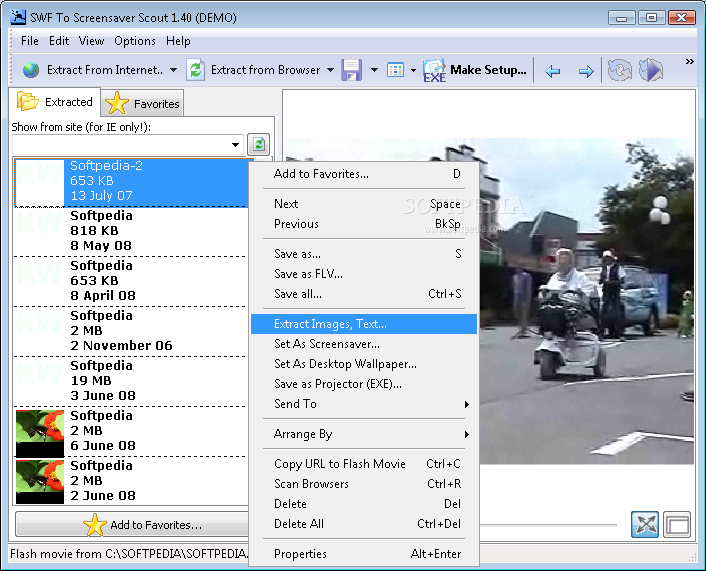
SWF To Screensaver Scout is a lightweight software application whose purpose is to help you create screensavers (EXE or SCR file format) using multiple Flash files.
You are welcomed by a well-organized set of functions that allows you to perform several actions, such as extract Flash files, create EXE packages, as well play the clips directly in the main window.
SWF To Screensaver Scout gives you the possibility to download and extract Flash files from a user-defined URL or automatically scan Internet Explorer, Opera, Firefox, and Chrome, as well as a custom folder from your computer for grabbing multiple Flash items.
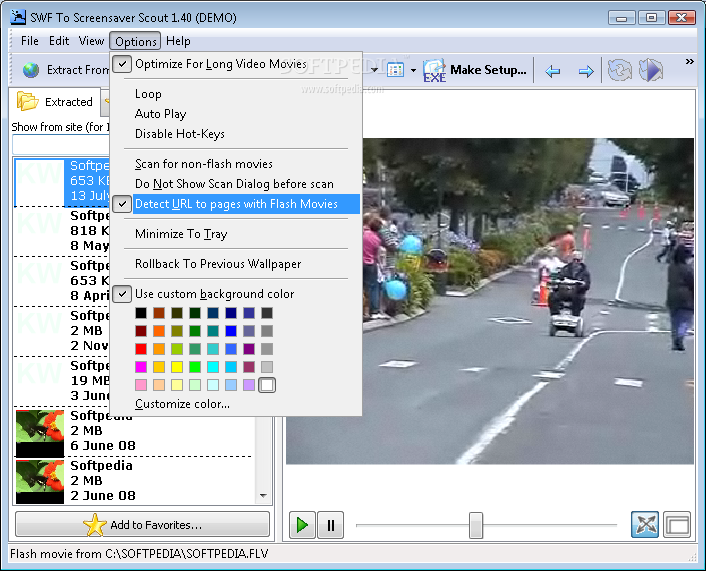
The program allows you to play or stop the current selection, switch to a full screen mode, seek for a position in the video streams, activate the loop function, enable the automatic playing mode, as well as go to the previous or next Flash item from the list.
What’s more, you may create a list with favorite Flash clips, sort items by name, date, or size, set the current Flash item as your wallpaper, send links via email, pick the background color, use hotkeys for a better control over the entire process, and extract images from Flash movies.
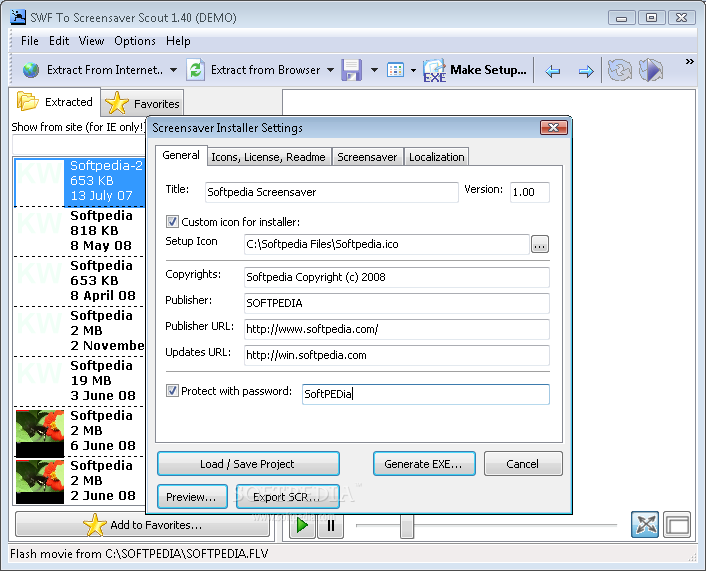
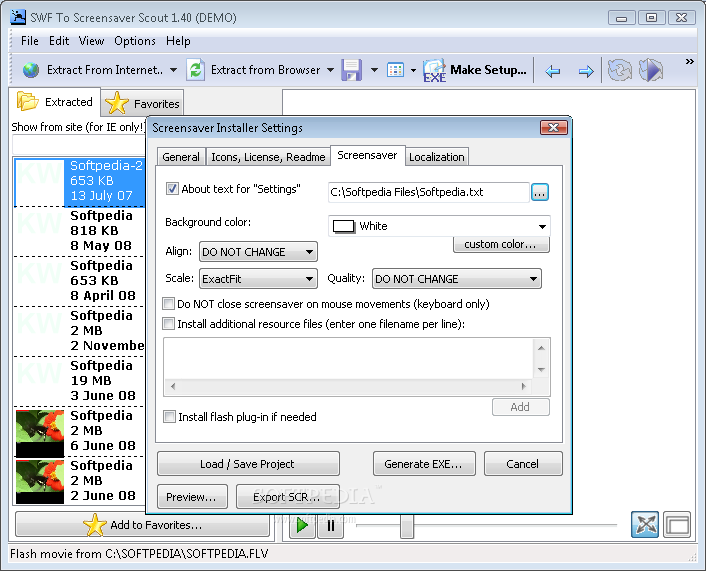
There are several tweaking parameters built to help you specify the title and version for the screensaver, pick an icon, add information about copyright, publisher, and URLs, encrypt data by setting up passwords, preview the screensaver, and generate an EXE file or export the project to SCR file format.
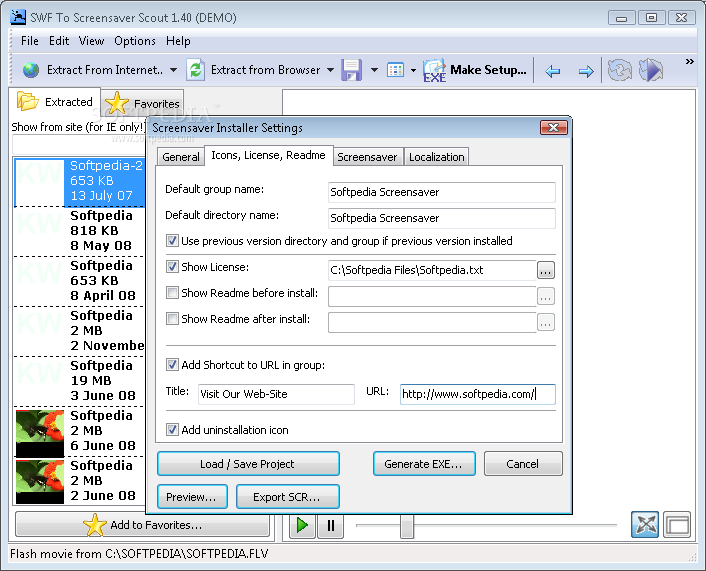
You can configure settings that refer to icons, license, and readme files, choose the background color, install a Flash plug-in on the target computer in case is needed, specify the languages, and enable the language automatic detection mode.
SWF To Screensaver Scout offers support for a powerful feature pack for helping you generate screensavers.
What's new in SWF To Screensaver Scout 1.56c.1:
- Flash to screensaver conversion improved; minor bug-fixes
- Console version included into Evaluation version (previously was available in full version only)
SWF To Screensaver Scout 1.56c.1
add to watchlist add to download basket send us an update REPORT- runs on:
- Windows All
- file size:
- 5.2 MB
- filename:
- swftoscreensaverscout.zip
- main category:
- Authoring Tools
- developer:
- visit homepage
7-Zip

calibre

Context Menu Manager

Microsoft Teams

Bitdefender Antivirus Free

IrfanView

ShareX

Zoom Client

4k Video Downloader

Windows Sandbox Launcher

- Zoom Client
- 4k Video Downloader
- Windows Sandbox Launcher
- 7-Zip
- calibre
- Context Menu Manager
- Microsoft Teams
- Bitdefender Antivirus Free
- IrfanView
- ShareX