
A versatile and intuitive application whose main purpose is to build or update MSI based installers (written by a Microsoft MVP). #Create MSI #Create installer #Build MSI #Installer #Creator #Create
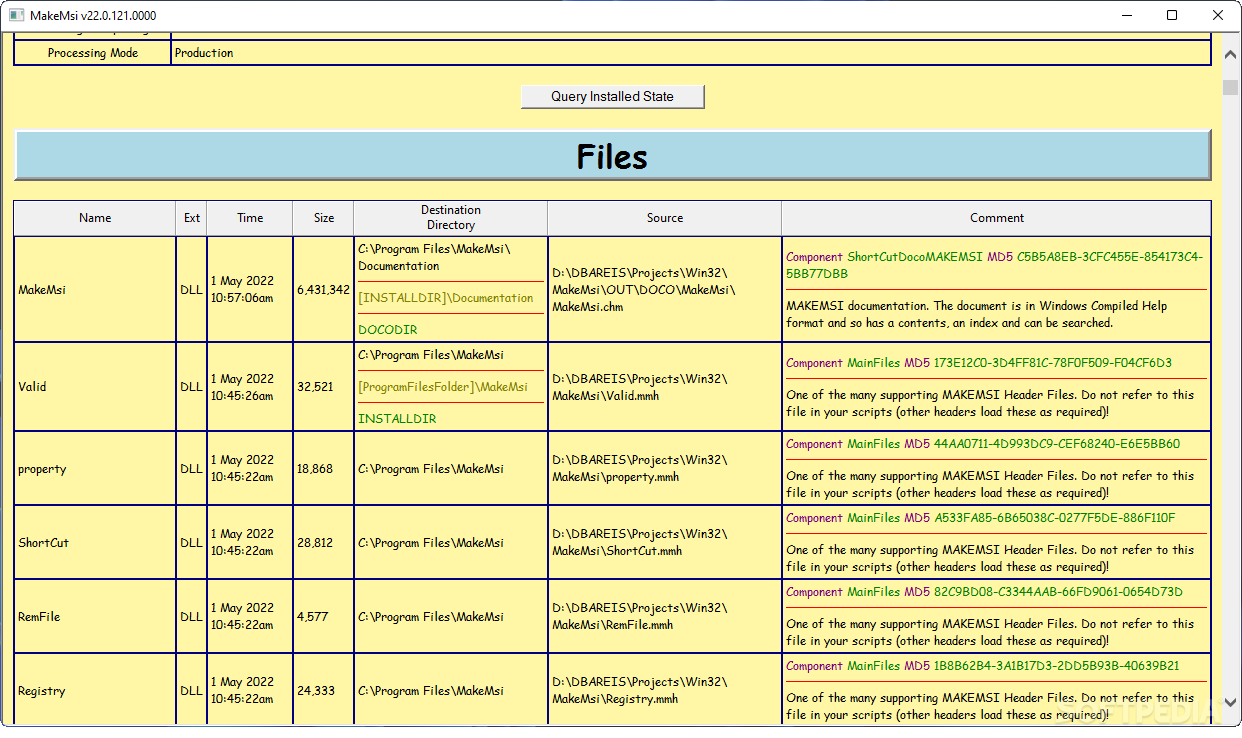
MAKEMSI is a comprehensive and effective solution geared towards users who need to quickly automate the updating or creation process of MSI installers. Since it is aimed at both beginners and advanced users, the program includes useful utilities that can help them create MSI based installers.
Because the application is build around a pre-processor entitled PPWIZARD, you are able to perform any action you want. For instance, you are able to execute external commands in order to produce *.zip or *.jar files instantly.
Once MAKEMSI is properly installed into your system, you can make use of three options that become available from the Explorer context menu namely ‘Edit MAKEMSI Script’, ‘Build MSI - Development’ and ‘Build MSI - Production’. This way, you can build a complete MSI package without any other involvement from your side.
After selecting one of the build options, you will notice that the program generates and executes a script you may be prompted for authorization, but this mostly depends on what software you have installed.
The build process does not take as long as we expected, however, there were situations when we did not get the Validation message. On this matter, Msival2 is required, which is a command utility able to run ICEs (that stands for Internal Consistency Evaluators).
In case you want to check the source code for the generated MSI package, you can access the ‘Edit MAKEMSI Script’ option. It will display a new Notepad document that contains all the necessary scripts and commands used to create your installer. However, you must be aware that files located in the installation directory will be removed if an uninstallation or repair process is performed.
To wrap it up, MAKEMSI comes in handy for users who need to gather the required information from any source file or database they want and create MSI installers in a secure environment.
Download Hubs
MAKEMSI is part of these download collections: MSI Creator, Setup Maker, Make MSI, Create Installer
What's new in MAKEMSI 22.0.148.000:
- Now includes rexx documentation (Rexx (regina).chm).
- New version of PPWIZARD (v22.148).
MAKEMSI 22.0.148.000
add to watchlist add to download basket send us an update REPORT- runs on:
- Windows All
- file size:
- 9.9 MB
- filename:
- makemsi.zip
- main category:
- Authoring Tools
- developer:
- visit homepage
calibre

4k Video Downloader

Zoom Client

Windows Sandbox Launcher

Microsoft Teams

Bitdefender Antivirus Free

Context Menu Manager

7-Zip

ShareX

IrfanView

- 7-Zip
- ShareX
- IrfanView
- calibre
- 4k Video Downloader
- Zoom Client
- Windows Sandbox Launcher
- Microsoft Teams
- Bitdefender Antivirus Free
- Context Menu Manager