Search Perform an advanced search query SOFTPEDIA
 
SOFTPEDIA
Updated one minute ago
HomeSubmit a program for being reviewedAdvertise on our websiteGet help on surfing our websitesSend us your feedbackGet information about our XML/RSS backend and how to use itBrowse the news archiveVisit our discussion forumVizitati forumul in limba romana


Program Finder NormalFreeware onlyShareware only

WinZip Self-Extractor 3.1 Report spyware 

Click to download WinZip Self Extractor
View more WinZip Self-Extractor screenshots (3)
 Downloads: 22,622
Rating: Good (3.3/5) | Rated by: 37 user(s)
Add to download basket     Send us update information
 Developer: WinZip | More programs by this producer
 License: Trial , 49.95 $ to buy 
 Size / OS: 2.03 MB, Windows All
 Last Updated: July 28th, 2007, 10:45 GMT
 Category: C: \ Authoring tools \ Setup creators
 Read user reviews (0) Add a review Refer to friend Subscribe
    Download WinZip Self Extractor

WinZip Self Extractor description
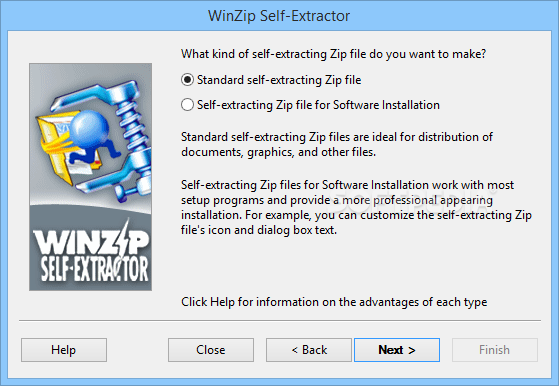
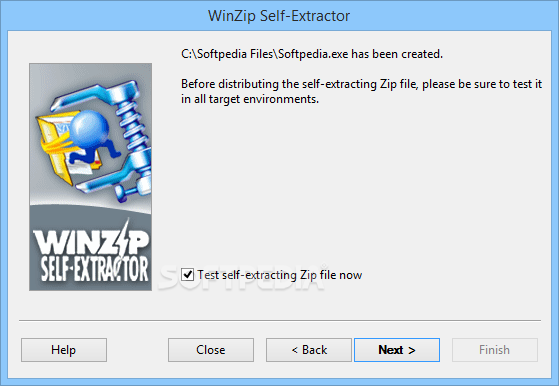
WinZip Self-Extractor is a utility program that creates self-extracting Zip files

WinZip Self-Extractor is a useful utility program which creates self-extracting Zip files. These self-extracting Zip files are ideal for electronic file distribution, because they allow the receiver to use a familiar Windows interface to decompress files without a separate unzip utility. Additionally, self-extracting Zip files can optionally run a "setup" or "installation" program, provided by the creator, after the files are decompressed.

WinZip Self-Extractor is a companion product to WinZip and is separately licensed.

Here are some key features of "WinZip Self Extractor":

· Support for Advanced Encryption
Create self-extracting Zip files that contain AES, 128- or 256-bit key, encrypted files.

· Additional Compression Method Support
PPMd and Enhanced Deflate compressed files now supported.

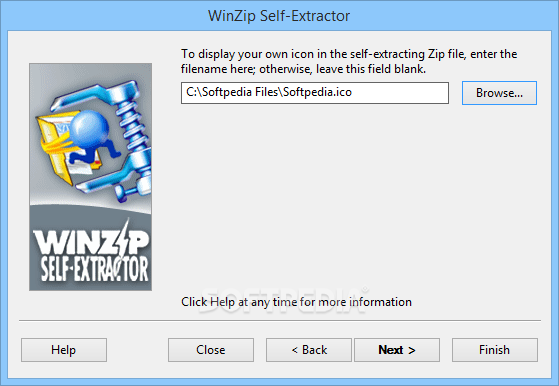
· Incorporate High-Res Icons
Windows 2000 or Windows XP users can use 16X16, 32X32, and
48X48 4-bit, 8-bit or 32-bit alpha-blended color icons.

· Wizard driven
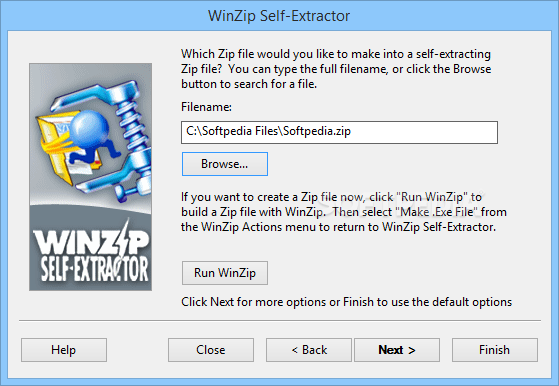
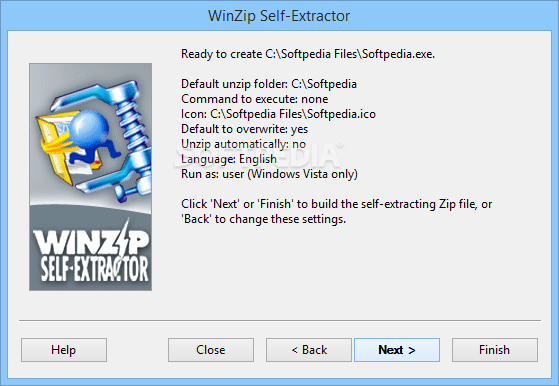
WinZip Self-Extractor is wizard driven, which simplifies the process of building self-extracting Zip files.

· Customization
Easily create and customize your self-extracting Zip files.

· Customize software installations
WinZip Self-Extractor can create self-extracting Zip files for software installation that allow you to customize the self-extracting Zip file's icon and dialog box text, as well as open any file using the application associated with that file on the end-user's machine.

· Span disks
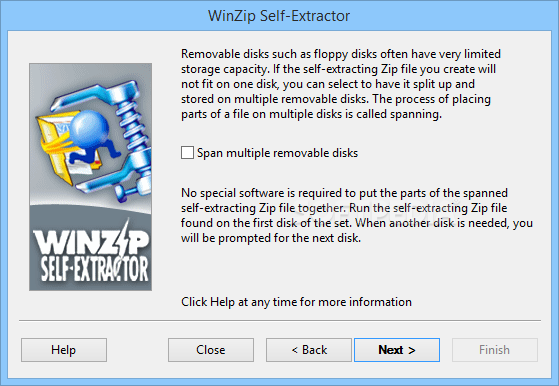
A self-extracting Zip file created by WinZip Self-Extractor can span multiple removable disks.

· Invoke from Start/Run command
WinZip Self-Extractor can be run from the "Start" menu's "Run" dialog box by simply typing "wzipse32".

· Self-extractors for software installation
WinZip Self-Extractor can create self-extracting Zip files for software installation that can run standard Microsoft-format .INF files as an alternative to "setup" programs, and can clean up files even if the install process involves a reboot.

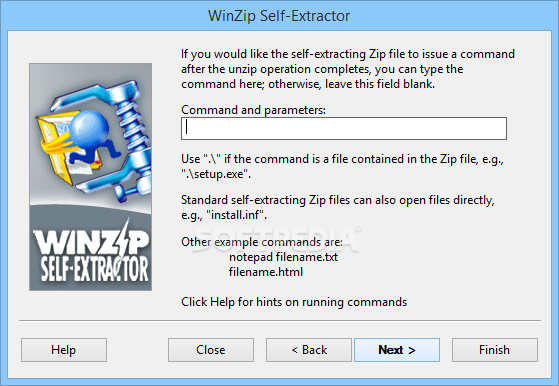
· Issue optional command after unzip
There is no practical limit on the length of the optional command issued by self-extracting Zip files after the unzip operation completes.

· International Language Messages
Self-extracting Zip files can be created with English or German messages.


Requirements:

· WinZip® Self-Extractor does not create Zip files, so you need a utility such as WinZip that creates Zip files.
· WinZip Self-Extractor 3.0 requires Windows 98, Windows Me, Windows 2000 or Windows XP. Self-extracting Zip files created by WinZip can be run under any of the same Windows versions.


Limitations:

· 30 days trial.


What's New in This Release:

· There is no practical limit on the length of the optional command issued by self-extracting Zip files after the unzip operation completes.
· You can create self-extracting Zip files that both unzip and overwrite automatically.
· Self-extracting Zip files no longer contain the "licensed to username" text, and copyright information is in the "About" box only.
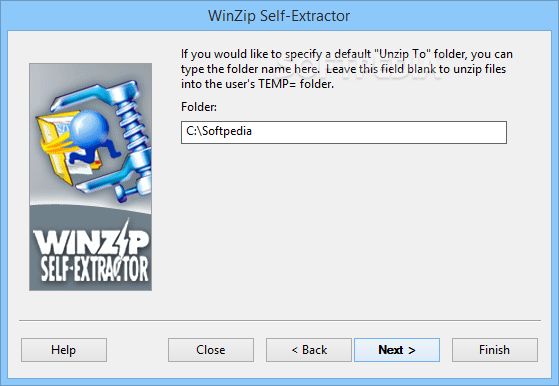
· A dot as the "Unzip To" folder unzips to the current directory instead of the directory containing the self-extractor.
· Empty directories in the Zip file are created during the extraction process.
· The programs and files for WinZip Self-Extractor have been changed to reflect the new company name, WinZip Computing, Inc.
· Uninstalling WinZip Self-Extractor now displays a message indicating the uninstall has completed.
· Uninstalling WinZip Self-Extractor now removes the "Version" key information from the Windows registry.
· Attempting to start WinZip Self-Extractor when another instance is running will now display a message that WinZip Self-Extractor is busy and to try again later.
· The creation of 16-bit and MS-DOS self-extracting Zip files is no longer supported and Windows 95, 98, NT 4.0, 2000 or Me is required to create self-extracting Zip files.
· The help dialog displayed when WinZip Self-Extractor is run using the /? command line option now includes updated information on the wzipse32.exe command line options.
· A problem running some commands that used quotes or ".." folder references has been corrected.
· The "Ready to Create" panel in the Wizard for self-extracting Zip files for Software Installation now displays the location of the selected icon, if one is selected.
· When running with Internet Explorer installed but Windows Desktop Update (Active Desktop) not installed, if the self-extracting Zip file executes a command after unzipping, the self-extracting Zip file did not close properly and couldn't be deleted immediately. All files were extracted correctly, and the command was executed correctly. The self-extracting Zip file could be deleted after a system restart or after a short period of time had elapsed. This has been corrected.
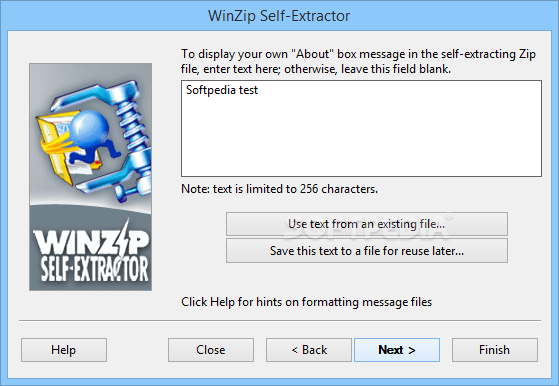
· The text in the "About" box can be modified for both standard self-extractors and self-extractors for software installation (in earlier versions, the About box text could only be modified for self-extractors for software installation).
· Self-extractors for software installation now clean up files even if the install process involves a reboot.
· WinZip Self-Extractor can be run from the "Start" menu's "Run" dialog box by simply typing "wzipse32" (in earlier versions, you had to type the full path, for example, "c:program filesWinZip Self-Extractorwzipse32").... [ read full changelog ]


Softpedia guarantees that WinZip Self-Extractor 3.1 is 100% CLEAN, which means it does not contain any form of malware, including but not limited to: spyware, viruses, trojans and backdoors.

This software product was tested thoroughly and was found absolutely clean, therefore it can be installed with no concern by any computer user.

However, it should be noted that this product will be retested periodically and the award may be withdrawn, so you should check back on this page from time to time. (click here for more information)


Related downloads IT News Popular downloads New additions   Latest reviews  
Acoustica CD/DVD Label Maker 3.17
Create your own CD labels and jewel cases with ease and flexibility
pdf-Office 7.1
This program will create sophisticated pdf forms and pdf documents from scratch
Chilkat Zip Self-Extractor 8.1.0
Create self-extracting ZIP files optionally with unbreakable AES encryption.
Smart SFX Pro 3.02
Smart SFX Pro - Hight Quality Self Extractor - Quick Installer - Secure Files Packager
Cover Me 2.3
Cover Me is a tool to design, print, edit, scan and search Covers of any kind
File2Pack SFX 2.0
File Packer/Compressor And Self Extractor With Excellent Compression Ratio!
Intellyweb 1.1.0.3
Intellyweb - Create your own multiple page websites by yourself with this easy to use program
SFX Generator 1.92
The GkWare SFX Generator will help you create self-extracting files in seconds.

go to top Use the following code to link to this page:


Welcome!
Hello, Guest

Login if you have a Softpedia.com account.

Otherwise, register for one.

Main categories:
  • Antivirus
  • Compression tools
  • CD/DVD Tools
  • Office tools
  • Programming
  • Authoring tools
  • File managers
  • Desktop Enhancements
  • Internet
  • Network Tools
  • IPOD TOOLS
  • Mobile Phone Tools
  • Multimedia
  • Tweak
  • System
  • Security
  • Others
  • Science / CAD
  • UNIX
  • Windows Widgets
  • PORTABLE SOFTWARE

  • Week's best:
  • Adobe Media Player 1...
  • Registry Mechanic 8....
  • BitSpirit 3.3.2.263
  • AnyDVD 6.4.5.6
  • Firefox 3.0.1 / 2.0....
  • AutoCAD 2009
  • Norton AntiVirus 200...
  • Norton Internet Secu...
  • The Bat! Professiona...
  • WinRAR 3.80 Beta 3 /...
  • GMail Drive shell ex...
  • DAEMON Tools Lite 4....
  • UBCD4WIN 3.2.0
  • Adobe Reader 9.0.0 /...
  • Total Commander Ulti...
  • System Mechanic 8.0....
  • Adobe Acrobat Profes...
  • iPhone PC Suite 1.0....
  • Portable Firefox 3.0...
  • MPlayer for Windows ...
  • Vista Codec Package ...
  • Windows Live Messeng...
  • WinBubble 1.73
  • Kaspersky Anti-Virus...
  • Malware Removal Tool...
  • Royale Noir Theme fo...
  • IBM Lotus Symphony 1...
  • Adobe Dreamweaver 10...
  • Adobe Fireworks 10.0...
  • BitDefender Total Se...
  • © 2001 - 2008 Softpedia. All rights reserved.
    Softpedia™ and Softpedia™ logo are registered trademarks of SoftNews NET SRL.
    Copyright Information | Privacy Policy | Terms of Use | Contact Softpedia | Update your software | Archive