
Create an AVCHD disc (DVD5/DVD9) from a BLU-RAY or HD MKV by using this utility in order to convert the audio and video track to the desired size #BD to AVCHD #Blu-ray to AVCHD #Blu-ray ripper #Ripper #Converter #Encoder
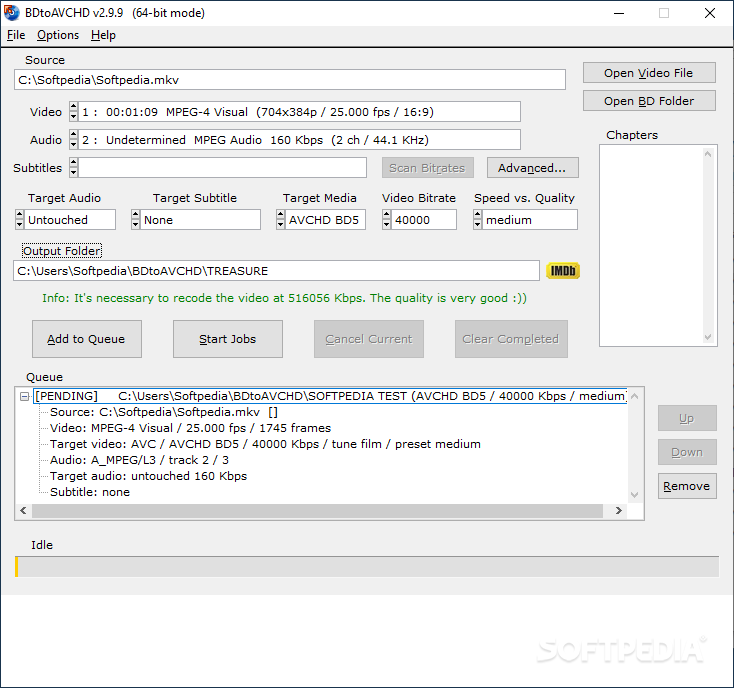
BDtoAVCHD is an easy-to-use video converter that aims to help you convert Blu Ray discs and MKV files in order to store them on smaller discs. The program can be used for changing the video and audio encoder in order to reduce the size of the file.
If you want to backup your Blu Ray discs on your computer or burn the movie to a DVD, you need to compress the video file in order to save disc space. Although this usually means a lower quality, it is a necessary operation in order to fit a Blu Ray movie on a simple DVD.
This application is designed to detect the video file properties, audio tracks and subtitles in order to use them in the output file. You can select which track you want to convert and the target file before starting the conversion.
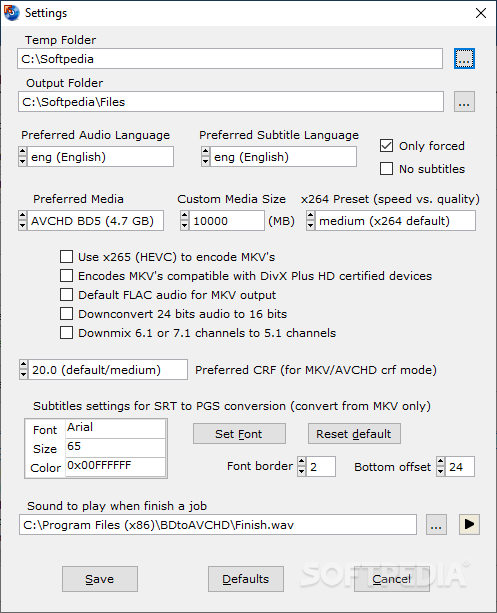
When you need to convert the movie for a single or double-layer DVD, you just need to select the target media from the main window. The program automatically adjusts the conversion settings and informs you about the output bitrate and overall quality.
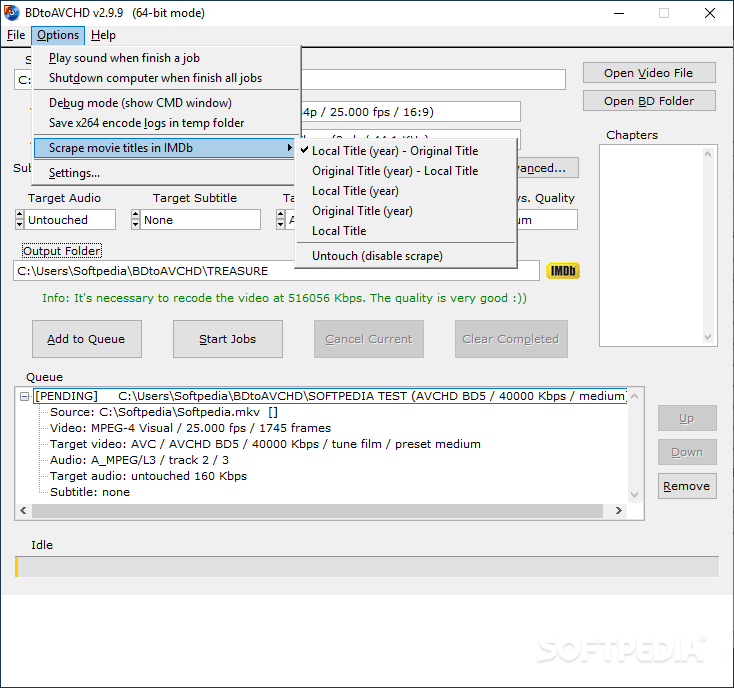
The program is designed to perform multiple conversions and allows you to specify the parameters for each job before starting the operation. Since the video processing can take a lot of time, you have the option to shutdown the computer when the process is finished.
Although the app is able to detect the video chapters, you cannot specify which part of the movie you want to extract. Unlike other conversion tools, it does not allow you to preview the frame while it is converted.
To sum up, BDtoAVCHD is a simple tool that intends to convert BD movies with minimum configuration. However, you need to test it and assess the results for yourself before using it to backup your disc collection.
Download Hubs
BDtoAVCHD is part of these download collections: Make AVCHD, Create AVCHD
What's new in BDtoAVCHD 3.1.3:
- Updated: x264 encoder to version 164.3173 (r3173).
- Updated: x265 encoder to version 3.5+114.
BDtoAVCHD 3.1.3
add to watchlist add to download basket send us an update REPORT- PRICE: Free
- runs on:
-
Windows 11
Windows 10 32/64 bit
Windows 8 32/64 bit
Windows 7 32/64 bit - file size:
- 40.9 MB
- filename:
- BDtoAVCHD_v3.1.3.msi
- main category:
- CD / DVD / Blu-ray Tools
- developer:
- visit homepage
Zoom Client

Microsoft Teams

Context Menu Manager

Bitdefender Antivirus Free

7-Zip

IrfanView

Windows Sandbox Launcher

calibre

4k Video Downloader

ShareX

- calibre
- 4k Video Downloader
- ShareX
- Zoom Client
- Microsoft Teams
- Context Menu Manager
- Bitdefender Antivirus Free
- 7-Zip
- IrfanView
- Windows Sandbox Launcher