Softpedia
 

WINDOWS CATEGORIES:


GLOBAL PAGES >>
SOFTPEDIA REVIEWS >>
MEET THE EDITORS >>
WEEK'S BEST
  • Sticky Password FR...
  • Parallels Workstat...
  • ESET NOD32 Antivir...
  • BitDefender Total ...
  • WinPatrol 24.6.201...
  • PerfectDisk Free D...
  • Adobe Photoshop CS...
  • PerfectDisk Profes...
  • Windows 8 Consumer...
  • Atlantis Word Proc...
  • Home > Windows > CD/DVD Tools > CD/DVD Rip/Other Tools
     Report malware

    CloneDVD 2 2.9.3.0

    download button

    Part of the Rip DVD download hub (+2 others)
    Downloads: 183,829  View global page  Tell us about an update
    User Rating:
    Rated by:
    Very Good (4.3/5)
    535 user(s)
    Developer:

    License / Price:

    Size / OS:

    Last Updated:

    Category:

    Trial / EUR 32.60 buy button
    4.9 MB / Windows All
    [view history]
    C: \ CD/DVD Tools \ CD/DVD Rip/Other Tools

     Read user reviews (3)  Send to friend   Follow (8 users)

    Softpedia Editor's Review for CloneDVD 2

    EDITOR'S RATING:

    Fast and easy-to-use DVD cloner

    Written by Elena Opris on November 16th, 2011

    CloneDVD is a ripping tool that you can use to copy DVDs, just in case something bad happens to them. For example, if they got scratched, destroyed or lost, you would like a copy in exchange, right?

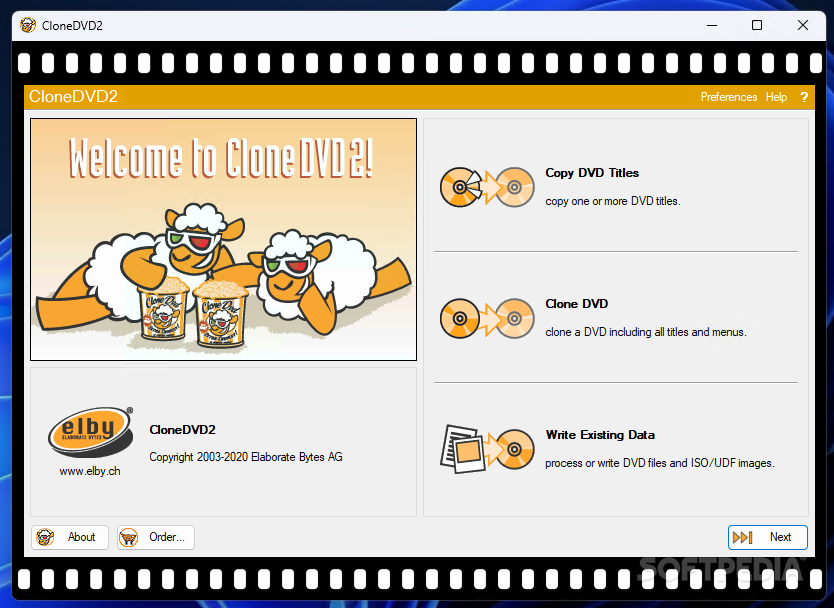
    After a brief installation process, you will notice the user interface is quite friendly, and we liked the fun image of the two happy, laid back sheep that wear 3D glasses while eating popcorn at the movies.

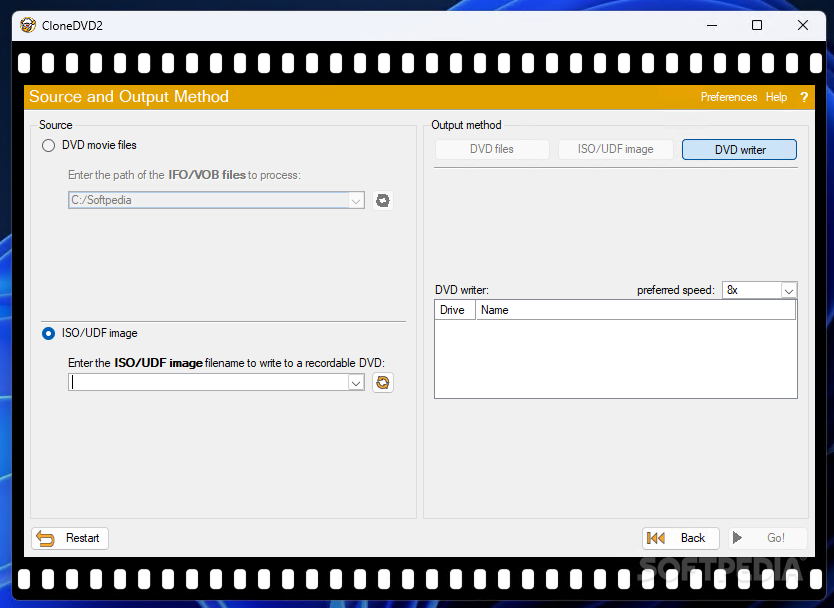
    There aren't too many options or additional features in CloneDVD. The 21-day trial version lets you copy DVD titles, clone a DVD (including all its titles and menus), or write existing data (by processing or writing DVD files and ISO/UDF files).

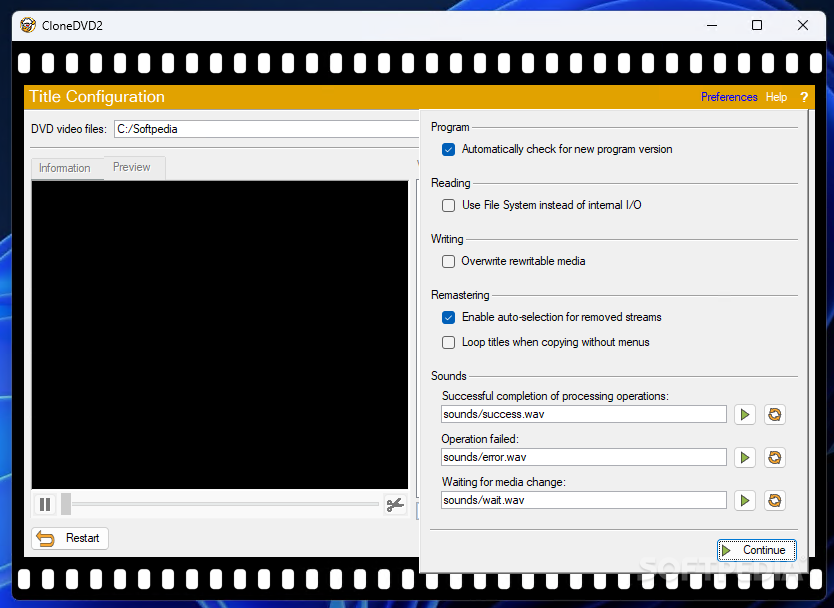
    In the Preferences section you can set CloneDVD to automatically check for a newer version, use file system instead of internal I/O, overwrite rewritable media, enable auto-selection for removed streams, loop titles when copying without menus, or select a Wave file as the preferred sound for successfully completing a task, failing a task, or when waiting for media change.

    Tasks are done very quickly, and CloneDVD manages to maintain the sound and graphics quality of a DVD movie.

    Moreover, the application consumes little system CPU and memory resources. And we couldn't help but notice the low price for the license.

    These being said, CloneDVD proves to be an excellent tool for copying DVD files, and you definitely need it if you plan to have a great movie collection in the near future.

    CloneDVD 2 description

    Here are some key features of "CloneDVD 2":

    · Copies the main movie, special features and/or the original menu onto DVD recordable media or your hard-disk
    · Copies the main movie, special features and/or the original menu onto DVD recordable media or your hard-disk
    · Newly improved transcoder: Better picture quality at high reduction rates (footage of more than two hours)
    · Impressive speed at high reduction rates
    · Video Preview shows an overview of all selectable DVD titles
    · Include or exclude the original menu
    · Visual quality control through quality bars during the title and language selection
    · Target size freely adjustable
    · Chapter trimming/splitting available
    · Very easy to use: Our unique Filmstrip assistant will guide you step-by-step through all settings - easy for beginners
    · Preferences: Memorizes the last settings that were used and uses those settings in future sessions
    · Layer break flag removal possible
    · Picture snapshots while transcoding and remixing
    · Real-time bitrate and frame statistics while transcoding
    · Logging window available
    · Preview the movie during transcoding and writing
    · Works with most DVD player hardware and software
    · Works with DVD-R/RW and DVD+R/RW media
    · Stable, fast and does not require an ASPI driver
    · Impressive speed at high reduction rates
    · Video Preview shows an overview of all selectable DVD titles
    · Include or exclude the original menu
    · Visual quality control through quality bars during the title and language selection
    · Target size freely adjustable
    · Chapter trimming/splitting available
    · Very easy to use: Our unique Filmstrip assistant will guide you step-by-step through all settings - easy for beginners
    · Preferences: Memorizes the last settings that were used and uses those settings in future sessions
    · Layer break flag removal possible
    · Picture snapshots while transcoding and remixing
    · Real-time bitrate and frame statistics while transcoding
    · Logging window available
    · Preview the movie during transcoding and writing
    · Works with most DVD player hardware and software
    · Works with DVD-R/RW and DVD+R/RW media
    · Stable, fast and does not require an ASPI driver

    Requirements:

    · Pentium-class microprocessor (1 GHz recommended)
    · 128 MB RAM (256 MB recommended)
    · DVD reader and preferably a DVD writer
    · About 5 GB of temporary available hard-drive space is necessary to clone DVDs

    Limitations:

    · 21 days trial
    · Nag screen

    What's New in This Release: [ read full changelog ]

    · New: Support for harddisks with large physical sectors (>2048 bytes)
    · New: Remembers window position
    · New: Shows only relevant titles during title selection
    · Change: Program responsiveness if copy procedure is paused
    · Fix: Size of scrollbars with Windows 7
    · Some minor changes and improvements
    · Updated languages

     Softpedia guarantees that CloneDVD 2 2.9.3.0 is 100% CLEAN, which means it does not contain any form of malware, including spyware, viruses, trojans and backdoors. [read more >]


    TAGS:

    DVD cloner | copy DVD | clone DVD | ripper | copier | cloner


    HTML code for linking to this page:


    Go to top

    WindowsGamesDriversMacLinuxScriptsMobileHandheldNews

    SUBMIT PROGRAM   |   ADVERTISE   |   GET HELP   |   SEND US FEEDBACK   |   RSS FEEDS   |   UPDATE YOUR SOFTWARE   |   ROMANIAN FORUM