Softpedia
 

WINDOWS CATEGORIES:


GLOBAL PAGES >>
SOFTPEDIA REVIEWS >>
MEET THE EDITORS >>

WEEK'S BEST

  • DAEMON Tools Pro (...
  • FlashFXP [ DISCOUN...
  • PowerISO 4.9
  • WebcamMax [DISCOUN...
  • Zemana AntiLogger ...
  • System Mechanic Pr...
  • Glary Utilities Pr...
  • All My Movies [DIS...
  • Ad-Aware Internet ...
  • Atlantis Word Proc...
  • Home > Windows > CD/DVD Tools > CD/DVD Rip/Other Tools
     Report malware

    DVD Cloner 9.10 Build 1102

    Softpedia Pick Award
    download button

    Part of the Backup DVDs download hub (+1 other)
    Downloads: 471,501  View global page  Tell us about an update
    User Rating:
    Rated by:
    Very Good (4.0/5)
    1832 user(s)
    Developer:

    License / Price:

    Size / OS:

    Last Updated:

    Category:

    Trial / USD 59.99 buy button
    10.7 MB / Windows 2K / XP / Vista / Vista64 / 7 / 7 x64
    [view history]
    C: \ CD/DVD Tools \ CD/DVD Rip/Other Tools

     Read user reviews (54)  Send to friend   Follow (6 users)

    EDITOR'S RATING

    Softpedia Editor's Review for DVD Cloner

    The powerful functions and fire-new interface make DVD copy fast and easy

    Written by Elena Opris on November 1st, 2011

    When you have been the proud owner of a computer for a certain number of years, you have probably cluttered your hard drive with various files that you don't necessarily use, but can't delete either.

    In this case, you have to store them on DVDs (if you don't have an external hard drive).

    In order to do so, you need a DVD ripping tool that will burn your DVDs fast and efficient.

    DVD Cloner is a flexible DVD tool that was created to copy and burn files onto DVDs.

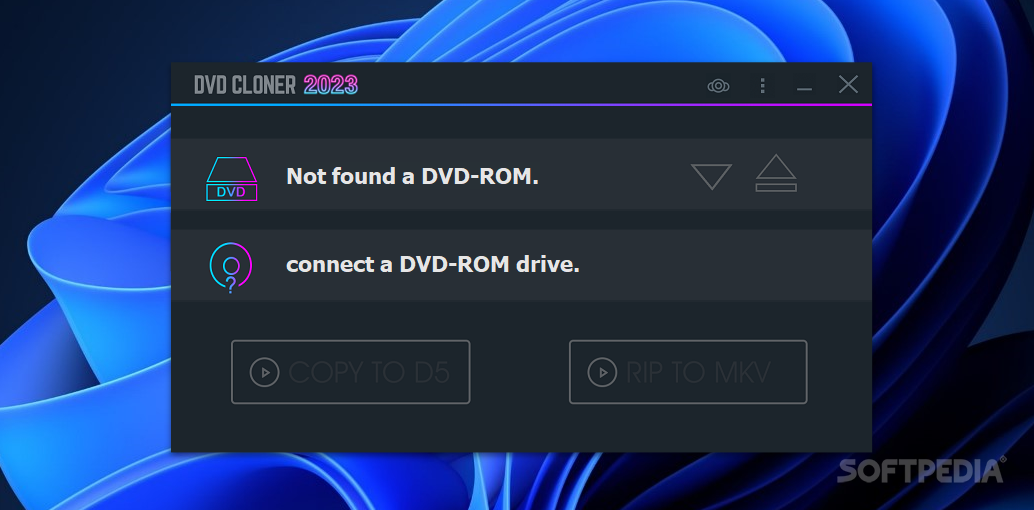
    After a brief installation process, you will see the user interface.

    It's actually visually appealing, and it has a cool animation and audio effect when you switch to expert/express interface.

    The "mascot" is a guy that kind of reminds us of a second version of Neo, and the interface itself looks like a media player.

    Several languages are available.

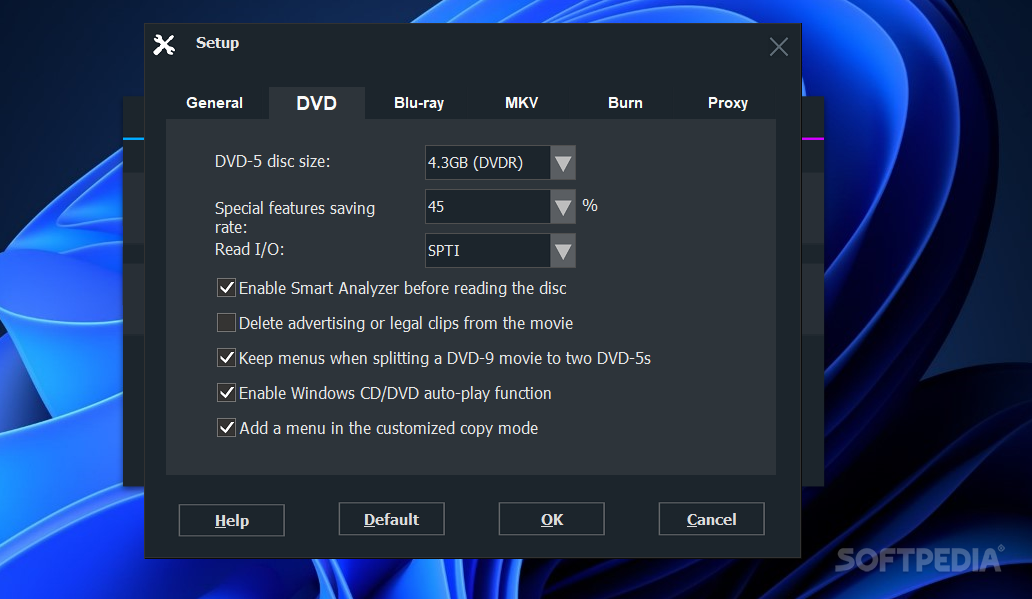
    If you enter Advanced Setup, you can select the temporary directory, as well as delete temp files when the copy finishes, enable alert sound, and display wizard titles on the expert interface.

    In addition, you can set the disc size of the DVD, screen ratio, and special features saving rate.

    Smart Analyser is a feature designed to verify the final result of the DVD, and it can be either enabled or disabled.

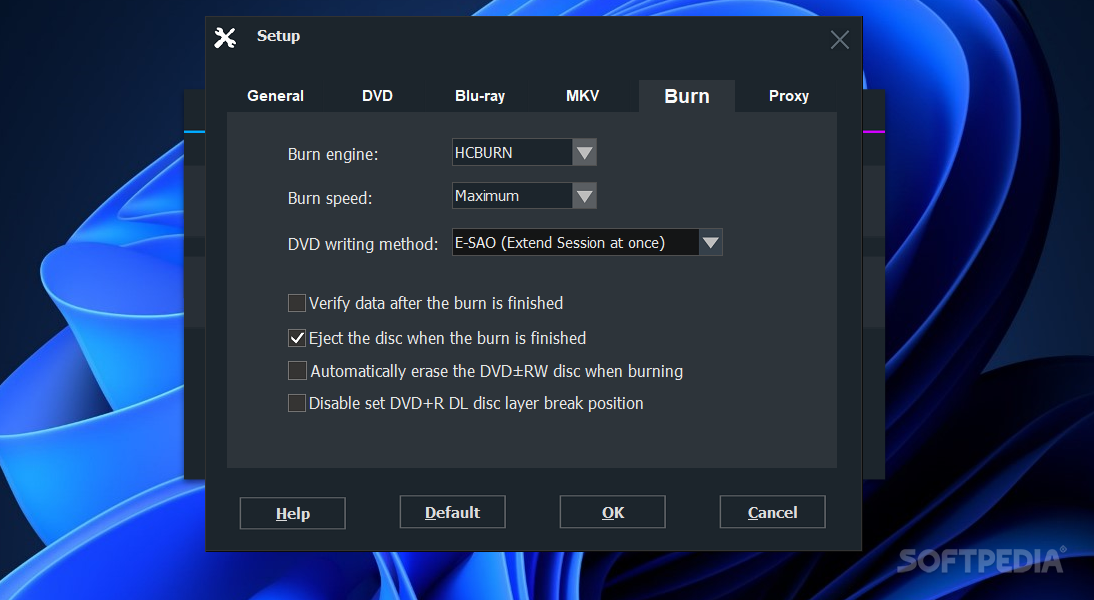
    Reading speed can be either set to high, medium or low, and you have several options for the burning speed, as well as DVD writing method.

    This burning tool is not that different from any others, but it loads much faster, and spends less time on tasks. CPU and memory usage is normal.

    All in all, DVD Cloner is a nice alternative to other burning suite software you are already used to and, who knows, you might even decide to keep it.


    Read an in-depth analysis in our professional review for DVD Cloner

    DVD Cloner description

    Here are some key features of "DVD Cloner":

    Perfect 1:1 DVD Copy:
    · DVD-Cloner 8 plays a leading role in powerful functions and extremely high copying speed compared with other DVD copy software.
    · Copies DVD to DVD completely, such as copying DVD-5 to DVD-5, DVD-9 to DVD-9.
    · Removes all known protections, such as CSS, Sony ARCCOS, Region protections and so on.
    · Supports for data DVD and movie DVD copy.
    · Burns ISO file or DVD folder on hard disk to various kinds of blank DVD discs, such as DVD±R/RW and DVD±R DL.
    · Two user-oriented interfaces: Express interface usually for the novice to make DVD copy with only one click, and Expert interface for the advanced users to make various customized copies.

    Customized Copy:
    · Combines two DVD movies to one DVD±R DL.
    · Combines multiple DVDs to one BD-R/RE.
    · Automatically removes the annoying contents such as legal and advertising clips.
    · Keeps menus when splitting a DVD-9 to two DVD-5 discs.
    · Movie only copy allows you to copy only the main movie and omit the unwanted extras.
    · Compresses one DVD-9 movie to DVD-5 with incomparable image quality.
    · Automatically erases your rewritable DVD disc data for rewriting new DVD movies.
    · Copies discs continuously no matter how many discs you want
    · Supports the backup of home DVDs/TV series/TV shows
    · Copies DVD to DVD folder or ISO file.
    · Supports DVD-9 to DVD-5 copy
    · Sets the DVD-5 disc size

    IAT - Copy the up-to-date DVD movies:
    · The inventive IAT technology(Intelligent Analyzing Technology) gives you the freedom to copy latest DVD movies.
    · Compared with the ERT technology, the IAT takes more advanced reading and analyzing technology, which allows copying latest DVD movies at much higher speed through optimized codes.

    Backs up latest Blu-ray movies:
    · DVD-Cloner 8 allows you to copy Blu-ray and HD-DVD movies to your hard drive with a third party plug-in, such as Blu-ray/HD DVD Copy Helper. The copied movies can be enjoyed on Cyberlink PowerDVD or WinDVD for your convenience.

    Other features:
    · Automatically selects the source movie and target burner after it is put into the drive.
    · Changes the default audio track and subtitle.
    · Copies a certain range of chapters
    · Verifies data after the backup completes.
    · Copies the scratched DVD discs
    · Impressive speed at high reduction rate
    · Defines the name of the disc volume
    · Supports most DVD burners such as Samsung, Pioneer, LG, Sony, BenQ and so on.
    · Supports many popular languages such as English, French, Spanish, Italian and Chinese.
    · Authenticates DVD region code when DVD-Cloner 8 starts
    · Free software upgrade service within one year.
    · Free available all-around support at any time.

    Requirements:

    · Pentium-II 450 MHz or faster processor
    · 64MB of RAM
    · 5GB free hard disc space for DVD-5 (10GB free hard disc space for DVD-9)
    · DVD burners
    · NTFS partition
    · A Blu-Ray or HD DVD disk drive
    · A Blu-Ray or HD DVD media player (like PowerDVD,WinDVD)
    · 50GB or more free disk space for Blu-Ray copying.
    · 30GB or more free disk space for HDDVD copying.

    Limitations:

    · The unregistered version allows you to copy only one DVD
    · Nag screen

    What's New in This Release: [ read full changelog ]

    · Enhanced the burn module, and improved the function of burn checking.
    · Adjusted the function of analyzing discs, and makes it more smooth to read DVDs under Windows 7 OS.

       Softpedia guarantees that DVD Cloner 9.10 Build 1102 is 100% CLEAN, which means it does not contain any form of malware, including spyware, viruses, trojans and backdoors. [read more >]


    TAGS:

    dvd clone | dvd backup | dvd copy | backup | copy | clone


    HTML code for linking to this page:


    Go to top

    WindowsGamesDriversMacLinuxScriptsMobileHandheldNews

    SUBMIT PROGRAM   |   ADVERTISE   |   GET HELP   |   SEND US FEEDBACK   |   RSS FEEDS   |   UPDATE YOUR SOFTWARE   |   ROMANIAN FORUM