Softpedia
 

WINDOWS CATEGORIES:


GLOBAL PAGES >>
SOFTPEDIA REVIEWS >>
MEET THE EDITORS >>
WEEK'S BEST
  • Bitdefender Total ...
  • Ocster Backup Pro ...
  • Hard Disk Sentinel...
  • FlashFXP [DISCOUNT...
  • DVDFab DVD Copy [D...
  • Kaspersky Internet...
  • Avast! Internet Se...
  • Avira Internet Sec...
  • Webroot SecureAnyw...
  • McAfee Total Prote...
  • Home > Windows > CD/DVD Tools > CD/DVD Rip/Other Tools
     Report malware

    ImTOO DVD to iPod Converter 6.0.3 Build 0504

    download button

    Part of the Convert DVD to iPod download hub
    Downloads: 12,366  View global page  Tell us about an update
    User Rating:
    Rated by:
    Good (3.0/5)
    48 user(s)
    Developer:

    License / Price:

    Size / OS:

    Last Updated:

    Category:

    Demo / USD 29.95 buy button
    28.2 MB / Windows XP / Vista / Vista64 / 7 / 7 x64
    [view history]
    C: \ CD/DVD Tools \ CD/DVD Rip/Other Tools

     Read user reviews (3)  Send to friend   Follow (0 users)

    Softpedia Editor's Review for ImTOO DVD to iPod Converter

    EDITOR'S RATING:

    A powerful DVD ripper for iPod video, MP4 and iPod audio: MP3, AAC, M4A

    Written by Elena Opris on April 6th, 2012

    As its name implies, ImTOO DVD to iPod Converter is a tool that you can use to encode DVDs to formats supported by iPods, as well as MOV, MP3, WAV, AAC and others.

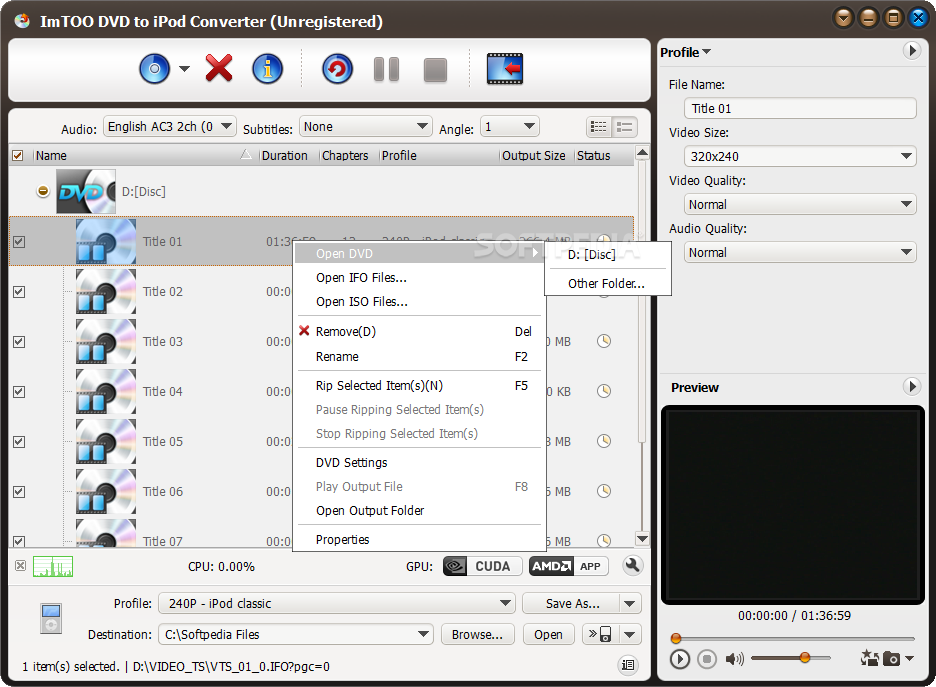
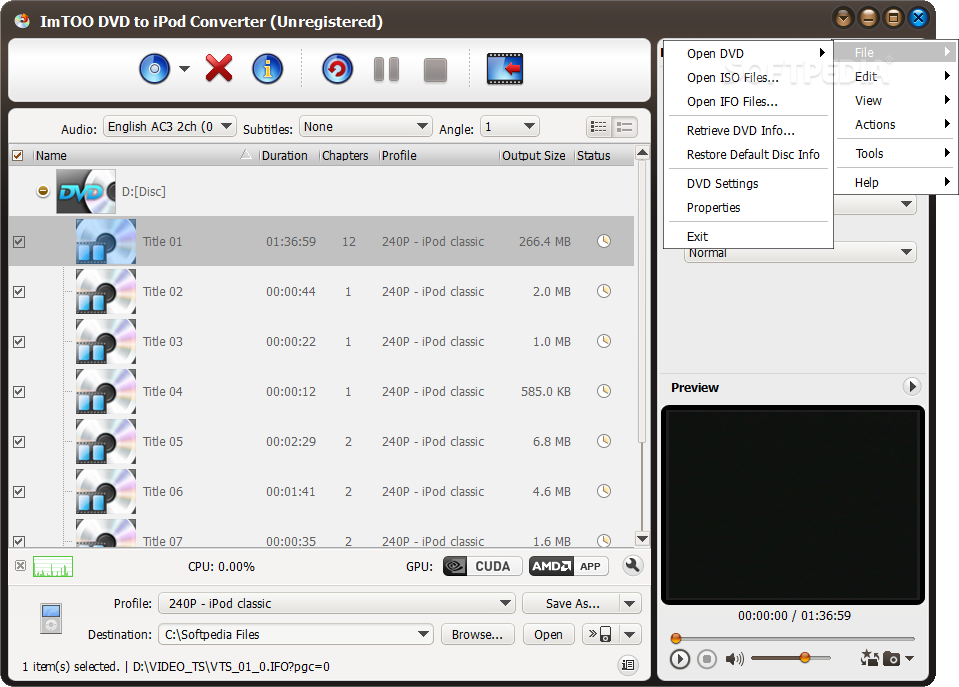
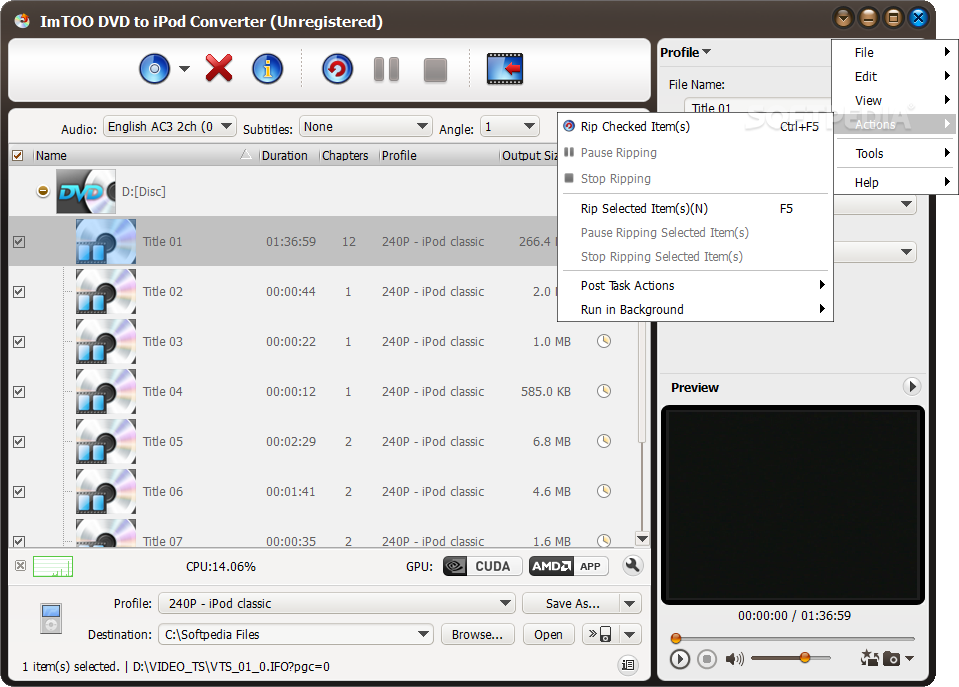
    The interface of the program is clean and easy to navigate through. You can import a DVD, ISO or IFO file by using either the file browser or "drag and drop" method.

    In the list you can view the name, duration, number of chapters, output profile and size, as well as status of the DVD.

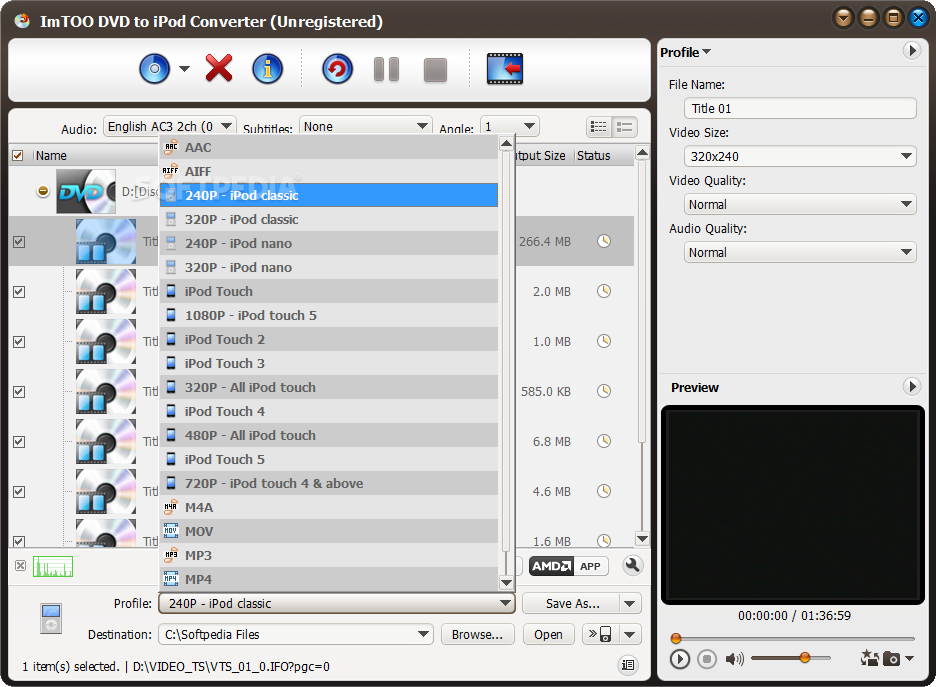
    So, all you have to do is specify the output destination and format, in order to proceed with the conversion process.

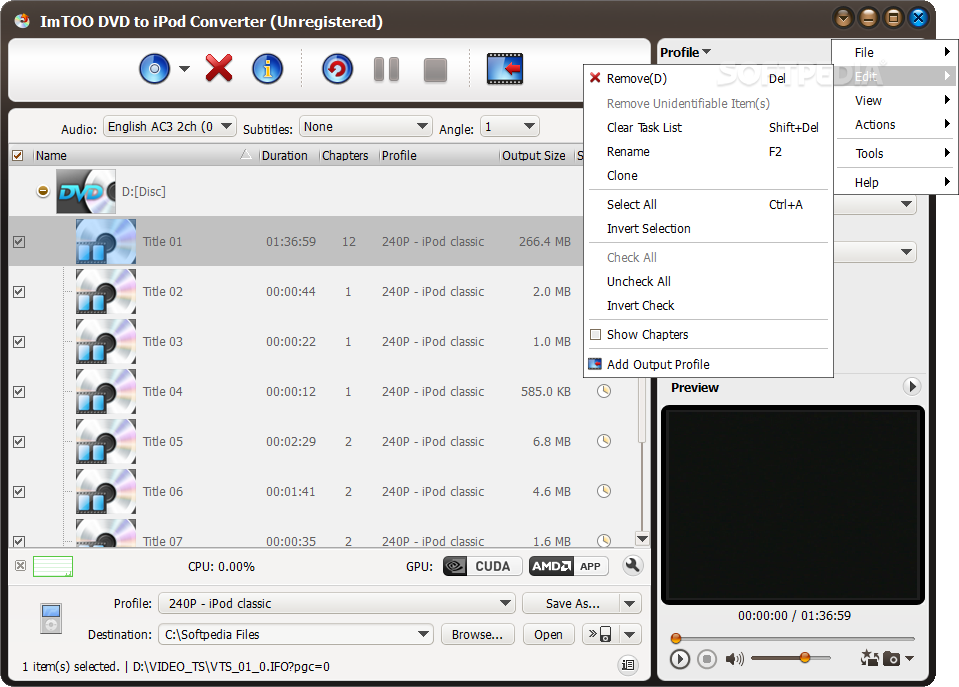
    But you can also preview the clip in a built-in media player, split files, take a snapshot, retrieve DVD information, view file properties, as well as view and select individual chapters for conversion.

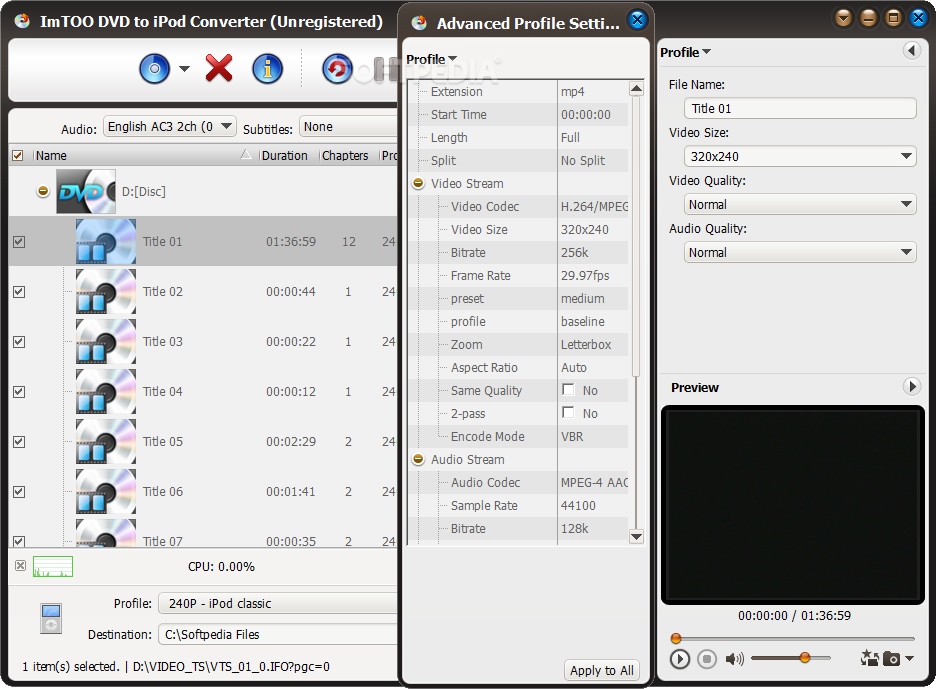
    Furthermore, you can configure audio and video settings when it comes to size, quality, bit rate, frame rate, zoom, aspect ratio, bit rate tolerance, encode mode, and others.

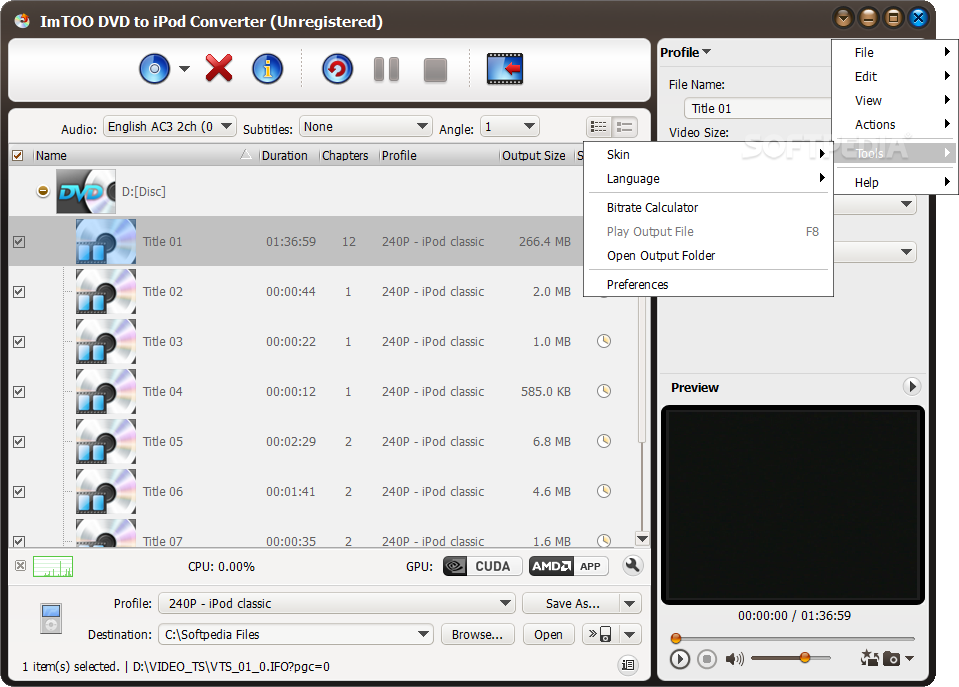
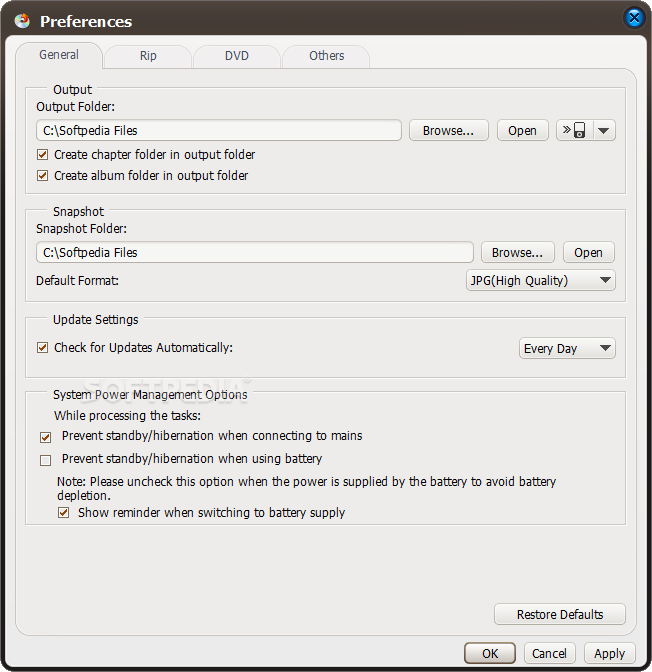
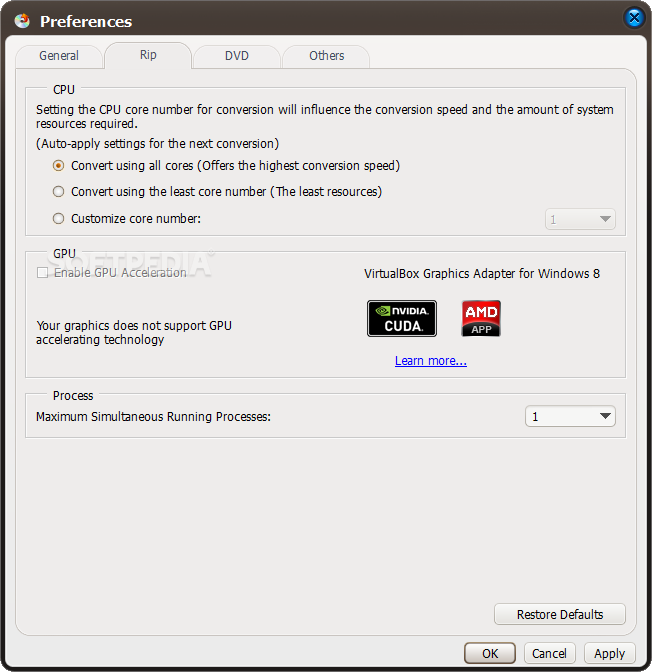
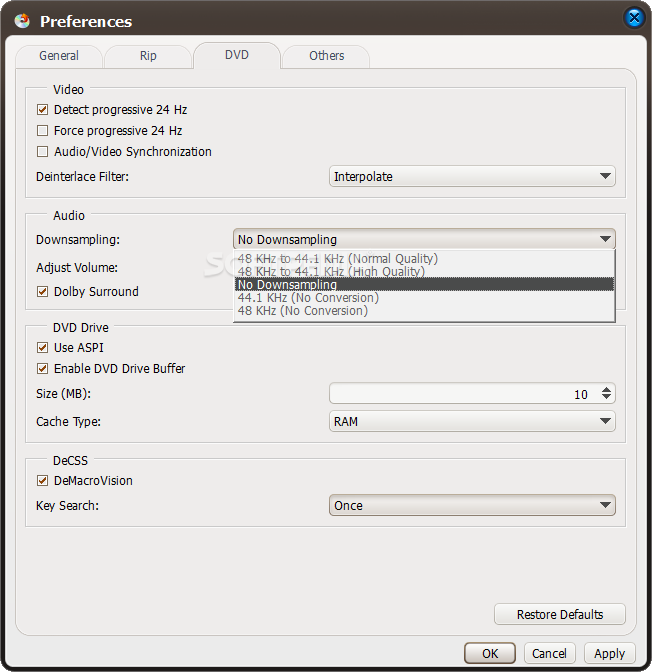
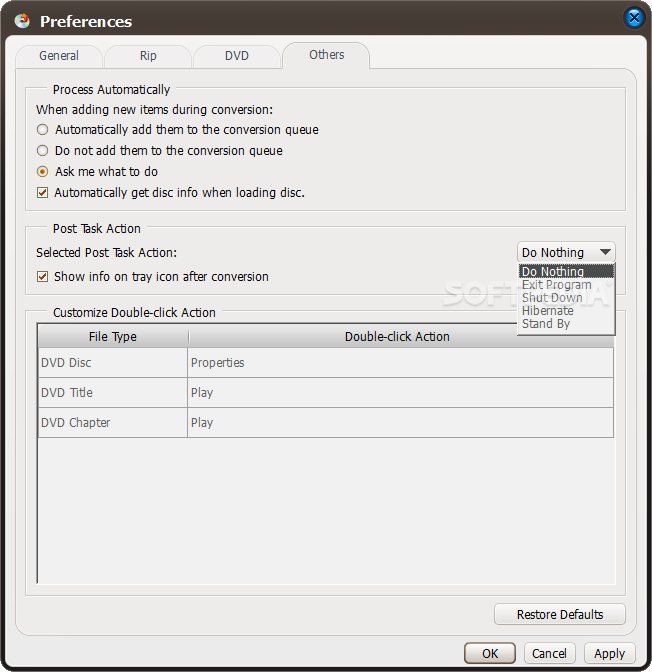
    In addition, you can edit metadata (e.g. title, author, comment, copyright), select the audio and subtitle stream, view a log file, set post-task actions (e.g. exit program, shut down computer), enable ImTOO DVD to iPod Converter to run in the background, calculate the bit rate, set CPU priority, change the interface skin and language, and more.

    ImTOO DVD to iPod Converter takes up a very high amount of system resources, includes a well-written step-by-step guide for beginners and quickly finishes a conversion task without popping up errors. The image and sound in the output files are kept at a very good quality. Too bad the demo version is severely limited. Otherwise, we highly recommend this video convertor to all users.

    ImTOO DVD to iPod Converter description

    Here are some key features of "ImTOO DVD to iPod Converter":

    · Support multi-core processor
    · Support 5.1 channel surround sound system
    · Add new profiles
    · Fast ripping speed - It supports multi-threading and batch conversion, supports "Run Background" and any other status "After Ripping Done", thus the more files you convert within one time, the faster it works than other converters
    · Auto-detects and full uses your CPU which ensures the best speed in ripping
    · Easy to use - All properties and settings are displayed in the interface and you can easily handle them without difficulties
    · It can rip and convert DVD by custom file size, by chapters or rip DVD's any segment to iPod MP4 video
    · It supports preview - You can see the ripping progress and snapshot in preview window
    · Sound normalization supported - You can set the output volume at will or by need
    · It allows you to select target subtitle and audio track
    · Output settings are all adjustable - You can concurrently set divers output profiles from one source and customize output file size with a Bitrate Calculator
    · It offers excellent output quality and you will get any supported output formats with super image and luxuriant sound quality
    · It supports new iPod 30GB and 80GB with resolution of 640 by 480 pixels for MPEG-4 Video, and new iPod Touch video formats were added
    · You may choose to retrieve DVD info and software updates from the internet automatically or manually

    Requirements:

    · 1GHz Intel/AMD processor or above
    · 256MB RAM (512MB or above recommended)
    · 100MB space for installation
    · Super VGA (800×600) resolution, 16-bit graphics card or higher
    · DVD-ROM drive

    Limitations:

    · 3-minute video ripping limit

    What's New in This Release: [ read full changelog ]

    · Enable the function of transferring the output files to iPod
    · Makes the built-in player resizable
    · Switch the zoom mode between 4:3 and 16:9
    · Classifies the profile settings into different types
    · Added the function of power management

     Softpedia guarantees that ImTOO DVD to iPod Converter 6.0.3 Build 0504 is 100% CLEAN, which means it does not contain any form of malware, including spyware, viruses, trojans and backdoors. [read more >]


    TAGS:

    rip DVD | DVD to iPod | DVD ripper | ripper | rip | converter

    Go to top

    WindowsGamesDriversMacLinuxScriptsMobileHandheldNews

    SUBMIT PROGRAM   |   ADVERTISE   |   GET HELP   |   SEND US FEEDBACK   |   RSS FEEDS   |   UPDATE YOUR SOFTWARE   |   ROMANIAN FORUM