
Powerful piece of software that helps you emulate and create virtual CD/DVDs that may contain games, movies, audio or software, while offering support for different formats, such as BIN, CIF, NRG, IMG/CCD, MDF/MDS and VCD. #Virtual DVD #Virtual drive #Virtual CD #Virtual #Drive #CD

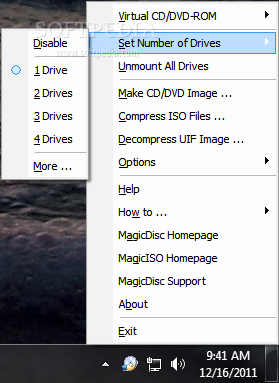
The use of virtual CD/DVD drives is more comfortable than the classic CD-ROM approach because it simply offers users more flexibility. Virtual images can be accessed and managed via a wide range of emulators that allow you to mount them as if you inserted a CD/DVD disc in your CD/DVD-ROM.
One of the most popular software applications that deals with virtual images are Daemon Tools, quickly followed by MagicDisc Virtual DVD / CD-ROM. The latter comes at no cost and provides the means to emulate and create virtual CD/DVDs that may contain games, movies, audio or software.
The installation process is not rocket science, so beginners need not worry. Deployment ends with an icon placed in the system tray, from where users can access all of the functions that the software utility brings to the table.
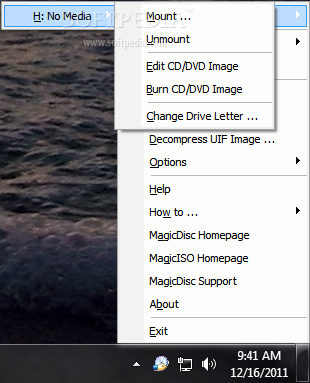
The list of supported virtual images includes the following: BIN, CIF, NRG, IMG/CCD, MDF/MDS, VCD, VDI, C2D, CDI, TAO/DAO to name the most important ones. Usage comes down to a simple routine: first, set the number of virtual drives that you need (the upper limit is 15) and then start mounting the images one by one.
Create encrypted ISO images
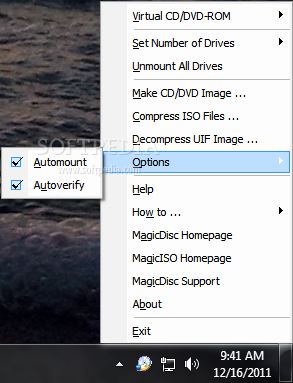
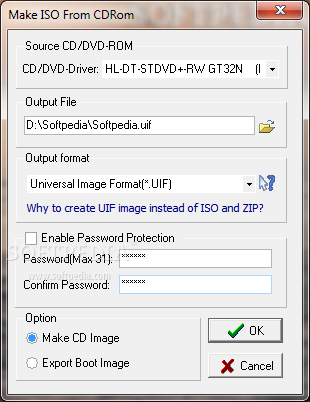
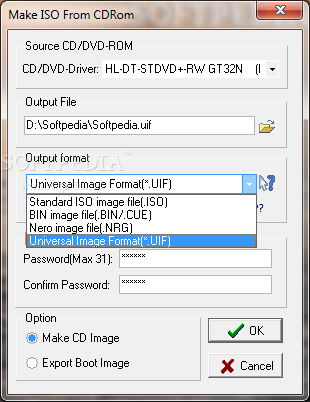
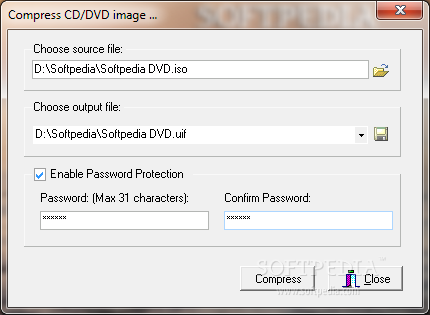
If you choose to make an ISO image, you can also equip it with a password for safe-keeping. You can compress ISO files to UIF images, and the other way around. The Options sub-menu allows you to enable or disable automount and auto-verify.
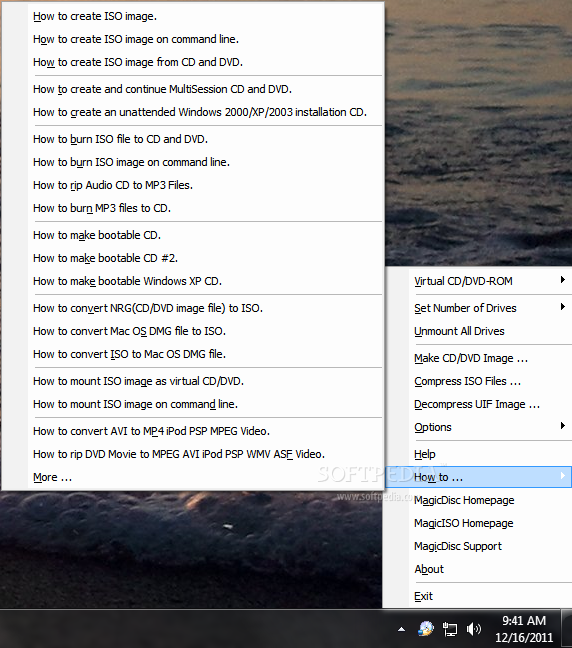
If you have any questions or doubts related to how to use MagicDisc, then feel free to check out the ‘How To’ menu for additional information.
MagicDisc Virtual DVD/CD-ROM is a great alternative to paid software. It allows you to play games or watch movies stored in ISO format (or other similar ones), and also create Windows bootable discs.
Download Hubs
MagicDisc Virtual DVD / CD-ROM is part of these download collections: Virtual Drives, Open Virtual CD, Open MDF
What's new in MagicDisc Virtual DVD / CD-ROM 2.7 Build 106:
- Supports Windows 7 x86/x64 Edition
- Fixed bug of mounting some cue file
- Some minor improvements and bug fixes
MagicDisc Virtual DVD / CD-ROM 2.7 Build 106
add to watchlist add to download basket send us an update REPORT- PRICE: Free
- runs on:
- Windows All
- file size:
- 1.3 MB
- filename:
- setup_magicdisc105.exe
- main category:
- CD / DVD / Blu-ray Tools
- developer:
Windows Sandbox Launcher

Bitdefender Antivirus Free

Context Menu Manager

4k Video Downloader

calibre

Microsoft Teams

ShareX

IrfanView

7-Zip

Zoom Client

- IrfanView
- 7-Zip
- Zoom Client
- Windows Sandbox Launcher
- Bitdefender Antivirus Free
- Context Menu Manager
- 4k Video Downloader
- calibre
- Microsoft Teams
- ShareX