
Decompress RAR archives by drag and dropping them, double clicking them or from the shell-integrated context menu with the help of this app. #File decompression #RAR extraction #Archive extractor #Archive #UnRAR #Decompress

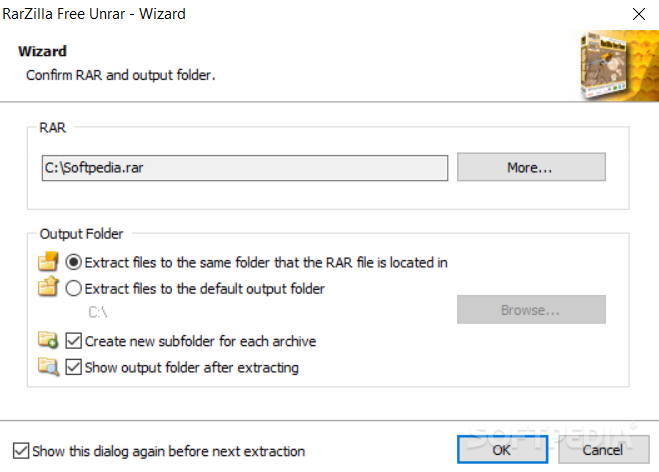
RarZilla Free Unrar is a small yet powerful software solution designed to help you decompress RAR files on the go.
An extremely easy to use decompression tool, RarZilla Free Unrar provides multiple methods to extract files from a RAR archive, all supposed to lend a hand to users who don't want to spend too much time with such a simple process.
RarZilla Free Unrar thus lets you drag an archive over the main window so, thanks to the built-in drag and drop support, it can start the file extraction process in a second.
Secondly, you can do the same thing by right clicking on a RAR archive and hitting the “Extract” option because yes, RarZilla Free Unrar introduces a special entry in the Windows Context Menu.
Last but not least, the easiest way to decompress files is to double click a RAR archive, as RarZilla Free Unrar automatically handles the tasks and takes care of the process for you.
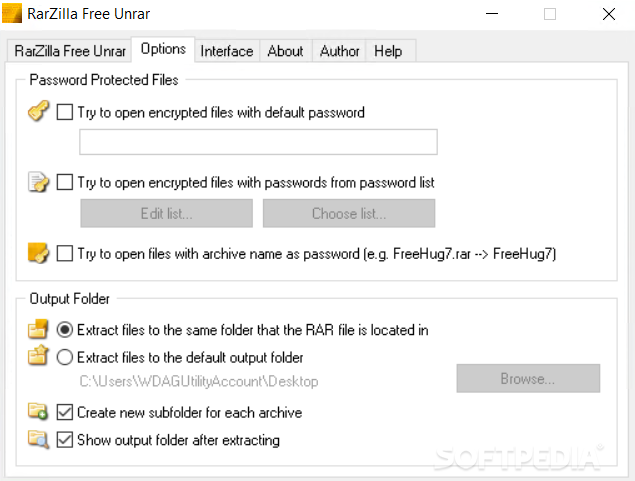
Once you open a new archive, RarZilla Free Unrar prompts the user to pick the folder to extract the files, but also to write down a password in case it's needed. Of course, in order to speed up the process, the application lets you configure this settings from the get go and thus complete the job a bit faster.
Just as expected, RarZilla Free Unrar has absolutely no problem to run on any Windows version, with just a minimum footprint on hardware resources.
RarZilla Free Unrar is obviously a very effective utility and it's a shame that it doesn't also boast compression tools. In the end however, it serves its purpose fast, easy and without hampering computer performance in any way.
RarZilla Free Unrar 7.00
add to watchlist add to download basket send us an update REPORT- PRICE: Free
- portable version
- RarZilla Free Unrar Portable
- runs on:
-
Windows 10 32/64 bit
Windows 8 32/64 bit
Windows 7 32/64 bit - file size:
- 1.1 MB
- filename:
- InstallRarZilla.exe
- main category:
- Compression tools
- developer:
Context Menu Manager

Windows Sandbox Launcher

calibre

Microsoft Teams

7-Zip

Zoom Client

IrfanView

ShareX

4k Video Downloader

Bitdefender Antivirus Free

- ShareX
- 4k Video Downloader
- Bitdefender Antivirus Free
- Context Menu Manager
- Windows Sandbox Launcher
- calibre
- Microsoft Teams
- 7-Zip
- Zoom Client
- IrfanView