
Have your files and folders compressed in order to save precious disk space or to keep them from being infected by malicious software with the help of this powerful application. #Zip archiver #Zip archive #Zip compressor #Zip #Archive #Compressor

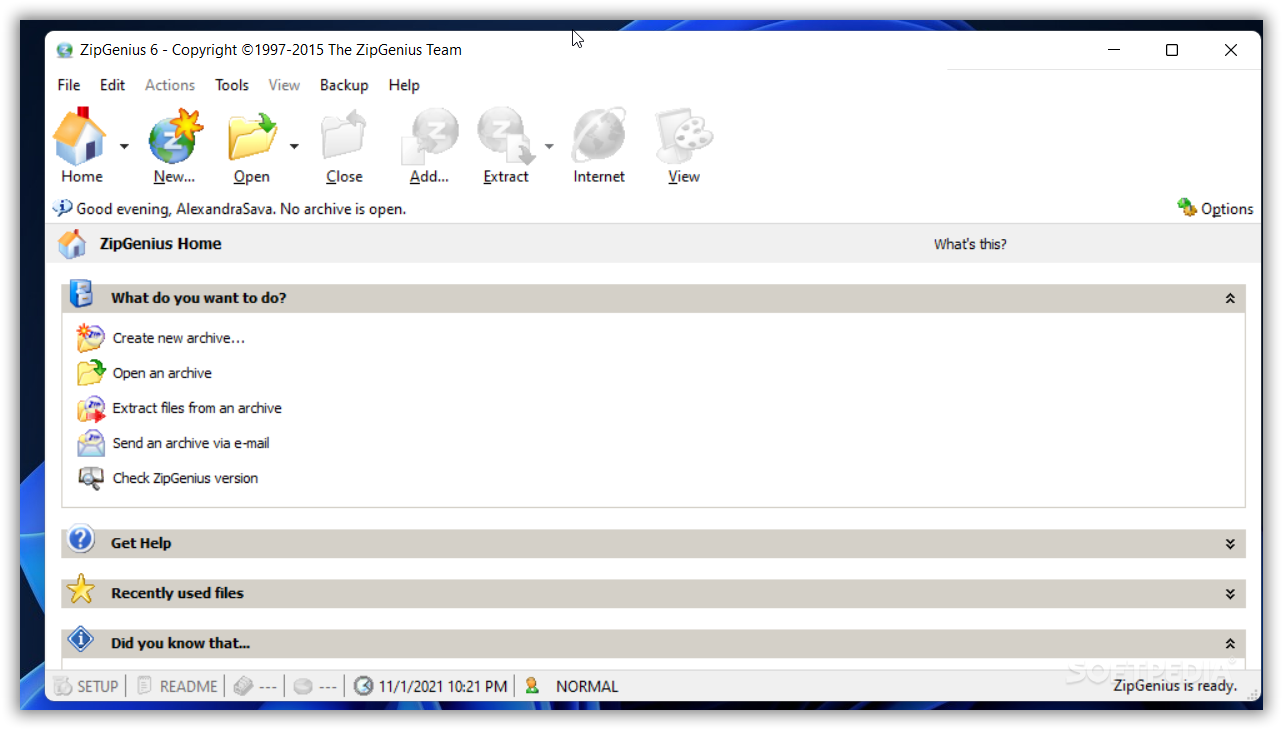
A neat and easy way to secure files and folders is have them stored in an archive. In a category saturated with compression tools, ZipGenius makes room for itself through a fast and secure engine that sports the essential capabilities to manage archives.
Its main advantage is the wide array of formats it supports. A few quick examples are: ZIP, RAR, 7Z, EXE, TAR, CAB, ISO, NRG, XPI and LZH to name the most important ones. It can process password protected archives and is able to work with CD-R/RW drives.
Its interface is extremely user-friendly, and completely different from what you’ve seen in similar software. It bundles a few menus and large buttons for access to its most important functions.
You can create a new archive, open it, extract it or send one via e-mail. The actual compression task is done via a Command Prompt window. We love the fact that ZipGenius didn't try to reinvent the wheel, but rather take advantage of the simplicity of the situation.
When you choose to extract an archive, you can opt to decompress all the files, only the selected ones, or by a certain format. In Options you can set ZipGenius to ask before overwriting existing files, as well as open the destination folder once the operation is successful.
Sending an archive via e-mail is done by using the default mail client of your computer (e.g. MS Outlook Express, Mozilla Thunderbird). It is also possible to backup files, convert a compressed pack into a multi-volume archive, add comments, insert date and time, etc.
Testing ZipGenius was a piece of cake. It’s simple enough for beginners, while power users can also spend quality time with it exploring the advanced features it has to offer. It takes advantage of basic system tools to get the process done as fast as possible, with little effort required on your behalf.
Download Hubs
ZipGenius is part of these download collections: Open RAR, Create tar, Create 7z, Create CAB
What's new in ZipGenius 6.3.2.3116:
- Update needed to fix a 7-zip security issue.
ZipGenius 6.3.2.3116
 Softpedia Editor's Pick
add to watchlist
add to download basket
send us an update
REPORT
Softpedia Editor's Pick
add to watchlist
add to download basket
send us an update
REPORT
- PRICE: Free
- runs on:
-
Windows 11
Windows 10 32/64 bit
Windows 8 32/64 bit
Windows 7 32/64 bit - file size:
- 9.1 MB
- filename:
- zg63std.exe
- main category:
- Compression tools
- developer:
- visit homepage
Microsoft Teams

Zoom Client

IrfanView

4k Video Downloader

7-Zip

calibre

Bitdefender Antivirus Free

Windows Sandbox Launcher

ShareX

Context Menu Manager

- Windows Sandbox Launcher
- ShareX
- Context Menu Manager
- Microsoft Teams
- Zoom Client
- IrfanView
- 4k Video Downloader
- 7-Zip
- calibre
- Bitdefender Antivirus Free