Softpedia
 

WINDOWS CATEGORIES:


GLOBAL PAGES >>
SOFTPEDIA REVIEWS >>
MEET THE EDITORS >>
WEEK'S BEST
  • Bitdefender Total ...
  • Ocster Backup Pro ...
  • Hard Disk Sentinel...
  • FlashFXP [DISCOUNT...
  • DVDFab DVD Copy [D...
  • Kaspersky Internet...
  • Avast! Internet Se...
  • Avira Internet Sec...
  • Webroot SecureAnyw...
  • McAfee Total Prote...
  • Home > Windows > Desktop Enhancements > Clocks & Time Management
     Report malware

    Virtual TimeClock Pro '13 Release 1 Build 1310094

    download button buy button

    Downloads: 644  Tell us about an update
    User Rating:
    Rated by:
    NOT RATED
    0 user(s)
    Developer:

    License / Price:

    Size / OS:

    Last Updated:

    Category:

    Demo / $195.00 USD buy button
    8.3 MB / Windows XP / Vista / XP X64 / Vista64 / 7 / 7 x64 / 8 32-bit / 8 64-bit
    [view history]
    C: \ Desktop Enhancements \ Clocks & Time Management

     Read user reviews (0)  Send to friend   Follow (0 users)

    Virtual TimeClock Pro description

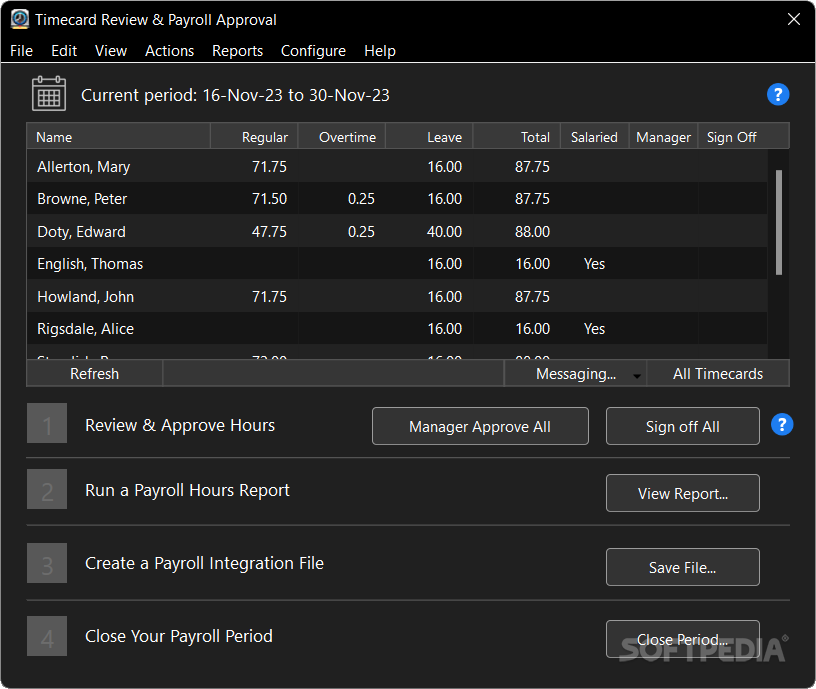
    Easily track employee activities, print sophisticated time card reports and integrate with popular payroll processors

    Virtual TimeClock Pro is a handy and reliable employee time clock software that enables you to easily manage your workers, vacation times and edit various reports and payrolls. The software provides you with accurate impartial recording of every employee punch in and out. It is a cost effective and secure replacement for that old fashioned employee punch clock or paper based timesheet system.

    Virtual TimeClock Pro is driven by a built-in SQL database that instantly totals employee timecards by worker, department, or task. Easily export to your payroll software or service, or spreadsheet software for tracking employee time and attendance job costs and trends.

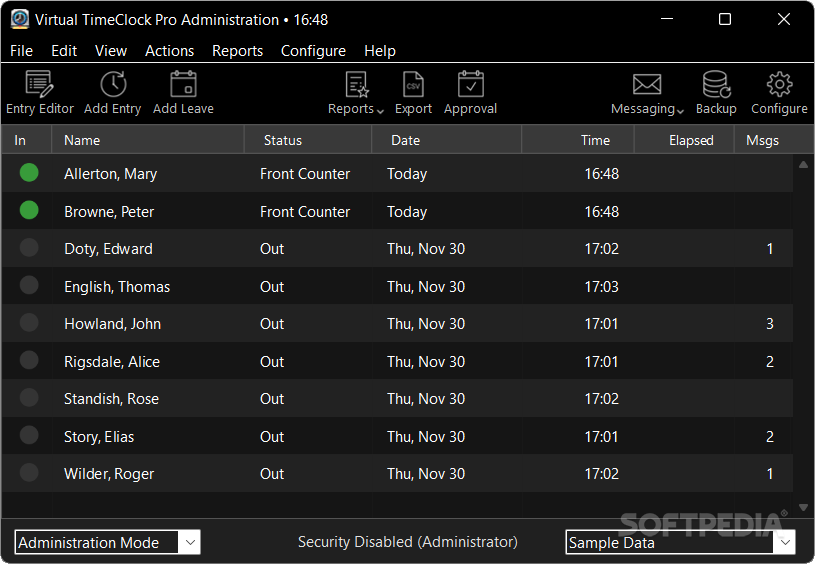
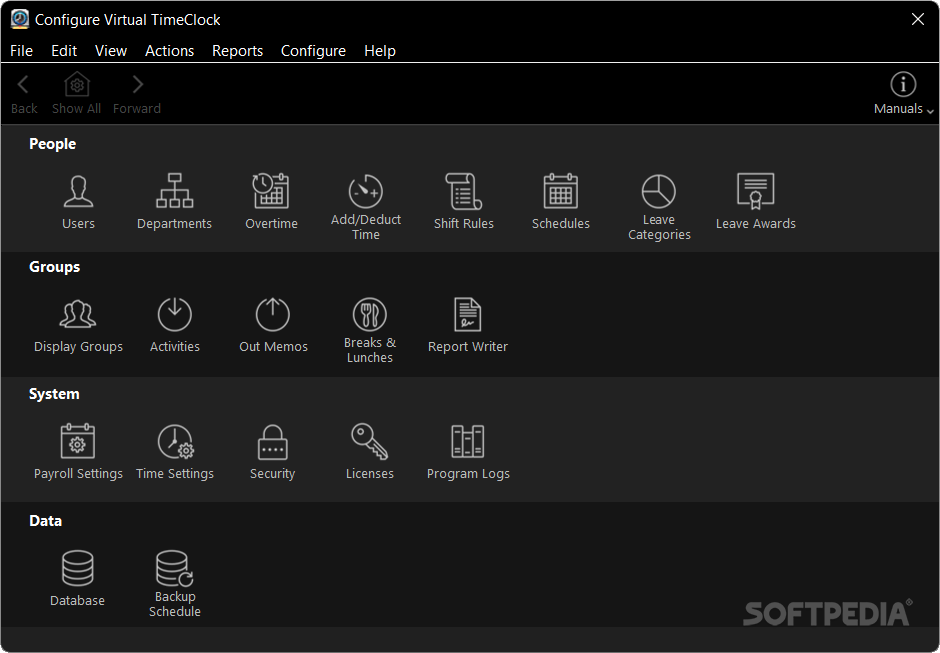
    Virtual TimeClock Pro provides workers, managers, and time clock administrators with easy, yet secure access to the appropriate features and functions that they need. Intuitive and flexible administrative settings and tools allow you to configure your time clock software to match just about any business environment.

    Here are some key features of "Virtual TimeClock Pro":

    Program:
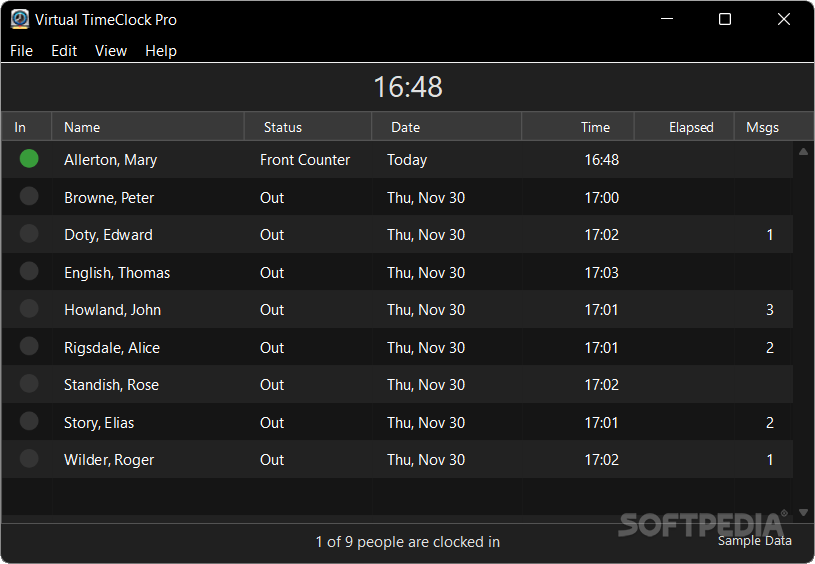
    · In/Out board shows current worker status
    · Customize user menus, toolbars and layout
    · Powerful SQL database
    · Create databases for multiple companies
    · Built-in messaging for worker communication

    Time Tracking:
    · Record regular, daily & weekly overtime hours
    · Track salaried and hourly employees
    · Unlimited daily start & stop entries
    · Support for hours worked overnight
    · Define which day the work week begins
    · Weekly, biweekly, semi-monthly, monthly payroll
    · Maintain historical payroll periods
    · Add manual time clock entries
    · Modify timecard entries
    · Create different overtime rules for each employee
    · Track paid and unpaid activities, jobs or tasks
    · Limit paid activities to a designated threshold
    · Track paid and unpaid leave accrual, carryover and usage
    · Create unlimited custom leave categories
    · Limit paid leave to a designated threshold
    · Include paid leave in overtime calculations
    · Automatic time deductions for unpaid lunches
    · Track time spent on paid or unpaid worker breaks
    · Track paid or unpaid worker lunches
    · Set limits on paid worker breaks
    · Assign shifts to daily employee schedules
    · Prevent early employee clock in
    · Control late employee clock out
    · Manager override for shift violations
    · Automatic clock out after shift end time
    · Employee departure memos

    Employee Groups:
    · View & manage workers by location
    · Assign a different group to each time clock display
    · Assign specific activities to groups
    · Assign unique departure memos to groups
    · Assign specific reports to groups
    · Assign managers to multiple groups

    Reports:
    · Round time to the tenth or quarter hour
    · Display hours in decimal or time format
    · Report historical payroll periods
    · Timecard detail reports
    · Timecard summary reports
    · Departmental reports
    · Activity, job or task reports
    · Shift reports
    · Worker leave reports
    · Timecard notes for reporting tips, mileage, job details
    · Calculate gross wages for job costing
    · Apply shift differential when reporting gross wages
    · Accrued & used leave reports
    · Employee telephone list
    · Employee contact list
    · Employee profile report
    · Current worker status report
    · Late arrival report
    · Customizable timecard signature line
    · Optional supervisor signature line
    · Report Writer for creating & customizing reports

    Import / Export:
    · Import new worker information
    · Export worker information
    · Export hours and overtime to text files
    · Payroll integration with popular payroll systems

    Administration:
    · Multi-level password protection
    · Over 30 separate security access options
    · Single password administrative mode
    · Close payroll periods for historical reporting
    · Data backup and restore functions
    · Schedule automatic data backups
    · Audit logging of all timecard modifications
    · Automatic logging of errors and messages
    · SQL database management tools

    Requirements:

    · 1 GHz or faster processor
    · 40 MB Hard disk space
    · 32 MB RAM

    Limitations:

    · Limited to 300 entries
    · Nag screen

    What's New in This Release: [ read full changelog ]

    · Faster and easier report generation with the all new Report Preview features.
    · Save reports as a PDF for secure, unalterable electronic storage or emailing.
    · Easily add or edit employee timecard entries with integrated entry editing from the Report Preview window.
    · Quickly run reports for different groups and/or dates all from one Report Preview window.
    · Modify report settings with new direct access to the Report Writer from the Report Preview window.
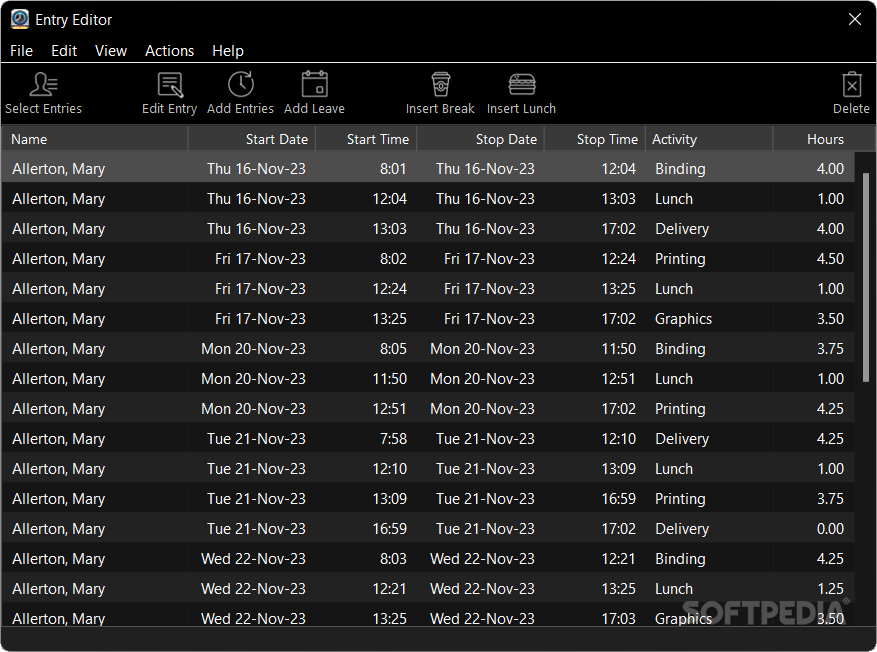
    · Enjoy intuitive contextual entry editing from the updated Entry Editor.
    · Users given access to edit their timecard entries can now easily edit both current and past entries.
    · Updated Configuration navigation makes setting up Virtual TimeClock even easier.
    · Updated Internet Time Server support for computers with unreliable (typically WIFI) internet connections.
    · New leave award frequencies calculate benefits on a daily or monthly basis.
    · New leave award summary makes it easy to determine benefits for each employee and leave category.
    · ...

     Softpedia guarantees that Virtual TimeClock Pro '13 Release 1 Build 1310094 is 100% CLEAN, which means it does not contain any form of malware, including spyware, viruses, trojans and backdoors. [read more >]


    TAGS:

    time clock | virtual clock | track employee | employee | payroll | organizer

    Go to top

    WindowsGamesDriversMacLinuxScriptsMobileHandheldNews

    SUBMIT PROGRAM   |   ADVERTISE   |   GET HELP   |   SEND US FEEDBACK   |   RSS FEEDS   |   UPDATE YOUR SOFTWARE   |   ROMANIAN FORUM