
Allows you to customize your Windows taskbar by adding useful information and functions, such as a calendar and a weather widgets, custom alarms and forecasts. #Weather Forecast #Forecast Weather #Customize Calendar #Weather #Time #Calendar

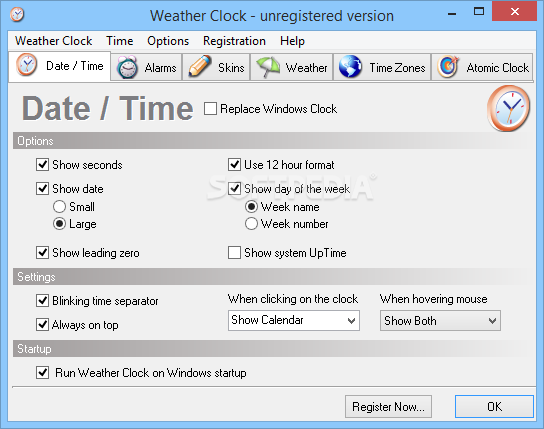
Weather Clock is a very handy software solution that lets you customize the Windows clock with skins and see weather forecast straight in the System Tray alongside the current time.
The application comes with an impressive number of skins included in the standard package, but in case none of them fits your taste, you can always go online and download new ones.
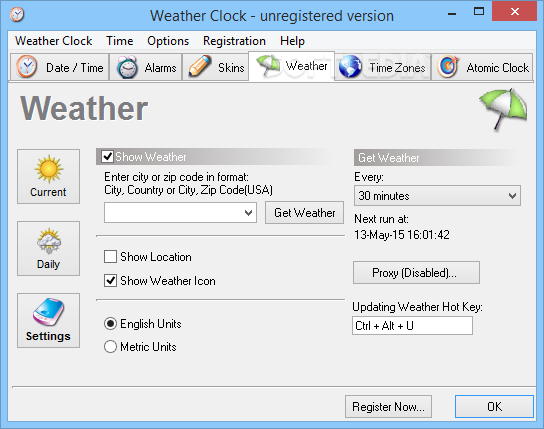
Besides customizing the Windows clock appearance, Weather Clock also boasts an alarm utility and a weather tool that brings the latest forecast straight in your System Tray.
Of course, it supports both metric and English units, with dedicated options to update the forecast at a user defined interval or manually via a hotkey.
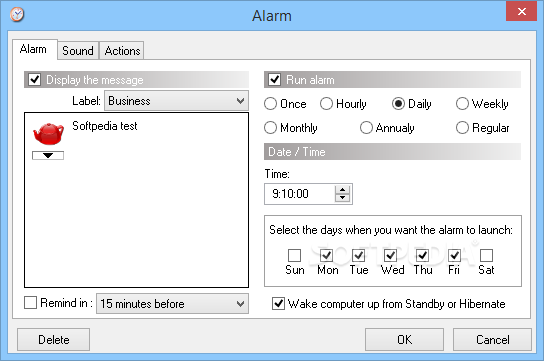
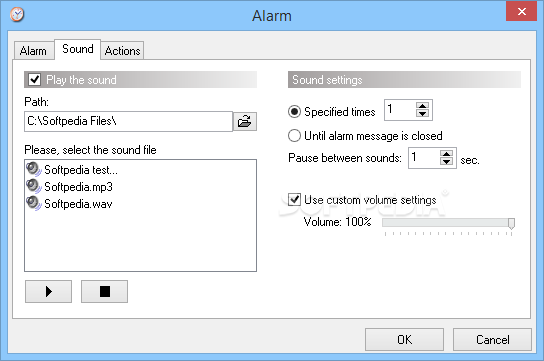
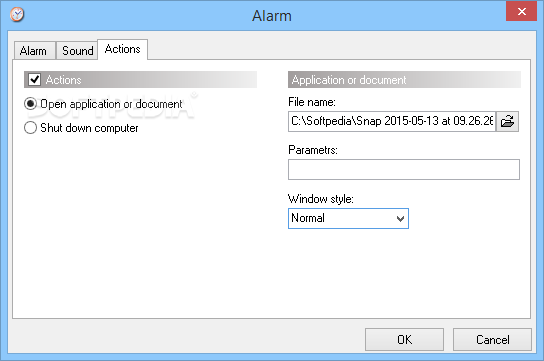
The “Alarm” tool lets you perform certain activities or launch applications at a pre-configured time. You can play an audio file or even shut down the computer.
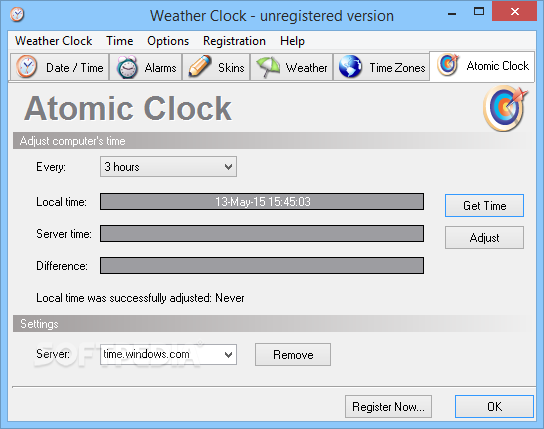
Another important feature of the program is the Atomic Clock that helps you adjust computer time either automatically at a user-defined interface or manually every time you want to.
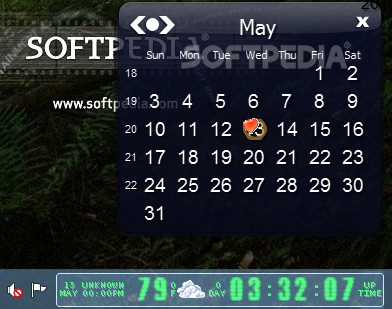
Weather Clock can be configured to perform certain tasks when clicking on it and, by default, a left click opens the calendar, while moving the mouse over the clock launches both the calendar and the weather forecast.
The application runs on low resources and works without a flaw on all Windows workstations, which is quite an important thing since it's supposed to run all the time.
Weather Clock is quite a good piece of software and provides some great customization options for the standard and old-fashioned Windows clock.
What's new in Weather Clock 4.5:
- Fixed bugs with getting the weather data
Weather Clock 4.5
add to watchlist add to download basket send us an update REPORT- runs on:
-
Windows 2003
Windows 8 32/64 bit
Windows 7 32/64 bit
Windows Vista 32/64 bit
Windows XP
Windows 2K - file size:
- 2.2 MB
- filename:
- WeatherClock45Setup.zip

- main category:
- Desktop Enhancements
- developer:
- visit homepage
Windows Sandbox Launcher

Bitdefender Antivirus Free

ShareX

7-Zip

Microsoft Teams

Zoom Client

Context Menu Manager

IrfanView

calibre

4k Video Downloader

- IrfanView
- calibre
- 4k Video Downloader
- Windows Sandbox Launcher
- Bitdefender Antivirus Free
- ShareX
- 7-Zip
- Microsoft Teams
- Zoom Client
- Context Menu Manager