
A simple and easy to use software utility designed to help users replace the standard drive icons of their operating system with a Vista-like display. #Change icon #Vista icon #Show drive space #Icon #Change #Vista

In case you're still using Windows XP with its default appearance, chances are some interface customizations could come in handy to refresh the looks of this classical operating system.
If the glass and see-through effects don't really appeal to you, there's a more subtle modification you can try by changing the drive icons shown in My Computer. For this purpose you need a dedicated tool to get the job done hassle-free.
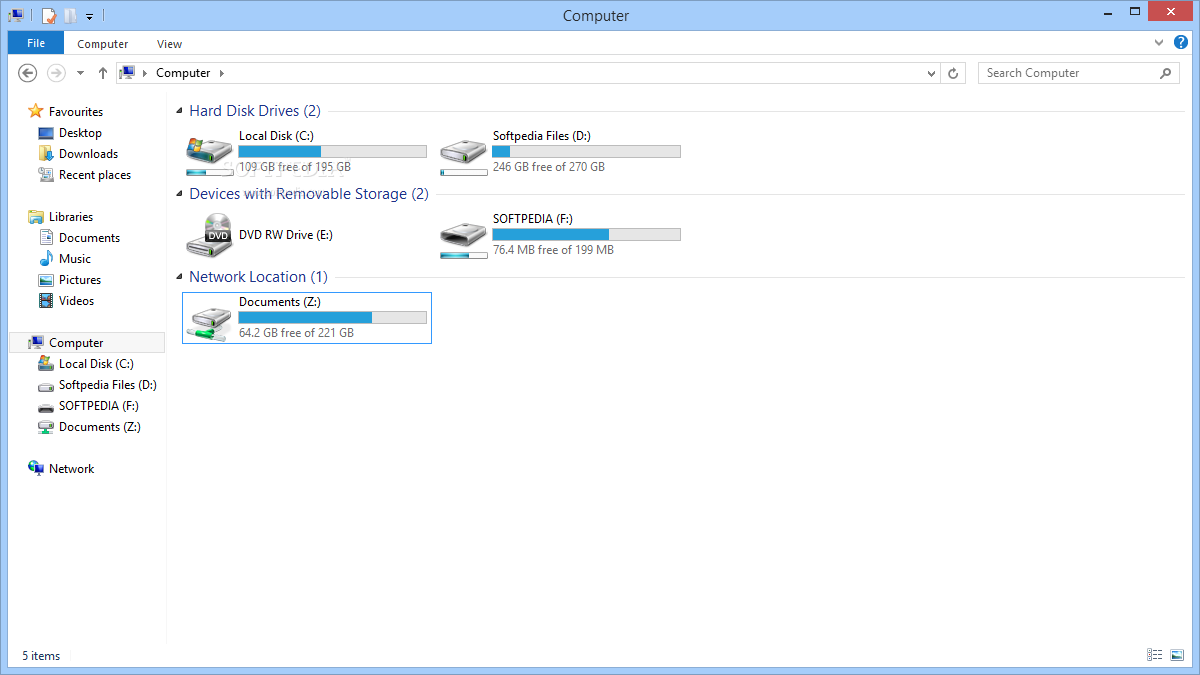
Such an application is the one that goes by the name of Vista Drive Icon and will help you replace the traditional drive icons with more modern ones, inspired by the Windows iteration that came right after XP, namely Vista.
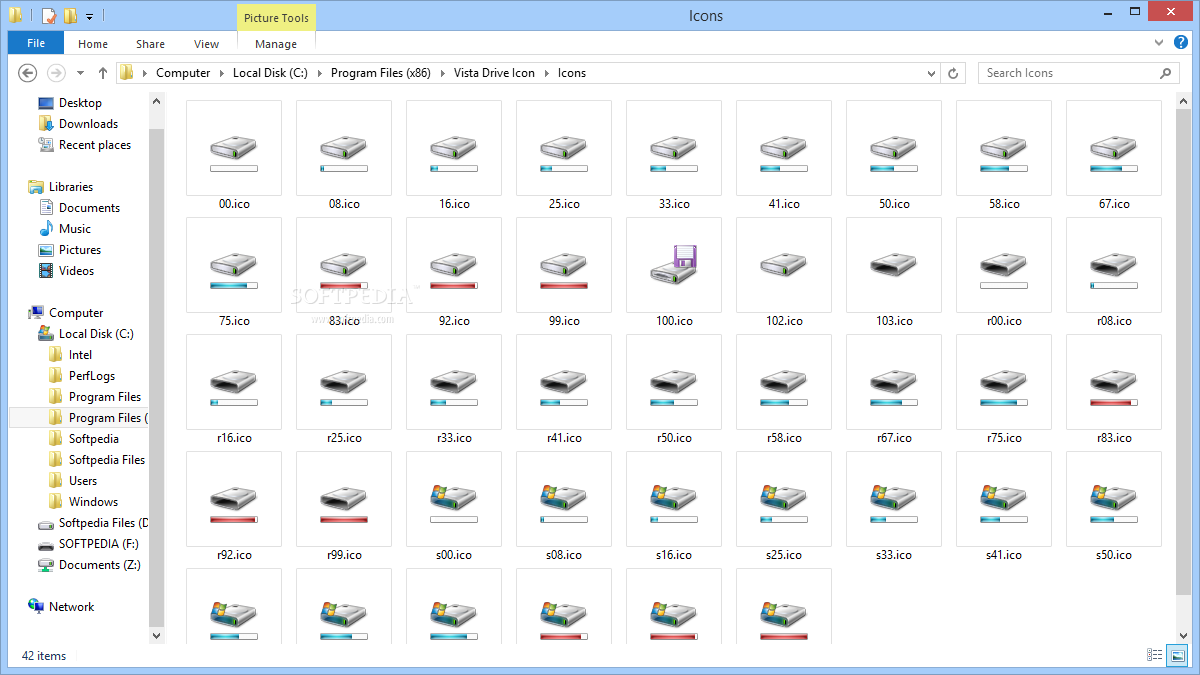
In case you're wondering, these icons bring more than a mere visual improvement as they also show the free space available on each drive. This is done with the help of a bar placed underneath each icon, which displays the occupied space in blue and the available space in white.
Vista Drive Icon replaces the old icons with the new ones automatically, so you just have to run the executable file and that's basically it. As always, it's better to create a restore point or make a backup before playing with the app, just to stay on the safe side.
All things considered, if you want to bring something new and practical in your Windows XP without making changes in vital area of the system, you may want to start by adding Vista's drive icons with this easy to use application.
Vista Drive Icon 1.5.0.155
add to watchlist add to download basket send us an update REPORT- runs on:
- Windows All
- file size:
- 135 KB
- filename:
- VistaDriveIcon_1.5_Setup.exe
- main category:
- Desktop Enhancements
- developer:
- visit homepage
Context Menu Manager

4k Video Downloader

Zoom Client

7-Zip

ShareX

Windows Sandbox Launcher

Microsoft Teams

calibre

Bitdefender Antivirus Free

IrfanView

- calibre
- Bitdefender Antivirus Free
- IrfanView
- Context Menu Manager
- 4k Video Downloader
- Zoom Client
- 7-Zip
- ShareX
- Windows Sandbox Launcher
- Microsoft Teams