
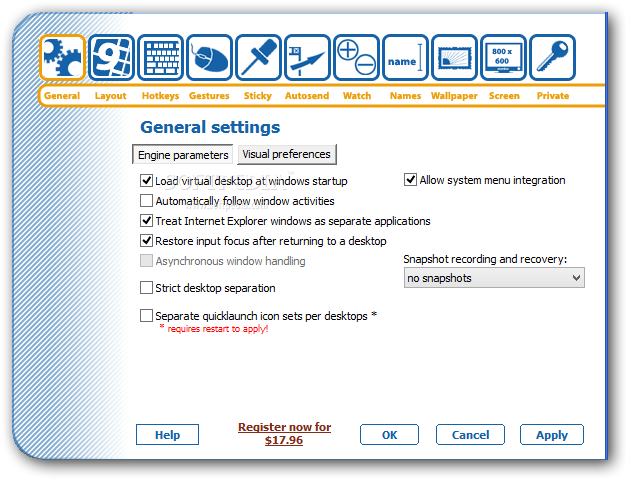
Chimera Virtual Desktop is a comprehensive and accessible application that offers an efficient method to create up to nine virtual desktops useful even if you have one monitor or more.They all behave like your existing single desktop but can contain different programs.
It lets you switch between your desktops anytime, as well as define separate icon sets and various resolutions and wallpapers. The app is wrapped in a simple yet feature-rich interface consisting of nine desktops that are displayed when clicking on the systray icon and of a configuration panel that contains all the necessary functions to customize the way you want each virtual monitor.
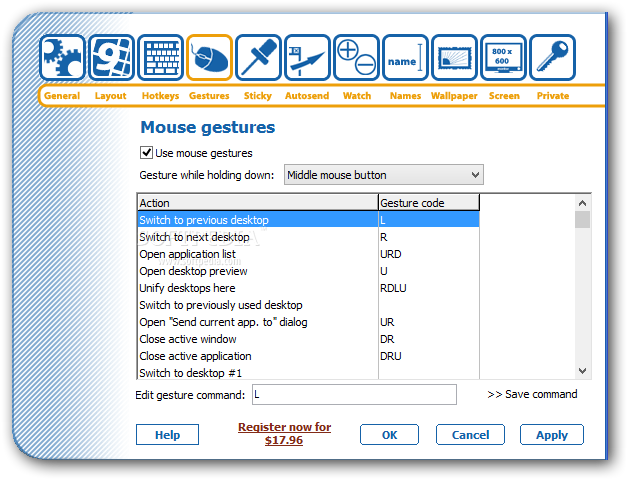
The desktop preview lets you change to another one by clicking on its appropriate representation. You can drag-and-drop applications with your mouse, through the system menu integration, but keep in mind not all tools have that option, and send them via mouse gestures. The "Application" feature is a submenu that gives the ability to switch quickly between the windows. If you select a program that is located on a different desktop, the virtual monitor automatically opens it.
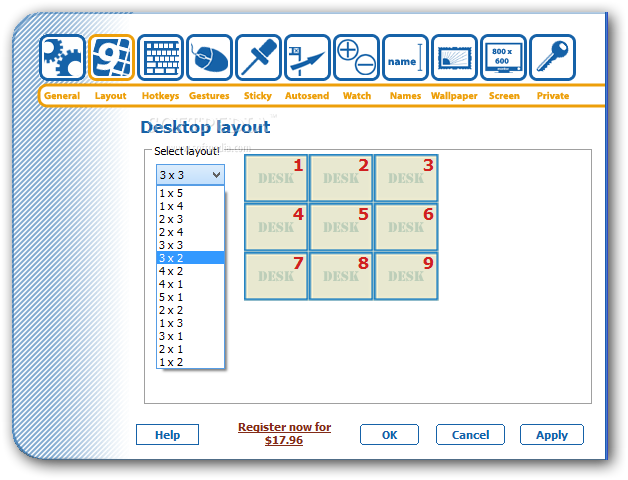
The first tab in the configuration panel are the general settings from where you can customize some basic elements, such as run it at startup, strict desktop separation, allow system integration, as well as use large icons in preview mode, show the numbers, the view size and window transparency. Chimera Virtual Desktop lets you choose the desired layout from a few default ones and assign specific hotkeys for each function, along with the mouse gestures that trigger different actions.
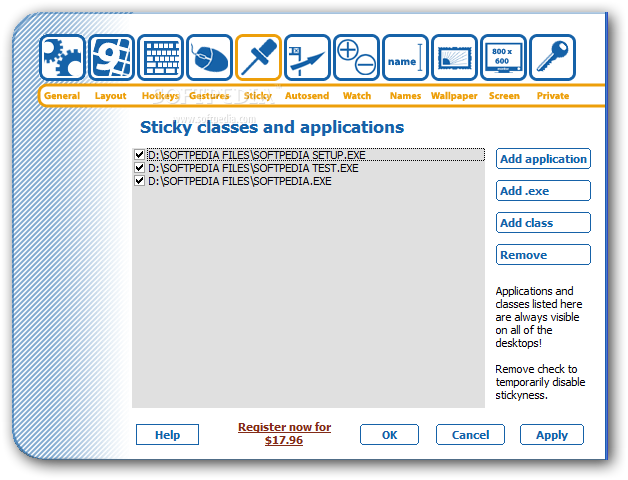
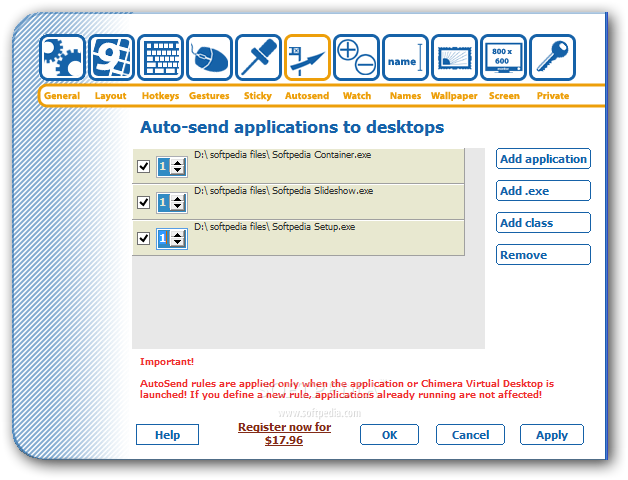
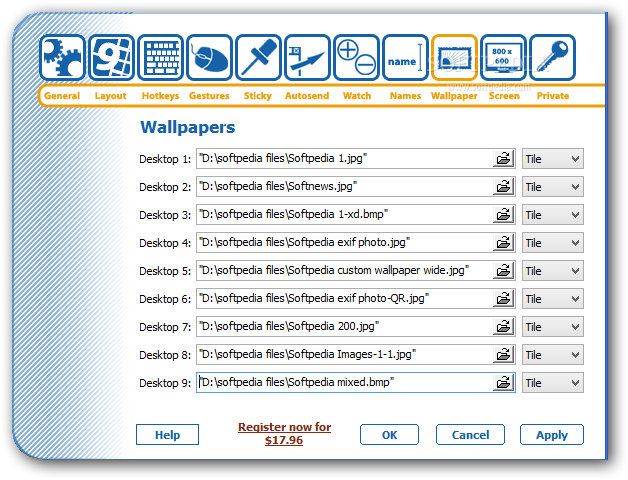
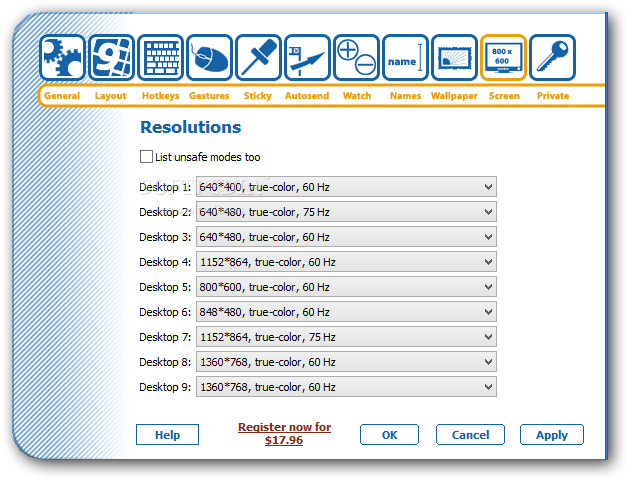
You can set a particular utility from the opened one, an executable or class as sticky that are visible on all desktops, as well as auto-send apps to a specific number once they are launched. Plus, you have the option to select what programs should be watched. For each desktop, a name can be given with a representative color, distinctive wallpapers and resolutions, together with password-protection for every desktop.
The bottom line is that Chimera Virtual Desktop is a reliable and straightforward utility designed to help create and manage multiple virtual desktops, which require only one computer. For each, you have the option to set personalized commands and mouse gestures, titles and wallpapers.
Filed under
What's new in Chimera Virtual Desktop 1.4.0:
- Lots of Win7 compatibility fixes
- Option to have different shortcut sets per desktop removed
- Less nag screens
- Latest version:
Chimera Virtual Desktop 1.4.0
- runs on:
- Windows All
- file size:
- 1.3 MB
- filename:
- ChimeraVirtualDesktop.exe



- main category:
- Desktop Enhancements
- developer:
- visit homepage
IrfanView

7-Zip

4k Video Downloader

ShareX

Windows Sandbox Launcher

Context Menu Manager

Bitdefender Antivirus Free

calibre

Microsoft Teams

Zoom Client

- calibre
- Microsoft Teams
- Zoom Client
- IrfanView
- 7-Zip
- 4k Video Downloader
- ShareX
- Windows Sandbox Launcher
- Context Menu Manager
- Bitdefender Antivirus Free