
Change color of the icon representing chosen folder to any color. #Change icon #Change folder color #Icon changer #Icon #Color #Folder

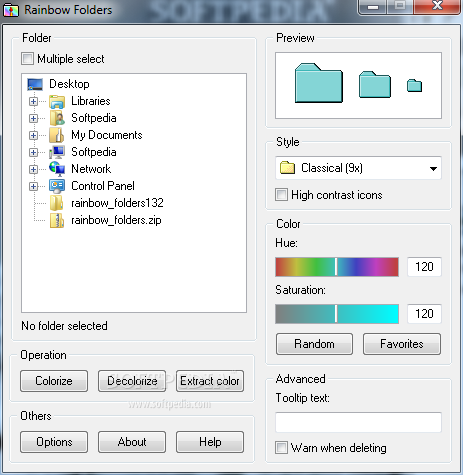
Rainbow Folders is a lightweight Windows freebie that lets you change the color of any folder icon on your computer, providing a very straightforward way to do this.
The interface of the program can be quickly accessed via the Windows Context Menu, so it’s basically enough to right-click any folder and hit the “Rainbow Folders” option.
It’s very unlikely to get lost in the main window because developers have created a well-organized layout, with the most important options available at a one-click distance.
You can not only choose from three different icon styles, namely classical, typical and modern, but also choose any color you want by adjusting hue and saturation values. You can even add you very own colors to favorites and use them at a later time for any other folder.
There are dedicated tools to pick a random color, colorize, decolorize or extract colors, all available in the main window.
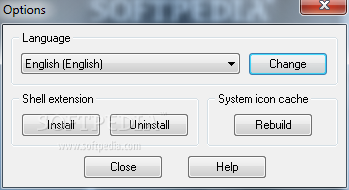
A tiny options menu is also included, but it only allows you to install or remove the shell extension and rebuild the system icon cache in case something goes wrong.
We’ve tested the program on Windows XP, Vista and 7 and although we’ve received reports from our users claiming that it sometimes fail to work properly on newer Windows versions, Rainbow Folders did its job very all every time.
Simply put, Rainbow Folders is one of the easiest ways to change the color of any folder icon on your system, providing not only a quick method do that, but also a straightforward interface and a great amount of customization options.
Rainbow Folders 2.05
add to watchlist add to download basket send us an update REPORT- runs on:
- Windows All
- file size:
- 783 KB
- filename:
- rf.zip
- main category:
- Desktop Enhancements
- developer:
- visit homepage
Windows Sandbox Launcher

Microsoft Teams

IrfanView

calibre

Zoom Client

Bitdefender Antivirus Free

7-Zip

ShareX

Context Menu Manager

4k Video Downloader

- ShareX
- Context Menu Manager
- 4k Video Downloader
- Windows Sandbox Launcher
- Microsoft Teams
- IrfanView
- calibre
- Zoom Client
- Bitdefender Antivirus Free
- 7-Zip