
This screensaver will perform an update and scan when activated. #Desktop screensaver #Security scan #Security update #Screensaver #Scan #Scanner

The Security Screensaver package performs an update and scan when activated. The package provides two screensavers: - Security Screensaver: Keep file where you want to store it and right click the file and choose install. A bug is when you do this the screensaver will start. - Security Screensaver NG: Install the same way as above.
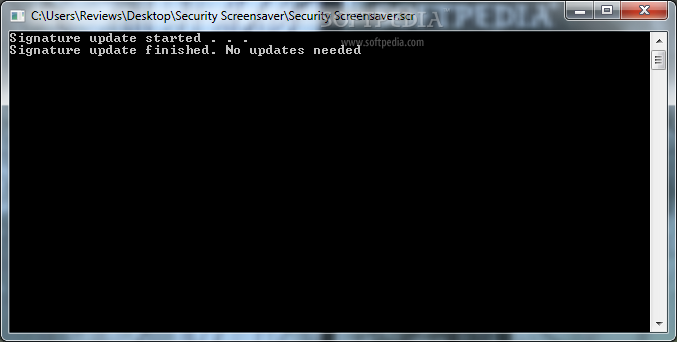
The difference between the two screensavers: Security screensaver when triggered will perform an update and scan and a cmd prompt will be visable during the process showing the update progress and scan progress and when it completes it will start an actual screensaver featuring the castle logo from Microsoft Security Essentials.
Security Screensaver NG (No Graphics) when triggered will perform an update and scan but will do so completely silently, so no window will be present showing the progress of the update and scan. When it completes the update and scan it will not trigger an actual screensaver.
- It works with Microsoft Security Essentials 1 and 2 (beta) - When screensaver is triggered the cmd prompt is no longer visible if you stop the screensaver during scan.
System requirements
What's new in Security Screensaver 2.0 Beta:
- I rewrote it so the update and scan completes before the actual screensaver is triggered (the castle logo). Also now the cmd prompt is visible again showing the progress of the update and scan before the actual screensaver starts.
- Now the download includes two screensavers, the original Security Screensaver and Security Screensaver NG (No Graphics) which will perform an update and scan silently with no cmd prompt visible and when complete will not start any graphic screensaver.
Security Screensaver 2.0 Beta
add to watchlist add to download basket send us an update REPORT- runs on:
-
Windows 7 32/64 bit
Windows Vista 32/64 bit
Windows XP - file size:
- 1 MB
- filename:
- Security_Screensaver_2_0_by_jwils876.zip
- main category:
- Desktop Enhancements
- developer:
- visit homepage
Zoom Client

7-Zip

ShareX

calibre

Microsoft Teams

Bitdefender Antivirus Free

Windows Sandbox Launcher

Context Menu Manager

IrfanView

4k Video Downloader

- Context Menu Manager
- IrfanView
- 4k Video Downloader
- Zoom Client
- 7-Zip
- ShareX
- calibre
- Microsoft Teams
- Bitdefender Antivirus Free
- Windows Sandbox Launcher
