
Straightforward and useful application that helps you replace the default Windows 7 Start menu with the classic one and it provides you with a quick search function. #Replace Start Menu #Classic Start Menu #Enhance Start Menu #Start Menu #Replacer #Replace
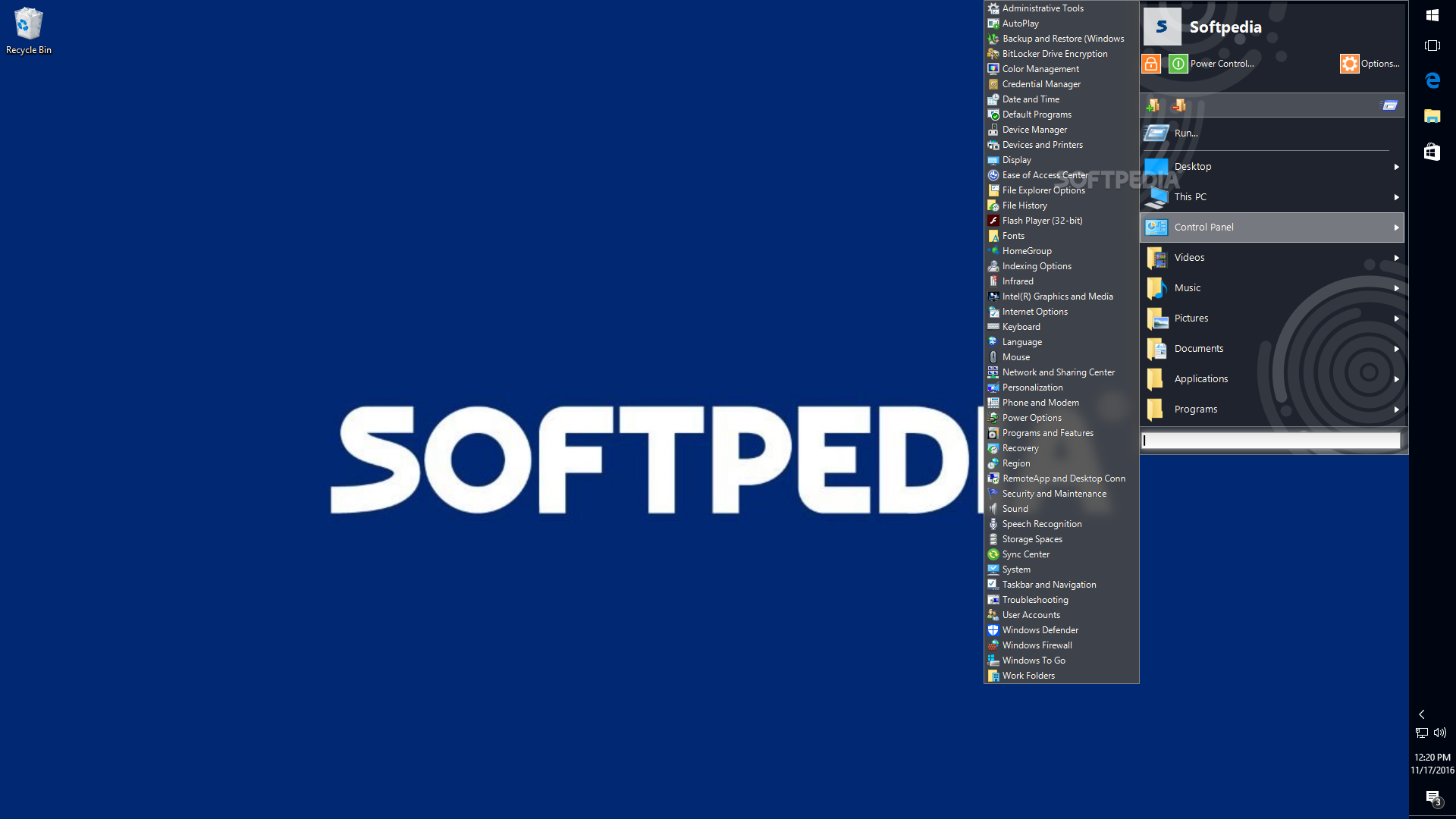
Classic Start Menu is a Start menu replacement that is designed for the Windows 7 users which want to bring the classic menu structure on their computers. If you are not used to the new look of the Start menu, this tool can help you switch back to the old version.
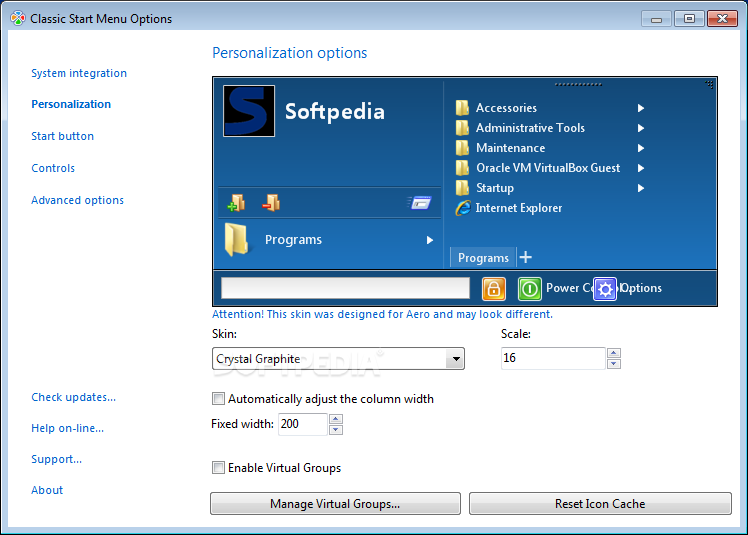
The aspect of the Start menu is completely changed but you should not expect a Windows 2000 or Windows XP replica. The program actually combines the features of multiple versions in an attempt to preserve the most useful functions.
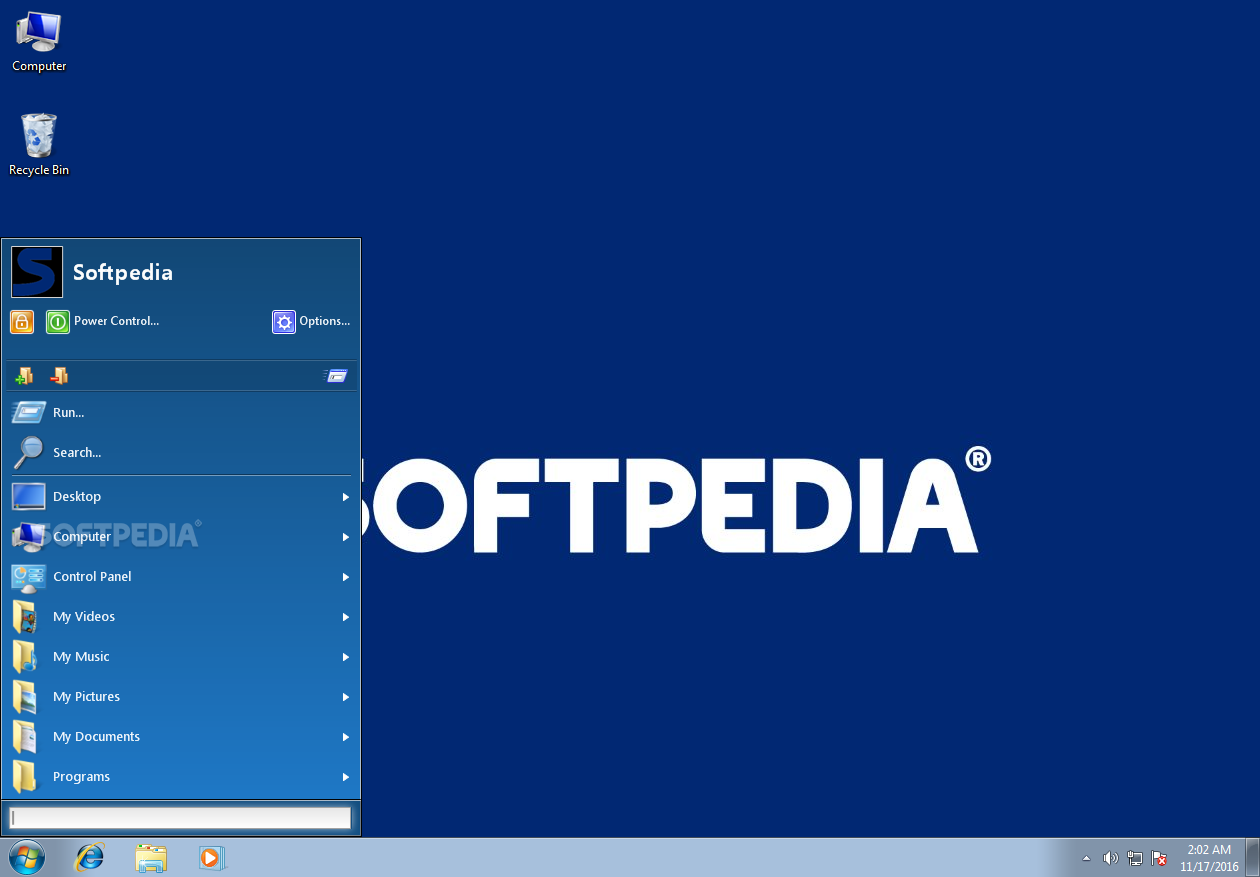
The default menu structure allows you to access videos, pictures and documents from the dedicated folders in the user account. The folders are displayed as menus which enable you to open an item with just one click. You can still explore the folder by clicking it from the main menu.
A new addition to the menu is the Desktop folder which makes it easier to open any item from your desktop without minimizing the active windows. In addition you can add any folder to the list in order to quickly access the frequently used items.
Unlike the Windows 7 menu, you cannot pin applications by using the context menu but you can add any file or program by using the top menu buttons. The structure of the menu is flexible and allows any user to create a personalized version according to the personal preferences.
The application includes the ability to search through the menu items and the personal files by typing the name in the Start menu. It is a time-saving feature when having a lot of files or a complex folder structure.
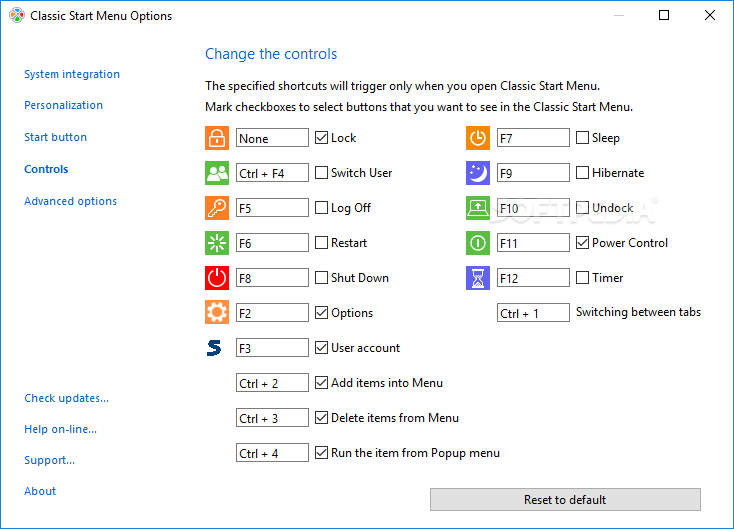
The Power Buttons feature enables you to set a timer for shutting down, restarting or locking your computer. If you want to schedule a system restart or disconnect a laptop from the docking station you just need to set the time and to run the selected action. A countdown timer displays the remaining time and enables you to cancel the command.
Classic Start Menu can successfully replace the Start menu and provide you with additional features. It requires insignificant resources to run and has a good response time when accessing or searching for a certain item.
Classic Start Menu 7.77
add to watchlist add to download basket send us an update REPORT- runs on:
-
Windows 11
Windows 10 32/64 bit
Windows 8 32/64 bit
Windows 7 32/64 bit
Windows Vista 32/64 bit
Windows XP 32/64 bit - file size:
- 14.1 MB
- filename:
- ClassicStartMenu_Setup_7_77_PRO.exe

- main category:
- Desktop Enhancements
- developer:
- visit homepage
IrfanView

Bitdefender Antivirus Free

Context Menu Manager

4k Video Downloader

Microsoft Teams

calibre

7-Zip

Zoom Client

ShareX

Windows Sandbox Launcher

- Zoom Client
- ShareX
- Windows Sandbox Launcher
- IrfanView
- Bitdefender Antivirus Free
- Context Menu Manager
- 4k Video Downloader
- Microsoft Teams
- calibre
- 7-Zip