
If you have always loved Vista User Interface, now you can apply it on your XP computer with ease. #Vista theme #Xp to vista #Vista display #Theme #Vista #Customize
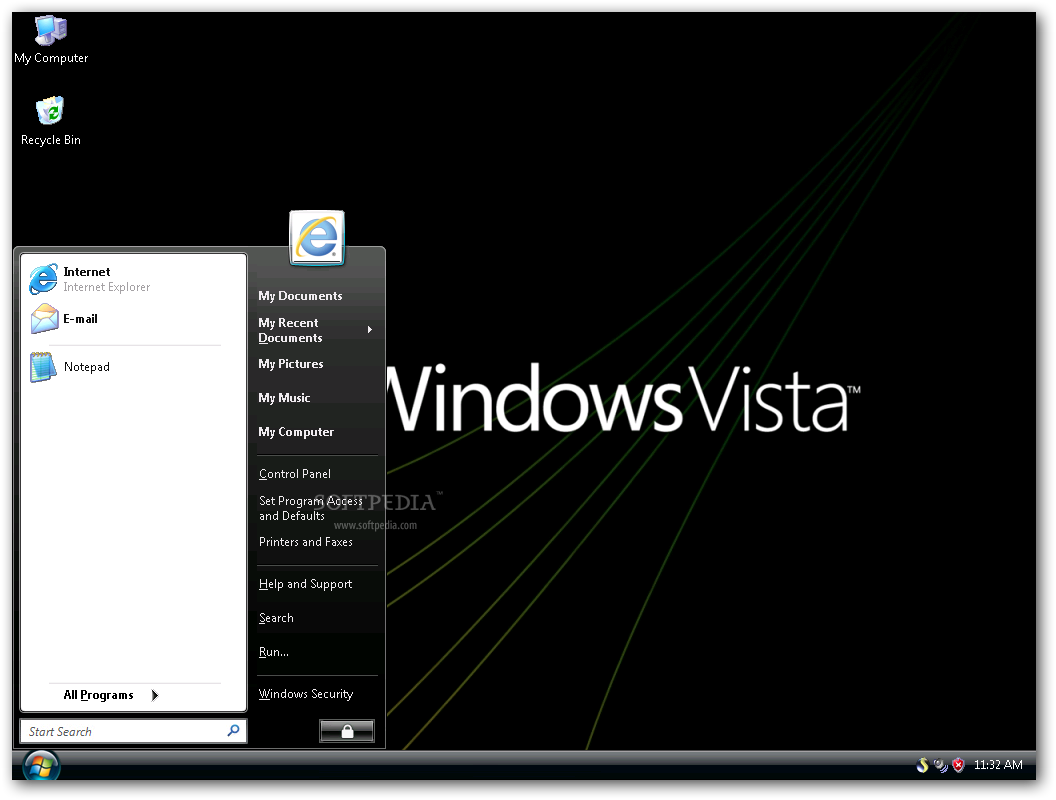
Since Windows Vista was launched, many XP users wanted to take it for a spin and test its functions without giving up the performance of their PCs or purchasing a license for the OS until they made sure they liked it. The compromise solution is to install a theme that would at least permit them get familiarized with the operating system’s interface, such as VistaVG Ultimate Theme.
As is the case with all themes installed to Windows XP, the host computer first needs to be patched using a dedicated application called Uxtheme Multi-patcher, then restarted.
However, unlike other similar themes that only require users to run an installer, VistaVG Ultimate Theme needs to be manually configured by installing additional software and copying files to PC locations.
For example, in order to install VistaVG Ultimate Theme you need to download an archive that stores several folders – the content of the directory entitled Fonts needs to be copied to the Windows Fonts folder (\Windows\Fonts), while the Theme one has to be copied to Windows Themes (\Windows\Resources\Themes).
In order to customize the toolbar of Windows Explorer, a third-party tool is needed, as described in the Readme file.
Once all the configuration steps have been completed, it is possible to apply the new theme from the Desktop Properties window. The default wallpaper is replaced by a Windows Vista inspired one, whereas the Start Menu, the Start button, the Windows Explorer icons and the taskbar are revamped to resembled Vista’s.
It needs to be mentioned that VistaVG Ultimate Theme is only meant to tweak the appearance of XP to look like Vista, so its specialized tools are not installed (such as UAC).
To wrap it up, VistaVG Ultimate Theme can indeed make one’s computer resemble Vista without installing this OS, but patience and medium PC skills are required – if all the steps are completed correctly, users can get the looks of Vista and the performance of XP onto the same computer.
What's new in VistaVG Ultimate Theme 201120:
- FIX:
- Chevron BUG fixed.
- Startmenu image BUG fixed.
- NEW:
VistaVG Ultimate Theme 201120
add to watchlist add to download basket send us an update REPORT- runs on:
-
Windows 2003
Windows XP - file size:
- 5.1 MB
- main category:
- Desktop Enhancements
- developer:
- visit homepage
Zoom Client

4k Video Downloader

Microsoft Teams

Context Menu Manager

calibre

ShareX

Bitdefender Antivirus Free

7-Zip

IrfanView

Windows Sandbox Launcher

- 7-Zip
- IrfanView
- Windows Sandbox Launcher
- Zoom Client
- 4k Video Downloader
- Microsoft Teams
- Context Menu Manager
- calibre
- ShareX
- Bitdefender Antivirus Free