
An intuitive application that comes packed with many useful features for helping you perform various file management operations (e.g. create ZIP archives and favorite folders) #File management #File explorer #Data manager #Manager #Explorer #Management

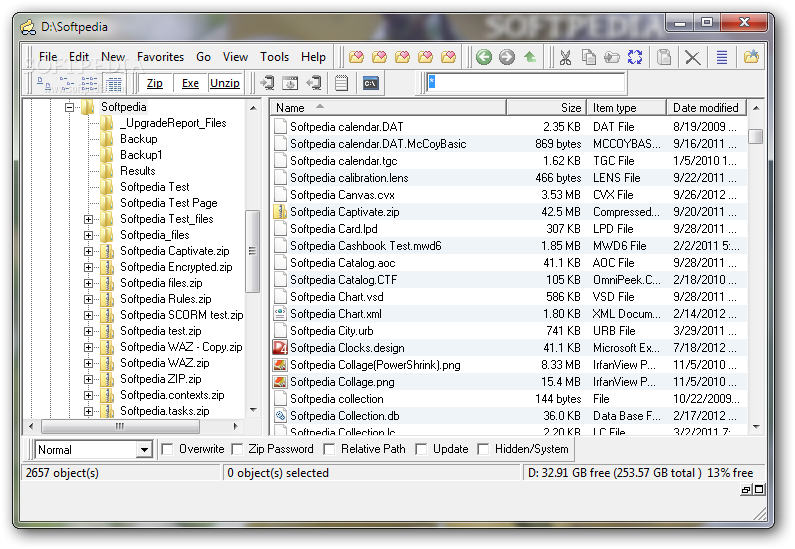
A43 is a lightweight file management application that helps you manipulate files and directories in a professional way.
Since this is a portable program, it is important to mention that it doesn’t leave any traces in the Windows Registry. You can copy it on any USB flash drive or other devices, and take it with you whenever you need to perform various operations with your files.
Although it comes packed with many useful features, the user interface is clean and straightforward. You have quick access to the files and folders stored in your computer which can be sorted by name, size, type, or date.
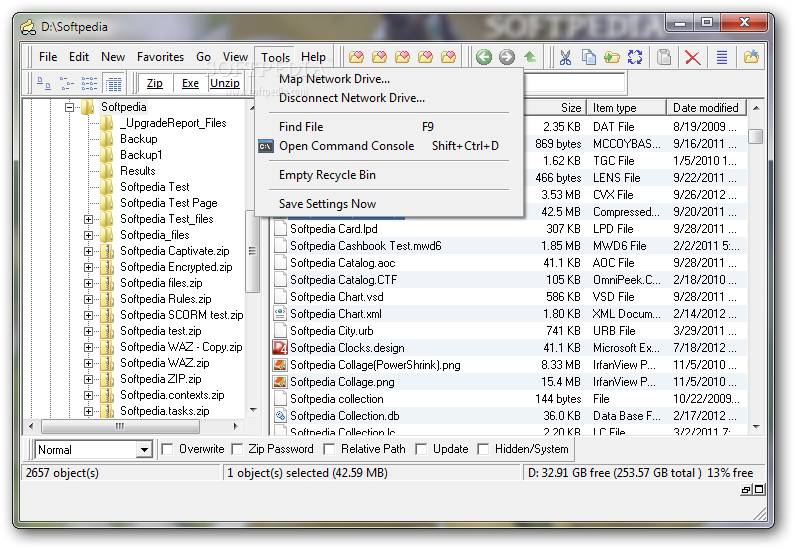
Plus, A43 gives users the possibility to perform searches and apply different filters, such as attributes (e.g. look only for archive, system, or hidden files), size, and date.
You can create a list with programs to be launched, use the “Hex Viewer” function, as well as edit documents directly from the primary pane, thanks its built-in text editor.
The application comes packed with several editing tools, such as cut, copy, paste, or delete, and allows users to insert time and date stamps, undo or redo their actions, and save the changes to a plain text file.
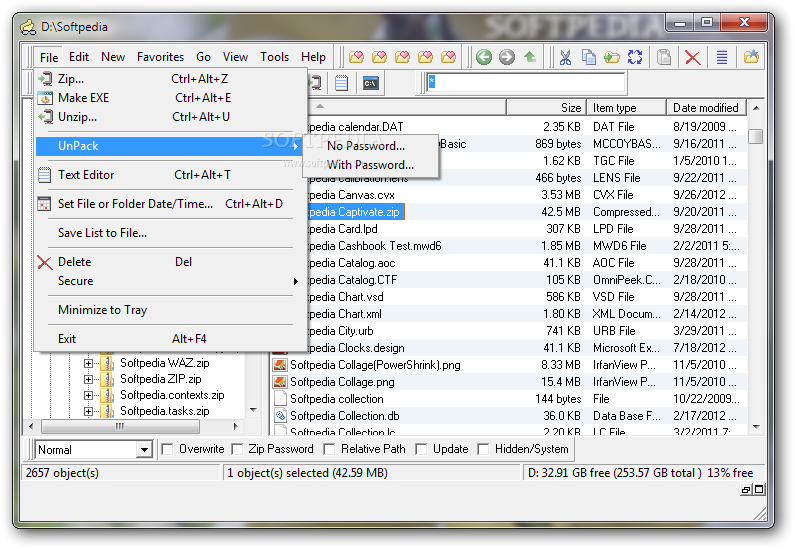
A43 bundles several tools which are comprised in any similar powerful applications, as it enables you to create ZIP archives, check out the content of archived items and perform operations inside of the compressed files (cut, copy, delete), build ISO images, delete files securely, and create a list with favorite folders.
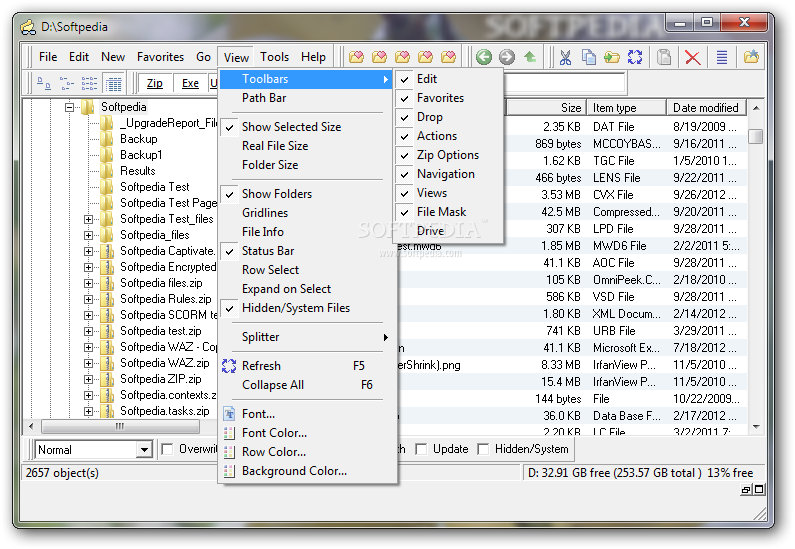
What’s more, you can choose a background color and customize the name of the files and folders in terms of font style, size, and color.
A43 provides a complete suite of tools for helping you perform various file management operations. Thanks to its intuitive layout, it can be mastered even by less experienced users.
What's new in A43 3.90:
- Fixed painting bug with the Path Bar.
- Added ability to send an ISO file to Windows Disk Image Burner. Don't know why, unless it is because I never remember it is in the context menu. Sadly, need Windows 7 and up to use. Under File menu.
- Added ability to create an ISO image from a data CD. Under File menu. Works on XP and up. Does not create ISO images of audio cd.
- Fixed bug in Drive toolbar refreshing incorrectly.
A43 3.90
add to watchlist add to download basket send us an update REPORT- runs on:
-
Windows 2003
Windows 7 32/64 bit
Windows Vista
Windows XP
Windows 2K - file size:
- 1.8 MB
- filename:
- a43setup.exe
- main category:
- File managers
- developer:
- visit homepage
4k Video Downloader

7-Zip

Microsoft Teams

ShareX

Zoom Client

Bitdefender Antivirus Free

calibre

Context Menu Manager

IrfanView

Windows Sandbox Launcher

- Context Menu Manager
- IrfanView
- Windows Sandbox Launcher
- 4k Video Downloader
- 7-Zip
- Microsoft Teams
- ShareX
- Zoom Client
- Bitdefender Antivirus Free
- calibre
