
The long-awaited Total commander plugin that gives you the possibility to burn data on CD/DVD and even create ISO/CUE files without the need of external applications. #DVD Burner #CD Burner #Total Commander plugin #Burner #Burn #Plugin
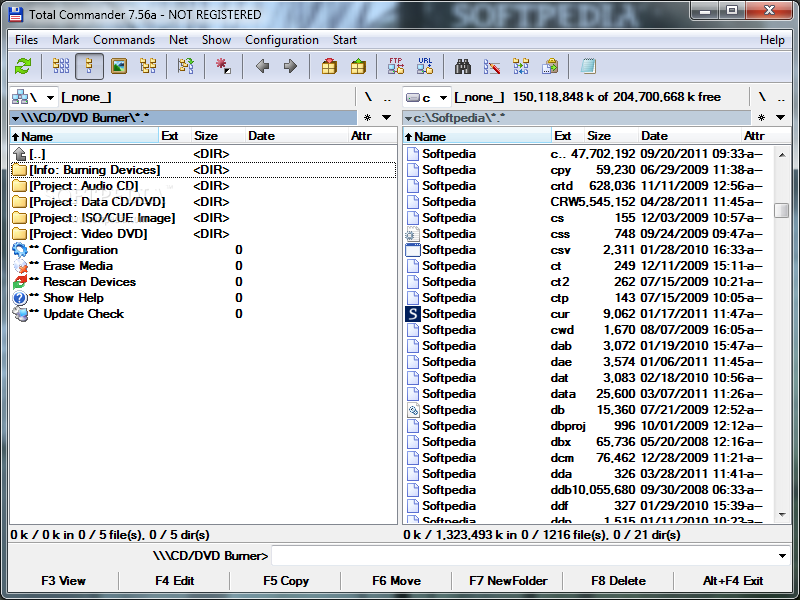
Storing data has significantly improved over the years, starting from devices that could only store a few megabytes to compact disks and removable drives capable of storing a large quantity of data. For CDs and DVDs you are required to use specialized applications to burn files. By default, your operating system comes equipped with a tool that allows this process to be done from the file explorer. However, for those of you who prefer Total Commander, this dedicated plugin offers its services so you don't have to use external applications.
Since it comes in the form of a plugin, Total Commander CD/DVD Burning Plugin has no dedicated interface that lets you manage options. After the deployment process is done, you can easily access it in one of the available navigation panels. There are several options you can take advantage of, such as audio, data or video projects.
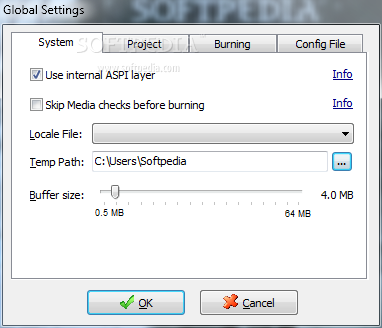
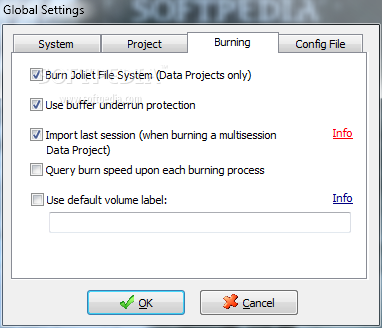
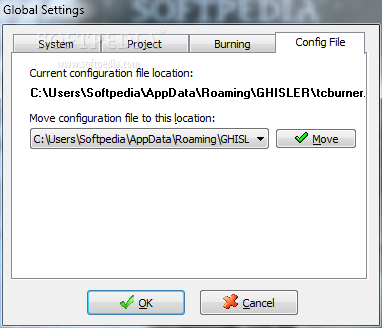
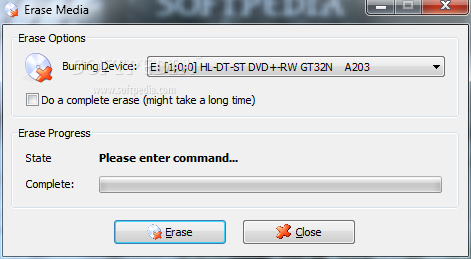
You can choose to rescan the device in case it is not properly detected, have content erased, or access the configurations menu. This lets you set buffer size, set the plugin to use internal ASPI layer, choose a default volume label and a few more.
The application gives you the possibility to save projects for later use. Doing so simply requires you to select the dedicated category and have files dragged from the other explorer panel. You can create ISO/CUE image files that can also be bootable, which is also an option for a normal burning session.
The backbone that makes this plugin run is FoxBurner SDK. Because of this, you can manage a few more post-process operations. A new window is brought up when a session is started, which displays related info such as a log that can be saved to file or clipboard, buffer usage and completion status.
Total Commander CD/DVD Burning Plugin is a handy utility you might want to keep around if Total Commander is the file manager of your choice. Unfortunately, the plugin is only available and supported by the x32 version and it seems that no updates are going to change this. However, it still manages to get the job done and runs on all Windows versions.
What's new in Total Commander CD / DVD Burning Plugin 0.9.3:
- This release of TCBurner contains a new version of "FoxBurner.dll". If you are upgrading from a previous version, make sure this new DLL (size 720.896 bytes, date 23.02.2005 23:14) becomes active, i.e. you overwrite the old DLL upon installation!
- Querying the properties of plugin root entries now opens the documentation html file at the point where the selected entry is explained
- The plugin itself now supports multi-language through a .locale file. Those are stored in a subdir "Lang" under the plugin dir. You can choose the language to use in the configuration dialog. You can also make your own language file by editing the "english.locale" file which contains some remarks. (If you do so, it would be nice if you sent your language file to the developer for distribution!).
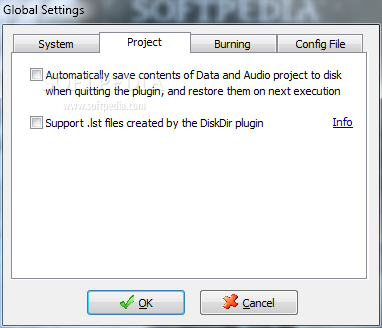
- The plugin now supports .lst files created by the DiskDir plugin. If you copy such a file (the whole file, not some contents!) to the Data-CD/DVD project, you're queried if you wish the plugin to interpret the .lst as a list file and put all files listed in it in the project instead of the list file itself.
Total Commander CD / DVD Burning Plugin 0.9.3
 Softpedia Editor's Pick
add to watchlist
add to download basket
send us an update
REPORT
Softpedia Editor's Pick
add to watchlist
add to download basket
send us an update
REPORT
- runs on:
- Windows All
- file size:
- 824 KB
- filename:
- tcburner093.rar
- main category:
- File managers
- developer:
- visit homepage
Context Menu Manager

7-Zip

Microsoft Teams

Zoom Client

ShareX

IrfanView

Windows Sandbox Launcher

4k Video Downloader

calibre

Bitdefender Antivirus Free

- 4k Video Downloader
- calibre
- Bitdefender Antivirus Free
- Context Menu Manager
- 7-Zip
- Microsoft Teams
- Zoom Client
- ShareX
- IrfanView
- Windows Sandbox Launcher