Softpedia
 

WINDOWS CATEGORIES:


GLOBAL PAGES >>
SOFTPEDIA REVIEWS >>
MEET THE EDITORS >>

WEEK'S BEST

  • DAEMON Tools Pro (...
  • FlashFXP [ DISCOUN...
  • PowerISO 4.9
  • WebcamMax [DISCOUN...
  • Zemana AntiLogger ...
  • System Mechanic Pr...
  • Glary Utilities Pr...
  • All My Movies [DIS...
  • Ad-Aware Internet ...
  • Atlantis Word Proc...
  • Home > Windows > IPOD TOOLS > Multimedia IPOD tools
     Report malware

    Music Liberator 10.5 Release 1

    Softpedia Pick Award
    download button

    Part of the iPod Manager download hub
    Downloads: 94,019  View global page  Tell us about an update
    User Rating:
    Rated by:
    Good (3.3/5)
    189 user(s)
    Developer:

    License / Price:

    Size / OS:

    Last Updated:

    Category:

    Demo / USD 33.00 buy button
    3.2 MB / Windows All

    C: \ IPOD TOOLS \ Multimedia IPOD tools

     Read user reviews (2)  Send to friend   Follow (4 users)

    EDITOR'S RATING

    Softpedia Editor's Review for Music Liberator

    Copy music from your iPod to any computer

    Written by Alexandru Pintilie on November 7th, 2011

    What's your favorite portable music player? Many people would answer this question like this: the iPod. With hundreds of millions units sold world-wide and the constant improvements in both hardware and software, the iPod has met and even surpassed the needs of the public.

    Some of you even store their music exclusively on their iPod. So what happens when you want to transfer that music to your computer? Maybe you want to make a backup of it or transfer it to your new computer.

    iTunes is very helpful when it comes to copying your songs from your computer to your iPod, iPhone or iPad. But that's just about all it can do for you on this particular matter. The other way around, you got to make use of a different app that successfully transfers your music on-the-go to your computer.

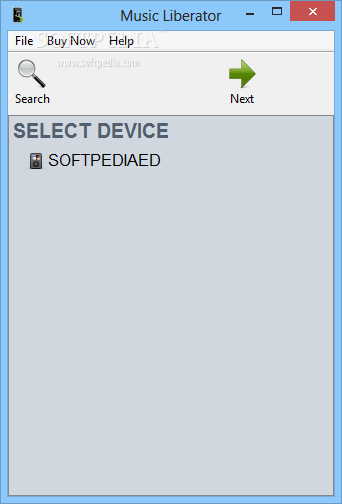
    Music Liberator does just that – with flying colors. It's not about the process itself, because that's what most tools will do. It's about the way Music Liberator does it. Three steps are all you need to take your tracks from your Apple device to your PC. As soon as you open the program, it will automatically scan for your player. Once it finds it, the indexing process will commence. By the end of this operation, all of your music will be loaded into the app.

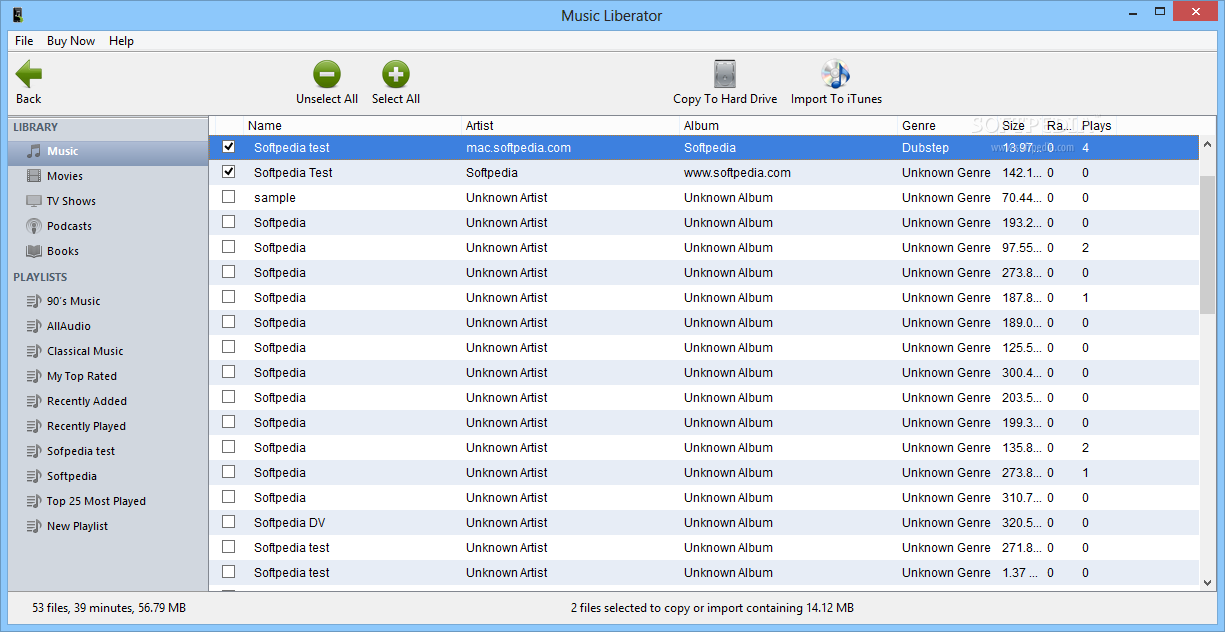
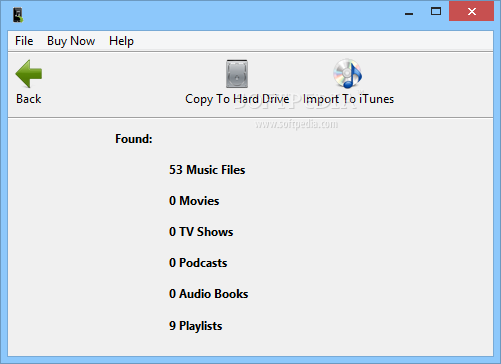
    Next, we have the actual transfer step. With one click of the button, Music Liberator will break down the barrier that kept all those songs in you iPod locked inside. Give it some time, depending on the amount of tracks you have and rest assured that it will copy all of your music, movies, TV shows, podcasts, audiobooks, playlists and even ratings or play counts directly to your hard drive.

    This way, we won't have any trouble importing all these media files into iTunes – and that's the third and last step of the transfer. It's as simple as 1-2-3 – literally. Music Liberator also features `Intelligent Copying` which works as an incremental backup, transferring only the updated songs from your Apple device to your computer.

    We can also search for specific tracks, artists and genres to filter the music that we're about to copy. Creating your playlists takes time. Why not keep them intact? Easily back them up now. It's better to feel safe than sorry. Music Liberator can be the right tool at the right time.

    Music Liberator description

    Here are some key features of "Music Liberator":

    Works with iPhone and iPod Touch:
    · Don't fret if you need to copy music from your iPhone or iPod Touch, the Music Liberator now works with both. Also, the Music Liberator access the iPhone and iPod Touch the same way iTunes does so you don't have to jailbreak your device. This means that your iPhone and iPod Touch remains 100% secure and unaltered. And better yet, the Music Liberator still works with all of your older iPods!

    The Power of Playlists:
    · You spend hours creating the perfect playlists to act as the soundtrack to your life. Now it is time to keep those playlists safe. With the Music Liberator you can not only copy music and videos, but also playlists from your iPhone/iPod to your computer.

    5 Stars:
    · Remember when New Kids on the Block got a 5 start rating? We don't either! Now with the Music Liberator you can recover your songs' ratings from your iPhone/iPod. Also with the Music Liberator's new and improved interface you can search and sort your songs based on their ratings. Show your 5 star artists some love!

    Automatic File Renaming:
    · Files on the iPhone/iPod are stored with a cryptic four letter code. That may be fine for computers, but not for humans! With the Music Liberator you can automatically rename your songs using any combination of the artist, album, and song name.

    Organized Copying:
    · Simply copying music from your iPhone/iPod to your computer is not enough. The Music Liberator allows you to automatically organize your music into folders labeled by artist and album. The Music Liberator also allows you to place all of your music into one folder. Combined with the powerful search capabilities detailed below, you can organize your music into folders any way you like.

    Intelligent Copying:
    · Don't waste your time copying songs that are already on your computer. The Music Liberator's intelligent copying feature allows you to copy only the updated songs from your iPod to your computer. This is crucial for people that do regular backups or want to keep syncronized music collections.

    Powerful Searching:
    · Maybe you only want to copy songs from a specific artist, album, or genre. The Music Liberator's powerful search allows you to refine you search with every key you type, just like in iTunes.
    · Don't let the searching power end there. You can also simply click on any table header to get an alphabetical or reverse alphabetical listing.

    Simple User Interface:
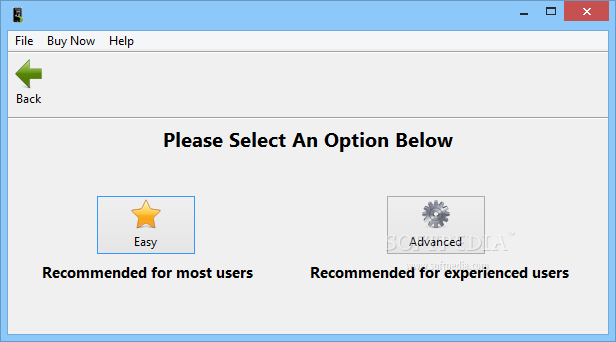
    · Don't let complex user interfaces get in the way of your productivity. The Music Liberator has a simple user interface to allow easy navigation.

    Quick Song Listing:
    · Why wait for a program to find the songs on your iPhone/iPod when you could be copying songs? The Music Liberator uses the iPhone/iPod's own internal database to quickly list your songs.

    Music Player:
    · Don't have iTunes installed to play music directly from your iPhone/iPod? Let the Music Liberator do it for you. Whether you're refreshing your memory about which song you want to copy or playing music for friends, the Music Liberator can directly play your music from your iPod.

    Requirements:

    · iPod, iPad or iPhone
    · iTunes

    Limitations:

    · For evaluation, the license is granted, and is limited to copying only 5 songs at a time
    · Nag screen


    TAGS:

    iPod to PC | copy music | transfer music | iPod | copier | transfer


    HTML code for linking to this page:


    Go to top

    WindowsGamesDriversMacLinuxScriptsMobileHandheldNews

    SUBMIT PROGRAM   |   ADVERTISE   |   GET HELP   |   SEND US FEEDBACK   |   RSS FEEDS   |   UPDATE YOUR SOFTWARE   |   ROMANIAN FORUM