
iPodifier application was designed to automate the process of getting videos onto your iPod #Video to ipod #Ipod Transcoder #Video to iTunes #IPodifier #Transcoder #Video2ipod
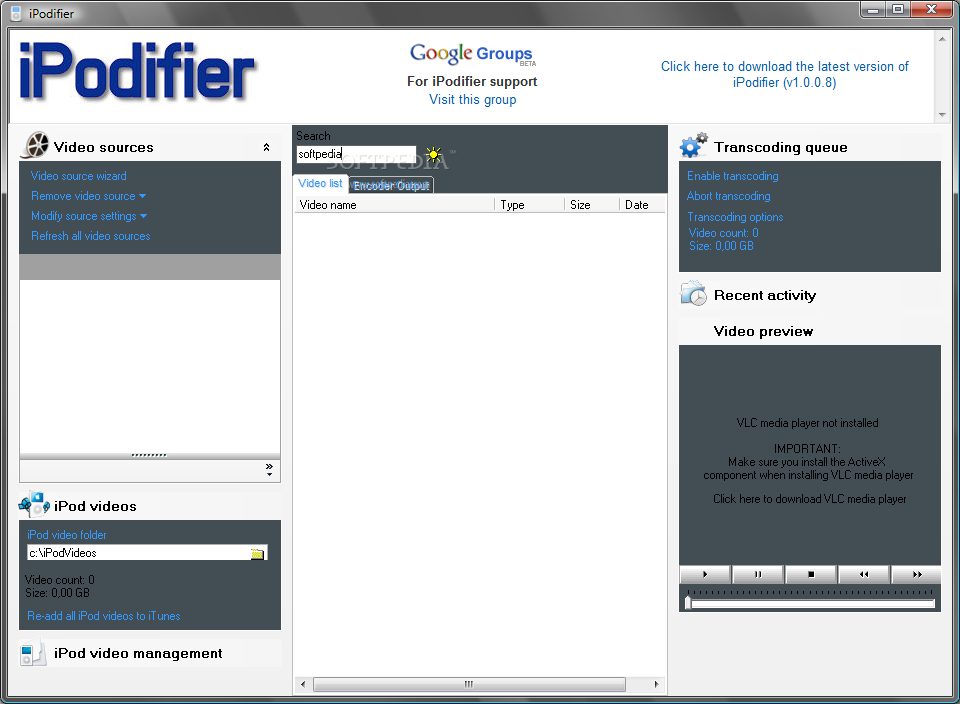
If you have TiVo, Windows Media Center, SageTV or some other device to capture TV content, iPodifier will automatically grab the content from these sources and put it on your iPod, nicely organized into video playlists. You missed The Daily Show lastnight? It will be on your iPod for the train ride in the morning.
Basically, iPodifier application was designed to automate the process of getting videos onto your iPod.Unlike other transcoding software that simple reencodes the video into an iPod compatible format, iPodifier takes it a few steps further. iPodifier automates the entire process of getting video from any source onto your iPod.
iPodifier will automatically: ■ Check for new video ■ Transcode new video into an iPod compatible format ■ Add the transcoded video to iTunes ■ Organize videos into video playlists ■ Sync your iPod
iPodifier will do more than simply transcode your video into an iPod compatible format iPodifier will also: ■ Monitor directories for new video ■ Automatically transcode new video to iPod format ■ Add transcoded video to iTunes ■ Organize all video added to iTunes into playlists ■ Sync your iPod when new video is added to iTunes ■ Control which TV shows make it to your iPods
Here are some key features of "iPodifier":
■ Accepts video from a wide variety of sources (i.e. TiVo, Bittorrent, SageTV, Windows Media Center) ■ Monitors multiple video source directories for new video and adds new videos to the transcoding queue ■ Manage quotas for TV shows (i.e. lets you set how many South Park's you want to keep on your iPod) ■ Creates a Podcast for any show (comming soon) ■ Video preview window allows you to preview any of your source or transcoded iPod videos
Requirements:
■ ipod
What's new in iPodifier 1.504:
- dvr-ms files are handled natively (DVRMSToolbox is no longer necessary) using the latest version of ffmpeg
- metadata (i.e. showname, episode and description) contained in the dvr-ms file is captured and xferred to iTunes
- If you have bittorrent files or any other downloaded TV series, if you use the file naming convention: Showname-S01E01 Episode.xxx, then the season and episode numbers will be transferred to iTunes.
- video source wizards have been improved to make selection of appropriate resolutions for iPod/iPhone easier
iPodifier 1.504
add to watchlist add to download basket send us an update REPORT- runs on:
- Windows All
- file size:
- 7.8 MB
- filename:
- iPodifierv1_00_0_8.exe
- main category:
- iPod Tools
- developer:
- visit homepage
Zoom Client

ShareX

4k Video Downloader

Bitdefender Antivirus Free

Windows Sandbox Launcher

calibre

Context Menu Manager

7-Zip

IrfanView

Microsoft Teams

- 7-Zip
- IrfanView
- Microsoft Teams
- Zoom Client
- ShareX
- 4k Video Downloader
- Bitdefender Antivirus Free
- Windows Sandbox Launcher
- calibre
- Context Menu Manager