Softpedia
 

WINDOWS CATEGORIES:


GLOBAL PAGES >>
SOFTPEDIA REVIEWS >>
MEET THE EDITORS >>

WEEK'S BEST

  • FlashFXP [ DISCOUN...
  • PDFZilla [GIVEAWAY...
  • WebcamMax [DISCOUN...
  • Glary Utilities Pr...
  • Ad-Aware Internet ...
  • Atlantis Word Proc...
  • Process Lasso [DIS...
  • McAfee Total Prote...
  • Elecard MPEG Playe...
  • Ashampoo Burning S...
  • Home > Windows > Internet > Browsers
     Report malware

    Internet Explorer 9 9.0.8112.16421IC Final

    download button

    Part of the Web Browser download hub
    Downloads: 405,705  Tell us about an update
    User Rating:
    Rated by:
    Very Good (4.5/5)
    1184 user(s)
    Developer:

    License / Price:

    Size / OS:

    Last Updated:

    Category:

    Freeware / $0
    2.3 MB / Windows Vista / 2008 / Vista64 / 7 / 7 x64
    [view history]
    C: \ Internet \ Browsers

     Read user reviews (13)  Send to friend   Follow (30 users)

    EDITOR'S RATING

    Softpedia Editor's Review for Internet Explorer 9

    Play in a more beautiful web

    Written by Elena Opris on November 3rd, 2011

    Some people are reluctant to use other web browsers besides the one provided by Windows. Maybe they don't want to go through all the trouble, or maybe they simply prefer it.

    The latest web browser from Microsoft is Internet Explorer 9.

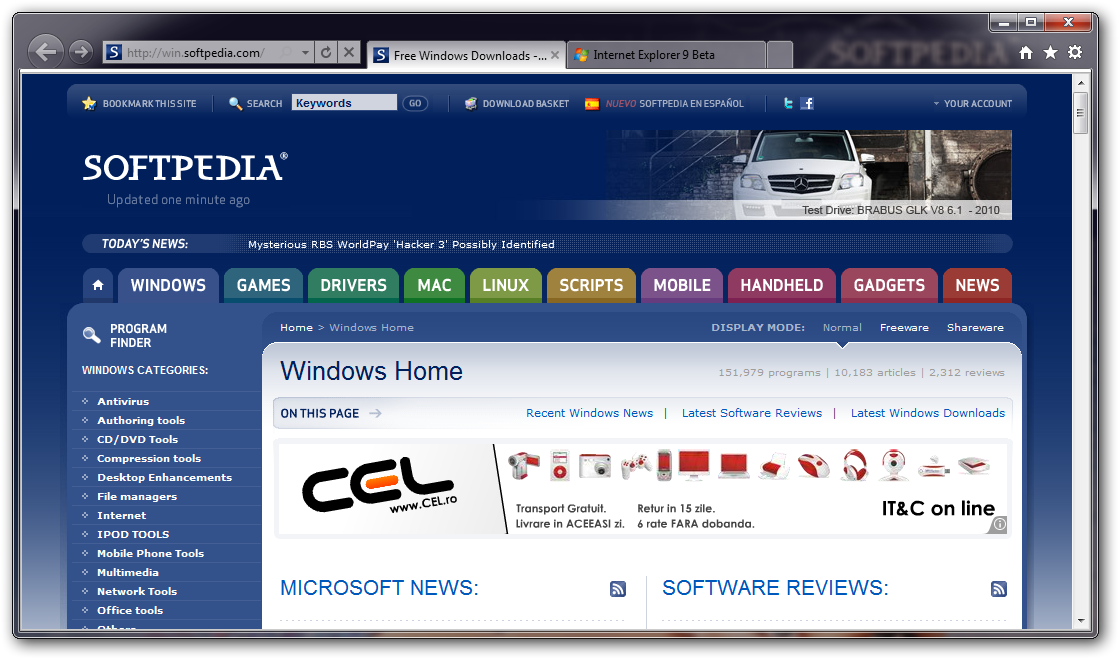
    Internet Explorer 9 comes with a more user-friendly interface than we have already familiarized ourselves with.

    The cluttered window is replaced by a minimalist one, where you are free to personalize it with any feature, add-on, and extension available for IE9. This brings the web browser up-to-speed with its well-known competitors.

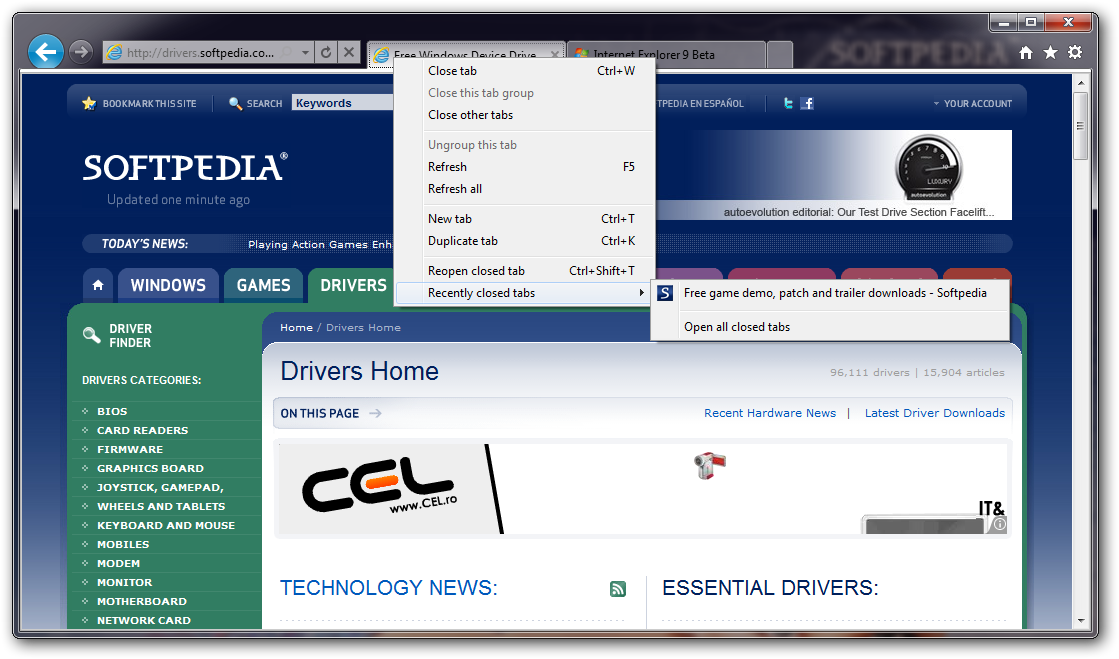
    Tabs can be moved by drag-and-dropping, and if you move one to the edge of the screen, it will perfectly fit on half of it (similar to the Office tools).

    When you open a new tab, you will be able to see thumbnails of the recently visited websites (similar to Chrome), reopen closed tabs, reopen the last session, or browse InPrivate (it launches an anonymous browsing session).

    In addition, IE9 comes with HTML 5 support, a new JavaScript engine (i.e. Chakra), and the address bar is combined with the search toolbar.

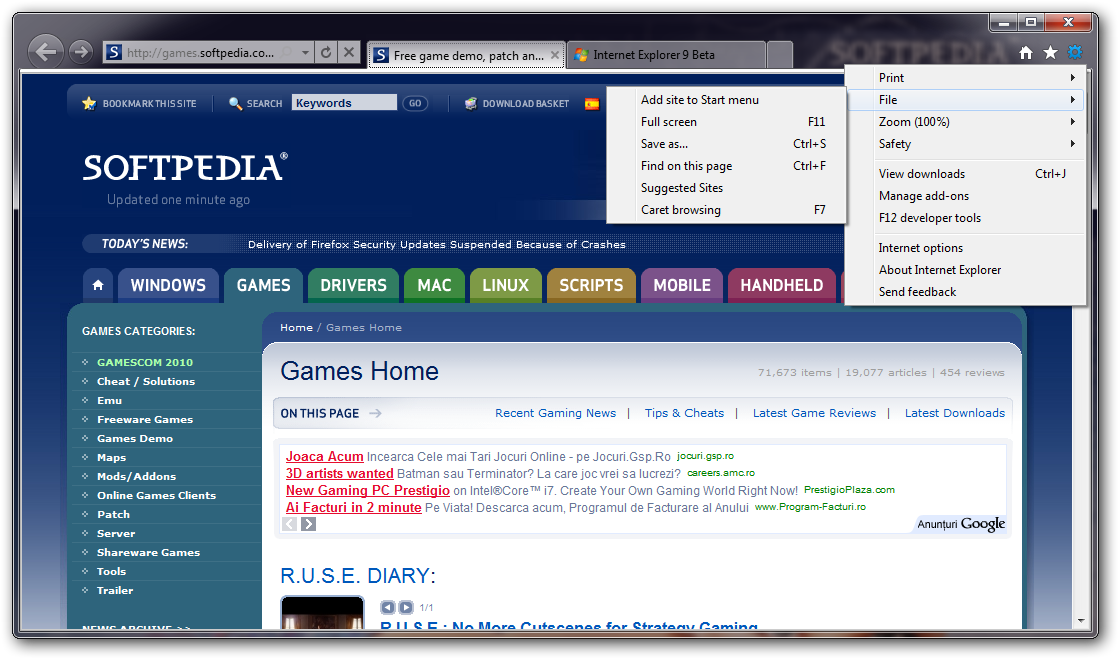
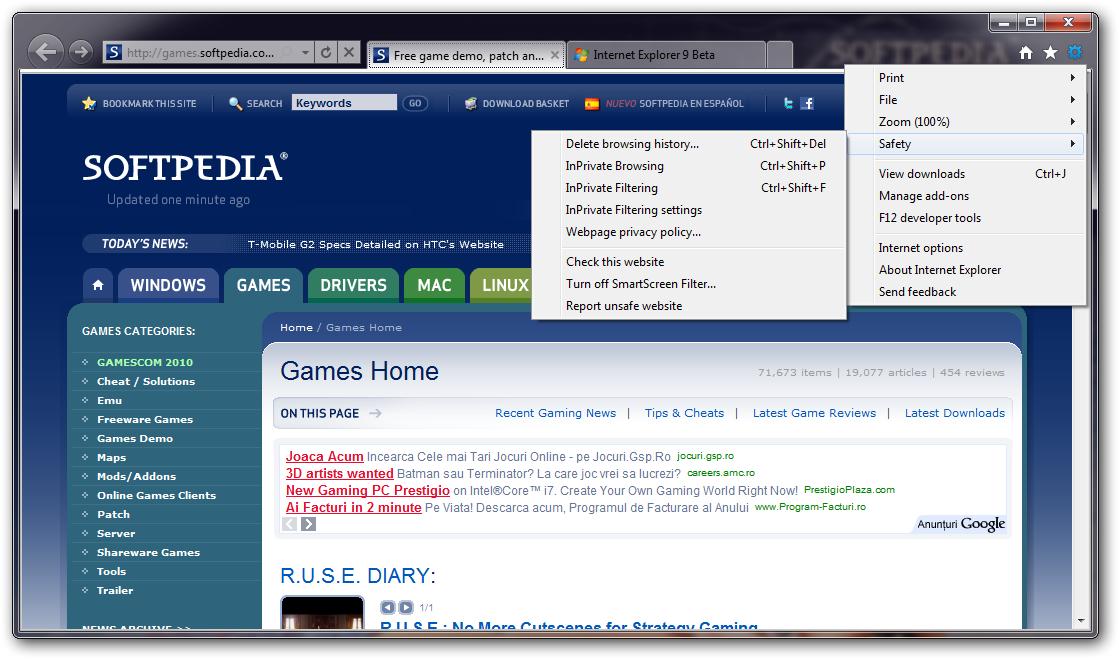
    There are three icons on the upper right corner of the screen, from where you can access Home, Favorites (plus Feeds and History), and Tools.

    Windows 7 gets a special feature, in comparison with other operating systems. For example, you can pin a website to the taskbar by dragging its URL there (this can't be done on older versions of Windows).

    When it comes to speed, it is obviously seen that Internet Explorer has improved. It was always known to be slower than other web browsers, but Microsoft really took care of this issue.

    At first glance, at least, IE 9 was faster than its competitors. But this probably changes after you heavily use it.

    In conclusion, it sure makes us happy to see Internet Explorer 9 kick it up a notch, and we think you should explore it.


    Read an in-depth analysis in our professional review for Internet Explorer 9

    Internet Explorer 9 description

    Here are some key features of "Internet Explorer 9":

    Hardware-accelerated text, video, and graphics:
    · The new graphic capabilities and improved performance in Internet Explorer 9 set the stage for immersive and rich experiences.

    New Tab page:
    · Internet Explorer 9 surfaces the websites you love most and puts them one click away. Once you're in the browser, the New Tab page helps get you started browsing quickly, providing meaningful suggestions and information to help you decide what to do next as you browse.

    Notification Bar:
    · Notifications in Internet Explorer 9 allow for more fluid and faster browsing. Instead of dialog boxes popping up unexpectedly and getting in your way, all notification messages are consolidated in the Notification Bar, located at the bottom of the browser frame.

    Pinned Sites:
    · With Pinned Sites, you can get to your favorite sites directly from the Windows taskbar—without having to open Internet Explorer first.

    Tear-off tabs:
    · Tear-off tabs make interacting with multiple sites fast and intuitive. You can rearrange tabs within Internet Explorer 9—just like you can rearrange icons in the taskbar in Windows 7—or you can open any tab in a new browser window by dragging that tab to your desktop.

    Focused on your websites:
    · Designed based on what you use most, the navigational controls in Internet Explorer 9 are streamlined and simplified. The back button is larger, the address bar and search box are combined into one new address bar, and the multiple menus from previous versions of Internet Explorer are consolidated into a single menu.

    Cross-site scripting filter:
    · Cross-site scripting attacks are a leading online threat. Their aim is to exploit vulnerabilities in the websites you visit. How do they work? By compromising legitimate websites with malicious content that can capture keystrokes and record your login information and password. If your login information and password is captured, your personal data could be compromised.

    Domain highlighting:
    · One way to avoid deceptive websites is to know the address of the website you're intending to visit. With domain highlighting, Internet Explorer 9 lets you see the true web address at a glance by highlighting the domain name in the address bar, making it easier for you to identify the sites you visit.

    Requirements:

    · Computer with a 233 megahertz (MHz) processor or higher (Pentium processor recommended)
    · Windows Vista 32-bit – 512 megabytes (MB)
    · Windows Vista 64-bit – 512 MB
    · Windows 7 32-bit – 512 MB
    · Windows 7 64-bit – 512 MB
    · Windows Server 2008 32-bit – 512 MB
    · Windows Server 2008 64-bit – 512 MB
    · Windows Server 2008 R2 64-bit – 512 MB
    · Windows Vista 32-bit – 70 MB
    · Windows Vista 64-bit – 120 MB
    · Windows 7 32-bit – 70 MB
    · Windows 7 64-bit – 120 MB
    · Windows Server 2008 32-bit – 150 MB
    · Windows Server 2008 64-bit – 200 MB
    · Super VGA (800 x 600) or higher-resolution monitor with 256 colors
    · Modem or Internet connection
    · Microsoft Mouse, Microsoft IntelliMouse, or compatible pointing device

    What's New in This Release: [ read full changelog ]

    · Platform Preview 7 showcases performance enhancements made to the Chakra engine. Furthermore, Canvas pixel array manipulation has been optimized for better performance in this release.

       Softpedia guarantees that Internet Explorer 9 9.0.8112.16421IC Final is 100% FREE, which means it does not contain any form of malware, including spyware, viruses, trojans and backdoors. [read more >]


    TAGS:

    Internet Explorer Preview | InternetExplorer 9 | IE Browser | Internet Explorer | IE | Platform


    HTML code for linking to this page:


    Go to top

    WindowsGamesDriversMacLinuxScriptsMobileHandheldNews

    SUBMIT PROGRAM   |   ADVERTISE   |   GET HELP   |   SEND US FEEDBACK   |   RSS FEEDS   |   UPDATE YOUR SOFTWARE   |   ROMANIAN FORUM