
A lightweight application that enables you to browse Facebook directly from your desktop and view notifications, update your status or use the instant messenger. #Desktop Facebook #Facebook Browser #Browse Facebook #Facebook #Desktop #Timeline
Staying connected to Facebook is not a problem nowadays, thanks to the wide variety of mobile applications. In order to remain on top of your timeline updates even on the computer, you can make use of a dedicated browser to stay permanently connected to your profile.
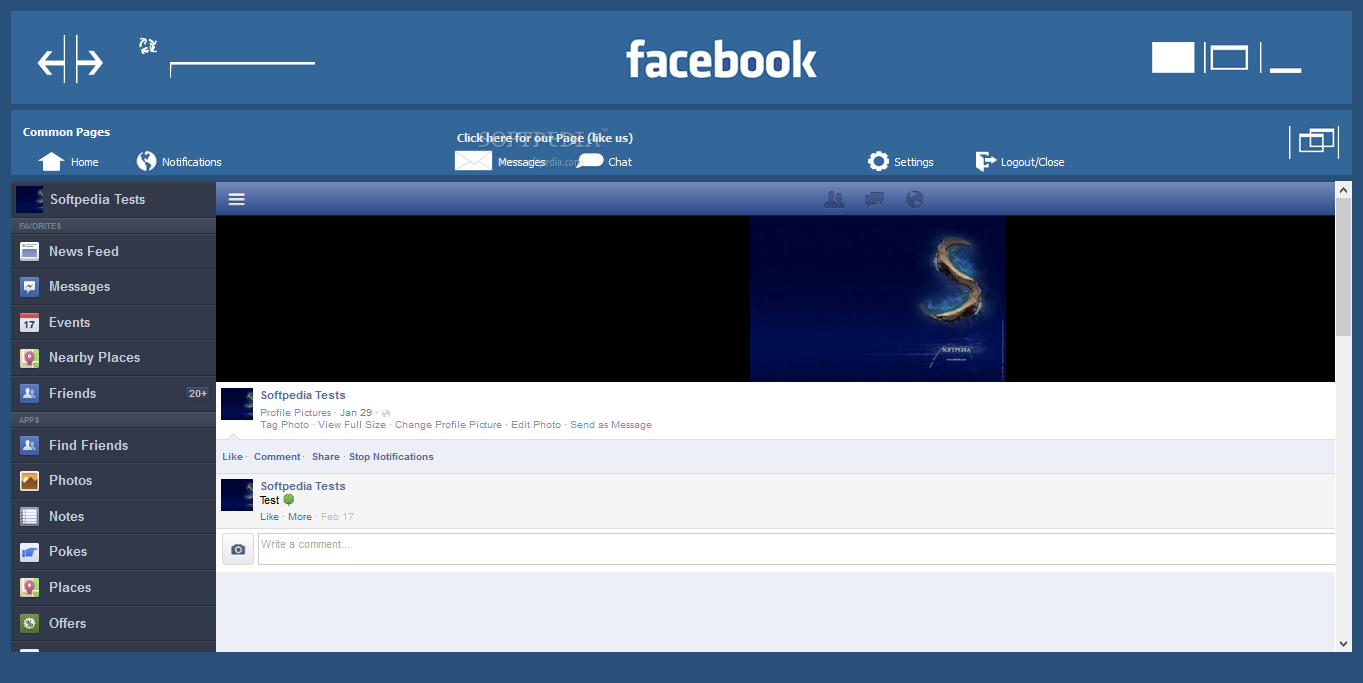
Facebook Desktop is a software utility that enables you to stay connected to the popular social network at all times, without hindering your ability to surf the Internet using your regular browser. The application allows you to login with your account and make use of every available feature much easier, thanks to the included button shortcuts.
These shortcuts can be used to return to the homepage, open the notifications window, check your messages and even reach the settings panel. You can also open the chat window and view the online contacts, as well as use the instant messenger to interact with your friends.
Beside being able to view timeline updates from other people, the application also allows you to change your own status and actively modify your profile by changing the profile and cover pictures, choosing them from the list of already existing images or uploading new ones directly from your computer.
All the other apps, pages and activities are available to you, including games, groups and page subscriptions, which can be added and modified according to your preferences. Once you are done browsing and you do not want to leave your account vulnerable to unauthorized access, the application enables you to easily logout using the available button shortcut.
Thanks to the useful amount of shortcuts and integrated functions, Facebook Desktop can be a valuable addition to your list of Facebook utilities, especially if you need to keep it segregated from your other web surfing activity. The low resource consumption and fast load times make it a viable alternative to traditional Internet browsers, although it is only capable of accessing Facebook.
Facebook Desktop 0.0.02
add to watchlist add to download basket send us an update REPORT- runs on:
- Windows All
- file size:
- 34.4 MB
- filename:
- facebook_setup_v0.0.02.exe
- main category:
- Internet
- developer:
- visit homepage
Bitdefender Antivirus Free

Microsoft Teams

7-Zip

IrfanView

ShareX

Zoom Client

calibre

4k Video Downloader

Context Menu Manager

Windows Sandbox Launcher

- 4k Video Downloader
- Context Menu Manager
- Windows Sandbox Launcher
- Bitdefender Antivirus Free
- Microsoft Teams
- 7-Zip
- IrfanView
- ShareX
- Zoom Client
- calibre