
A program that was especially designed in order to provide you with a simple and lightweight means of downloading files from Internet. #File downloader #Manage downloads #Download manager #Download #Connect #Resume

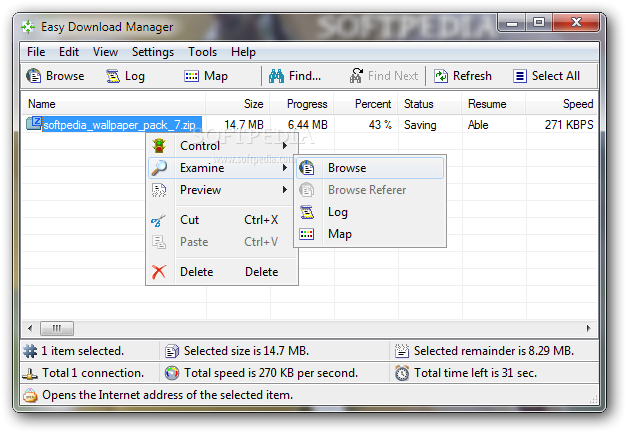
Easy Download Manager is an application whose name speaks for itself. It is designed to provide you with a simple solution to download files from the Internet at high speed, without having to deal with complicated configuration options.
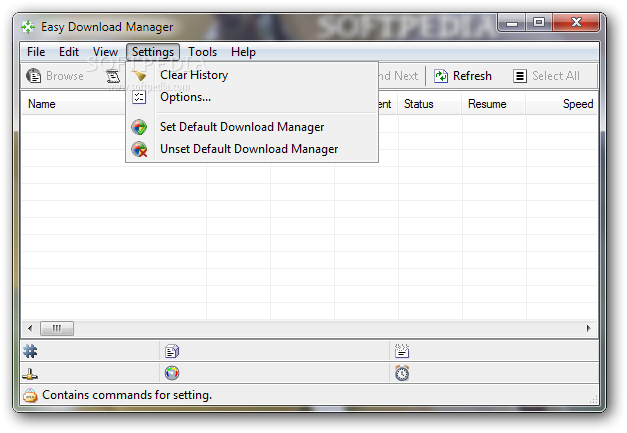
The application runs silently in the system tray and automatically launches when a file is downloaded using Internet Explorer. It can be set to act as your default download manager, but it does not integrate with any other Web browser, which is a real drawback, considering there are similar utilities out there that do.
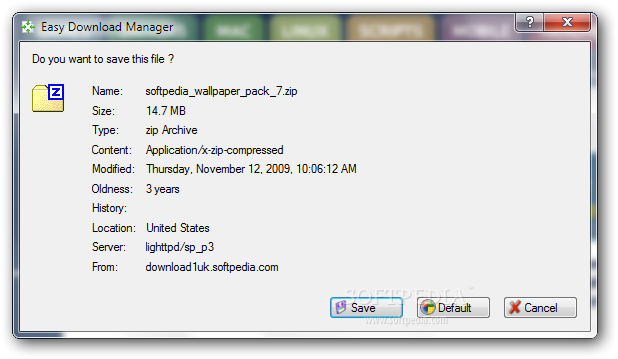
Before proceeding to the actual download process, the application prompts you for confirmation, while displaying detailed information about the target file, such as its size, type, last modification date and the server location. Both HTTP and HTTPS protocols are supported and large files of up to 64 GB can be easily downloaded.
You can open the Internet address and the reference resource of any downloaded file The application is able to generate a log of the download process, containing detailed information concerning the sent requests and received responses, the source and the destination IP addresses, used ports and so on. The download map displays a graphical representation of the download history and speed for each segment.
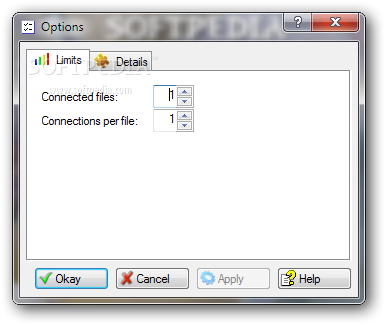
Easy Download Manager provides support for concurrent connections and enables you to modify the download sequence when multiple files are in queue. It can automatically remove duplicates in the list and comes with a search function that you can use to quickly find the desired file.
Its main interface is simple and comprises information regarding the current download, such as the total size, the progress, the download speed and an estimate of the remaining time. Moreover, video files can be previewed even if the download process is not finished yet. The file verification tool comes in handy for checking file integrity.
Although it does not support many browsers, Easy Download Manager provides Internet Explorer users with an intuitive utility that assists you in downloading Internet files easier and faster.
What's new in Easy Download Manager 4.9:
- The explanation of the map item of the examine submenu of the file submenu of the main menu of the application window was edited.
- The log item of the feature list of the program was edited.
Easy Download Manager 4.9
add to watchlist add to download basket send us an update REPORT- runs on:
-
Windows 2008
Windows 2003
Windows 8
Windows 7
Windows Vista
Windows XP - file size:
- 451 KB
- filename:
- EasyDownloadManagerSetup.exe
- main category:
- Internet
- developer:
Context Menu Manager

Zoom Client

ShareX

calibre

7-Zip

Windows Sandbox Launcher

4k Video Downloader

IrfanView

Bitdefender Antivirus Free

Microsoft Teams

- IrfanView
- Bitdefender Antivirus Free
- Microsoft Teams
- Context Menu Manager
- Zoom Client
- ShareX
- calibre
- 7-Zip
- Windows Sandbox Launcher
- 4k Video Downloader