
An intuitive and efficient application whose main purpose is to extract web site video files from the cache data of your web browsers. #Extract Video #Video Cache #View Cache #Cache #Extract #View

Doing a quick search on the Internet for applications designed to let you download media files can get time-consuming due to the large variety of choices. However, there is one particular software that stands out from the crowd due to its ingenious method. VideoCacheView is an intuitive application which lets you get ahold of nearly all videos watched, without having to bring up your web browser.
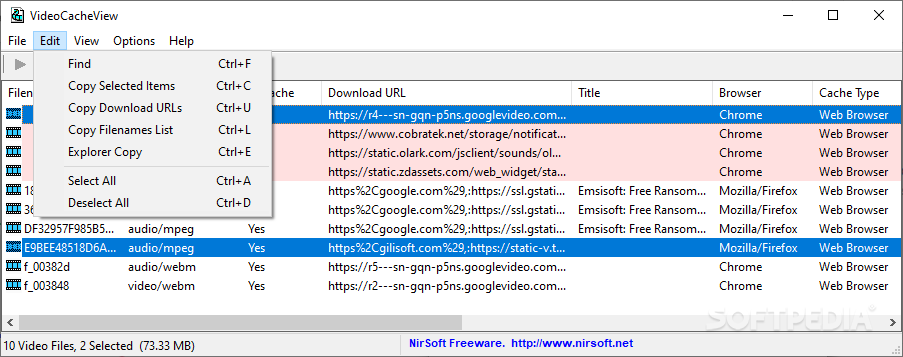
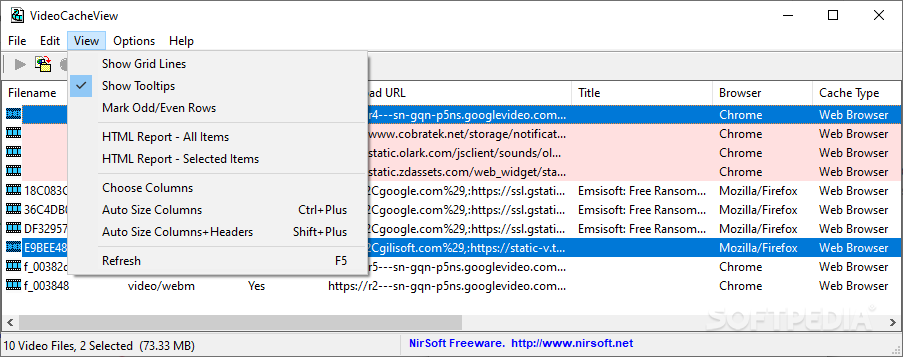
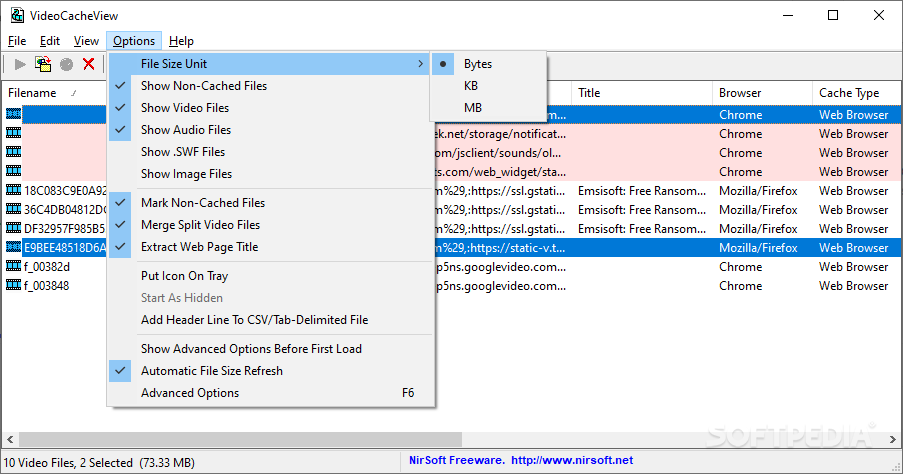
Thanks to the clever implementation of its features, the application gets deployed on your system faster than you can say its name. The main window poses no accommodation problems, with a list that displays items you can grab and several options that make this possible.
In technical terms, the application takes little space on your hard disk drive and what's more, your computer won't even feel a thing from running it, because it uses incredibly little of the system's resources. This comes in handy, making the application available to a large public and various configurations.
In order to put desired videos at your disposal, the application snoops through items stored in the cache of your preferred web browser. A quick scan fills up the list with all it can find, and unless you configure several settings you might have a hard time finding what you're looking for.
You are able to set the application to retrieve files only from specific browsers, from which Internet Explorer, Mozilla Firefox, Opera, as well as Google Chrome are available choices. You can manually input the cache path, in case it is different from the default.
Luckily, an integrated search engine is put at your disposal to make identification easier and faster. Elements in the list can be sorted by various criteria such as name, download URL, title, browser, file size, last accessed date and several others. Choosing to save an item almost instantly creates a copy in a specified destination folder.
Taking everything into consideration, we can say that VideoCacheView is a handy alternative strictly dedicated to fetching video files you watched. It comes in a small package and allows you to instantly accommodate due to the intuitive interface. You might end up keeping it on your computer once you give it a try.
What's new in VideoCacheView 3.09:
- Updated to read the Cache_Data subfolder in the new version of Chrome Web browser.
VideoCacheView 3.09
add to watchlist add to download basket send us an update REPORT- portable version
- Portable VideoCacheView
- runs on:
-
Windows 11
Windows 10 32/64 bit
Windows 8 32/64 bit
Windows 7 32/64 bit
Windows Vista 32/64 bit - file size:
- 181 KB
- filename:
- videocacheview_setup.exe
- main category:
- Internet
- developer:
- visit homepage
ShareX

Bitdefender Antivirus Free

Microsoft Teams

7-Zip

Context Menu Manager

Windows Sandbox Launcher

4k Video Downloader

IrfanView

calibre

Zoom Client

- IrfanView
- calibre
- Zoom Client
- ShareX
- Bitdefender Antivirus Free
- Microsoft Teams
- 7-Zip
- Context Menu Manager
- Windows Sandbox Launcher
- 4k Video Downloader