WINDOWS CATEGORIES:


NEWS ARCHIVE >>
SOFTPEDIA REVIEWS >>

WEEKLY HIGHLIGHTS

DVD Cloner45
Spyware Doctor40
1Click DVD Copy40
Apollo DVD Copy40
ABC Amber BlackBer...45
Protected Music Co...40

7-DAY TOP DOWNLOAD

#
Program
Windows Live
Messenger 2009
14.0.8089.726

187,869
Avira AntiVir
Personal - Free
Antivirus 9.0.0.407

183,047
Avira Antivir Virus
Definition File
Update November 6,
2009

173,387
Nexus Radio 4.1.1
122,444
Windows Live
Messenger
8.5.1302.1018

113,099
FreeZ Online TV 1.30
93,662
Microsoft Office
2007

76,384
Y! Multi Messenger
8.x and 9.x

75,572
DVD Shrink 3.2.0.15
53,871
AVG Free Edition 9.0
Build 698a1730

52,233

WEEK'S BEST

  • Internet Explorer ...
  • Online Armor ++ 4....
  • cFosSpeed 5.01 Bui...
  • SONY Vegas Pro 9.0...
  • Firefox 3.6 Beta 1...
  • Nokia Photos 1.6.434
  • Windows Server 200...
  • Skype Portable 4.1...
  • Google Chrome Port...
  • PCMark Vantage Bas...
  • Kaspersky Anti-Vir...
  • Microsoft Virtual ...
  • Messenger Plus! Li...
  • WinX DVD Author [F...
  • SoftPerfect Networ...
  • System Mechanic Pr...
  • Ad Muncher 4.8 Bui...
  • Windows 7 Upgrade ...
  • Pidgin 2.6.3
  • OpenOffice.org 3.2...
  • VirtualDub 1.9.7 B...
  • Maxthon [Softpedia...
  • Spyware Doctor 7.0...
  • SUPERAntiSpyware 4...
  • Adobe Acrobat Prof...
  • Camfrog Video Chat...
  • Adobe Reader 9.2.0...
  • Foxit PDF Reader 3...
  • Microsoft Maliciou...
  • AVG Identity Prote...
  • Home / Windows / Internet / Download Managers
     Report spyware

    iGetter 2.5.1

    Download button

    Downloads: 3,028  Add to download basket  Tell us about an update
    User Rating:
    Rated by:
    Fair (2.4/5)
    26 user(s)
    Developer:

    License / Price:

    Size / OS:

    Last Updated:

    Category:
    Presenta Ltd | More programs
    Shareware / USD 25.00 | BUY the full version
    1.8 MB / Windows All
    June 20th, 2008, 02:25 GMT [view history]
    C: \ Internet \ Download Managers

     Read user reviews (0)  Add a review  Refer to a friend  Subscribe


    iGetter description


    A full featured download manager and accelerator

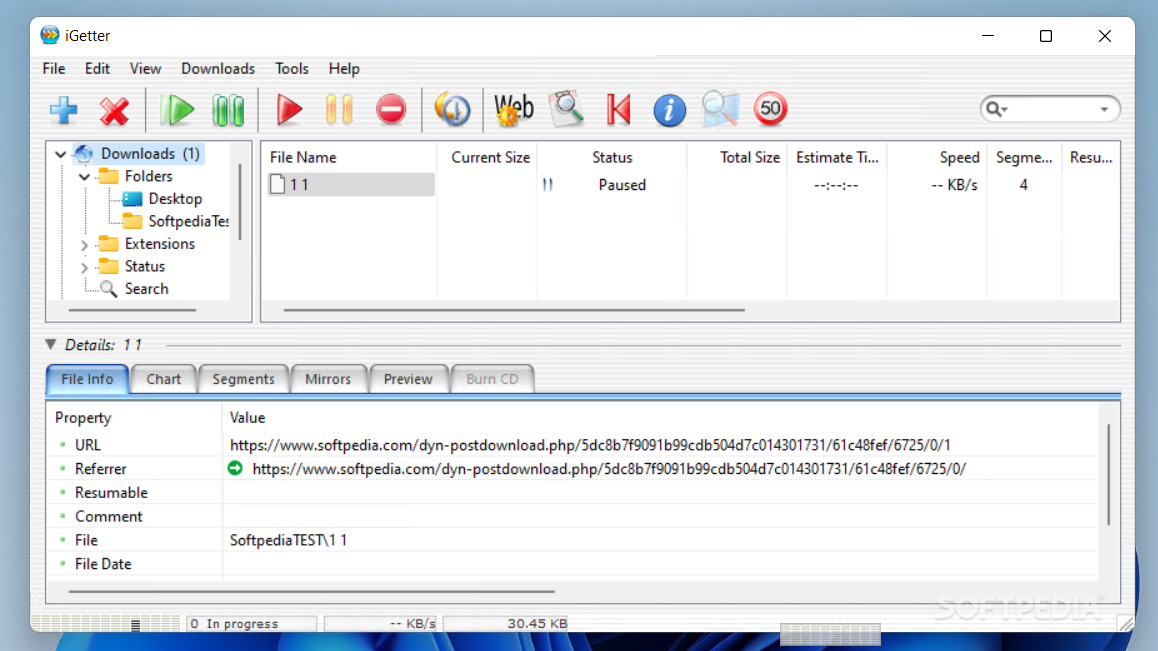
    iGetter is a full featured download manager and accelerator. With iGetter you can get the most out of your Internet connection (dial-up, wireless, cable, DSL, T1 etc.). It is very easy to use.

    iGetter can greatly improve the speed of your downloads using segmented (accelerated) downloading. In addition it allows auto resume on broken downloads, queue filtering by various criteria, scheduling downloads for low traffic periods, auto redial on broken connection, auto hang-up and shut down on completion, and much more.

    Here are some key features of "iGetter":

    · iGetter resumes broken downloads, checking date and size.
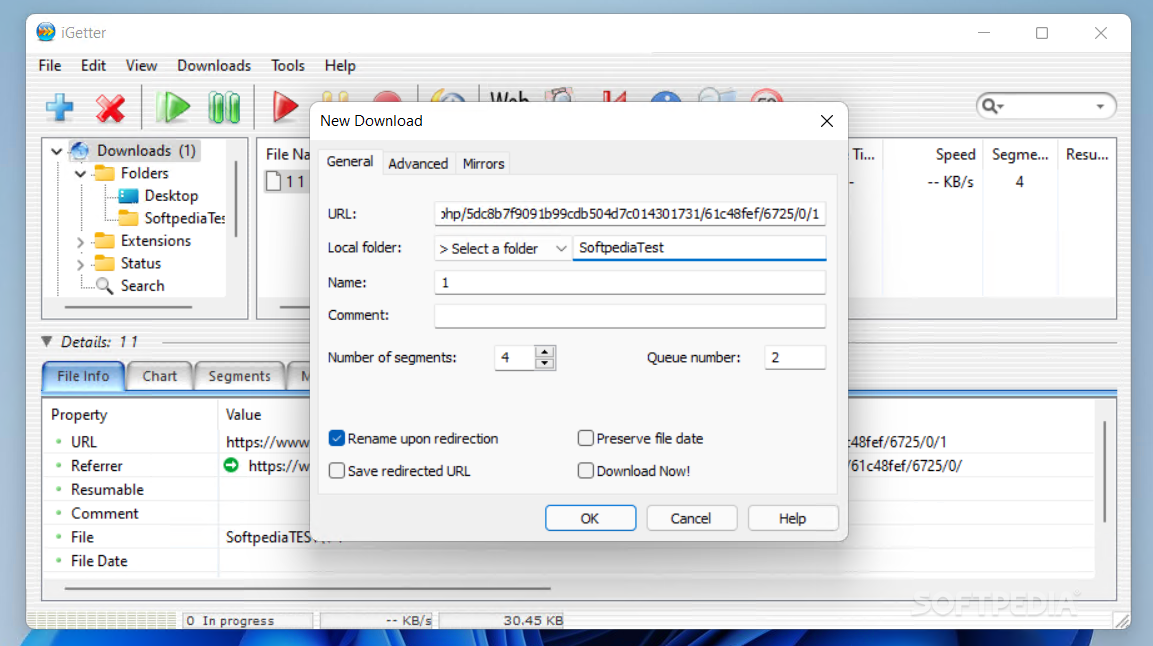
    · iGetter supports Segmented (Accelerated) downloading. This basic feature of iGetter can greatly improve the speed of your downloads.
    · iGetter supports HTTP and FTP protocols as well as HTTPS and FTP over SSL implicitly and explicitly.
    · iGetter integrates with the FileAvenue.net web service. This feature allows the latest and most popular files of the FileAvenue.net downloads library to appear directly in iGetter.
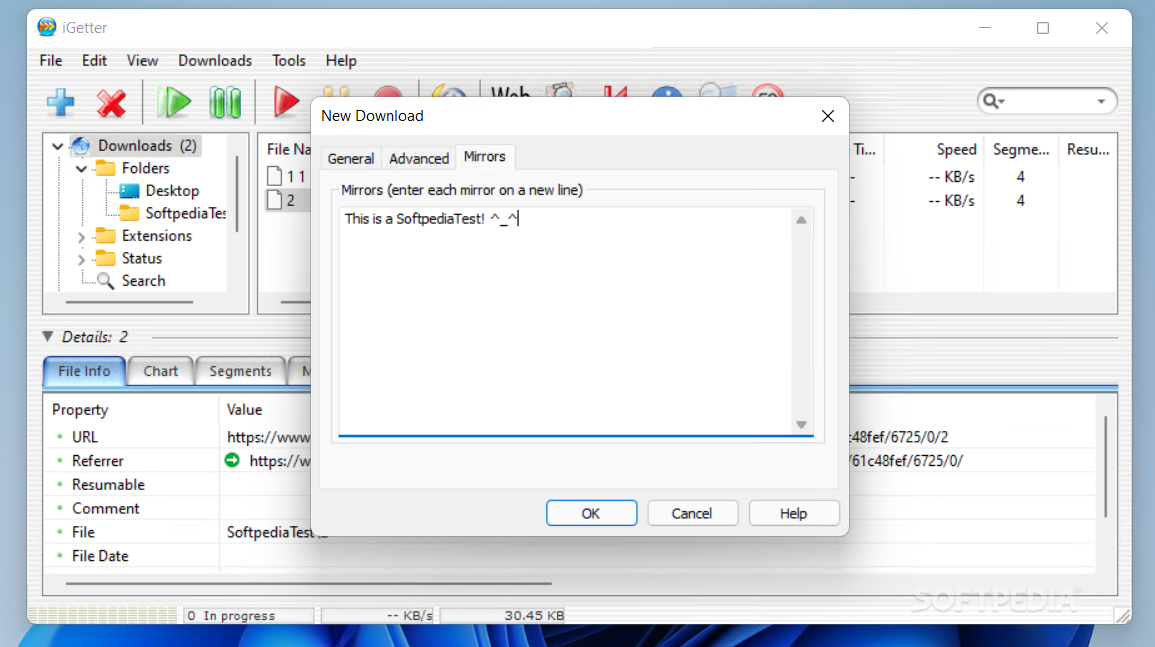
    · iGetter supports searching of file mirrors for additional acceleration of downloads.
    · iGetter includes a Site Explorer that allows exploration of entire web or FTP sites, so you can easily find and download files you're interested in. When the Site Explorer is used iGetter displays the web contents rendered in a separate view below the site tree. This makes the process of exploration very convenient as you see the web page directly in iGetter as you would with a web browser. When you reach the file or files you're interested in downloading, you can easily add them to the iGetter queue. To use the web content view feature with the Mac version you must install Safari 1.0 or later.
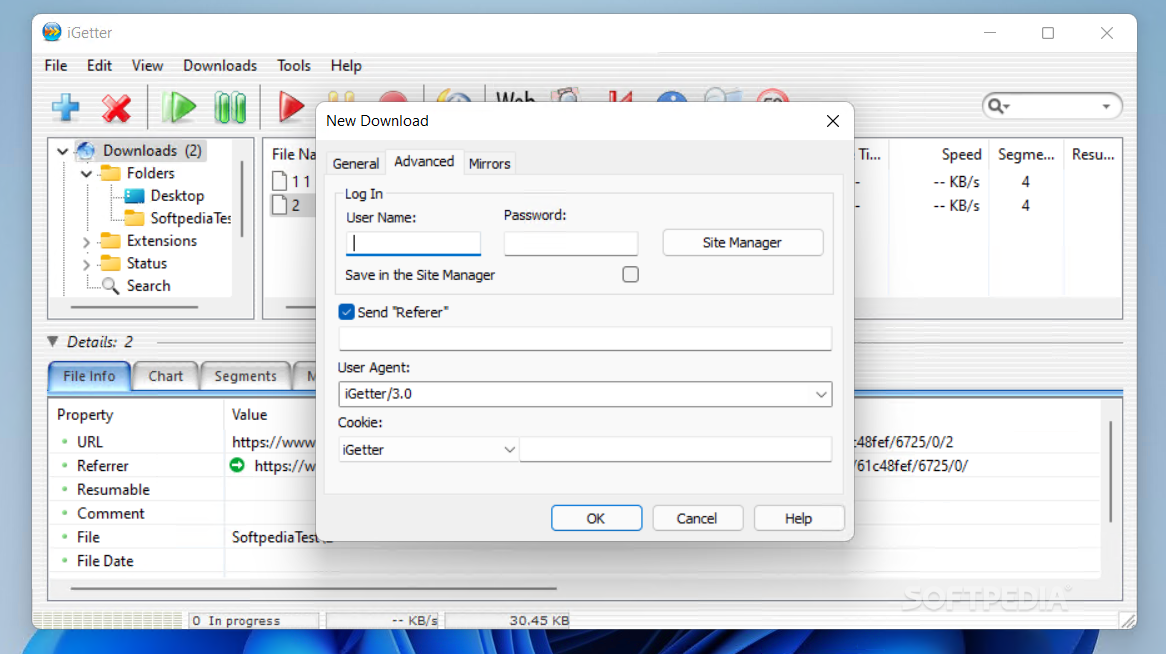
    · iGetter includes a Site Manager that allows limitation of the overall number of connections for particular servers.
    · iGetter analyzes every server response to prevent from damage to your file downloads.
    · iGetter integrates with Internet Explorer, Firefox (Win), Safari (Mac), Camino (Mac), and iCab (Mac) via a contextual menu for hyperlinks.
    · iGetter integrates with Safari (Mac), Camino (Mac), OmniWeb (Mac), Internet Explorer (Mac/Win), Firefox (Mac/Win), Netscape (Mac/Win), Mozilla (Mac/Win) and Opera (Win), by monitoring clicks of hyperlinks.
    · iGetter supports the drag and drop technology and with its Target Icon you can easily download any dragable link or file with Internet location.
    · iGetter supports monitoring of your clipboard for Internet addresses.
    · iGetter can process all web page links for downloading in the queue.
    · iGetter allows you to preview the contents of 'zip' compressed files before to download them.
    · iGetter lets you organize your file downloads, and automatically downloads them.
    · iGetter includes three types of queue filters that automatically show downloads in accordance with various criteria.
    · iGetter includes a history list for all finished downloads.
    · iGetter includes search function with an option to search the queue, history list or FileAvenue downloads library.
    · With iGetter you can easily control every download job. You can start, pause or let iGetter automatically download your files.
    · With the iGetter Dock/Tray Icon control menu, you can easily control iGetter while it is hidden.
    · Its user-friendly interface offers you convenience and ease-of-use as you begin to download with iGetter.
    · iGetter autodetects your connection to the Internet. It can automatically reconnect a PPP connection until all pending downloads are done.
    · iGetter can schedule your downloads for low traffic periods (i.e. 4 in the morning).
    · iGetter can Hang Up the PPP connection and Shut down the computer when all files in the queue are finished.
    · iGetter lets you use a virus scanner program that you have on your computer to auto-scan downloaded files.
    · iGetter has a Speed Limit function which allows you to download files and still use your web browser without loss of performance.
    · iGetter supports HTTP, Tunnel and FTP Proxies, and Socks Firewalls (4, 4a, 5).
    · iGetter has a fully preemptive multitasking engine using native Mac OS X/Windows threads, which increases the performance of the application especially on multiprocessor systems.
    · CD Burning - this feature allows you to burn completed downloads on a CD-R/W directly in iGetter. Function keeps track of all CD numbers, so you can easily find on which CD you have burned a particular download. (Requires Windows XP or above)
    · iGetter is developed using C/C++ with Metrowerks (Mac version) and Microsoft Visual C++ .NET (Windows version), which has resulted in an efficient, and responsive program.


    Limitations:

    · iGetter will show a shareware reminder dialog at every startup during the evaluation period

    What's New in This Release: [ read full changelog ]

    · Added contextual menu support for Firefox 3.
    · Added Indonesian localization.

     Softpedia guarantees that iGetter 2.5.1 is 100% CLEAN, which means it does not contain any form of malware, including spyware, viruses, trojans and backdoors. [read more >]


    TAGS:

    resume download | download manager | download accelerator | download | manager | manage


    HTML code for linking to this page:


    Go to top

    Windows tabGames tabDrivers tabMac tabLinux tabScripts tabMobile tabHandheld tabGadgets tabNews tab

    SUBMIT PROGRAM   |   ADVERTISE   |   GET HELP   |   SEND US FEEDBACK   |   RSS FEEDS   |   ENTER NEWS SITE   |   ENGLISH BOARD   |   ROMANIAN FORUM