
Simple and small-sized plugin which helps you communicate with your friends and family from your Gmail account, with support for both audio and video input. #Video Chat #Voice Chat #GMail Chat #GMail #Chat #Webcam
Nowadays, e-mail service providers offer a lot more than simple mail messaging, services like voice chat or video communication gaining more and more ground. By using simple tools, like browser plugins, you can stay in touch with your friends and change impressions, vocally and visually, in real-time.
One of the biggest names in the business could not be on a different path and so GMail Voice and Video Chat Plugin came into play. All you need is an account and a webcam to be able to enjoy the full functionality brought to you by Gmail.
This free add-on installs seamlessly and will enable you to keep in touch with your friends and family while looking each other in the eye.
A great feature of the plugin is that it will allow you to make use of the video chat function even if you do not have an external microphone or the connected webcam does not come with one. You will still be able to receive video and audio from your peers, while only broadcasting the video stream from your computer.
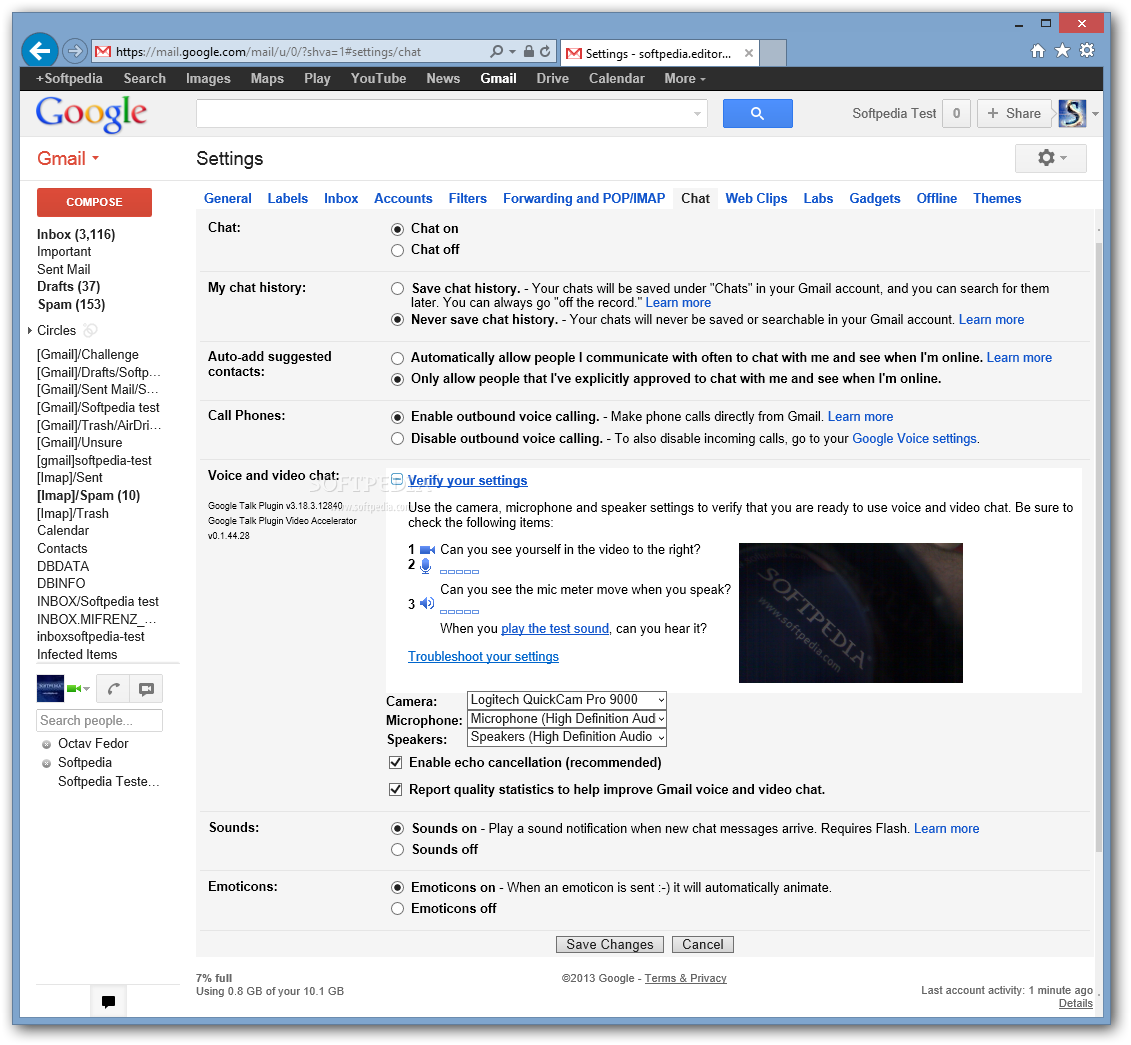
The configuration is practically done by default, just make sure the webcam is connected before trying to use the chat feature. From the “Settings -> Chat” section of your Gmail account you can access and configure supplemental functions that will greatly enhance the whole experience.
From the above mentioned tab, GMail Voice and Video Chat Plugin gives you the possibility to activate the “echo cancellation” feature and ensure a smooth audio playback. Another option that is turned on by default is the one that automatically sends quality reports to contribute in the improvement of the add-on.
With a great output quality and effortless installation, this little tool is definitely an efficient piece of software. However, it is important to know that GMail Voice and Video Chat Plugin has been replaced with Hangouts and it is available by default every time you access your Gmail account.
Download Hubs
GMail Voice and Video Chat Plugin is part of these download collections: Webcam Managers
GMail Voice and Video Chat Plugin 1.3.21.145
add to watchlist add to download basket send us an update REPORT- runs on:
- Windows All
- file size:
- 763 KB
- filename:
- GoogleVoiceAndVideoSetup.exe
- main category:
- Internet
- developer:
- visit homepage
Bitdefender Antivirus Free

Zoom Client

ShareX

Context Menu Manager

Windows Sandbox Launcher

calibre

IrfanView

7-Zip

4k Video Downloader

Microsoft Teams

- 7-Zip
- 4k Video Downloader
- Microsoft Teams
- Bitdefender Antivirus Free
- Zoom Client
- ShareX
- Context Menu Manager
- Windows Sandbox Launcher
- calibre
- IrfanView