
Stay notified when you have new Gmail, Hotmail, Yahoo or POP3 mail!. #Email notifier #Check email #Email checker #Email #Notifier #Notify

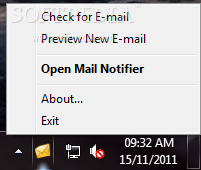
If you are a Gmail or Yahoo Mail user, you most likely know that these mail services come with no downloadable applications to notify you whenever a new message lands in your inbox.
That’s why DynAdvance Notifier could come in very handy to millions of users out there, providing a very effective way to get notifications of new messages.
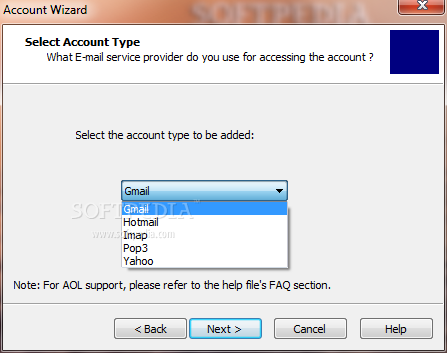
What’s more, the application works not only with Gmail and Yahoo Mail, but also with Hotmail and any other IMAP server on the Internet. Plus, it provides very easy to configure options, thus targeting beginners too.
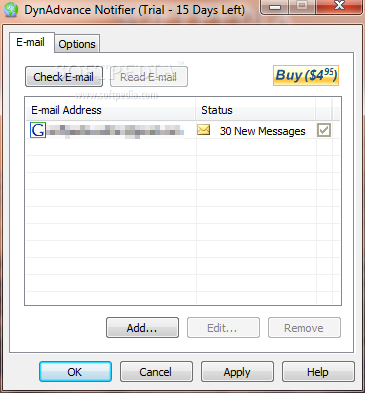
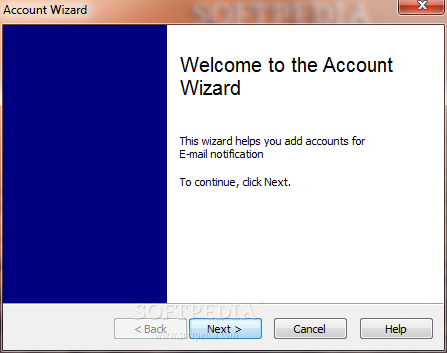
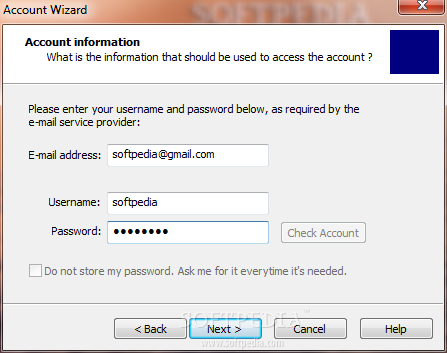
Before starting using the program, you obviously need to configure the accounts, so you only have to input the username and the password of the service you use. If you wish to set up an IMAP account, more information is needed, including server address and a few other parameters.
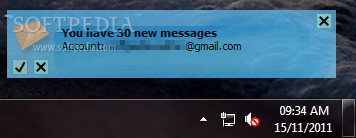
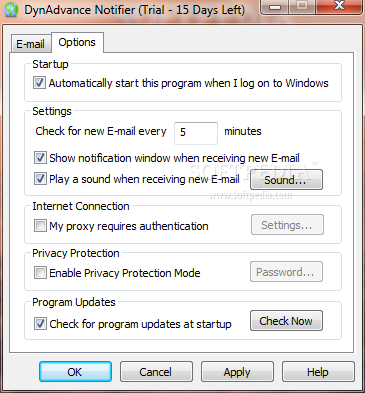
Once configuration is done, DynAdvance Notifier can automatically check the inbox at user-defined intervals and issue audio and visual notifications every time a new email arrives.
The application shows a message preview using the notification window, while also offering auto login for some of the configured accounts. This way, it’s enough to click on the received message to get straight to your inbox, without the need for inputting the username and password in your browser.
DynAdvance Notifier works like a charm on all Windows workstations and runs on low resources, which means that it doesn’t slow down the system at all.
While it doesn’t provide too many customization options, DynAdvance Notifier remains one of the best email notifiers on the market, with support for the most popular email services and very intuitive configuration options.
Download Hubs
DynAdvance Notifier is part of these download collections: Webmail Notifiers
DynAdvance Notifier 1.4 Build 510
 Softpedia Editor's Pick
add to watchlist
add to download basket
send us an update
REPORT
Softpedia Editor's Pick
add to watchlist
add to download basket
send us an update
REPORT
- runs on:
- Windows All
- file size:
- 2.5 MB
- filename:
- DynAdvanceNotifierSetup.exe
- main category:
- Internet
- developer:
- visit homepage
IrfanView

Zoom Client

ShareX

4k Video Downloader

Context Menu Manager

Bitdefender Antivirus Free

7-Zip

calibre

Microsoft Teams

Windows Sandbox Launcher

- calibre
- Microsoft Teams
- Windows Sandbox Launcher
- IrfanView
- Zoom Client
- ShareX
- 4k Video Downloader
- Context Menu Manager
- Bitdefender Antivirus Free
- 7-Zip