
Allows you to store all your email messages in a secure, searchable, offline source with this easy-to-use email archiving application. #Archive email #Export email #Store email #Archive #Backup #Finder
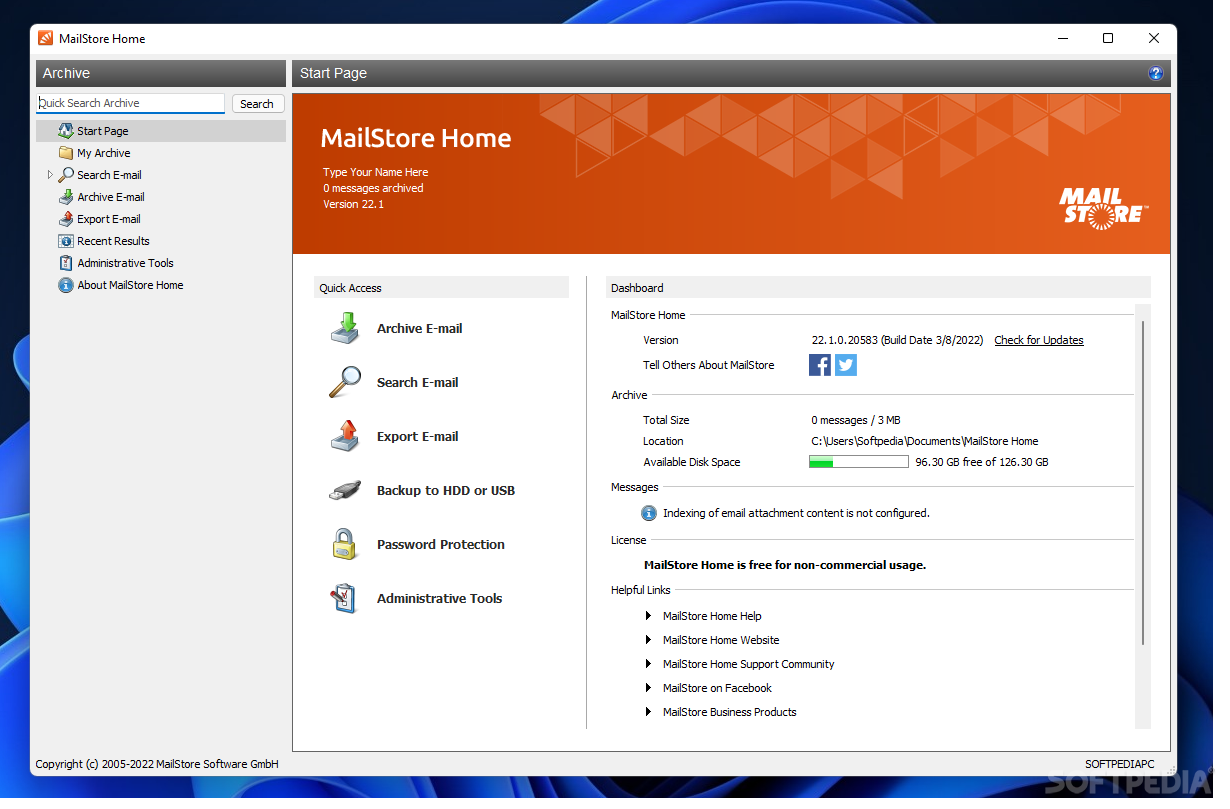
Saving email messages to disk for backup purposes is not too difficult a task, especially since most clients are equipped with the function of saving them as individual files.
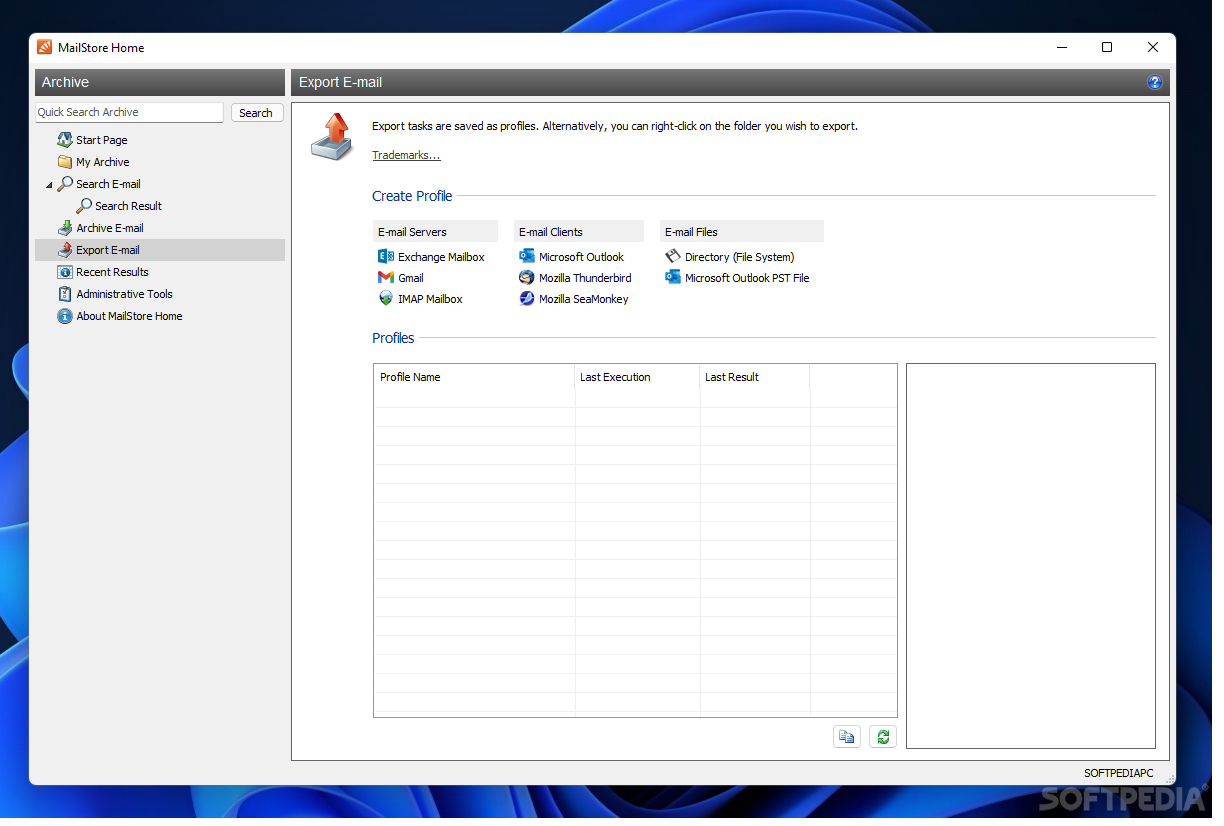
MailStore Home has been created to help you create archives with messages from multiple email clients and even from web services.
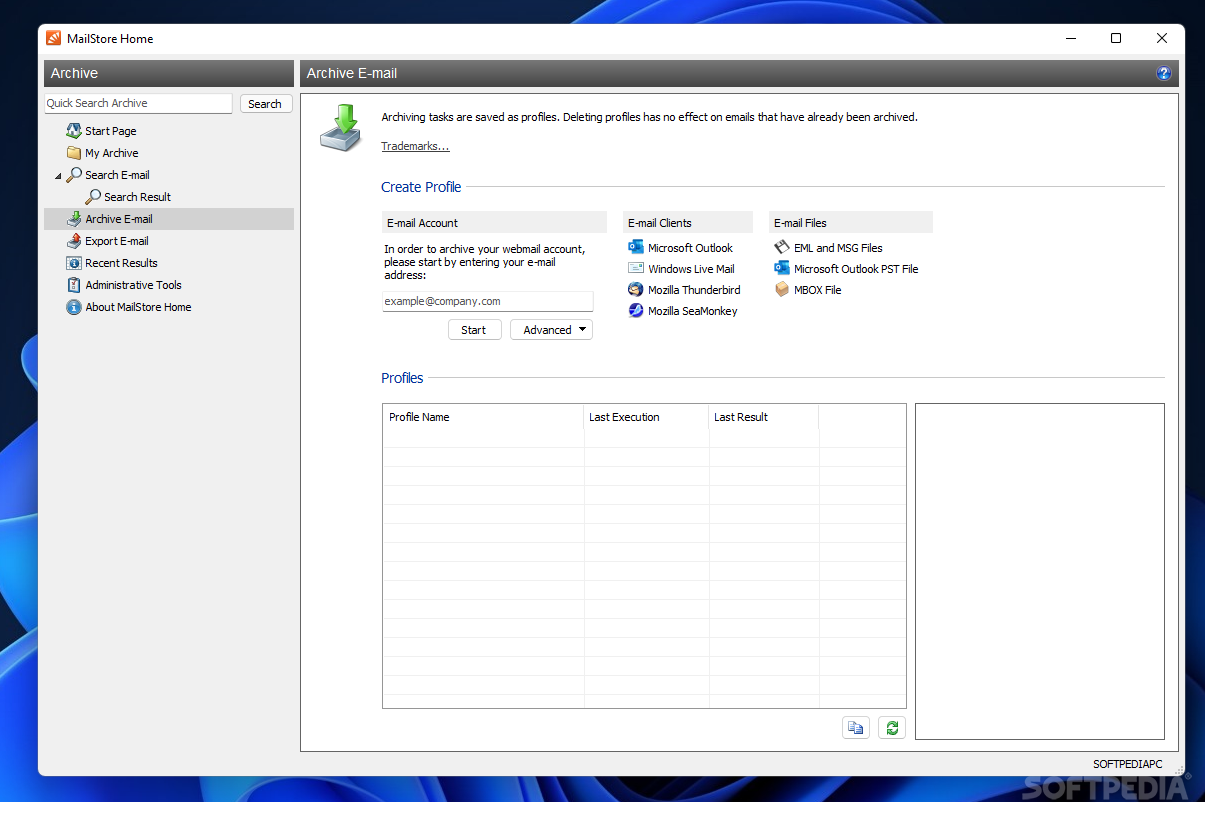
It works with popular email clients on the market from Microsoft and Mozilla and it can also dig into EML, MSG and MBOX files to retrieve the entries.
One of its advantages is that it allows creating a backup plan that includes the messages from a specific period of time. More than this, it offers the possibility to choose the target folders or create an exclusion list.
Also part of the custom configuration is the option to delete the items from the mailbox after thy have been safely retrieved on the computer. This is an action we would advise against but in some cases it can come in pretty handy, particularly with mailboxes with limited space.
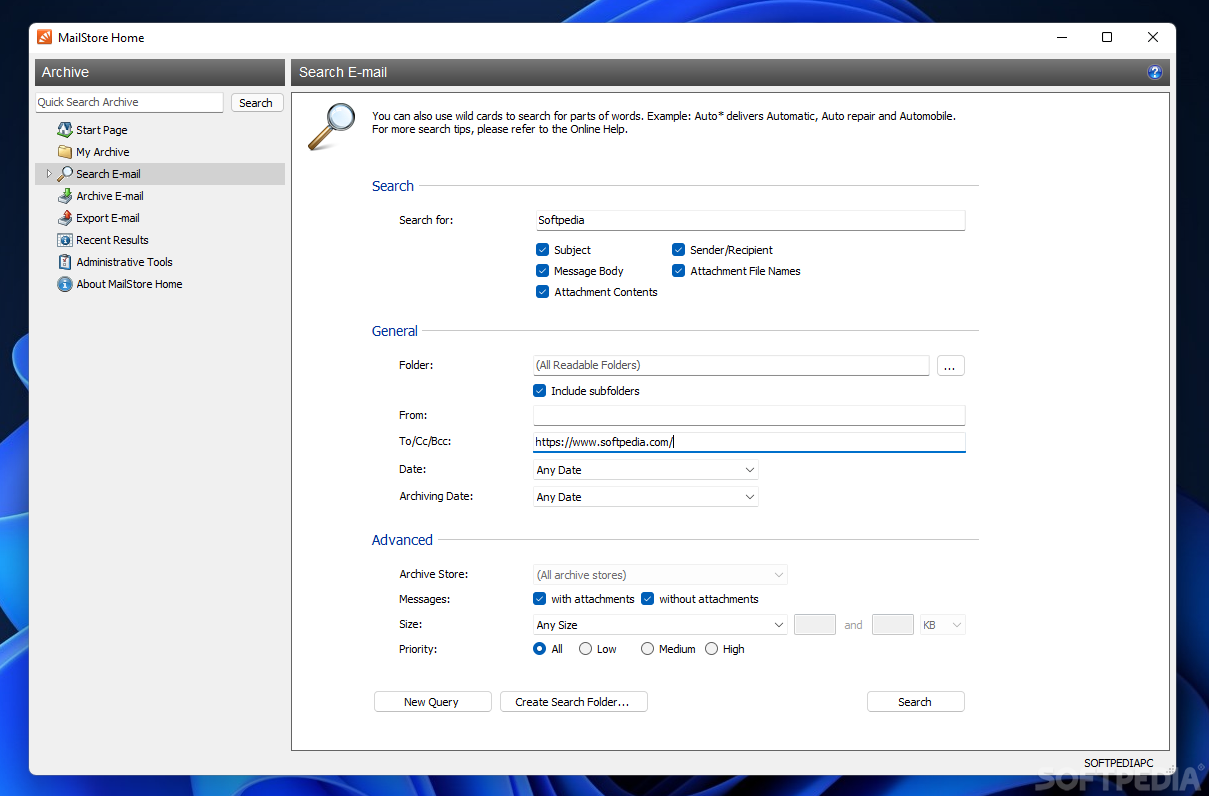
Apart from storing the messages locally MailStore Home includes a search function that has various parameters to make the results more relevant. As such, there is the possibility to search by taking into consideration the subject of the message, its body, sender or recipient as well as attachment contents.
The scouring can be contained to specific folders and scan only the entries from a certain time interval (e.g.: this week/month or the previous one).
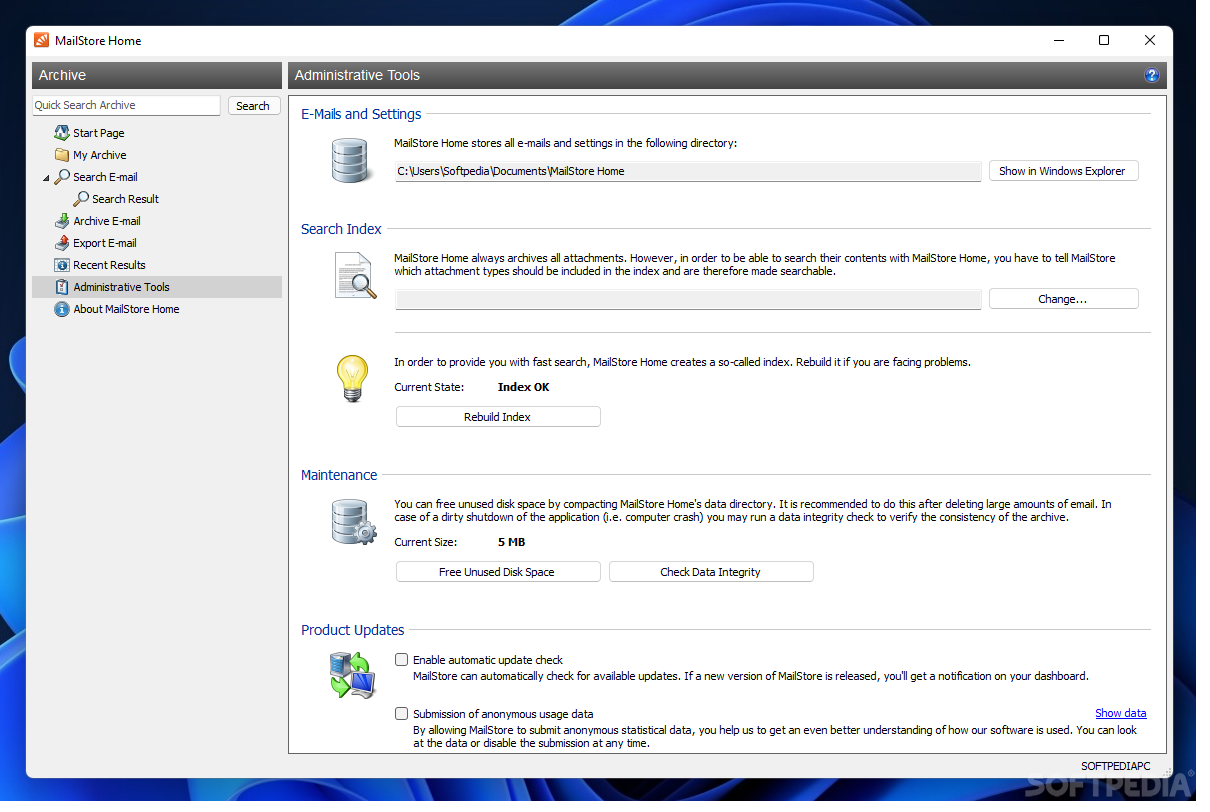
Configuring the application is a simple job that entails defining the default storage location, freeing up more space or improving the indexing of the data for faster searches.
MailStore Home is not difficult to handle and it can be used with both email clients and webmail services, making it an asset for users that need to handle large amounts of email. It moves quite fast and does not have a drastic impact on computer resources.
What's new in MailStore Home 24.2.0.23307:
- Improved: The internal database engine was updated.
- Fixed: The setting to automatically exclude folders in Exchange profiles cannot be re-enabled.
- Fixed: Various minor bug fixes and improvements.
MailStore Home 24.2.0.23307
add to watchlist add to download basket send us an update REPORT- PRICE: Free
- portable version
- MailStore Home Portable
- runs on:
-
Windows 11
Windows 10 32/64 bit
Windows 8 32/64 bit
Windows 7 32/64 bit - file size:
- 23.3 MB
- filename:
- MailStoreHomeSetup-24.2.0.22307.exe
- main category:
- Internet
- developer:
- visit homepage
ShareX

IrfanView

Microsoft Teams

Bitdefender Antivirus Free

calibre

Windows Sandbox Launcher

7-Zip

4k Video Downloader

Zoom Client

Context Menu Manager

- 4k Video Downloader
- Zoom Client
- Context Menu Manager
- ShareX
- IrfanView
- Microsoft Teams
- Bitdefender Antivirus Free
- calibre
- Windows Sandbox Launcher
- 7-Zip