WINDOWS CATEGORIES:


NEWS ARCHIVE >>
SOFTPEDIA REVIEWS >>

WEEKLY HIGHLIGHTS

DVD Cloner45
Spyware Doctor40
1Click DVD Copy40
Apollo DVD Copy40
ABC Amber BlackBer...45
Protected Music Co...40

7-DAY TOP DOWNLOAD

#
Program
Avira AntiVir
Personal - Free
Antivirus 9.0.0.415

156,527
Windows Live
Messenger 2009
14.0.8089.726

133,723
Avira Antivir Virus
Definition File
Update November 27,
2009

115,807
Nexus Radio 4.2.2
115,644
FreeZ Online TV 1.30
87,708
Y! Multi Messenger
8.x and 9.x

67,581
Microsoft Office
2010 14.0.4536.1000
Beta / 2007

65,198
DVD Shrink 3.2.0.15
47,260
Windows Live
Messenger
8.5.1302.1018

47,185
AVG Free Edition 9.0
Build 707a1765

42,129

WEEK'S BEST

  • SiSoftware Sandra ...
  • Kaspersky Virus Re...
  • Faststone Image Vi...
  • Vuze (formerly Azu...
  • Softpedia Wallpape...
  • Softpedia Wallpape...
  • Softpedia Wallpape...
  • RSSOwl 2.0.1
  • Internet Explorer ...
  • Online Armor ++ 4....
  • cFosSpeed 5.01 Bui...
  • SONY Vegas Pro 9.0...
  • Firefox 3.6 Beta 4...
  • Nokia Photos 1.6.434
  • Windows Server 200...
  • Skype Portable 4.1...
  • Google Chrome Port...
  • PCMark Vantage Bas...
  • Kaspersky Anti-Vir...
  • Microsoft Virtual ...
  • Messenger Plus! Li...
  • WinX DVD Author [F...
  • SoftPerfect Networ...
  • System Mechanic Pr...
  • Ad Muncher 4.81 Bu...
  • Windows 7 Upgrade ...
  • Pidgin 2.6.4
  • OpenOffice.org Dev...
  • VirtualDub 1.9.7 B...
  • Maxthon [Softpedia...
  • Home > Windows > Internet > FTP Clients
     Report spyware

    FTP Explorer 8.8.23 Build 001

    Download button

    Downloads: 3,460  Add to download basket  Tell us about an update
    User Rating:
    Rated by:
    Good (3.6/5)
    25 user(s)
    Developer:

    License / Price:

    Size / OS:

    Last Updated:

    Category:
    FTPx Corp | More programs
    Trial / USD 35.99 | BUY the full version
    1 MB / Windows All
    November 24th, 2008, 16:20 GMT [view history]
    C: \ Internet \ FTP Clients

     Read user reviews (0)  Add a review  Refer to a friend  Subscribe


    FTP Explorer description


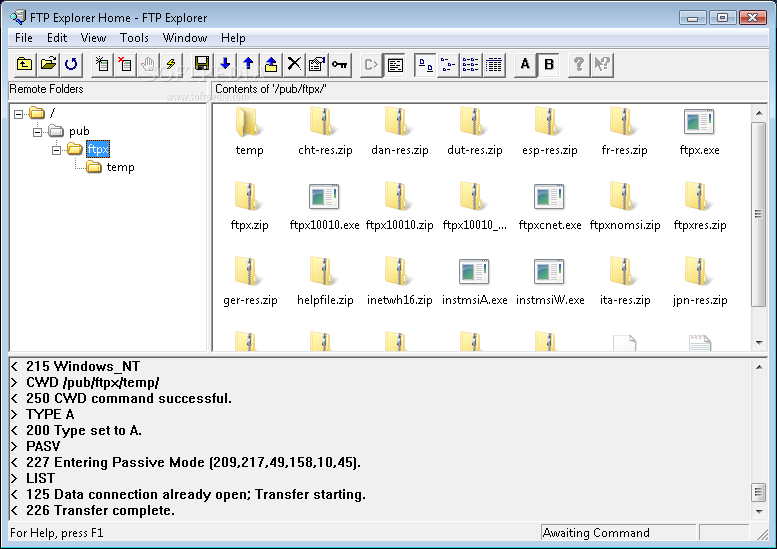
    A File Transfer Protocol client that looks and acts very much like the Windows Explorer.

    FTP Explorer is a 32-bit FTP client application for Windows that is extremely easy to operate, and makes moving files your computer and the Internet as simple as local file manipulation. 

    FTP Explorer looks and acts very much like the Windows Explorer, offering a fun and easy way to transfer files. It is designed to be a simple File Transfer Protocol client.

    Here are some key features of "FTP Explorer":

    · You can download or upload files to one or more servers while browsing and selecting files to transfer on another. FTP Explorer can transfer files in the background, so you don't have to wait while files copy to continue browsing the current server. You can even connect to a different server, and the program will automatically log off of the original server once the requested transfers have been completed.
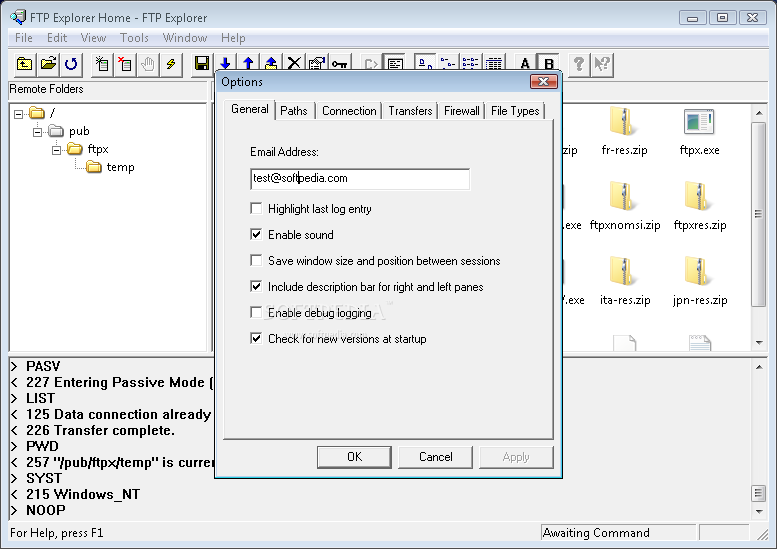
    · FTP Explorer will automatically retry if the connection attempt fails. You can configure the number of times it should try to connect, and the time delay between connection attempts.
    · FTP Explorer supports resuming of interrupted downloads and will automatically attempt to resume a file transfer if it detects a file with the same name in the current download directory. This can save you time and connection costs for those troublesome connections. (Note: This feature is not supported by some ftp servers.)
    · FTP Explorer can automatically download and display descriptions of files (if available on the server). As an option, the program will automatically download the index file on the server and display the file descriptions next to the appropriate files while you browse. Several standard index file formats are supported.
    · The Transfer Manager window allows you to ascertain the details of download or upload requests at a glance. The source, destination, and status of each request are detailed in the Transfer Manager window to keep you apprised of multiple connections, and make it easy to see which files have been transferred.
    · You can create file or directory FTP shortcuts on your desktop to launch FTP Explorer and automatically connect to your most commonly visited FTP sites.
    · FTP Explorer uses the Windows style tree and list views to display the contents of remote servers. Toggle between large icon, small icon, or list views. The intelligent tree view learns the directory structure as it goes.
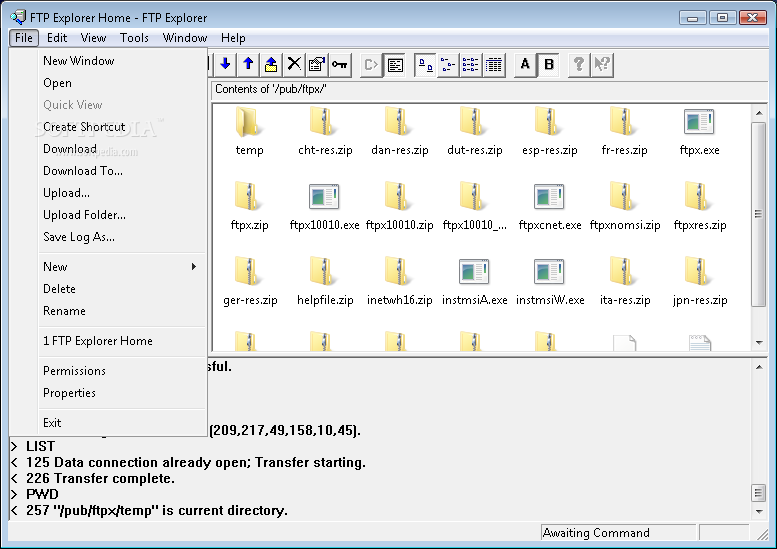
    · Windows style right-click context menus keep options at your fingertips. The most commonly used options are only a mouse click away. Menu options change based on the type of file or directory that is highlighted.
    · Intelligent command queue enables background completion of each command, so you don't have to wait for directory listings to complete. Once connected to a server, FTP Explorer maintains a list of commands to carry out which makes listing files and searching the server much faster. Select the directories that you want to browse as soon as you connect, and FTP Explorer will go to work downloading the directory information and listing its contents in the background while you continue to browse. As each directory listing is completed, its color changes to let you know when it is ready to be viewed.
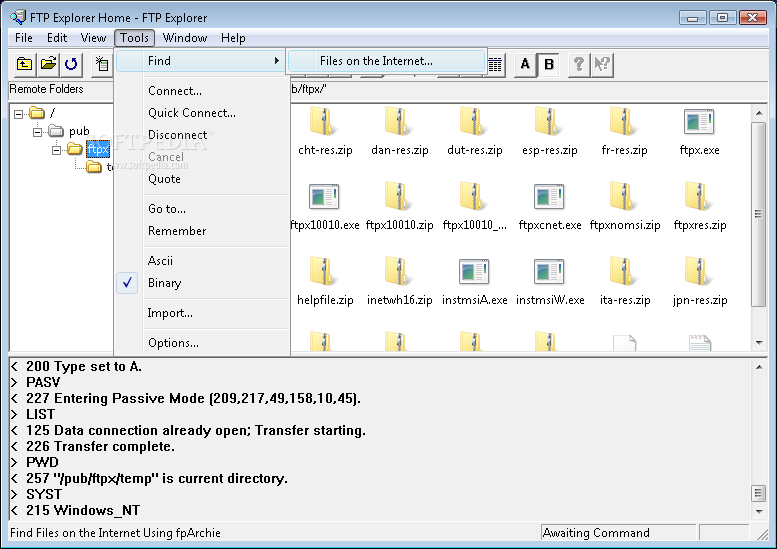
    · The Quick Connect option lets you immediately connect to a site without having to configure the site in the connection profile list.
    · Drag and drop support. Simply drag one or more files (or complete directory structures) onto the FTP Explorer's file view area to transfer them to the location of the server that is currently connected. Receiving files is as simple as dragging one or more files (or directories) onto your desktop (or any other folder).

    Limitations:

    · Nag screen
    · 30 days trial

    What's New in This Release: [ read full changelog ]

    · Upgraded to Visual Studio 2008 and Installer 3.1

     Softpedia guarantees that FTP Explorer 8.8.23 Build 001 is 100% CLEAN, which means it does not contain any form of malware, including spyware, viruses, trojans and backdoors. [read more >]


    TAGS:

    FTP client | FTP transfer | FTP browser | FTP | client | transfer


    HTML code for linking to this page:


    Go to top

    Windows tabGames tabDrivers tabMac tabLinux tabScripts tabMobile tabHandheld tabGadgets tabNews tab

    SUBMIT PROGRAM   |   ADVERTISE   |   GET HELP   |   SEND US FEEDBACK   |   RSS FEEDS   |   ENTER NEWS SITE   |   ENGLISH BOARD   |   ROMANIAN FORUM