
Backup and share anything with this storage utility that can synchronize files and folders from the local computer and shared drives to the cloud. #Cloud storage #Share file #Drive for desktop #Drive #Backup #Sync

Note: Users of Backup and Sync will start to receive in-product notifications to migrate to Google Drive (Drive for desktop). Google Backup and Sync stops working on October 1st 2021.
When it comes to data backups, a single fact is certain: you should definitely act upon it. The dilemma remains what backup and synchronization software solution to use from the various options out there, some more popular than others.
Google Drive, or Drive for desktop, as it is advertised by its maker, is the result between the merger of Drive File Stream (Google’s tools for business users) and the former Backup and Sync. Going back to the old name, which Google replaced with “Backup and Sync” back in 2018 has logic, since the Google Workspace is now available to everyone.
What Google Drive brings to the table is a bundle of the best feature in the two aforementioned apps, now deprecated. Google took this step to improve the overall user experience and, if you have a look at the feature set of the new Drive for desktop, you will already get the feeling that it succeeded to do so.
Needless to say, Google Drive requires you to log in to your Google account to access your cloud storage. Whether you have a Google One subscription or rely on the free plan, it does not matter, as the steps to take to use the application are the same.
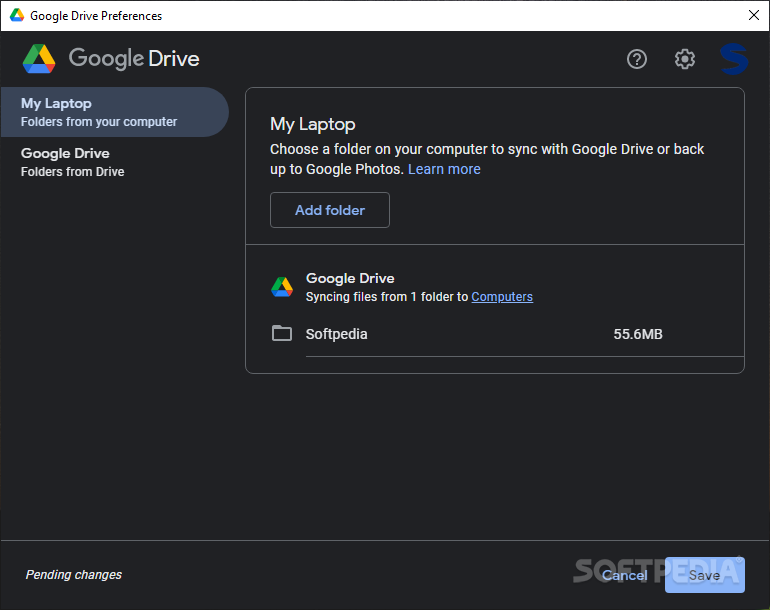
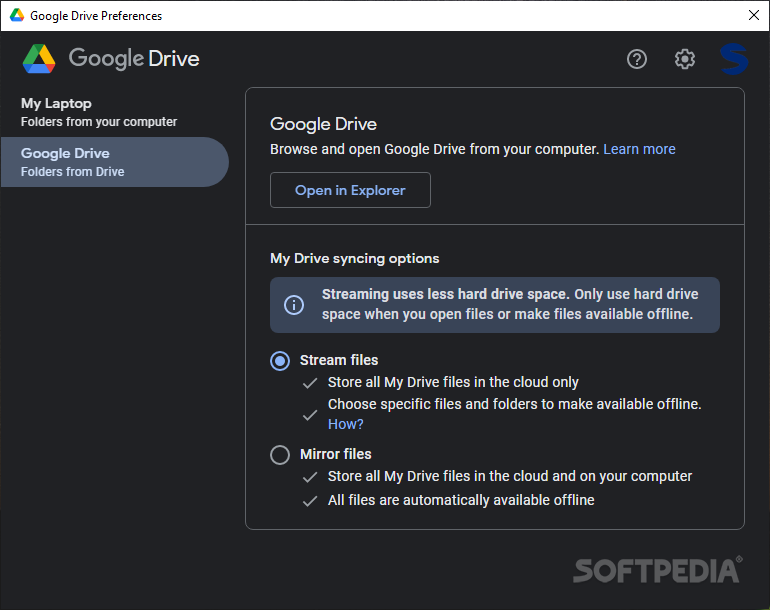
As soon as the desktop client is installed, Google Drive create a new drive on your computer, where you can store files that you want synchronized. Unlike the old Backup and Sync, which could only sync files in the “My Drive” folder on the local machine, the new Google Drive also works with files in shared drives. Moreover, you can configure it to sync individual files, not just selected folders.
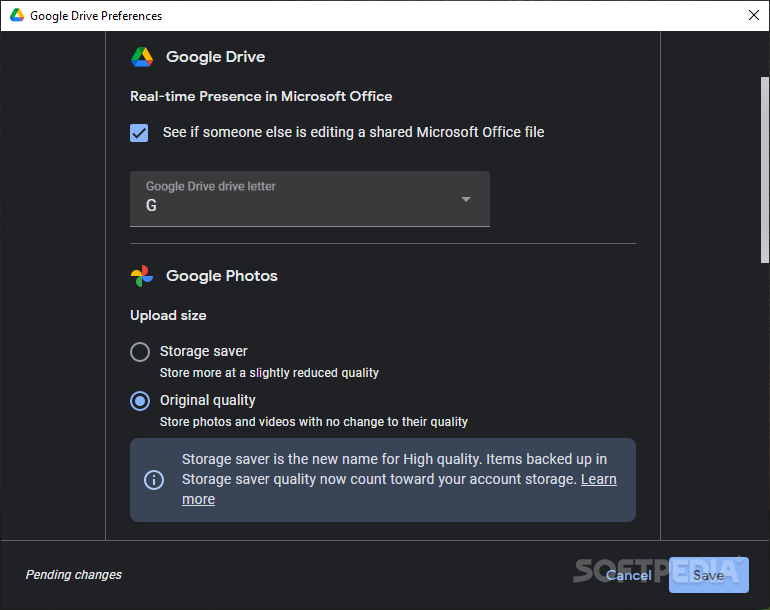
While Backup and Sync did use native apps to open files, the new Google Drive brings something new: it seamlessly integrates with Microsoft Outlook and Microsoft Office, providing support for real-time presence.
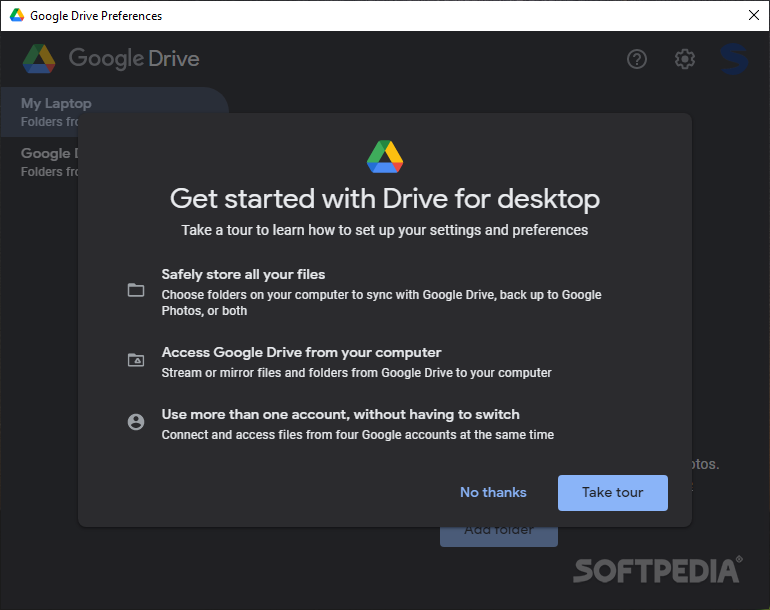
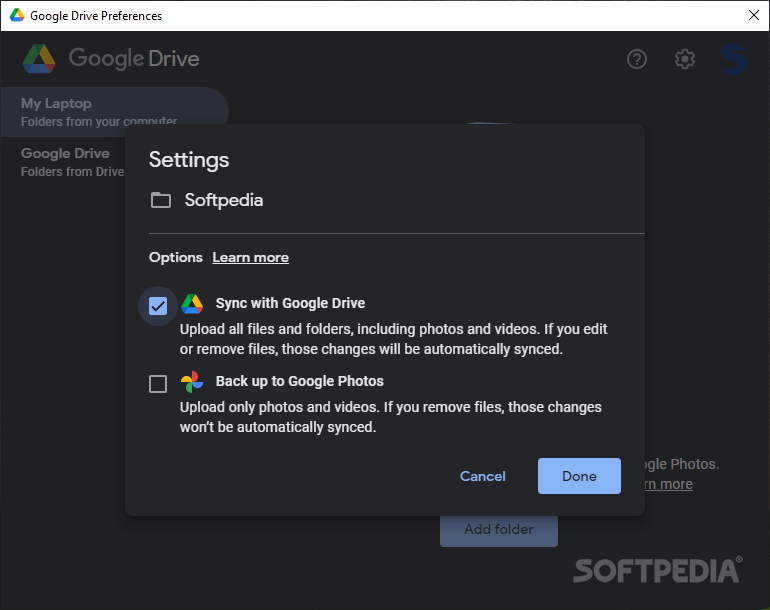
Although using Google Drive is pretty intuitive, there is a “Get Started with Drive for desktop” tour that you can take to learn about all the features and options. You can opt to upload all the files and folders, including media files, to Google Drive or use Google Photos to store photos and videos only.
The advantage of syncing your data to the cloud is that you can then free up storage space on your computer and access the files directly from the cloud when needed. As a plus, you can access all these files using one or more Google accounts, without having to switch between them.
By default, Google Drive is configured to stream files, meaning it stores all the synced files in the cloud only. You can make any file or folder available offline in a few steps, to sync files to your PC, rather than the cloud. Alternatively, you can instruct it to store all the data both in the cloud and on your computer.
Google Drive (a.k.a. Drive for desktop), your Drive files can be easily synced to the cloud. The major plus when sharing files via the cloud is that any changes are automatically updated on all the devices, meaning you will always get the most recent version of a file.
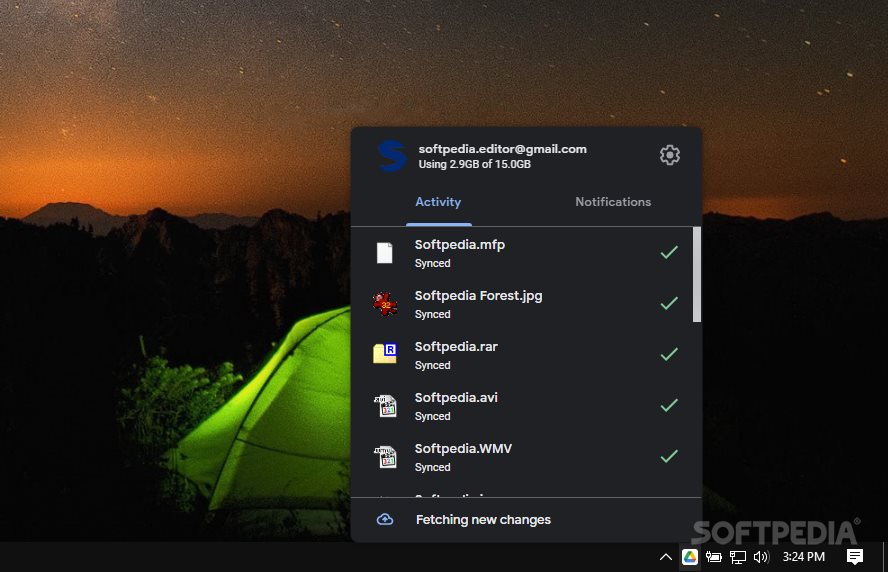
Drive works in a familiar way, allowing one-click access from the tray area. While this remained the same, there are a few changes that are visible to the eye, revealing the efforts made by the Google developers to enhance the user’s experience.
Google Drive 90.0.3.0
add to watchlist add to download basket send us an update REPORT- runs on:
-
Windows 11
Windows Server 2022
Windows Server 2019
Windows Server 2016
Windows 10 64 bit - file size:
- 177 MB
- main category:
- Internet
- developer:
- visit homepage
Context Menu Manager

Bitdefender Antivirus Free

4k Video Downloader

Microsoft Teams

Windows Sandbox Launcher

IrfanView

7-Zip

ShareX

Zoom Client

calibre

- ShareX
- Zoom Client
- calibre
- Context Menu Manager
- Bitdefender Antivirus Free
- 4k Video Downloader
- Microsoft Teams
- Windows Sandbox Launcher
- IrfanView
- 7-Zip