
Protect your computer with the help of this simple app that blocks off access to your system in order to ensure your data's security. #Peer Blocker #Block Peer #P2P Blocker #P2P #Blocker #Block

As the name suggests PeerBlock, is an app that prevents unsecured locations from accessing your computer, in order to protect your sensitive data. It can be easily figured out.
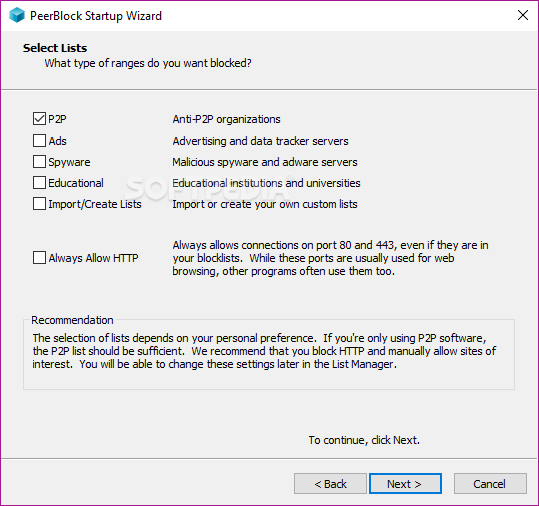
Upon initialization, you can use a wizard to specify the types of ranges you want to block. These can be either peer-to-peer organizations (P2P), ads, spyware or educational institutions.
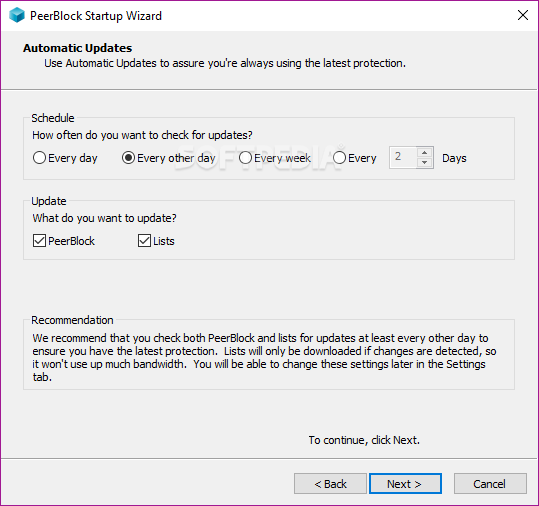
Alternatively, you can import or create custom lists as well as always allow the computer to connect via port 80 and 443, even if they are blacklisted. In the last step, you can enable the app to check for updates (PeerBlock, lists, or both), on a regular basis (e.g. daily, weekly).
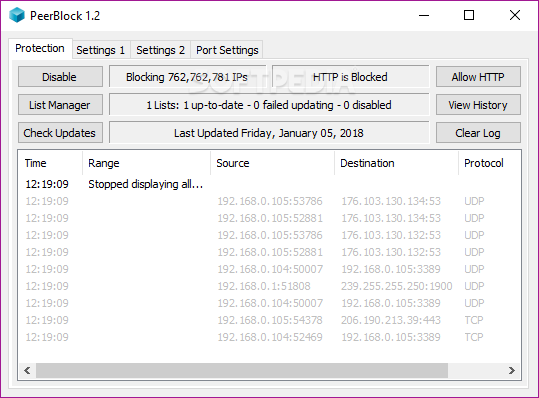
The main application window shows the time, range, source, destination and protocol for each connection. Enabling and disabling PeerBlock's status can be done with the simple click of a button.
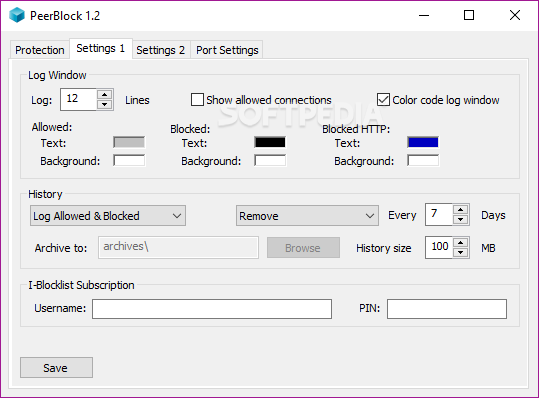
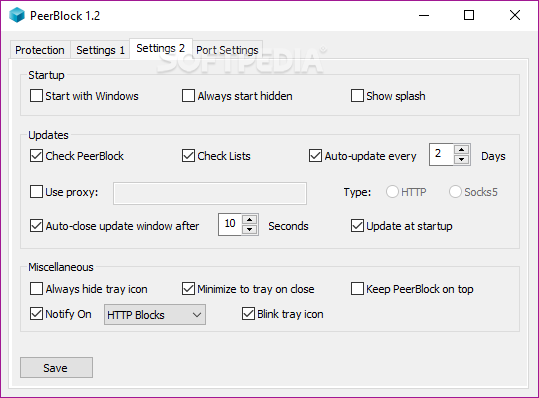
Moreover, you can view a history list or clear the log file, customize settings when it comes to the log window, history and notifications, make the app automatically run at system startup and start minimized to the system tray area, among others.
PeerBlock needs a very low amount of CPU and system memory, is pretty responsive to key strokes and mouse commands, and worked smoothly during our testing. We have not come across any issues, since PeerBlock did not hang, crash or pop up error dialogs. On the other hand, the app has not been updated for a long time. But, thanks to its intuitive layout, less experienced users can quickly figure out how to work with PeerBlock.
What's new in PeerBlock 1.2.0 R693:
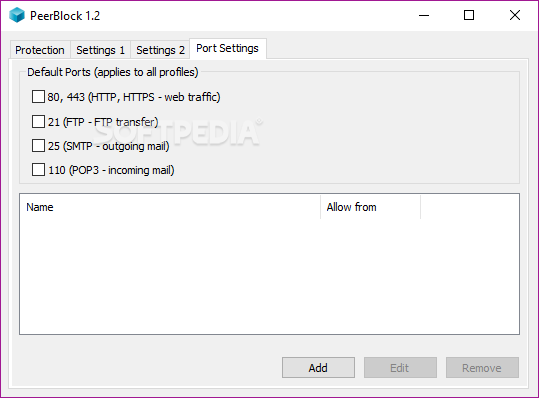
- Port Allow List - The new "Port Settings" tab allows you to unblock ports (incoming and/or outgoing). This means that PeerBlock will not filter any connections from/to those ports. This can for example be used if you're running PeerBlock on a public FTP server, or if you want to ensure that outgoing SMTP mail communications are never blocked. Many thanks to night_stalker_z for his hard work on this feature!
- First-run Update Message - When you first run PeerBlock after upgrading, you will see a notice explaining why lists are only updating once per week. Hopefully this will help to alleviate people's confusion about this.
- Better Weekly List-Updating - We've made some improvements that should help ensure that free users continue to get their free weekly list-updates.
- I-Blocklist Subscription Settings - To make it easier for you to configure PeerBlock to use an I-Blocklist Subscription, new I-Blocklist Username/PIN fields have been added to the bottom of the "Settings 1" tab.
PeerBlock 1.2.0 R693
add to watchlist add to download basket send us an update REPORT- runs on:
-
Windows 10 32/64 bit
Windows 8 32/64 bit
Windows 7 32/64 bit
Windows Vista 32/64 bit
Windows XP 32/64 bit - file size:
- 2.3 MB
- filename:
- PeerBlock-Setup_v1.2_r693.exe
- main category:
- Internet
- developer:
- visit homepage
Microsoft Teams

IrfanView

Bitdefender Antivirus Free

ShareX

Windows Sandbox Launcher

7-Zip

4k Video Downloader

Context Menu Manager

calibre

Zoom Client

- Context Menu Manager
- calibre
- Zoom Client
- Microsoft Teams
- IrfanView
- Bitdefender Antivirus Free
- ShareX
- Windows Sandbox Launcher
- 7-Zip
- 4k Video Downloader
