Softpedia
 

WINDOWS CATEGORIES:


GLOBAL PAGES >>
SOFTPEDIA REVIEWS >>
MEET THE EDITORS >>
WEEK'S BEST
  • Sticky Password FR...
  • Parallels Workstat...
  • ESET NOD32 Antivir...
  • BitDefender Total ...
  • WinPatrol 24.6.201...
  • PerfectDisk Free D...
  • Adobe Photoshop CS...
  • PerfectDisk Profes...
  • Windows 8 Consumer...
  • Atlantis Word Proc...
  • Home > Windows > Internet > Internet Radio/TV Player
     Report malware

    ChrisTV Online! FREE Edition 7.20

    download button

    Part of the Online TV download hub
    Downloads: 122,475  View global page  Tell us about an update
    User Rating:
    Rated by:
    Good (3.4/5)
    118 user(s)
    Developer:

    License / Price:

    Size / OS:

    Last Updated:

    Category:

    Ad-supported / $0
    7.6 MB / Windows All
    [view history]
    C: \ Internet \ Internet Radio/TV Player

     Read user reviews (1)  Send to friend   Follow (2 users)

    Softpedia Editor's Review for ChrisTV Online! FREE Edition

    EDITOR'S RATING:

    Lets you watch LIVE TV Channels and listen ONLINE Radio Stations from the internet

    Written by Bogdan Popa on November 14th, 2011

    Internet connectivity has evolved so much that it’s now assisting us in many of our daily activities and, in some cases, it is even replacing them altogether.

    Such is the case of traditional television. More and more people are watching their favorite TV channels online with the help of one of the hundreds dedicated software solutions out there.

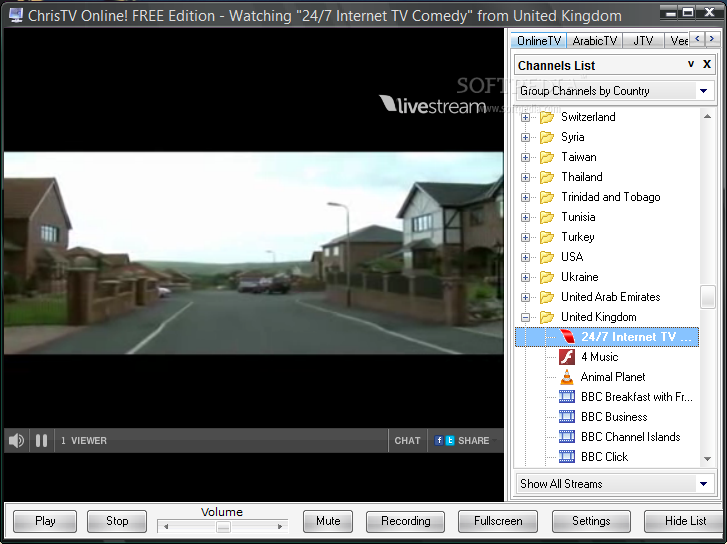
    ChrisTV Online! FREE Edition is one of the tools that do that, offering users a comprehensive list of TV channels from all over the world, including not only online television but also webcam streams, video on demand and radio stations.

    The most important thing in ChrisTV Online! FREE Edition’s case is that the app is impressively easy to use, which means it is aimed at beginners and professional users alike. And there’s nothing wrong with it, television is supposed to help you relax, so why assaulting the user with complex menus and difficult features?

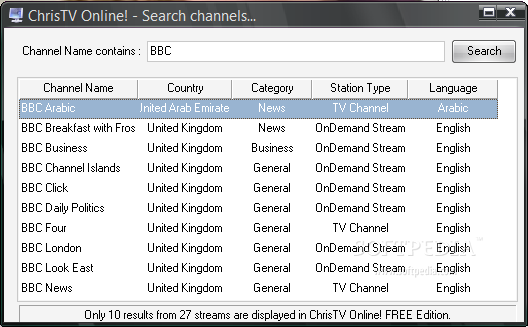
    As said, ChrisTV Online! FREE Edition has a very long list of TV channels, so it’s only natural that it comes with multiple options to filter them by type and category, by country, by station type or by name.

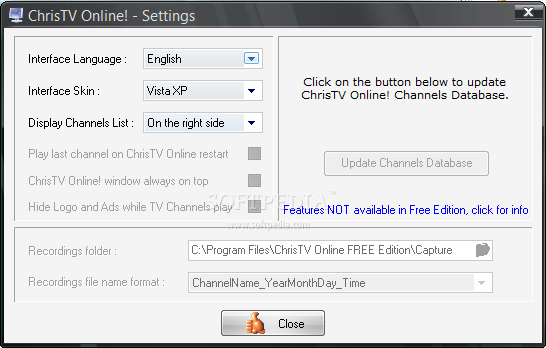
    There’s no complicated settings menu, which again is fantastic for inexperienced users, but a bunch of controllers, such as volume, fullscreen on and off, recording, play and stop.

    We’ve tried a lot of channels during our test and we must admit that ChrisTV Online! FREE Edition has an impressive collection of streams that not only that covers most countries out there, but they also really work. Only a few links were dead, but most of them were up and running.

    All in all, ChrisTV Online! FREE Edition remains one of the best apps in this particular software category, but you have to try it to really see what it’s up to.

    ChrisTV Online! FREE Edition description

    Here are some key features of "ChrisTV Online! FREE Edition":

    · ChrisTV Online! - Channels List and Favorites List
    · Using ChrisTV Online! you will gain access to more than 1800+ TV channels and 600+ radio stations from all over the globe (more than 100 countries).

    · Get connected to one of the largest channels database and receive updates periodically. As a bonus we have added to ChrisTV Online!'s channels database access to online streams with music video clips plus movie trailers just to keep you entertained to the maximum.

    ChrisTV Online! interface offers you fast and easy access to all channels available in our database through the Channels List panel, where you can :
    · Group channels by Country,
    · Group channels by Type,
    · Group channels by Category,
    · Group channels by Language,
    · Group channels by Station Name.
    · To gain fast access to your favorite TV channel or Radio station, you can add them to ChrisTV Online! Favorites List, which provides the same grouping feature as with the Channels List.

    · ChrisTV Online! - Add your own new channels streams
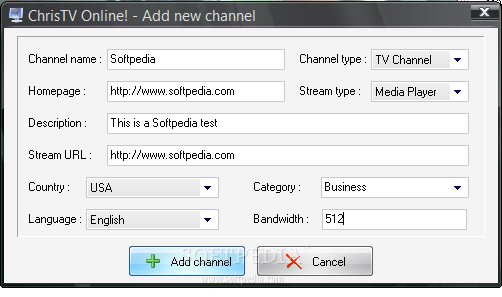
    · Enjoy the new feature of adding your own streams to ChrisTV Online! favorite channels list.
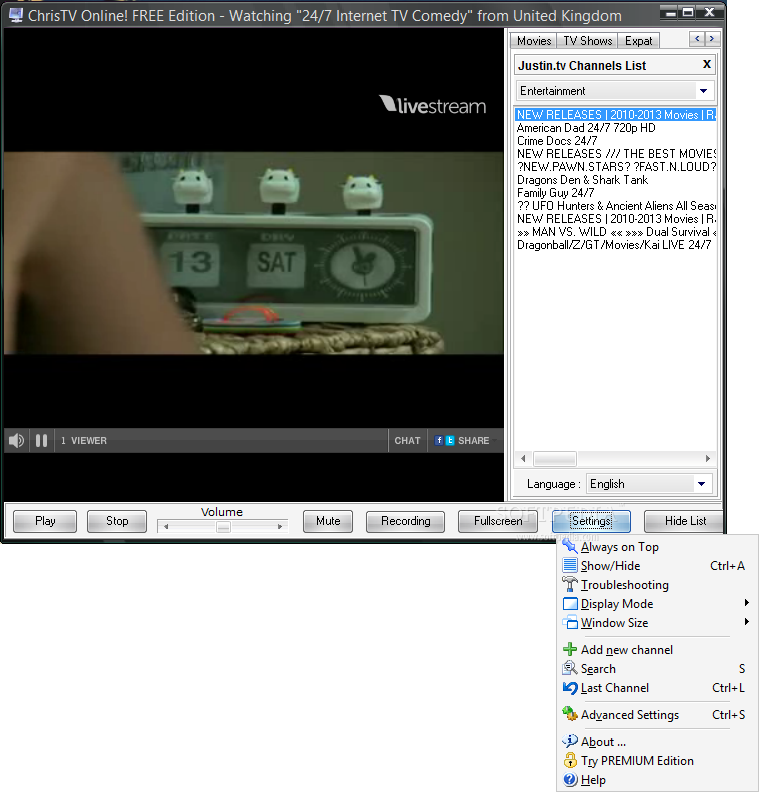
    · You can add new channels directly from ChrisTV Online! interface: press "Settings" button and select "Add new channel", after you enter all stream details press "Add channel" button to save it. You will find the new channel in Favorites Channel list.

    · New channels can be also submited on our website using the Suggest a NEW Stream form.

    · ChrisTV Online! - Easy to Use and Flexible User Interface
    · ChrisTV Online! skinable interface is easy to use, gives you access to all important features and comes with a default set of professional skins.

    ChrisTV Online! provides 3 display modes :
    · Full Mode : direct access to all buttons and functions.
    · Compact Mode : direct access to main buttons and functions, you can access all functions in the popupmenu.
    · Frame Mode : only video window is visible, you can access all functions in the popupmenu (Available only in PREMIUM Edition).

    A powerfull & unique feature first introduced in our ChrisTV PVR product, is available in ChrisTV Online! :
    · The video window can be dragged using the mouse in any place of your desktop and you can adjust the window size to your favorite size. Also using hotkeys you can set predefined window sizes to the video window.
    · In order to have access all the time to the ChrisTV Online! window while using other applications, you can set the window to be Always On Top.

    Built in channels database search function :
    · Multilanguage interface : English, German, Dutch, Romanian.
    · FullScreen mode fast access through mouse doubleclick.
    · Control bar with Play, Stop, Mute, Fullscreen, Settings buttons.
    · Minimize to SysTray the ChrisTV Online! window.
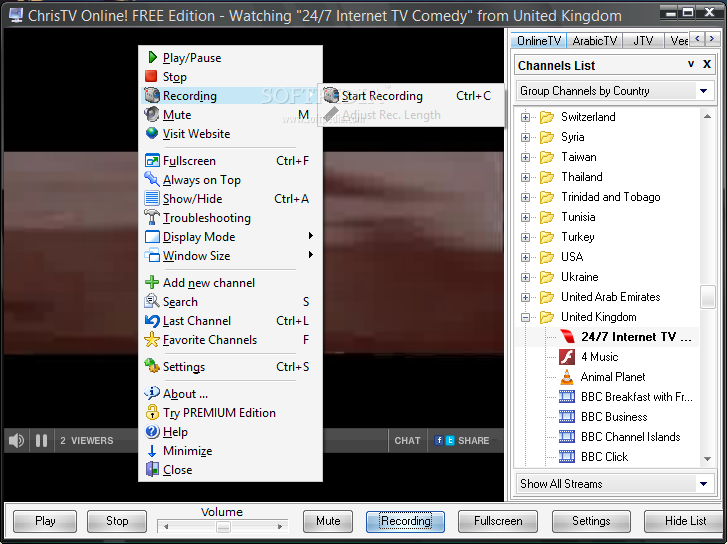
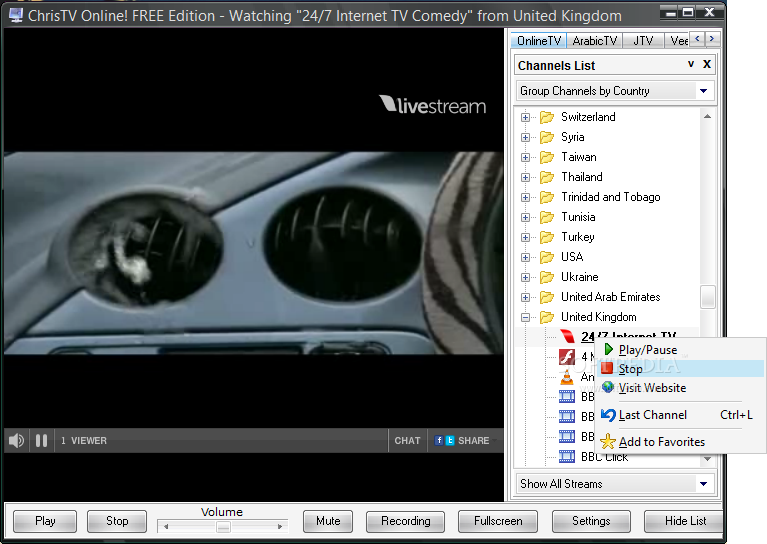
    · Popupmenu on mouse click with direct access to main controls and settings.
    · Channels list option on the left or right side of the viewing window.
    · Last channel functionality.
    · KeyShortcuts for main functionalities.

    Requirements:

    · Microsoft Windows Media Player 8.0 or higher.
    · RealPlayer 8.0 or higher.
    · 500MHz Intel Pentium III processor or greater
    · 128MB of RAM
    · ADSL, cable or broadband Internet connection with at least 512 kbps download bandwidth

    Limitations:

    · First 10 results displayed
    · Only 25 channels
    · Recording function disabled

    What's New in This Release: [ read full changelog ]

    · ChrisTV Online! channel database has more than 2000 TV channels.
    · Expat Internet Browser
    · gain access to entertainment websites like Hulu, Netflix, BBC iPlayer, ITV Player while abroad.
    · We have added Justin.tv stream recording feature and improved the Flash stream recording feature.
    · Watch HD movies, sports, TV series, music from Veetle channels.
    · Watch online video content from Justin.tv channels without opening any browsers. Get instant access to online movies, sports, online gaming, music, entertainment from Justin.tv.
    · Added 45 NEW TV channels from all over the world.

    Users are advised to pay attention while installing this ad-supported application:

    · Offers to download or install software or components (Chris TV Toolbar, RelevantKnowledge and Complitly) that the program does not require to fully function


    TAGS:

    TV Player | Radio Player | Watch Television | Television | Radio | Player


    HTML code for linking to this page:


    Go to top

    WindowsGamesDriversMacLinuxScriptsMobileHandheldNews

    SUBMIT PROGRAM   |   ADVERTISE   |   GET HELP   |   SEND US FEEDBACK   |   RSS FEEDS   |   UPDATE YOUR SOFTWARE   |   ROMANIAN FORUM