WINDOWS CATEGORIES:


NEWS ARCHIVE >>
SOFTPEDIA REVIEWS >>

WEEKLY HIGHLIGHTS

DVD Cloner45
Spyware Doctor40
1Click DVD Copy40
Apollo DVD Copy40
ABC Amber BlackBer...45
Protected Music Co...40

7-DAY TOP DOWNLOAD

#
Program
Avira AntiVir
Personal - Free
Antivirus 9.0.0.415

172,574
Windows Live
Messenger 2009
14.0.8089.726

144,415
Avira Antivir Virus
Definition File
Update November 30,
2009

130,339
Nexus Radio 4.2.2
125,058
FreeZ Online TV 1.30
94,763
Y! Multi Messenger
8.x and 9.x

75,235
Microsoft Office
2010 14.0.4536.1000
Beta / 2007

72,824
Windows Live
Messenger
8.5.1302.1018

51,138
DVD Shrink 3.2.0.15
50,317
AVG Free Edition 9.0
Build 707a1765

46,760

WEEK'S BEST

  • VirtualBox 3.1.0 r...
  • SiSoftware Sandra ...
  • Kaspersky Virus Re...
  • Faststone Image Vi...
  • Vuze (formerly Azu...
  • Softpedia Wallpape...
  • Softpedia Wallpape...
  • Softpedia Wallpape...
  • RSSOwl 2.0.1
  • Internet Explorer ...
  • Online Armor ++ 4....
  • cFosSpeed 5.01 Bui...
  • SONY Vegas Pro 9.0...
  • Firefox 3.6 Beta 4...
  • Nokia Photos 1.6.434
  • Windows Server 200...
  • Skype Portable 4.1...
  • Google Chrome Port...
  • PCMark Vantage Bas...
  • Kaspersky Anti-Vir...
  • Microsoft Virtual ...
  • Messenger Plus! Li...
  • WinX DVD Author [F...
  • SoftPerfect Networ...
  • System Mechanic Pr...
  • Ad Muncher 4.81 Bu...
  • Windows 7 Upgrade ...
  • Pidgin 2.6.4
  • OpenOffice.org Dev...
  • VirtualDub 1.9.7 B...
  • Home > Windows > Internet > Offline Browsers
     Report spyware

    Internet Researcher 2.2

    Download button

    Downloads: 1,281  Add to download basket  Tell us about an update
    User Rating:
    Rated by:
    Fair (2.4/5)
    23 user(s)
    Developer:

    License / Price:

    Size / OS:

    Last Updated:

    Category:
    Zx software | More programs
    Shareware / USD 49.95 | BUY the full version
    3.4 MB / Windows All
    July 23rd, 2005, 23:03 GMT
    C: \ Internet \ Offline Browsers

     Read user reviews (0)  Add a review  Refer to a friend  Subscribe


    Internet Researcher description


    Browse, automate, and archive offline copied Web pages and entire Web sites

    Internet Researcher lets you download and organize Web pages or entire websites for offline browsing or searching. You can search downloaded websites for keywords using built-in full-text indexing, view directory structure of a website and its sitemap.

    You can also surf the Internet faster while you are online prefetching specific links with a click of the mouse and record every page you browse with the built-in browser.

    Internet Researcher features a very intuitive user interface, multithreaded web spider, reports, and powerful pattern matching URL filters that you can debug and modify even after a download starts.

    A very useful feature of Internet Researcher lets you fetch multiple links within a text selection with a single click of the mouse. More powerfull version of Offline Commander.

    Here are some key features of "Internet Researcher":

    · Multiple tasks per project.
    · Multithreaded Web spider. User configurable Maximum Connections, Maximum Connections Per Server, Pause Between Connections, Maximum Retries, Timeout.
    · Supported protocols: FILE, HTTP, HTTPS, FTP.
    · Proxy support: HTTP, HTTPS, FTP via HTTP proxy. No proxy configuration required: by default OC uses Internet Explorer proxy settings.
    · Resumes broken downloads for HTTP, HTTPS, and FTP-via-HTTP connections.
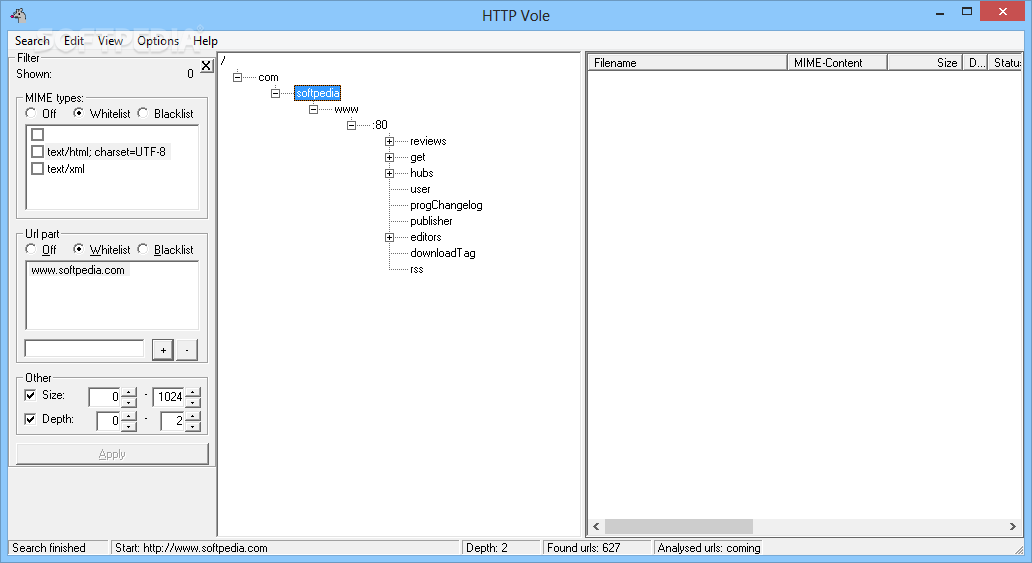
    · Powerful filters. Separate filters for links, images, objects. Advanced pattern matching filters using wildcards * and ?. Boolean expressions (AND, OR, NOT, parentheses to group expressions). File size filters (maximum size, minimum size). Filter debugger. For more information, see How to Use Filters in the Online Help.
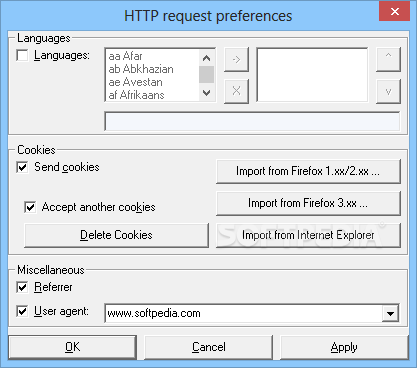
    · Configurable User Agent. Preconfigured User Agent settings. Default is IE.
    · HTTP Referrer support. Configurable starting Referrer.
    · Ability to automatically detect availability of Internet connection. For more information, see in the Online Help.
    · Projects are stored in a standard Microsoft Access database (with extention .ocp for Offline Commander or .irp for Internet Researcher).
    · Ability to export downloaded Web sites to a folder on the disk.
    · Ability to search in downloaded files by keywords, phrases, complex boolean expressions, URLs, Web page titles, file size ranges, file types, file modification dates, and download dates.
    · Full drag and drop support within the application and between the application and Internet Explorer and Shell.
    · Drop Box.
    · Direct access to the download queue. Ability to search in the queue and delete queued files.
    · Filters and depth may be changed at the time of download.
    · Built-in browser. By default browsers open in tabs inside the main window and do not clutter your desktop.
    · Ability to enqueue (prefetch) individual links from within the internal browser.
    · Pages stored inside the OC project database are safe for browsing.
    · OC has now ability to work with read-only project files (e.g. from a CD).
    · Password protection to project files added. The commands to set or remove a password on the currently opened project file are available on the Tools menu.
    · OC has now the ability to automatically dial up a connection, download tasks, disconnect, and exit. You can also set a limit on the download time. This new functionality is available by running OC with command line parameters. For a list of all parameters and their proper usage run "oc.exe /?". To schedule OC to run at a particular time use Windows scheduler. You can find the Windows scheduler in Start > Programs > Accessories > System Tools > Scheduled Tasks.
    · UNIX style text files are displayed correctly when using the View Source command.
    · Two additional command line parameters let you automate downloading tasks. One parameter tells Internet Researcher to import a list of URLs from a text file at start up. The other parameter sets the destination directory the project should be exported to after the program finishes. For a list of all parameters and their proper usage run "ir.exe /?". To schedule IR to run at a particular time use Windows scheduler. You can find the Windows scheduler in Start > Programs > Accessories > System Tools > Scheduled Tasks.
    · Ability to load custom parsers. Custom parsers are plugin modules (DLLs) that control the extraction of links from Web pages. Custom parsers add to IR ability to automatically download ANY Web site even if the site uses JavaScript links.


    Limitations:

    · Expires in 30 uses

     Softpedia guarantees that Internet Researcher 2.2 is 100% CLEAN, which means it does not contain any form of malware, including spyware, viruses, trojans and backdoors. [read more >]


    TAGS:

    web browser | archive webpage | download webpage | searcher | downloader | archiver


    HTML code for linking to this page:


    Go to top

    Windows tabGames tabDrivers tabMac tabLinux tabScripts tabMobile tabHandheld tabGadgets tabNews tab

    SUBMIT PROGRAM   |   ADVERTISE   |   GET HELP   |   SEND US FEEDBACK   |   RSS FEEDS   |   ENTER NEWS SITE   |   ENGLISH BOARD   |   ROMANIAN FORUM