Search Perform an advanced search query SOFTPEDIA
 
SOFTPEDIA
Updated one minute ago
HomeSubmit a program for being reviewedAdvertise on our websiteGet help on surfing our websitesSend us your feedbackGet information about our XML/RSS backend and how to use itBrowse the news archiveVisit our discussion forumVizitati forumul in limba romana


Program Finder NormalFreeware onlyShareware only

Quick Photo Resizer 2.5.1.3 Report spyware 

Click to download Quick Web Photo Resizer
View more Quick Photo Resizer screenshots (2)
 Downloads: 2,347
Rating: Fair (2.8/5) | Rated by: 30 user(s)
Add to download basket     Send us update information
 Developer: DzSoft Ltd | More programs by this producer
 License: Trial , 29 $ to buy 
 Size / OS: 2.14 MB, Windows All
 Last Updated: July 2nd, 2008, 13:35 GMT
 Category: C: \ Internet \ Other Internet Related
 Read user reviews (0) Add a review Refer to friend Subscribe
    Download Quick Web Photo Resizer

Quick Web Photo Resizer description
Your photos get automatically converted and you can drag them out, upload to the Web or send via e-mail.

Quick Photo Resizer is the new way to prepare your images for the web, extremely easily and quickly.

Modern digital cameras produce images with up to 6 times higher resolution than their ancestors.

While the resolution is very important to photo-printers, such resolution can be a severe drawback for on-screen and Internet viewing.

This is why, before uploading your images to the Web or sending them via e-mail, you use your imaging software to reduce their size. There are two main disadvantages of this method.

First, you need to do the same repetitive actions every time. Normally, you have to navigate to the folder containing images from your camera, then you need to select
the images, set up resizing options, select a target folder, etc.

The second disadvantage is that when resizing your images you never know exactly what file size they will have after resizing. Photos with a lot of small details will be significantly bigger in size than simple images after resizing with the same level of JPEG Quality/Compression.

Quick Photo Resizer from DzSoft solves both problems. From now on, you don't need to bother with browsing through folders with your image viewer.

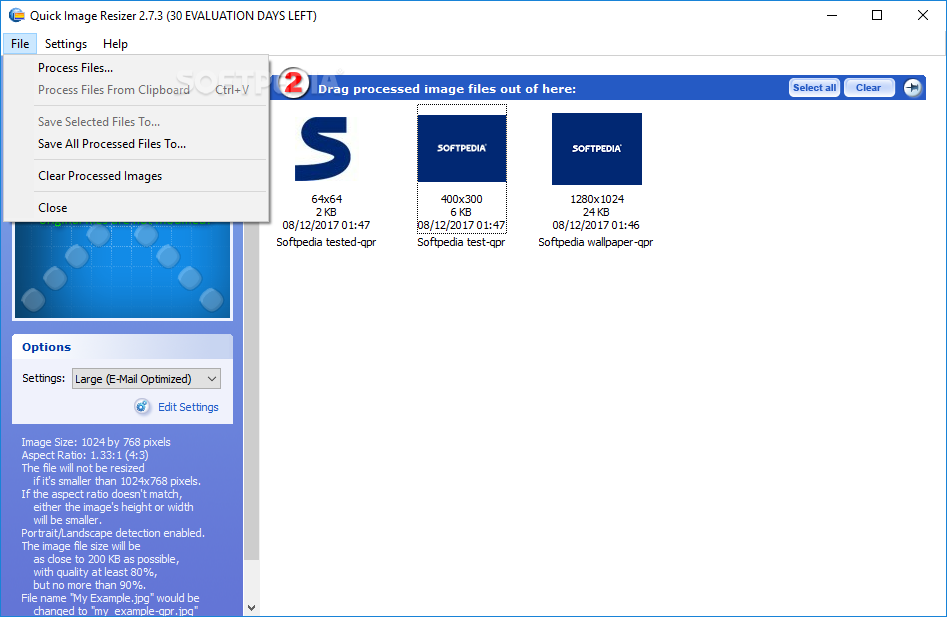
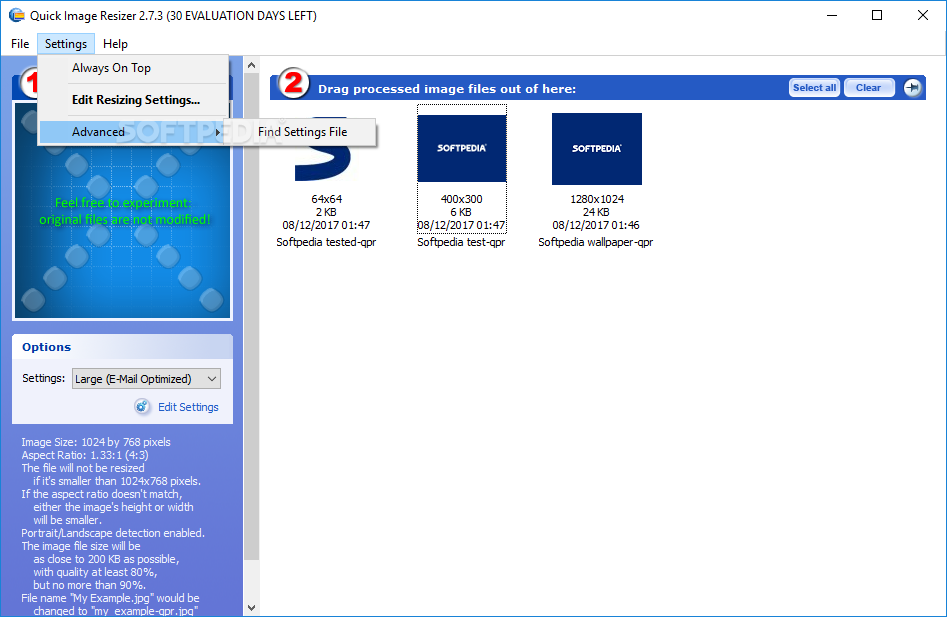
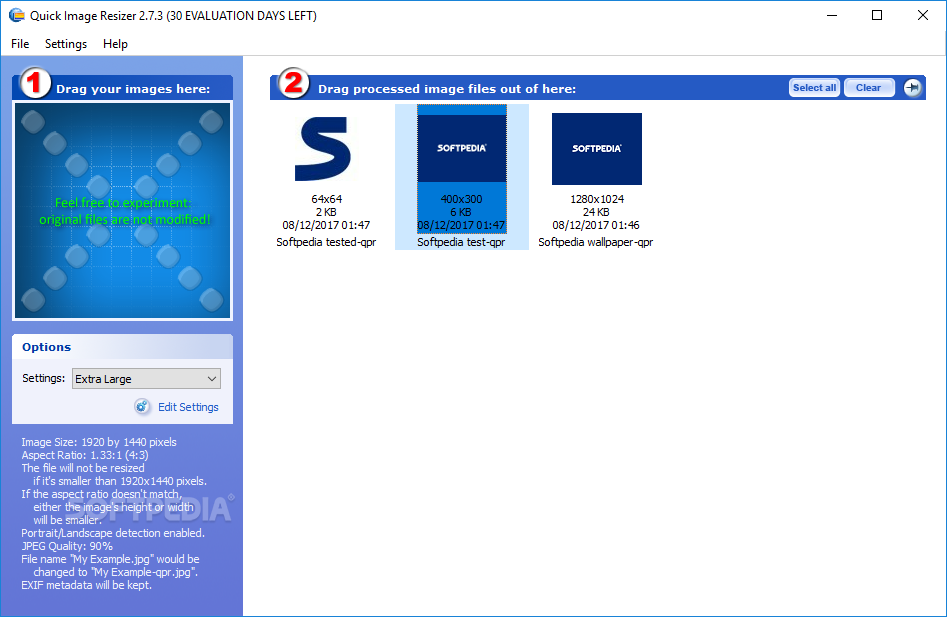
Quick Web Photo Resizer offers an easy, yet very powerful, technique of resizing your photos. You simply select a conversion scheme and drag the photos to the program's window.

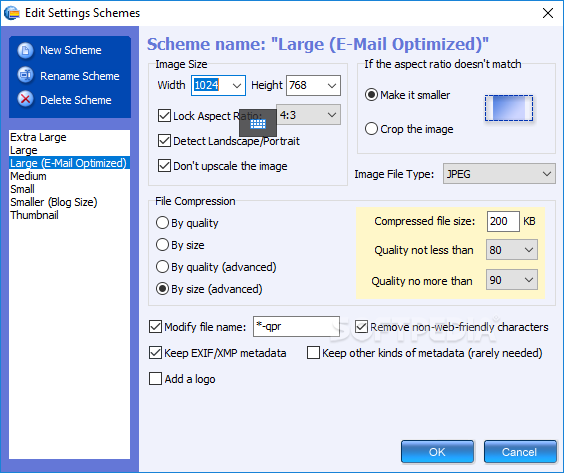
Your photos get automatically converted and you can drag them out, upload to the Web or send via e-mail. A "Conversion scheme" is a set of user-defined resizing options. You can define several sets for different purposes.

The most exciting feature of the resizing options is that you can select the desired resulting image file size. The program will automatically choose a JPEG Quality/Compression level for each image to best fit the file size and dimensions that you've selected.

Furthermore, the application can automatically watermark your images or place a logo on them.

Limitations:

· 30 days free trial
· Nag screen


What's New in This Release:

· Quick Web Photo Resizer is now officially renamed to Quick Photo Resizer... [ read full changelog ]


Softpedia guarantees that Quick Photo Resizer 2.5.1.3 is 100% CLEAN, which means it does not contain any form of malware, including but not limited to: spyware, viruses, trojans and backdoors.

This software product was tested thoroughly and was found absolutely clean, therefore it can be installed with no concern by any computer user.

However, it should be noted that this product will be retested periodically and the award may be withdrawn, so you should check back on this page from time to time. (click here for more information)


Related downloads IT News Popular downloads New additions   Latest reviews  
Paint.NET 3.35
A slim, but very powerful image and photo manipulation software
PhotoFiltre 9.2.1 / 6.3.1
A complete image retouching program
ISO Commander 1.6 build 043
A CD-ROM image file utility that can extract/edit/create ISO files
Photo Pos Pro 1.61
This advanced image editor offers a variety of enhancements for digital photos
PaintBuster 12.1
PaintBuster is a fast, compact and innovative paint and photo manipulation tool
Screen Shot Maker 2.5 Build 009
Besides actual capturing, this software guarantees professional results for your most demanding image processing requirements.
Imagination Image Map Editor 6.0.0
Create Web site image maps with this easy to use tool from Multimedia Australia.
Batch It! 4.85
An automated batch imaging editor for Webmasters
Imaging Express 1.4.2
Imaging Express - Low cost image viewer and editor specially designed to handle document imaging
Batch It! Pro 3.81
Automated Batch Imaging Editor + Thumbnail Gallery Creator Program

go to top Use the following code to link to this page:


Welcome!
Hello, Guest

Login if you have a Softpedia.com account.

Otherwise, register for one.

Main categories:
  • Antivirus
  • Compression tools
  • CD/DVD Tools
  • Office tools
  • Programming
  • Authoring tools
  • File managers
  • Desktop Enhancements
  • Internet
  • Network Tools
  • IPOD TOOLS
  • Mobile Phone Tools
  • Multimedia
  • Tweak
  • System
  • Security
  • Others
  • Science / CAD
  • UNIX
  • Windows Widgets
  • PORTABLE SOFTWARE

  • Week's best:
  • Adobe Media Player 1...
  • Registry Mechanic 8....
  • BitSpirit 3.3.2.263
  • AnyDVD 6.4.5.6
  • Firefox 3.0.1 / 2.0....
  • AutoCAD 2009
  • Norton AntiVirus 200...
  • Norton Internet Secu...
  • The Bat! Professiona...
  • WinRAR 3.80 Beta 3 /...
  • GMail Drive shell ex...
  • DAEMON Tools Lite 4....
  • UBCD4WIN 3.2.0
  • Adobe Reader 9.0.0 /...
  • Total Commander Ulti...
  • System Mechanic 8.0....
  • Adobe Acrobat Profes...
  • iPhone PC Suite 1.0....
  • Portable Firefox 3.0...
  • MPlayer for Windows ...
  • Vista Codec Package ...
  • Windows Live Messeng...
  • WinBubble 1.73
  • Kaspersky Anti-Virus...
  • Malware Removal Tool...
  • Royale Noir Theme fo...
  • IBM Lotus Symphony 1...
  • Adobe Dreamweaver 10...
  • Adobe Fireworks 10.0...
  • BitDefender Total Se...
  • © 2001 - 2008 Softpedia. All rights reserved.
    Softpedia™ and Softpedia™ logo are registered trademarks of SoftNews NET SRL.
    Copyright Information | Privacy Policy | Terms of Use | Contact Softpedia | Update your software | Archive