
Powerful application which scans your Windows registry for unusual behavior in your web browser and removes or fixes the selected items. #Remove malware #Analyze registry #Registry scanner #Scanner #Scan #Registry


Trend Micro HijackThis is a cleanup utility that detects browser hijacking issues and attempts to solve them by deleting the registry entry that holds the malware.
Unlike similar software, HijackThis does not rely on a database of the latest malware out there, but instead it tracks the modifications performed in your browser and allows you to undo it. Utmost care is required when removing the adjacent registry entries, since the adjustments are sometimes irreversible.
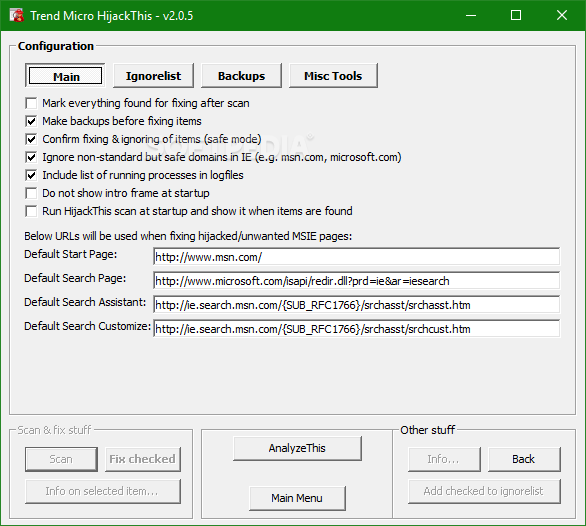
The user interface does not sport any visual incentives, but it is straightforward and intuitive. From the main menu you can perform a system scan and, optionally, save the results to a log file, view the list of backups, open the miscellaneous tools section or open the online HiJackThis QuickStart.
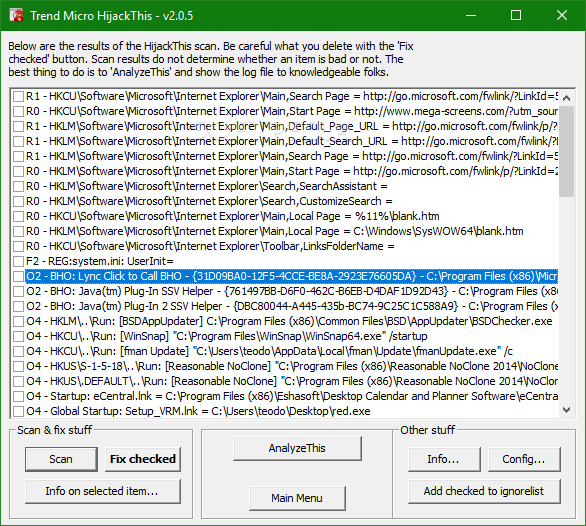
System scans are performed extremely fast, at the end of which a list of detected issues is displayed, with the possibility to fix them. An option to select all the files at once is not available, and therefore you find yourself needing to perform the selection manually.
Before repairing the checked files, it is highly recommended that you backup your registry or create a system restore point. On the upside, the application offers you pieces of information on every item and also enables you to add them to an ignore list. Once the detected issues are fixed (which can either mean repaired or deleted), your computer may need a restart.
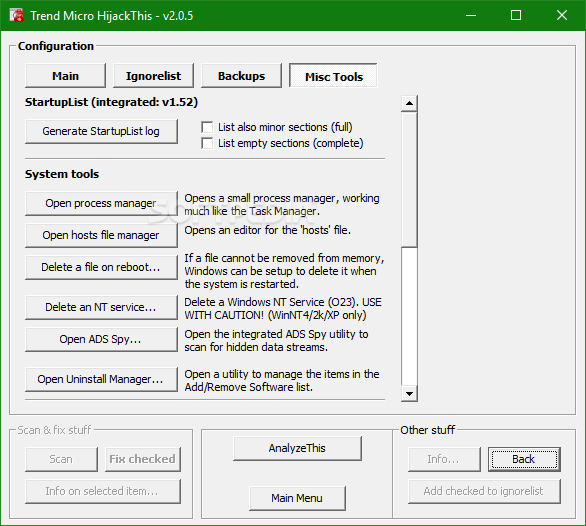
From the Miscellaneous Tools section you can generate a startup list log, open process manager or the hosts file manager, delete a file on reboot or an NT service, open ADS Spy or trigger the Uninstall Manager. If you have trouble interpreting reports, you can use LogAnalyzer.
In conclusion, Hijack This is a detection tool that scans your computer registry and identifies unusual behavior in your browser. Since it performs irreversible changes to your computer, it needs to be handled with care, preferably by advanced users. The response time is good and the computer’s performance is not affected in a significant manner, yet the interface is not so easy on the eyes.
If you are interested in bypassing the installation process, you should know a portable counterpart is available, called Trend Micro HijackThis Portable.
What's new in Trend Micro HijackThis 2.0.4:
- Fixed parser issues on winlogon notify
- Fixed issues to handle certain environment variables
- Rename HJT generates complete scan log
Trend Micro HijackThis 2.0.5 Beta / 2.0.4
add to watchlist add to download basket send us an update REPORT- runs on:
- Windows All
- file size:
- 1.3 MB
- filename:
- HijackThis.exe
- main category:
- Antivirus
- developer:
- visit homepage
IrfanView

7-Zip

ShareX

Zoom Client

calibre

Context Menu Manager

Microsoft Teams

4k Video Downloader

Bitdefender Antivirus Free

Windows Sandbox Launcher

- 4k Video Downloader
- Bitdefender Antivirus Free
- Windows Sandbox Launcher
- IrfanView
- 7-Zip
- ShareX
- Zoom Client
- calibre
- Context Menu Manager
- Microsoft Teams