
Dedicated to Windows Server 2003 and XP users, this application helps you protect your system in real-time, as well as scan for spyware and remove it. #Protect from spyware #Remove spyware #Clean computer #AntiSpyware #SpyNet #Spyware

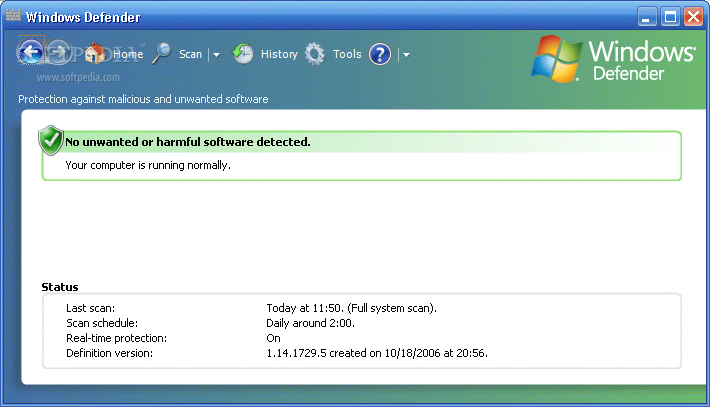
Windows Defender XP is a security software application that protects your Windows operating system against spyware, malware and other software that is considered dangerous by preventing, removing or quarantining them.
Windows Defender can only be installed on Windows Server 2003 Service Pack 1 and 2, and Windows XP. On Windows Vista and 7, the application is shipped as a built-in security feature, while on Windows 8 it has been upgraded to an antivirus.
First and foremost, you should know that it is essential to remove other security technologies before installing Windows Defender, as this can potentially cause harm to your operating system.
The interface in Windows Defender is pretty standard, which means that all types of users can learn how to handle it without encountering any kind of issues.
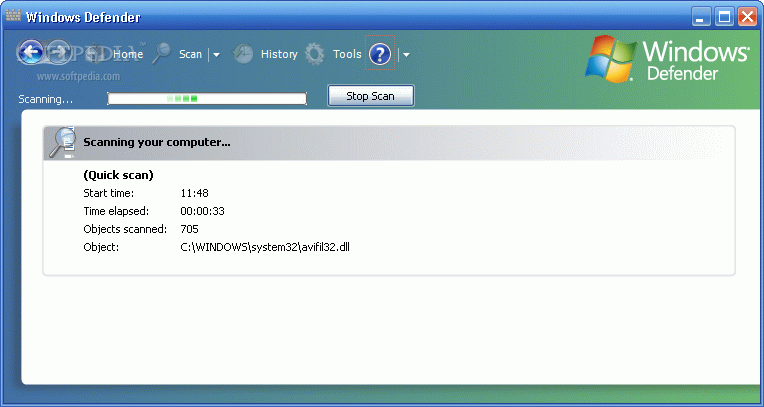
There are three different types of scans you can take advantage of, namely “Quick” (a speedy analysis of the critical files), “Full” (thoroughly analyzes the system) and “Custom” (allows you to select the locations to be analyzed). The scan reports display the detected malicious software infiltrated in the system and urges you to remove it or quarantine it.
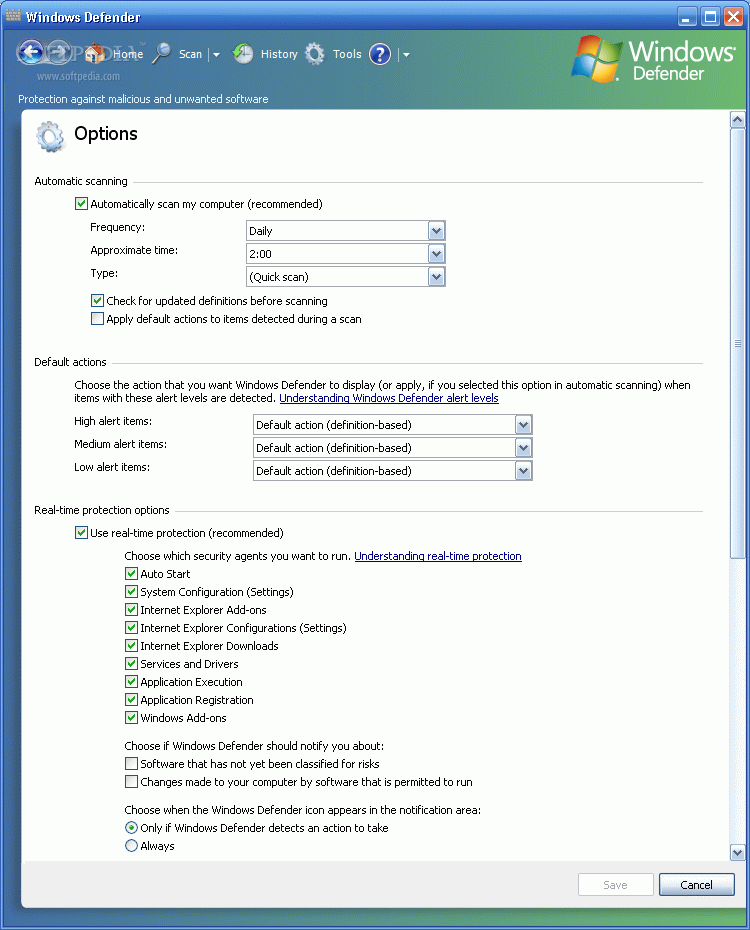
It is possible to view all Windows Defender’s activities in the history section, while the “Tools” area enables you to customize the utility’s options, set up quarantined or allowed items, and download the latest updates.
Windows Defender uses little RAM and boasts real-time protection features, such as Auto Start (monitors pre-configured programs that automatically run at startup), Internet Explorer Add-ons (monitors extensions that automatically run at Internet Explorer startup), Internet Explorer Configurations (monitors the status of settings in Internet Explorer), and a few others.
If you are running on an operating system newer than XP, Windows Defender is already included in your system’s security. For older operating systems, it is certainly a recommendable addition for the sole purpose of strengthening your PC’s security level. It did not pop up errors or hang in our tests, and its response time was quite good.
Download Hubs
MS Windows Defender XP is part of these download collections: Spyware Remover, Pop-up Blockers
MS Windows Defender XP 1.153.1833.0
 Softpedia Editor's Pick
add to watchlist
add to download basket
send us an update
REPORT
Softpedia Editor's Pick
add to watchlist
add to download basket
send us an update
REPORT
- runs on:
-
Windows 2003
Windows XP - file size:
- 4.9 MB
- main category:
- Internet
- developer:
- visit homepage
4k Video Downloader

Microsoft Teams

Context Menu Manager

IrfanView

Windows Sandbox Launcher

calibre

Bitdefender Antivirus Free

7-Zip

Zoom Client

ShareX

- 7-Zip
- Zoom Client
- ShareX
- 4k Video Downloader
- Microsoft Teams
- Context Menu Manager
- IrfanView
- Windows Sandbox Launcher
- calibre
- Bitdefender Antivirus Free