
Open and check out the content saved in the databases without having Microsoft Access installed on your PC using this straightforward tool. #MDB Viewer #View MDB #View Table #View #Viewer #Display
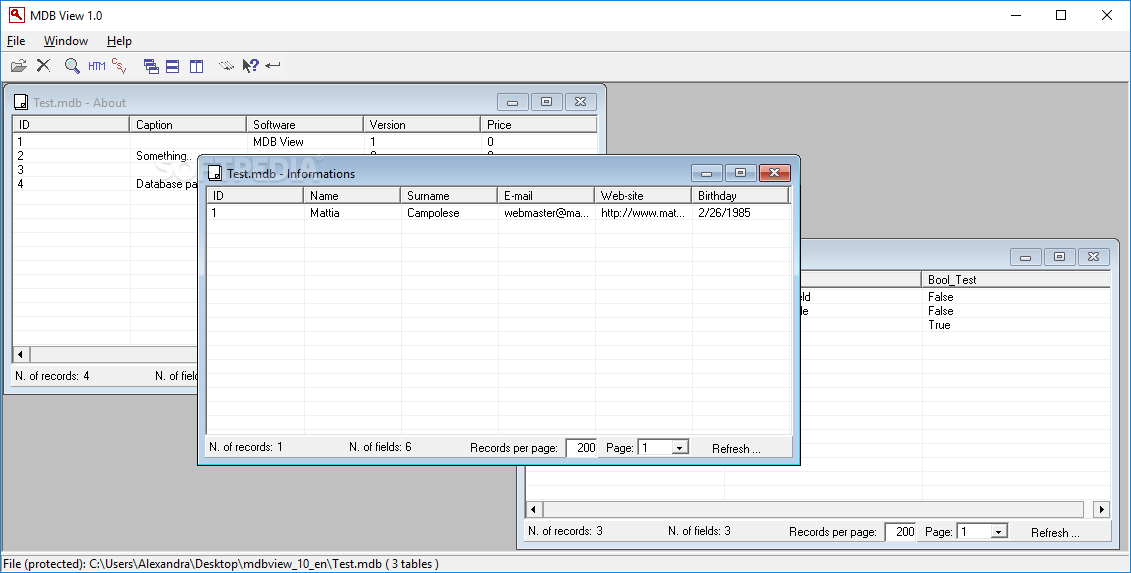
The default format associated with Microsoft Access is MDB, and this type of files includes database tables, fields and rows – if one does not want to install Access Runtime, these files can be accessed by various third-party applications, even though editing options are not available. MDB View is one of the tools that can be used to preview the contents of such files.
Since MDB View does not need to be installed onto the target PC, it can be carried on USB devices and launched whenever an Access file needs to be opened.
MDB View comes with a minimalistic interface, without seeming too crowded or too simplistic, and all its functions are structured within menus.
The software can process an MDB file even if it includes multiple databases, as it will open each of them in its own window. The layout can be customized according to the user's choice, so the windows can be cascaded, tiled horizontally or vertically.
Also in terms of display, one can adjust the dimensions of the columns, either increase their width or reduce it, depending on the necessities. The contents of each field can be copied to the clipboard, so users can choose precisely the data they need to extract and paste it within another file.
Since MDB View does not support any editing options, users need to export their database files to other formats that can be managed with greater ease. The output formats are HTML and CSV, and they can be modified by countless third-party applications.
Another benefit of MDB View is that it supports password-protected MDB yet it requires the correct password to be entered in order to open the database.
To sum it up, MDB View comes in handy to all those who frequently need to open MDB files, extract specific info from the database or export the files to other formats.
Download Hubs
MDB View is part of these download collections: Open MDB, MDB Viewer
MDB View 1.0
add to watchlist add to download basket send us an update REPORT- runs on:
- Windows All
- file size:
- 439 KB
- filename:
- mdbview_10_en.zip
- main category:
- Internet
- developer:
Zoom Client

7-Zip

Context Menu Manager

4k Video Downloader

IrfanView

Bitdefender Antivirus Free

Windows Sandbox Launcher

Microsoft Teams

ShareX

calibre

- Microsoft Teams
- ShareX
- calibre
- Zoom Client
- 7-Zip
- Context Menu Manager
- 4k Video Downloader
- IrfanView
- Bitdefender Antivirus Free
- Windows Sandbox Launcher