
Create backups of system partitions, folders and files, Exchange or SQL server databases, generate bootable recovery disks and use scripts to automate tasks. #Server backup #Partition backup #SQL backup #Backup #Recovery #Recover
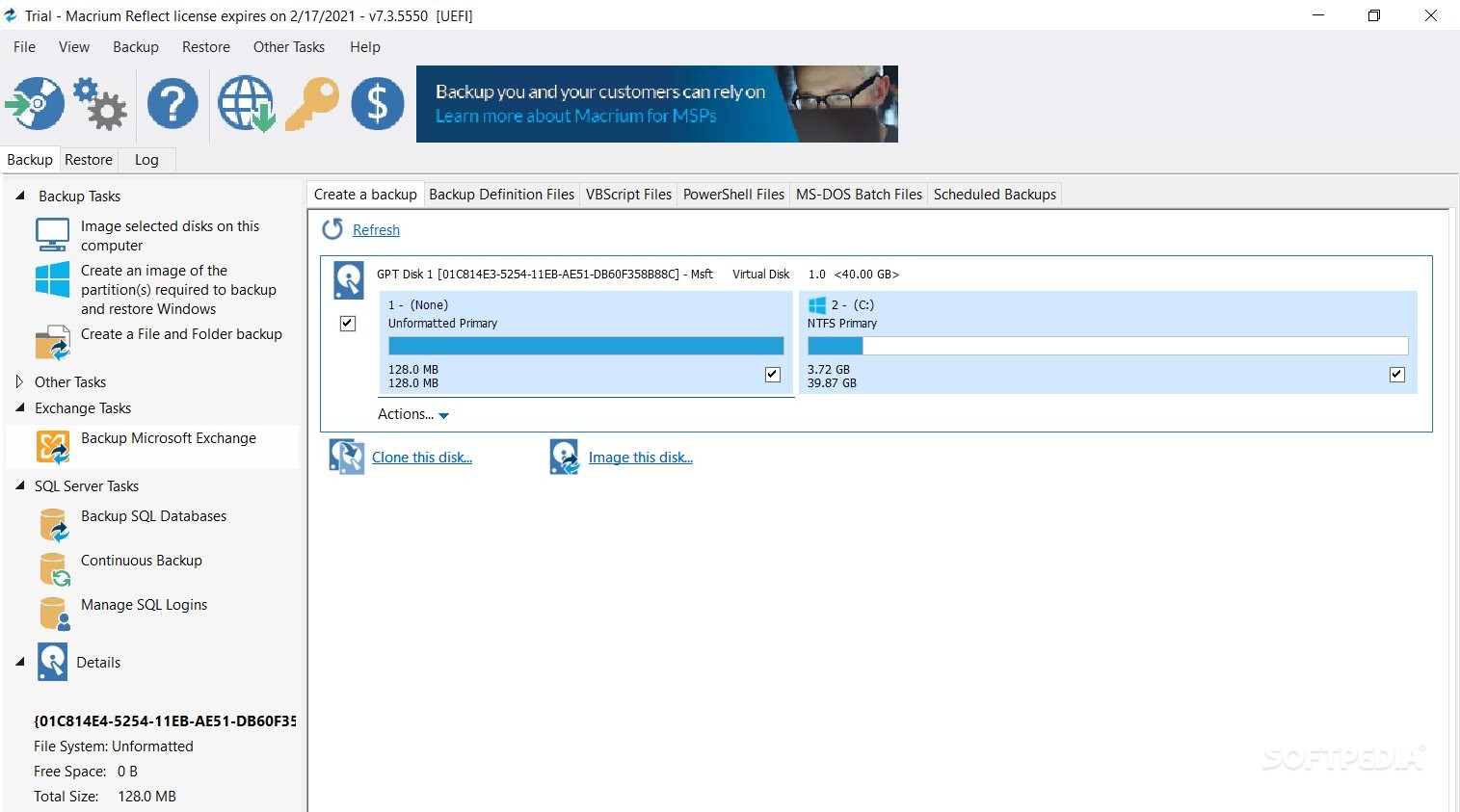
Macrium Reflect Server Plus Edition is a professional piece of software whose main purpose consists of catering to your every backup need, being able to work not only with files, folders or system partitions, but also Exchange and SQL Server installations.
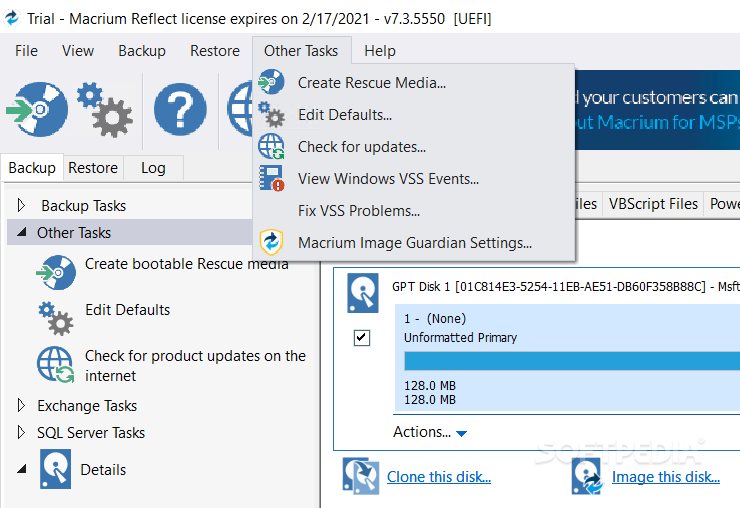
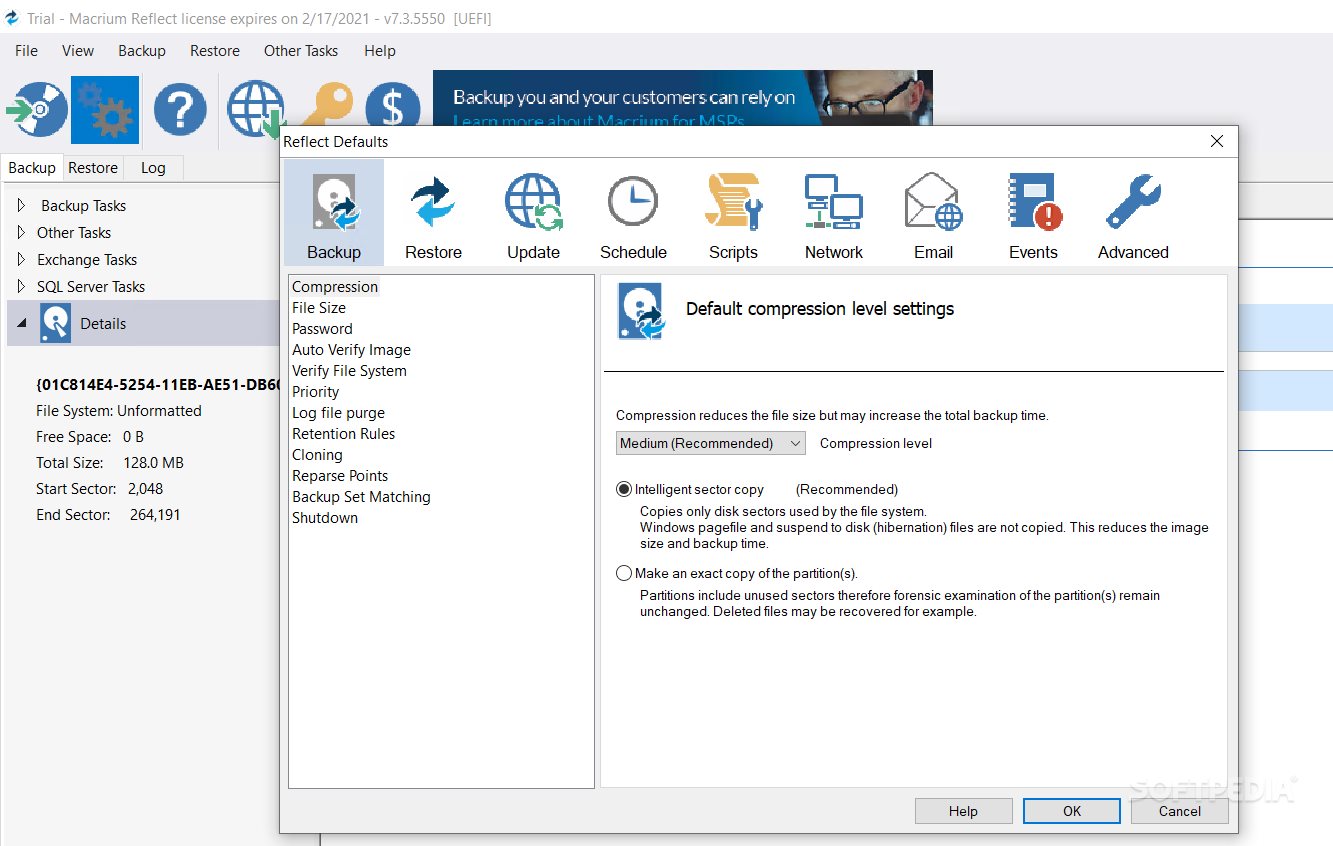
The program displays a well-structured user interface, its main window relying on tabs to group the ‘Backup’, ‘Restore’ and ‘Log’ functions, so you can easily work with the one you need, without having to waste too much time trying to locate it.
By default, the main window of opens the ‘Backup’ tab of Macrium Reflect Server Plus Edition and displays the detected system drives, allowing you to perform ‘Backup Tasks’, ‘Exchange Tasks’ or ‘SQL Server Tasks’, depending on your current needs.
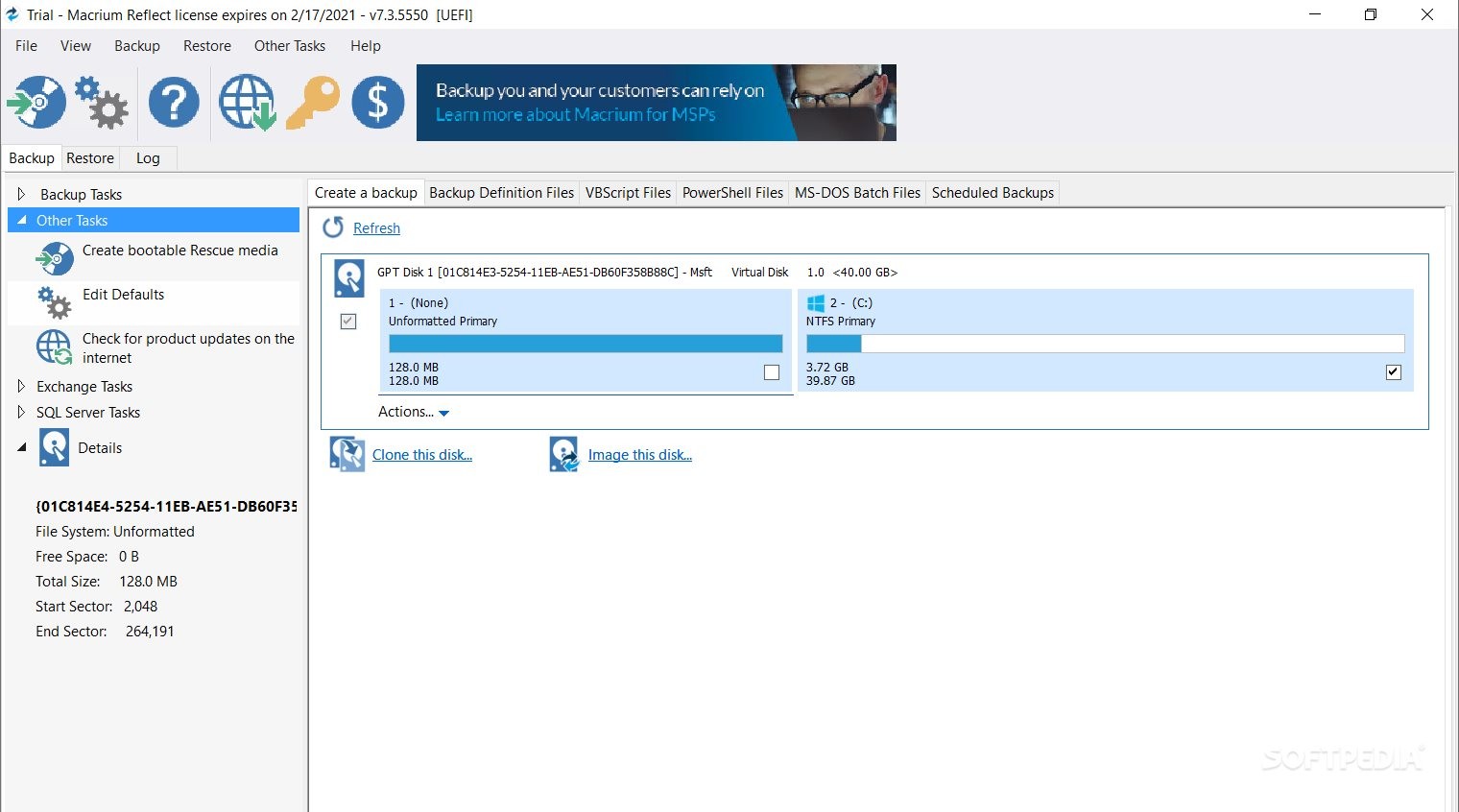
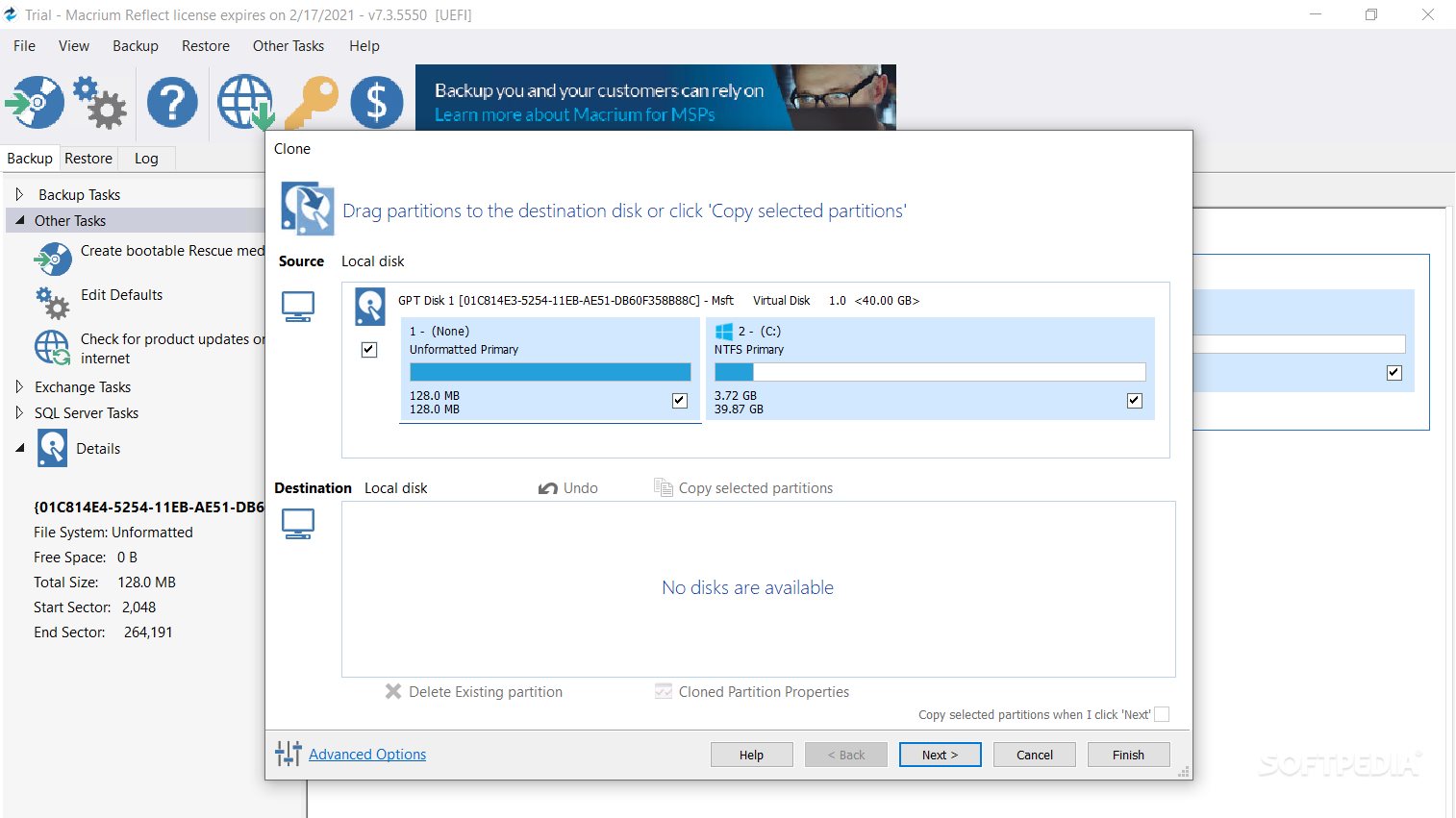
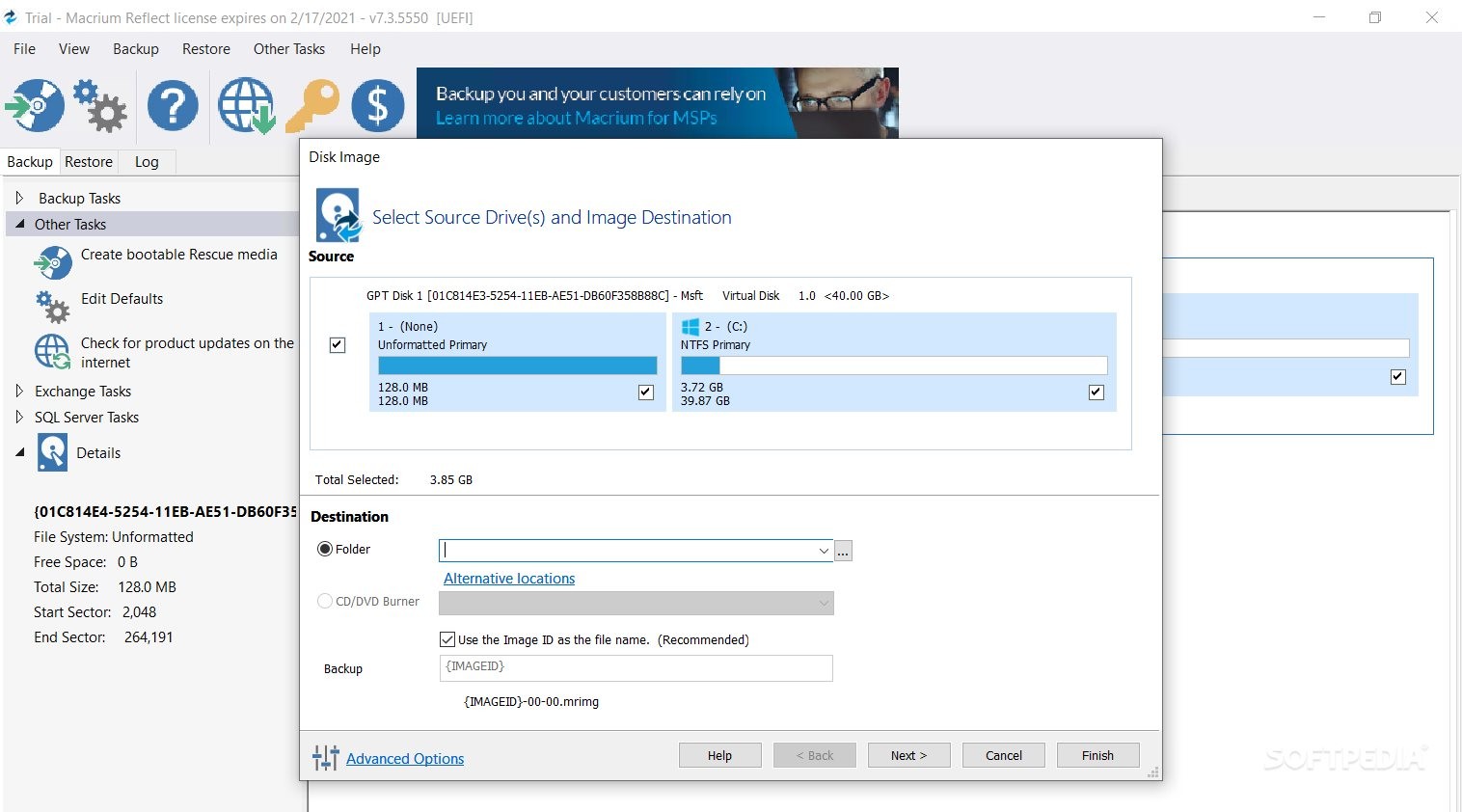
This comprehensive application is capable of creating a backup file of an entire computer disk or only selected partition. Similarly, it can generate copies of selected directories or files, as well as automatically detect any server installation, SQL or Exchange, allowing you to back it up as you would with a regular drive.
Macrium Reflect Server Plus Edition supports creating ‘Backup Definition Files’ in XML format, as well as ‘VBS Script Files’ or ‘MS-DOS Batch Files’. Moreover, it enables you to schedule tasks based on any of them, supporting full, incremental and differential operations.
The task can be run only once, on a preferred date and time, but it can also be repetitive, occurring on a daily, weekly or monthly interval, whenever the computer starts or when you log on to your account.
In what concerns retrieving lost or damaged data from a previously generated image, you simply need to select the MRIMG file, then press the ‘Restore Image’ button to recover your data. This functions in a similar fashion for file and folder backups, as well as Microsoft Exchange or SQL Server restoration tasks.
When considering all of the above, it can easily be concluded that Macrium Reflect Server Plus Edition is a complete solution that can satisfy most, if not all your backup and recovery requirements, with a minimal effort entailed for you.
What's new in Macrium Reflect Server Plus Edition 8.1 Build 7847:
- General:
- Support for DirectStorage has now been added to our MRVDP, MRVHDX and MRVMDK file-system filter drivers.
- If multiple backup destinations exist for the same unavailable network share, then Reflect will now only attempt to login once when populating the Existing Backups view. This speeds up population execution.
- Reflect Uninstall was not cleaning up all viBoot services. This has been resolved.
Macrium Reflect Server Plus Edition 8.1 Build 7847
add to watchlist add to download basket send us an update REPORT- runs on:
-
Windows 11
Windows Server 2022
Windows Server 2019
Windows Server 2016
Windows 10 32/64 bit
Windows Server 2012
Windows 2008 R2
Windows 2008 32/64 bit
Windows 2003
Windows 8 32/64 bit
Windows 7 32/64 bit
Windows Vista 32/64 bit
Windows XP 32/64 bit - file size:
- 217 MB
- filename:
- reflect_server_plus_setup_x86.exe

- main category:
- System
- developer:
- visit homepage
IrfanView

Bitdefender Antivirus Free

calibre

Zoom Client

ShareX

Windows Sandbox Launcher

Microsoft Teams

7-Zip

4k Video Downloader

Context Menu Manager

- 7-Zip
- 4k Video Downloader
- Context Menu Manager
- IrfanView
- Bitdefender Antivirus Free
- calibre
- Zoom Client
- ShareX
- Windows Sandbox Launcher
- Microsoft Teams