
Keep your Samsung handset's applications and firmware up to date while synchronizing it with your PC using this software application. #Samsung Manager #Connect Samsung #Synchronize Samsung #Phone #Samsung #Sync
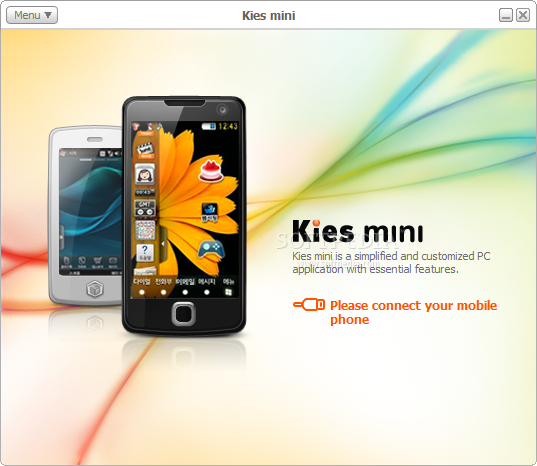
Samsung is one of the most popular mobile phone manufacturers in the world, and since users throughout the globe purchase their handsets on a regular basis, it comes as no surprise that they also developed dedicated computer tools to manage mobile data via PCs. Samsung Kies Mini is such a software solution.
As suggested by its title, it is a minimalist version of Samsung Kies, as it features fewer functions than the full edition. The main difference resides in the fact that Samsung Kies Mini can only be used with certain phone models (such as Vibrant, Captivate or Infuse), whereas Samsung Kies is compatible with a wider range of devices.
In order to benefit from the functions of Samsung Kies Mini, users need to connect their phones via USB cable to the computer, then wait until the application displays the available updates for the exact phone model. Users can choose to apply all or only part of the offered upgrades, depending on their choice.
The handset's battery needs to be fully charged - installing or updating new apps on the phone typically puts a strain on it, and insufficiently charged battery might prevent the process from completion. One also needs to keep in mind that they should not disconnect the phone from the computer until Samsung Kies Mini displays a message that the process has finished (otherwise, the handset might become inoperable).
Before updating the phone's apps or firmware, it is recommended to create a backup just in case issues occur - thus, users can be sure that their data is not lost during the update process (including contacts, messages or multimedia files).
Rebooting the phone is expected behavior, so users need not panic about this - once the update is completed and the Idle Screen of the phone is displayed, the handset can be disconnected from the computer and users can start exploring the new apps and features installed on their device, just as expected.
Taking everything into consideration, we can say that Samsung Kies Mini is a handy alternative for its bigger brother, but only if your device is found on the list of supported ones. Keeping firmware and drivers up to date can prevent unexpected crashes, so you might want to give this utility a try.
Samsung Kies Mini 1.0.0.11011-4
add to watchlist add to download basket send us an update REPORT- runs on:
-
Windows 7
Windows Vista
Windows XP - file size:
- 40.9 MB
- filename:
- Kies_Mini_For_Captivate_11011_4.exe
- main category:
- Internet
- developer:
- visit homepage
Bitdefender Antivirus Free

calibre

IrfanView

Zoom Client

ShareX

Context Menu Manager

Windows Sandbox Launcher

Microsoft Teams

7-Zip

4k Video Downloader

- Microsoft Teams
- 7-Zip
- 4k Video Downloader
- Bitdefender Antivirus Free
- calibre
- IrfanView
- Zoom Client
- ShareX
- Context Menu Manager
- Windows Sandbox Launcher