
Convert your SWF files to one of multiple supported video formats, download Flash animations from the Internet and edit them easily with this handy application. #SWF Converter #Flash Converter #Convert SWF #SWF2MP4 #SWF2AVI #Watermark

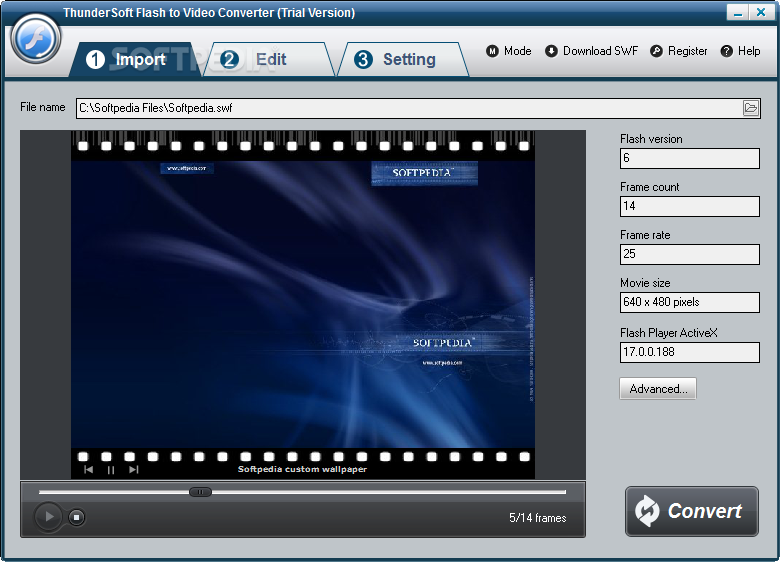
As its title suggests, ThunderSoft Flash to Video Converter is a program that you can use to encode video files from the SWF format to multiple extensions, including AVI, WMV, MPG and MKV. It can be handled by all user levels.
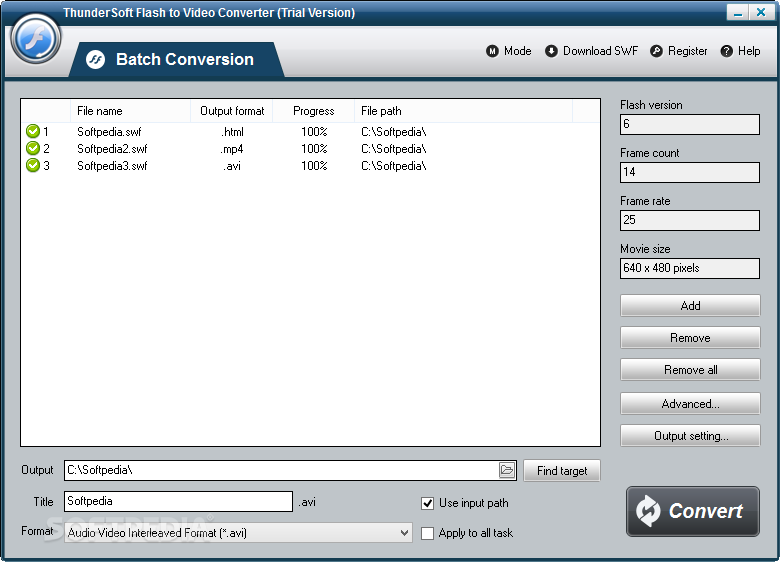
The interface of the software is plain and simple to work with. You can import a SWF video via the file browser only, since the "drag and drop" method is not supported. Batch processing is allowed.
You can check out the Flash version, frame count, frame rate, movie size and player version of the current video, as well as preview the clip in a built-in media player. All you have to do is specify the output format and location, in order to proceed with the encoding job.
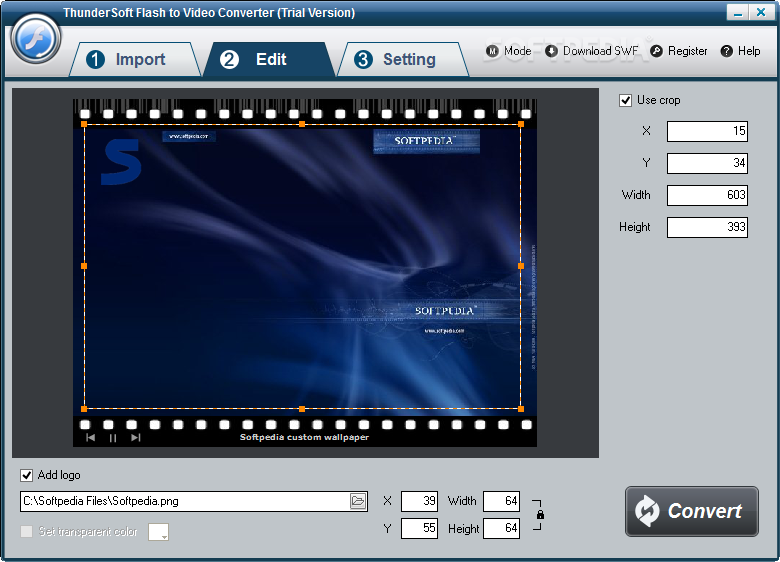
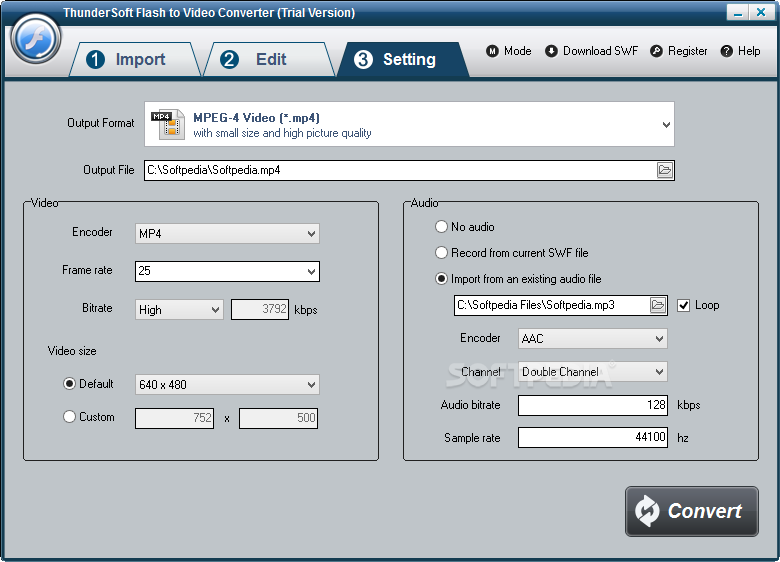
On top of that, you can change audio and video settings when it comes to the encoder, frame rate, bit rate, size, channel mode, sample frequency rate and others, as well as crop clips and add logos.
The video conversion software takes a very long time to complete a task (longer than the length of the video) while using a massive amount of system resources. The converted image and sound quality is not impressive and the videos don't run smoothly. On the other hand, you can check out a comprehensive help file with snapshots for novices online. But, even so, we recommend you look for a more powerful tool than ThunderSoft Flash to Video Converter.
ThunderSoft Flash to Video Converter 5.4.0
add to watchlist add to download basket send us an update REPORT- runs on:
-
Windows 11
Windows 10 32/64 bit
Windows 8 32/64 bit
Windows 7 32/64 bit
Windows Vista 32/64 bit
Windows XP - file size:
- 15.5 MB
- filename:
- FVSetup_trial.zip
- main category:
- Internet
- developer:
- visit homepage
7-Zip

Bitdefender Antivirus Free

Zoom Client

ShareX

calibre

4k Video Downloader

IrfanView

Windows Sandbox Launcher

Context Menu Manager

Microsoft Teams

- Windows Sandbox Launcher
- Context Menu Manager
- Microsoft Teams
- 7-Zip
- Bitdefender Antivirus Free
- Zoom Client
- ShareX
- calibre
- 4k Video Downloader
- IrfanView