
Selectively transfer items between two databases of different types with this intuitive application that supports SQLITE, MDB and SQL items. #Database migration #Migrate database #Transfer database #Database #Migrate #SQL
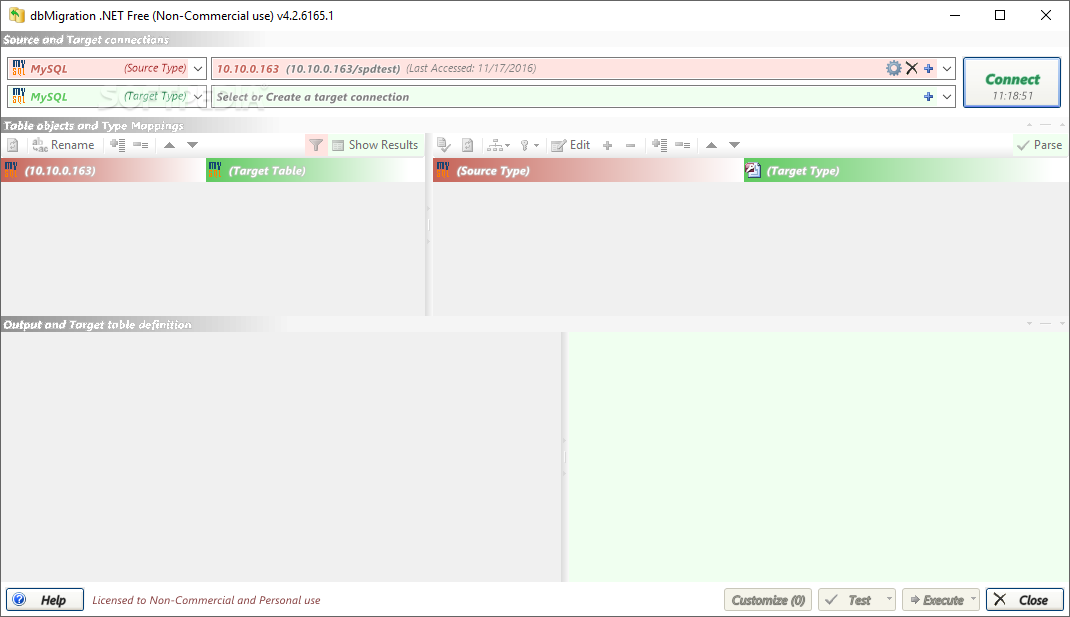
The wide variety of available database formats has created a significant demand for any utilities that can assist users in effectively transferring information between different servers. Supporting a wide variety of data containers, dbMigration .NET allows its users to quickly and selectively migrate information.
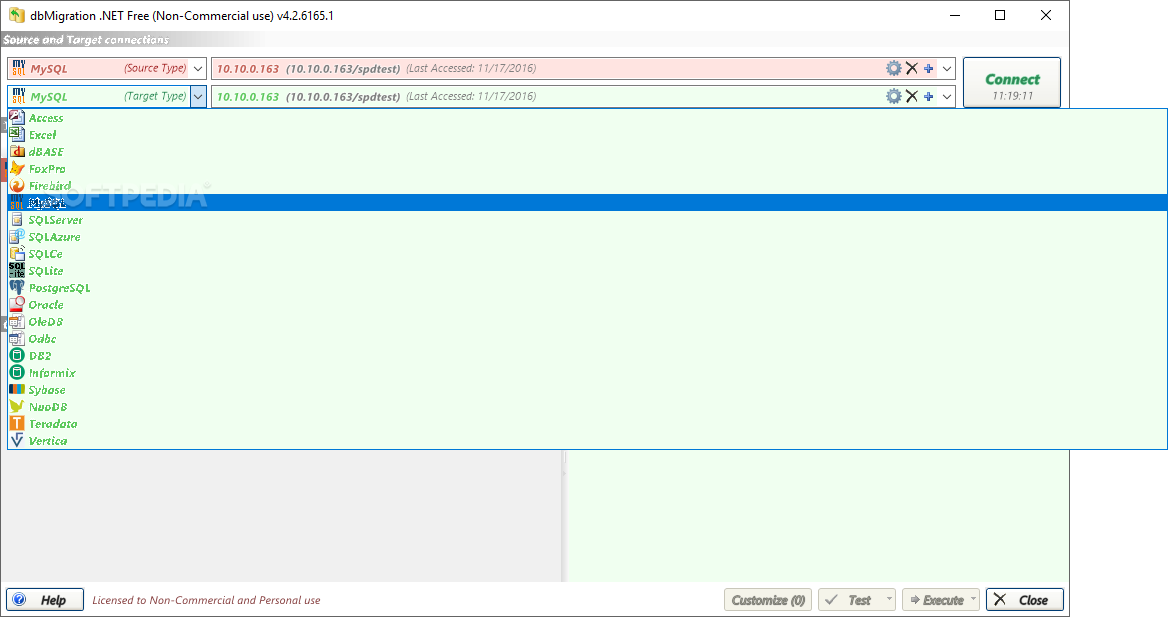
The program is compatible with 17 types of databases, including common choices, such as SQL, MySQL, Access or Oracle servers, as well as more 'exotic' items like Vertica, NuoDB or Teradata containers.
This setup covers most common data migration needs and another strong point is the highly accessible nature of the application. In essence, the program requires four essential steps to transfer information: select source database, choose target server, define the information that is to be migrated and click on the “Execute” button.
Indeed, since some server-related tools can be quite complicated and user-unfriendly, the highly accessible layout is to be lauded. Simple checkboxes are used to indicate which data is migrated from the source server and a preview panel allows one to assess the final results.
A source code dump is also created, allowing tech-savvy users to ensure final results are on par with their expectations. Once satisfied with the initial parameters, a simple click on the “Execute” button is enough o start the migration, point at which an informative progress bar estimates the duration of the transfer.
Summing up, dbMigration .NET is a practical solution for anyone who regularly and concurrently uses databases of different types. The lightweight program can be employed to quickly transfer data between common and less common information servers such as SQL, MySQL, Vertica, NuoDB, Teradata, Access or Oracle items.
What's new in dbMigration .NET 16.8.8816.1:
- Upd: [Same type] Database object migration adds support for index expression (8816)
- Upd: [Same type] Database object migration adds support for partial indices (8816)
- Fix: Correction [Non-same type] Database source and destination index generation issues (8816)
- Fix: (PostgreSQL) Fix the issue where obtaining multiple fields fails (8816)
dbMigration .NET 16.8.8816.1
add to watchlist add to download basket send us an update REPORT- runs on:
-
Windows 11
Windows Server 2022
Windows Server 2019
Windows Server 2016
Windows 10 32/64 bit
Windows Server 2012 R2
Windows Server 2012
Windows 2008 32/64 bit
Windows 2003
Windows 8 32/64 bit
Windows 7 32/64 bit
Windows Vista 32/64 bit - file size:
- 30 MB
- filename:
- DBMigration.zip
- main category:
- Internet
- developer:
- visit homepage
7-Zip

IrfanView

Microsoft Teams

4k Video Downloader

Zoom Client

Bitdefender Antivirus Free

Context Menu Manager

calibre

Windows Sandbox Launcher

ShareX

- calibre
- Windows Sandbox Launcher
- ShareX
- 7-Zip
- IrfanView
- Microsoft Teams
- 4k Video Downloader
- Zoom Client
- Bitdefender Antivirus Free
- Context Menu Manager