
Intuitive software program designed to help you rip digital music from CDs and convert CD files to MP3 or WAV format using simple tasks. #Audio ripper #CD ripper #Rip CD #Ripper #Rip #Encode

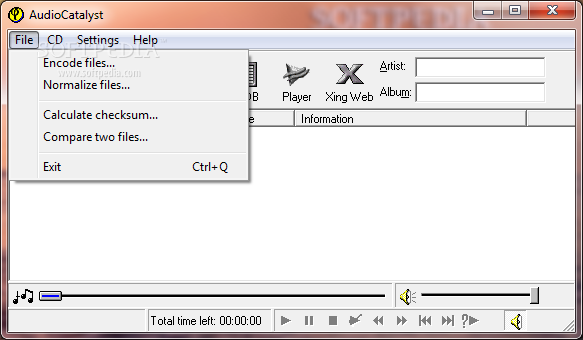
AudioCatalyst is one of the most widely used CD rippers and audio encoders ever to meet this software category. Based on AudioGrabber, AudioCatalyst aims to convert CD files to MP3 or WAV format in a few easy steps.
The application relies on XingMP3 Encoder to digitally encode music, which results in tracks of a smaller size without affecting the sound quality.
AudioCatalyst provides users with a simple and accessible interface; a few buttons and some menus on a side ensure that you have easy access to all of its functions.
In order to test and assess its functionality, simply insert your CD in the CD drive, and press "Grab." Once you have selected the music you want to convert, just press "Grab" and then watch the whole process work in the window below.
Of course, the time spent on each audio file depends on its size, so the process can take from a few seconds to a few good minutes. All efforts are worth it, since the result is an MP3/WAV audio file of a decent quality.
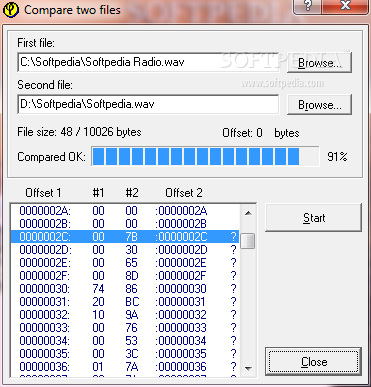
Features include VBR (Variable Bit Rate) encoding (useful for superior compression ratios), the possibility to encode segments of the original audio file, audio comparing and checksum utilities, as well as mono and stereo support.
All these considered, AudioCatalyst is definitely recommended in case you need an application that can rip digital music from CDs. Its simplicity and ease of use make it accessible to all user categories.
AudioCatalyst 2.1
add to watchlist add to download basket send us an update REPORT- runs on:
- Windows All
- file size:
- 2.8 MB
- filename:
- acw21t.exe
- main category:
- Multimedia
- developer:
- visit homepage
Microsoft Teams

calibre

Bitdefender Antivirus Free

4k Video Downloader

Windows Sandbox Launcher

IrfanView

Zoom Client

Context Menu Manager

ShareX

7-Zip

- Context Menu Manager
- ShareX
- 7-Zip
- Microsoft Teams
- calibre
- Bitdefender Antivirus Free
- 4k Video Downloader
- Windows Sandbox Launcher
- IrfanView
- Zoom Client
