Softpedia
 

WINDOWS CATEGORIES:


GLOBAL PAGES >>
SOFTPEDIA REVIEWS >>
MEET THE EDITORS >>
WEEK'S BEST
  • Sticky Password FR...
  • Parallels Workstat...
  • ESET NOD32 Antivir...
  • BitDefender Total ...
  • WinPatrol 24.6.201...
  • PerfectDisk Free D...
  • Adobe Photoshop CS...
  • PerfectDisk Profes...
  • Windows 8 Consumer...
  • Atlantis Word Proc...
  • Home > Windows > Multimedia > Audio > Audio CD Rippers & Encoders
     Report malware

    ImTOO DVD Audio Ripper 6.0.3 Build 0504

    download button

    Downloads: 17,202  View global page  Tell us about an update
    User Rating:
    Rated by:
    Fair (2.9/5)
    74 user(s)
    Developer:

    License / Price:

    Size / OS:

    Last Updated:

    Category:

    Demo / USD 29.95 buy button
    28.3 MB / Windows XP / Vista / Vista64 / 7 / 7 x64
    [view history]
    C: \ Multimedia \ Audio \ Audio CD Rippers & Encoders

     Read user reviews (1)  Send to friend   Follow (3 users)

    Softpedia Editor's Review for ImTOO DVD Audio Ripper

    EDITOR'S RATING:

    A DVD movie soundtrack ripper, extract soundtracks from DVDs to MP3 or WAV

    Written by Elena Opris on March 11th, 2012

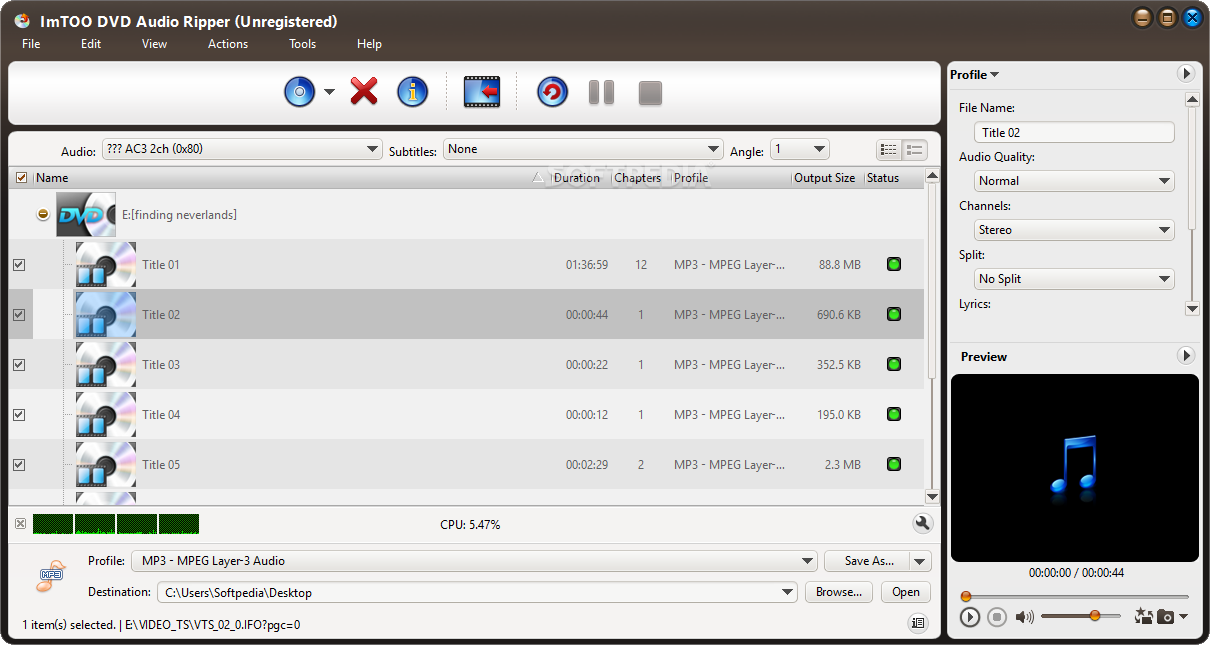
    ImTOO DVD Audio Ripper is a program that you can use to rip sound files from videos in the DVD format.

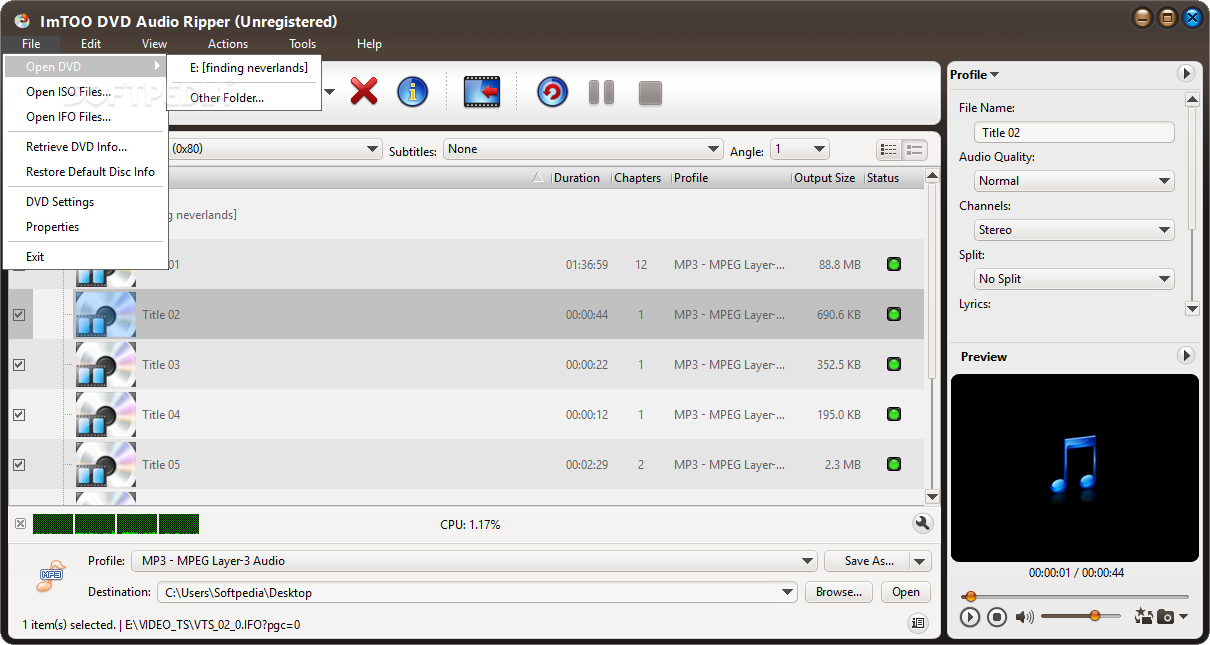
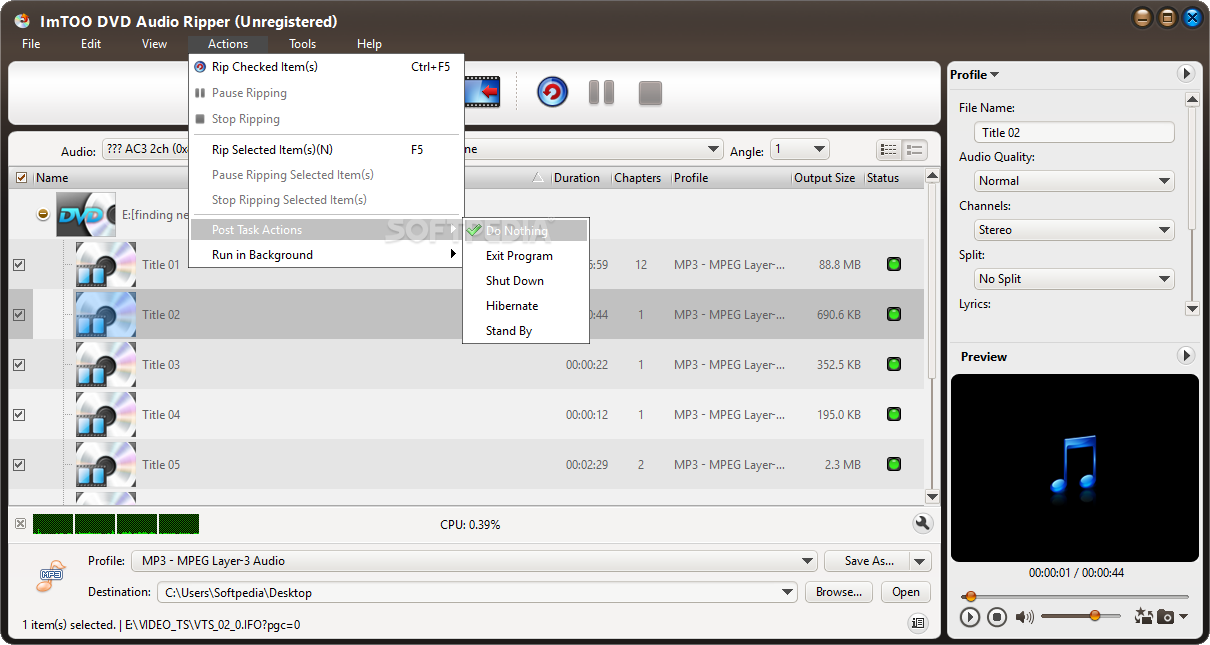
    The interface of the software is familiar and easy to navigate through. You can import a DVD from disc or the hard drive by using the file browser or the "drag and drop" method.

    In the list, you can view the name, duration, number of chapters, profile, output size and status of the respective DVD.

    So, you can select the output profile (e.g. MP3, AAC, OGG, WMA, WAV) and destination, and initiate the conversion process.

    But you can also preview the audio track (e.g. adjust the volume, navigate back and forth in the clip and configure settings when it comes to the audio quality, channels and lyrics.

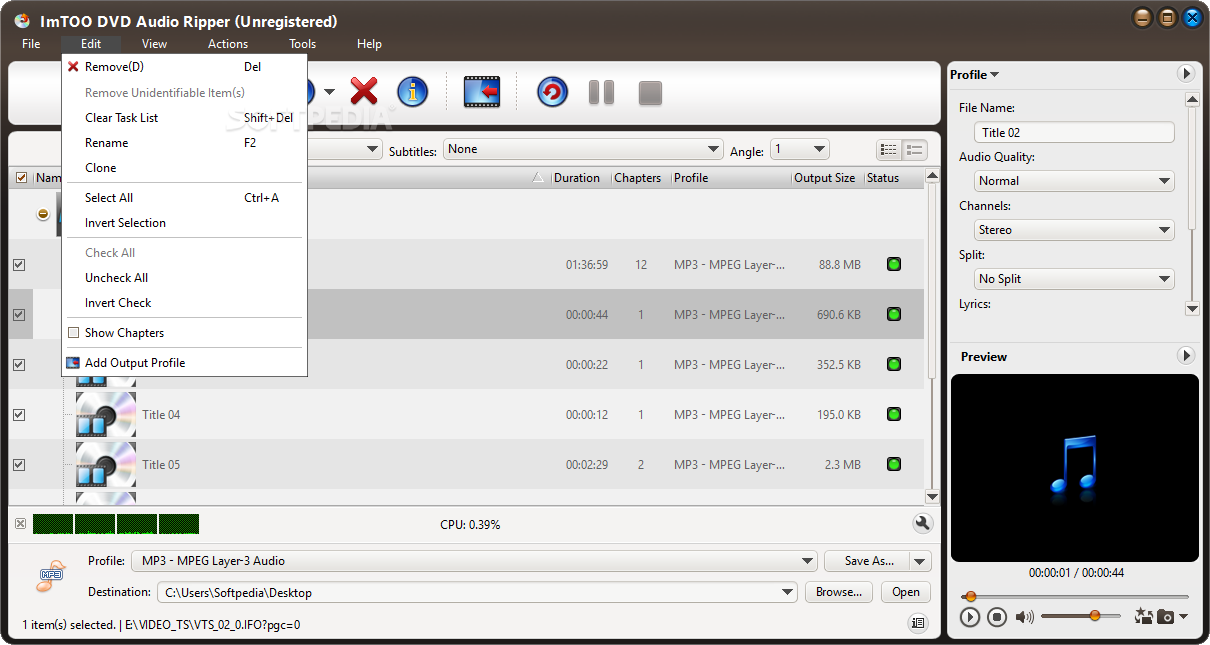
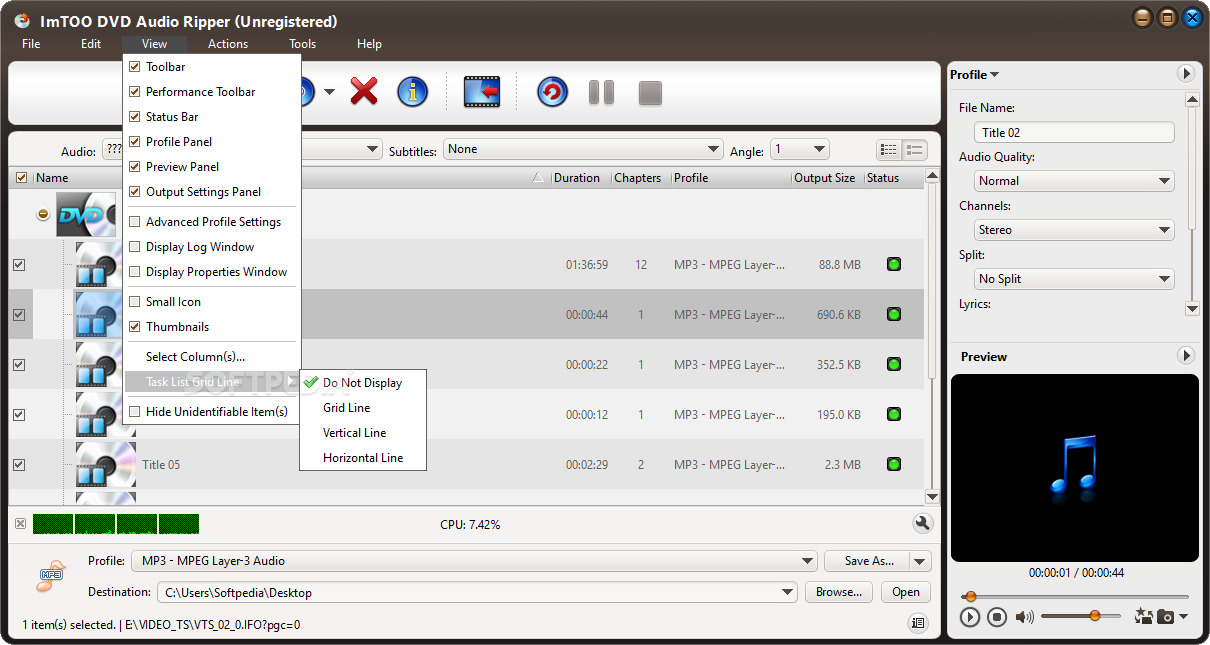
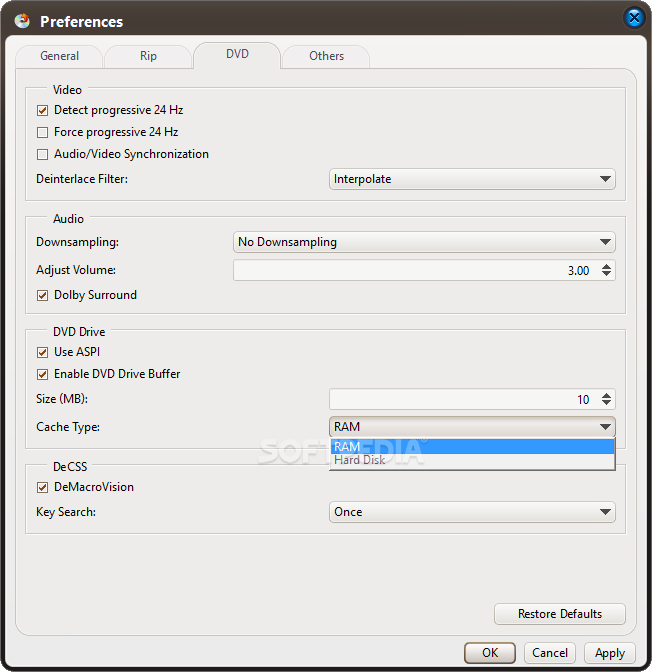
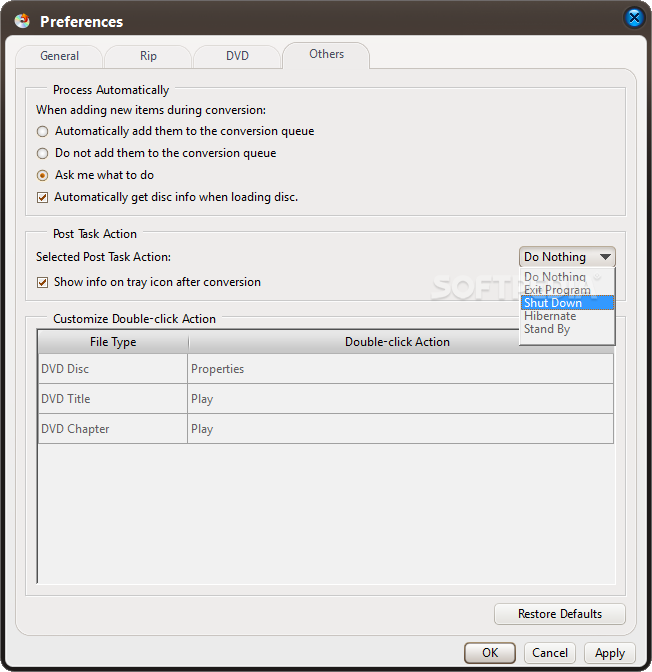
    Furthermore, you can select the audio language, subtitles and angle, as well as retrieve DVD information, configure DVD settings (e.g. enable audio and video synchronization, select the deinterlace filter), view file properties, clone a file, select by chapter, set ImTOO DVD Audio Ripper to run in the background (in low or normal priority, or when the system is idle), and more.

    The software uses very high system resources, can guide you to an online step-by-step tutorial with snapshots and didn't freeze or crash during our tests. It takes a reasonable amount of time to complete a task and manages to keep a good sound quality. We highly recommend this tool to all users.


    Read an in-depth analysis in our professional review for ImTOO DVD Audio Ripper

    ImTOO DVD Audio Ripper description

    Here are some key features of "ImTOO DVD Audio Ripper":

    · It supports AC3 and LPCM audio track and supports sample rate 44.1 kHz, 48 kHz and 48 kHz to 44.1 kHz down sampling
    · It supports ID3 tag and permits you to edit music info for each file before rip them
    · It also supports both DVDs and IFO files
    · It can rip DVD movies by chapters - DVD Audio Ripper will auto list all chapters in a DVD, then you can extract sound tracks by chapter easily
    · It can rip DVD movies by certain time or file size - If your DVD doesn't separate music through chapters, you also can rip it by certain time or file size, like rip DVD to MP3 every 5 minutes or every 5 MB
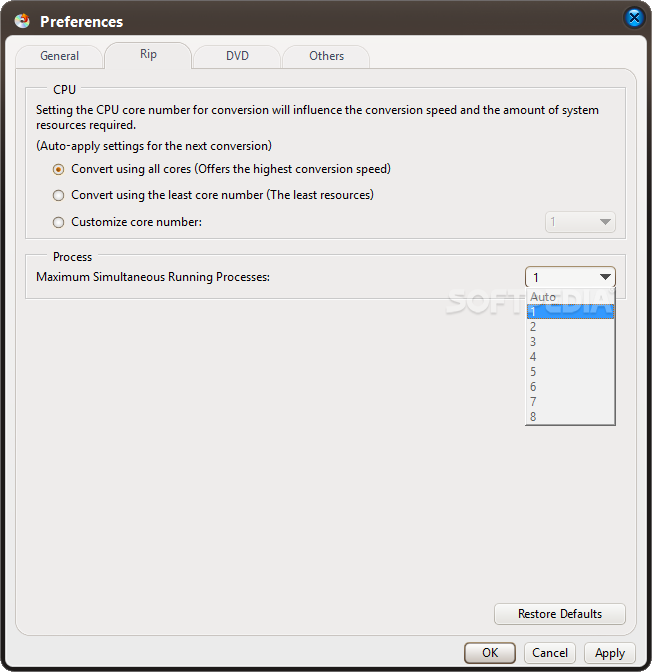
    · It can extract DVD sound track quickly - DVD Audio Ripper can check your CPU type automatically, use your CPU fully that ensure you can rip your DVDs with the best ripping speed. DVD ripping isn't a time-consuming work any more!
    · It supports batch conversion and multi-threading CPU, supports "Run Background" and any other status "After Ripping Done", thus the more files you convert within one time, the faster it works than other converters
    · It can extract complete music info from DVDs to preserve luxuriant sound effects
    · You may choose to retrieve DVD info and the software updates from the internet automatically or manually
    · You can concurrently setting divers output profiles for one source
    · You can take snapshots in previewing and customize output file size with a Bitrate Calculator

    Requirements:

    · 1GHz Intel/AMD processor or above
    · 256MB RAM (512MB or above recommended)
    · 100MB space for installation
    · Super VGA (800×600) resolution, 16-bit graphics card or higher
    · DVD-ROM drive

    Limitations:

    · 3-minute audio converison limit

    What's New in This Release: [ read full changelog ]

    · Makes the built-in player resizable
    · Switch the zoom mode between 4:3 and 16:9
    · Classifies the profile settings into different types
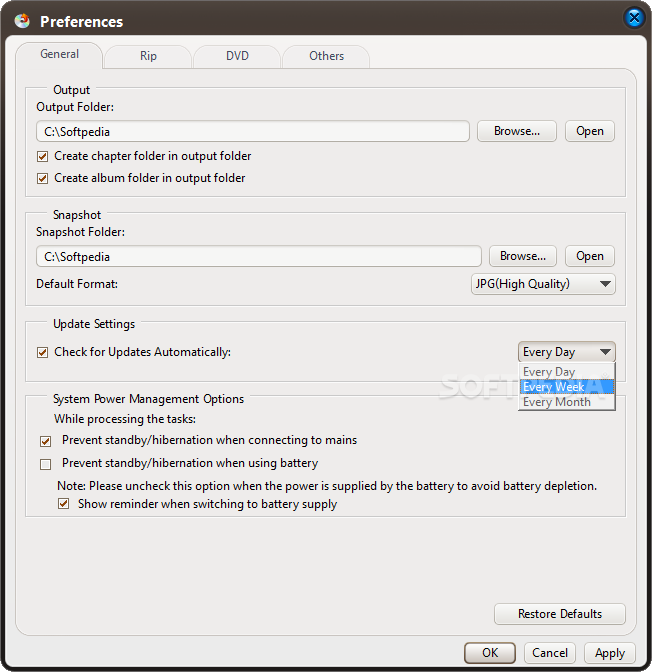
    · Added the function of power management

       Softpedia guarantees that ImTOO DVD Audio Ripper 6.0.3 Build 0504 is 100% CLEAN, which means it does not contain any form of malware, including spyware, viruses, trojans and backdoors. [read more >]


    TAGS:

    DVD ripper | audio ripper | soundtrack ripper | ripper | extract | convert


    HTML code for linking to this page:


    Go to top

    WindowsGamesDriversMacLinuxScriptsMobileHandheldNews

    SUBMIT PROGRAM   |   ADVERTISE   |   GET HELP   |   SEND US FEEDBACK   |   RSS FEEDS   |   UPDATE YOUR SOFTWARE   |   ROMANIAN FORUM