
Cut and edit MP3 files with this simple and intuitive application, that offers an easy to use range of options for modifying your audio tracks. #Cut MP3 #Edit MP3 #MP3 cutter #Cut #Edit #Cutter

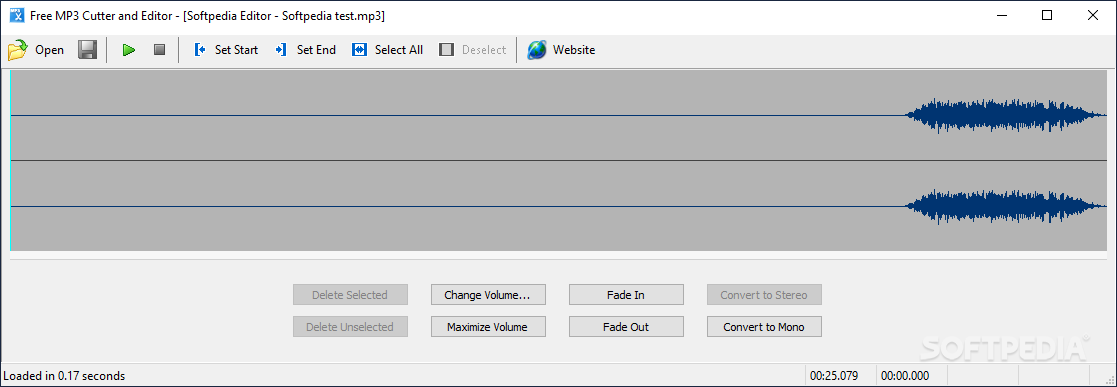
Free MP3 Cutter and Editor is software designed to help you cut and make some minor adjustments to your MP3 and WAV audio tracks.
Since this used to be an ad-supported product, you should be careful during the installation process, as it offered to download some unnecessary third-party components and to make some changes to your web browsers.
The interface of the tool is plain and simple, consisting only of a few buttons and a panel in which to view waveforms. Consequently, all types of users should be able to learn how to handle it with ease.
As stated above, this utility only supports MP3 and WAV file extensions, and it is possible to upload an audio track by using either the file browser or the "drag and drop" function.
It is possible to trim an audio file by specifying the starting and ending point, and save the piece in either of the aforementioned formats.
You can play the song, select and deselect all, adjust the volume of the audio file (optionally maximize it), apply a fade in and out filter, as well as convert the song to mono or stereo.
The program takes up a pretty low amount of CPU and system memory, and did not freeze or crash during our tests. There is no Help file available, yet that is because Free MP3 Cutter and Editor is extremely easy to use. However, there aren't nearly enough functions for this application to be called an MP3 editing tool (for example, you cannot insert silence or crop the song).
Taking all of this into consideration, Free MP3 Cutter and Editor is straightforward and simple to use. We mainly recommend it to inexperienced individuals.
Free MP3 Cutter and Editor 2.8.0 Build 3500
add to watchlist add to download basket send us an update REPORT- PRICE: Free
- portable version
- Free MP3 Cutter and Editor Portable
- runs on:
-
Windows 11
Windows 10 32/64 bit
Windows 2008
Windows 2003
Windows 8 32/64 bit
Windows 7 32/64 bit
Windows Vista 32/64 bit
Windows XP
Windows 2K - file size:
- 966 KB
- filename:
- MP3CutterSetup.exe
- main category:
- Multimedia
- developer:
- visit homepage
Zoom Client

ShareX

Context Menu Manager

Bitdefender Antivirus Free

Microsoft Teams

4k Video Downloader

calibre

7-Zip

Windows Sandbox Launcher

IrfanView

- 7-Zip
- Windows Sandbox Launcher
- IrfanView
- Zoom Client
- ShareX
- Context Menu Manager
- Bitdefender Antivirus Free
- Microsoft Teams
- 4k Video Downloader
- calibre