Softpedia
 

WINDOWS CATEGORIES:


GLOBAL PAGES >>
SOFTPEDIA REVIEWS >>
MEET THE EDITORS >>
WEEK'S BEST
  • Sticky Password FR...
  • Parallels Workstat...
  • ESET NOD32 Antivir...
  • BitDefender Total ...
  • WinPatrol 24.6.201...
  • PerfectDisk Free D...
  • Adobe Photoshop CS...
  • PerfectDisk Profes...
  • Windows 8 Consumer...
  • Atlantis Word Proc...
  • Home > Windows > Multimedia > Audio > Audio Convertors
     Report malware

    Advanced WMA Workshop 2.7.4

    Softpedia Pick Award
    download button

    Downloads: 7,522  Tell us about an update
    User Rating:
    Rated by:
    Fair (2.8/5)
    44 user(s)
    Developer:

    License / Price:

    Size / OS:

    Last Updated:

    Category:

    Trial / USD 24.95 buy button
    7.1 MB / Windows 2K / XP / 2003 / Vista / 7
    [view history]
    C: \ Multimedia \ Audio \ Audio Convertors

     Read user reviews (0)  Send to friend   Follow (0 users)

    Softpedia Editor's Review for Advanced WMA Workshop

    EDITOR'S RATING:

    Converter from MP3,OGG,WAV,CD to WMA 11 and vice versa with handy interface

    Written by Elena Opris on May 18th, 2012

    Advanced WMA Workshop is an application which allows you to convert audio tracks between various formats, including MP3, WMA, WAV and FLAC.

    If you're using Windows 7, then make sure to run Advanced WMA Workshop with administrative rights. Otherwise, it will pop up some errors.

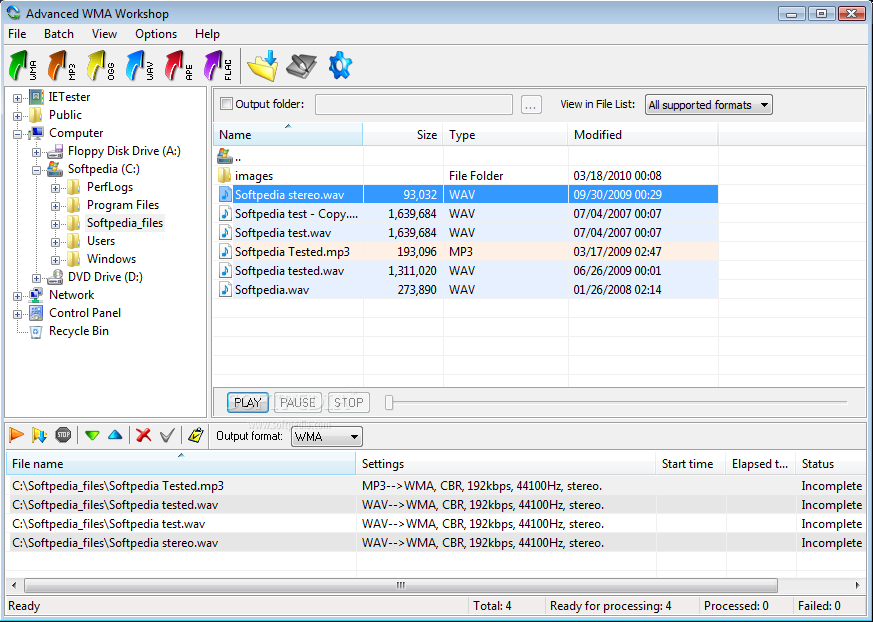
    The interface of the program is plain and intuitive. Thanks to the Explorer-based layout, you can easily locate tracks and select them for conversion.

    In the list you can check out the path, settings, start and elapsed time, as well as status of each audio file.

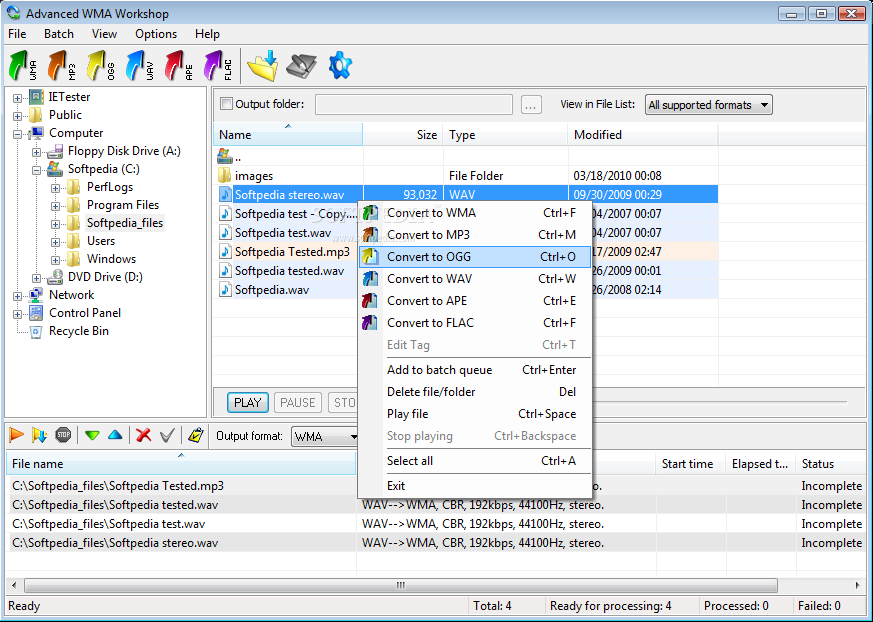
    So, all you have to do is specify the destination folder and extension, and Advanced WMA Workshop will take care of the rest.

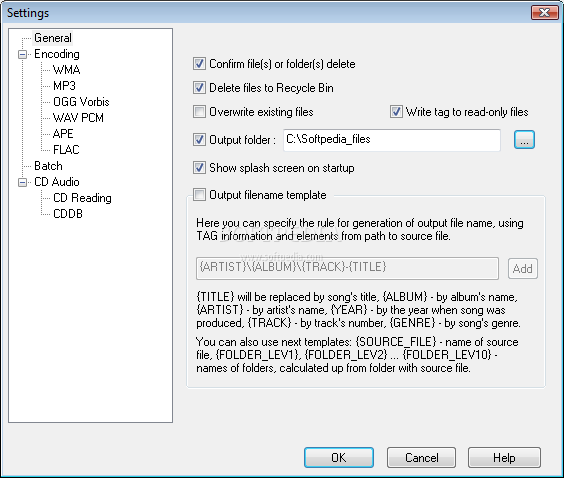
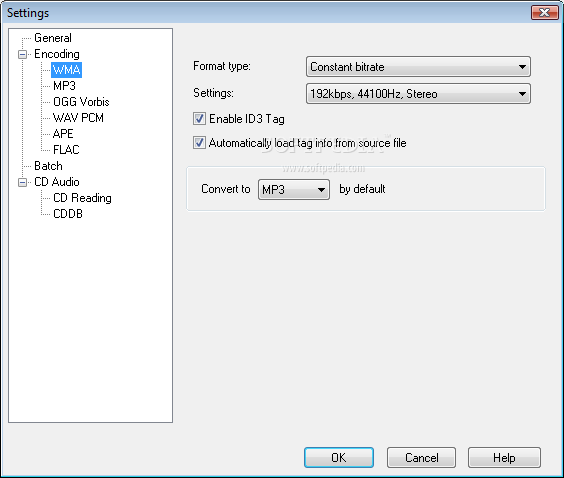
    In addition, you can access the "Options" area to change audio preferences for each format, such as bit rate, sample frequency rate, channels and compression level.

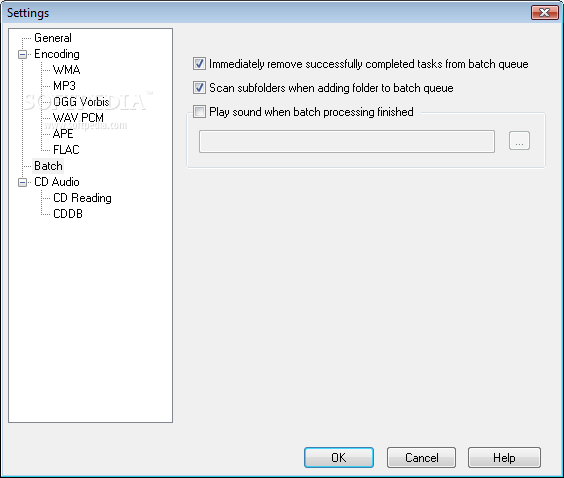
    On top of that, you can keep ID3 tags, enable Advanced WMA Workshop to play a sound when all tasks have been completed, add files copied from a CD to the Winamp playlist, confirm the deletion of files or folders, overwrite existing files, to delete files to Recycle Bin, and more.

    The audio conversion tool takes up a very low amount of system resources, includes a comprehensive help file with snapshots for beginners and quickly manages to finish an encoding job while keeping a very good sound quality in the output tracks.

    Unfortunately, Advanced WMA Workshop froze a couple of times during our tests when trying to encode MP3 tracks to WMA. Other than that, we strongly recommend this software to all users.

    Advanced WMA Workshop description

    Here are some key features of "Advanced WMA Workshop":

    Handy User's Interface:
    · Easy-to-use Explorer-like interface allows you easily navigate throug audio files on our computer and perform all actions just by one mouse click even for unproficient user.

    Batch Conversion Support:
    · In case of mass conversion you can use inbuilt Batch Conversion engine to increase perfomance. You just need to add files you want to convert to Batch Queue and ress "Process tasks" button! You can easily change conversion settings(output format, it's settings, ID3 Tag information) of tasks in Batch Queue, after you add them.

    Fast Conversion Speed:
    · Audio formats conversion is performed directly, without any temporary WAV files, this fact means higher converting speed and economy of hard disk resource. Fast processing speed saves your time and high conversion quality allows you really to enjoy your digital audio.

    Best Audio Codecs Support:
    · Our digital audio converter uses most modern and fast audio codecs, it internally supports WMA 9 format: WMA 11 with constant bitrate, quality based WMA 9 format with variable bitrate, two-pass bitrate based WMA 9 format with variable bitrate and WMA 9 Lossless format, which allows you to store your digital audio with best qualty. For MP3 encoding it uses fast LAME encoder 3.97, for OGG encoding it uses latest Vorbis SDK updates.

    ID3 Tag v2 Support:
    · Program supports ID3 Tag v2, you can easily transfer all most useful tag fields from one format to another, edit these fields in audio files (multiple files tag edition is also supported).

    Filename generation using ID3 Tag:
    · You can use this feature to generate filename and folder's structure using ID3 Tag information such as artist's and album's name, track's title, genre and track's number.

    High Quality CD-Ripping:
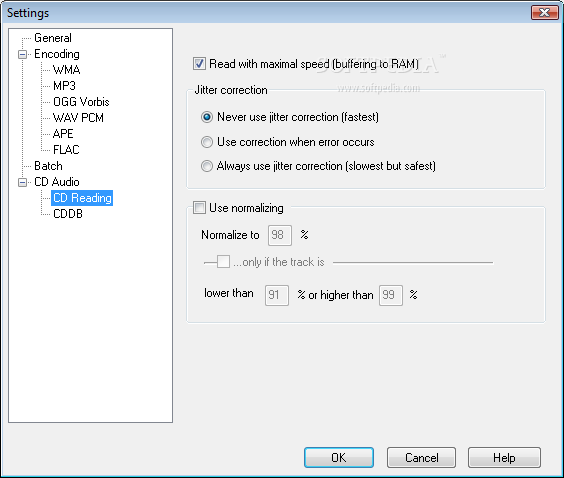
    · You can fastly and naturally transcode Audio CD tracks directly to any of WMA 9 format, OGG VOrbis, MP3 or WAV PCM format, using jitter correction to compensate reading errors.

    CDDB Support:
    · You can download information about Audio CD disc such as Album's and Artist's name, track's names, etc. from Internet database just by clicking on CD drive icon in Folders Tree. Saving and loading of CDDB information using
    · Local CDDB base is also supported.

    Winamp playlists support:
    · Application allows you to create (or append to) Winamp playlists.

    Limitations:

    · Nag screen
    · 14 days trial

    What's New in This Release: [ read full changelog ]

    · Unicode support

     Softpedia guarantees that Advanced WMA Workshop 2.7.4 is 100% CLEAN, which means it does not contain any form of malware, including spyware, viruses, trojans and backdoors. [read more >]


    TAGS:

    audio encoder | mp3 encoder | ogg encoder | encoder | encode | conversion


    HTML code for linking to this page:


    Go to top

    WindowsGamesDriversMacLinuxScriptsMobileHandheldNews

    SUBMIT PROGRAM   |   ADVERTISE   |   GET HELP   |   SEND US FEEDBACK   |   RSS FEEDS   |   UPDATE YOUR SOFTWARE   |   ROMANIAN FORUM