
Boilsoft RM Converter lets you easily to convert Real Media files(*.rm, *.rmvb) to AVI, MPEG-1, MPEG-2, VCD, SVCD, DVD. #Real media #Convert rm #Batch Convert #Convert #Real-media #Rm

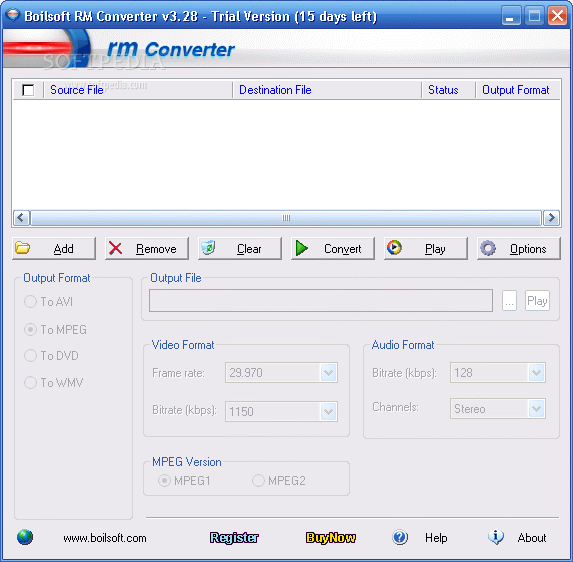
As the name of this software implies, Boilsoft RM Converter allows you to encode Real Media videos (RM, RMVB and RAM) to several extensions, including AVI, MPEG, DVD, WMV and 3GP.
The interface of the application consists of a standard window in which you have a few options at your disposal. Media files can be imported into the list by using either the file browser or the "drag and drop" method. Batch processing is allowed.
In the queue you can view the source and output directory, status and output format of each file. After you set the location and extension, you can press the "Convert" button to initiate the task.
You can modify audio and video settings when it comes to the codec, bit rate, frame rate, channels, sample frequency rate and others.
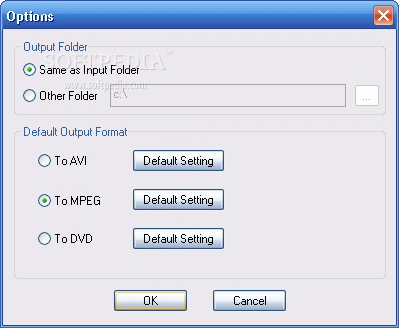
But you can also remove an item from the list or clear the entire queue, as well as go to the "Options" area you specify the default output folder, format and audio and video options.
The program requires a low-to-moderate amount of system resources, includes a step-by-step guide with snapshots for novices, quickly finishes a task and manages to keep a very good image and sound quality.
However, it didn't manage to convert one RM file during our tests and you cannot configure additional program settings (e.g. enable the tool to automatically tun off the computer after all conversions). We recommend Boilsoft RM Converter with reservations.
Boilsoft RM Converter 4.12
add to watchlist add to download basket send us an update REPORT- runs on:
- Windows All
- file size:
- 3.3 MB
- main category:
- Multimedia
- developer:
- visit homepage
4k Video Downloader

Context Menu Manager

7-Zip

Windows Sandbox Launcher

Microsoft Teams

Bitdefender Antivirus Free

ShareX

IrfanView

Zoom Client

calibre

- IrfanView
- Zoom Client
- calibre
- 4k Video Downloader
- Context Menu Manager
- 7-Zip
- Windows Sandbox Launcher
- Microsoft Teams
- Bitdefender Antivirus Free
- ShareX